SymbOS Is A Funhouse Mirror Look At A Future That Never Was

The Z80 might be decades obsolete and a few years out of production, but it’s absolutely a case of “gone but not forgotten” in the hacker world. Case in point is SymbOS, a multitasking OS for Z80 machines by Amstrad, Sinclair, and the MSX2 family of computers that updated to version 4.0 earlier this year.

The best way to describe SymbOS is like looking at an alternate reality where Microsoft created Windows 95 ten years early to put on the MSX instead of the BASIC they were paid to provide. SymbOS 4.0 comes even further into alignment with that design language, with a new file explorer that looks a lot like Windows Explorer replacing (or supplementing) the earlier Midnight Commander style utility in version 3.

Thanks to the preemptive multitasking, you can listen to tracker music while organizing files and writing documents, and even play a port of DOOM. Chat with your friends on IRC while watching (low res) videos on SymboVid. If you’re looking for productivity, all the old business software written for CP/M can run in a virtual machine. There’s even an IDE if you can stand the compile times on what is, we have to remember, an 8-bit, 1980s machine. It’s hard to remember that while watching the demo video embedded below.

The operating system supports up to 1024 KB of RAM (in 64 KB chunks, of course) and file systems up to 2 TB, which is an absolutely bonkers amount of space for this era’s machines.  One enterprising dev has even got his CPC talking to ChatGPT, if that’s your jam. You can try SymbOS for free online on an MSX emulator, or toss it onto a spare Raspberry Pi.  If you’re feeling adventurous, there’s a port in the works for the Isetta TLL retrocomputer.

This isn’t the first modern OS we’ve featured for the Z80, the processor which will live forever in our hearts and tapeouts.

Thanks to [Manuel] for the tip.

Continue reading “SymbOS Is A Funhouse Mirror Look At A Future That Never Was”

PicoGUS Adds CD-ROM Emulation To ISA Bus

Everything fails eventually, but moving parts fail fastest of all– and optical drives seemingly more than others, at least in our experience. Even when they work, vintage drives often have trouble with CD-R, and original media isn’t always easy to find. That’s why it’s so wonderful that [polpo]’s RP2040 ISA card, the PicoGUS 2.0, now supports CD-ROM emulation.

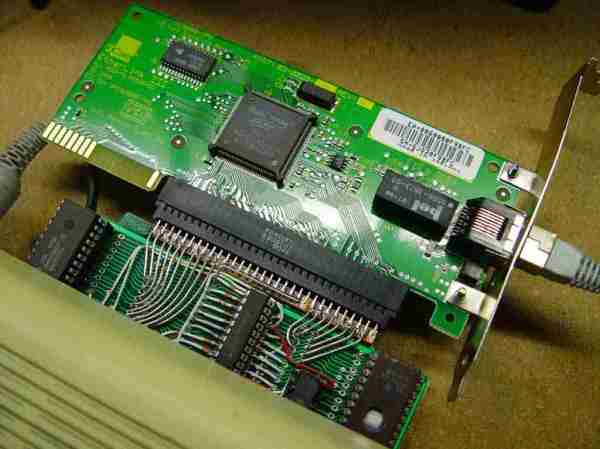
We covered PicoGUS when it first appeared as an ISA sound card,  and make no mistake, it can still emulate sound cards for retro-PC beeps and boops. It’s not just the Gravis Ultrasound (GUS) from which the project took its name, but Sound Blaster 2.0, MPU-401 for MIDI, Tandy 3-voice, and CMS/GameBlaster are all soft options. Like most sound cards back in the day, PicoGUS provides game port support as well.

Continue reading “PicoGUS Adds CD-ROM Emulation To ISA Bus”

2025 One-Hertz Challenge: ZX Spectrum Is Now A Z80 Frequency Counter

The ZX Spectrum is perhaps most fondly remembered as a home computer and a games machine. [Tito] has grabbed the faithful black plastic box and turned it into a frequency counter as an innovative entry to our 2025 One Hertz Challenge.

The code was prepared in assembly using ZASM—a Z80 online assembler. It works in quite a simple manner. The code runs for one second at a time, counting rising edges on the EAR port of the ZX Spectrum. Those edges are added up to determine the frequency in question, and the job is done. [Tito] has tested the code and found it’s capable of reading frequencies up to 20 KHz. Since it runs on a one second period, it’s thus eligible for entry by meeting the requirements of the One Hertz Challenge. Code is available on Github for the curious.

The ZX Spectrum has a clock speed of 3.5 MHz, meaning it’s not exactly the tool of choice if you’re reading faster signals. We’ve seen similar done before. In any case, this project was a great way to exercise assembly coding skills and to bust out some classic Speccy hardware—and that’s always a good time. If you’ve got your own retrocomputer hacks brewing up in the lab, don’t hesitate to let us know!

Before Macintosh banner with stylized pixelated picture of one

Before Macintosh: The Story Of The Apple Lisa

Film maker [David Greelish] wrote in to let us know about his recent documentary: Before Macintosh: The Apple Lisa.

The documentary covers the life of the Apple Lisa. It starts with the genesis of the Lisa Project at Apple, covering its creation, then its marketing, and finally its cancellation. It then discusses the Apple Lisa after Apple, when it became a collectible. Finally the film examines the legacy of the Apple Lisa, today.

The Apple Lisa was an important step on the journey to graphical user interfaces which was a paradigm that was shifting in the early 1980s, contemporary with the Macintosh and the work at Palo Alto. The mouse. Bitmapped graphics. Friendly error messages. These were the innovations of the day.

Continue reading “Before Macintosh: The Story Of The Apple Lisa”

MR Browser Is The Package Manager Classic Macs Never Had

Homebrew bills itself as the package manager MacOS never had (conveniently ignoring MacPorts) but they leave the PPC crowd criminally under-served, to say nothing of the 68k gang. Enter [that-ben] with MR Browser, a simple utility to fetch software from Macintosh Repository for computers too old to hit up the website.

If you’re not familiar with Macintosh Repository, it is what it says on the tin: a repository of vintage Macintosh software, like Macintosh Garden but apparently less accessible to vintage machines.

MRBrowser sys6 runs nicely on the Macintosh Plus, as you can see.

There are two versions available, depending on the age of your machine. For machines running System 6, the appropriately-named MR Browser sys6 will run on any 68000 Mac in only 157 KB of and MacTCP networking. (So the 128K obviously isn’t going to cut it, but a Plus from ’86 would be fine.)

The other version, called MR Browser 68K, ironically won’t run on the 68000. It needs a newer processor (68020 or newer, up-to and including PPC) and TCP/IP networking. Anything starting from the Macintosh II or newer should be game; it’s looking for System 7.x upto the final release of Mac OS 9, 9.2.2.  You’ll want to give it at least 3 MB of RAM, but can squeak by on 1.6 MB if you aren’t using pictures in the chat.

Chat? Yes, perhaps uniquely for a software store, there’s a chat function. That’s not so weird when you consider that this program is meant to be a stand-alone interface for the Macintosh Repository website, which does, indeed, have a chat feature. It beats an uncaring algorithm for software recommendations, that’s for sure. Check it out in action in the demo video below.

It’s nice to see people still making utilities to keep the old machines going, even if coding on them isn’t always the easiest.  If you want to go online on with vintage hardware (Macintosh or otherwise) anywhere else, you’re virtually locked-out unless you use something like FrogFind.

Thanks to [PlanetFox] for the tip. Submit your own, and you may win fabulous prizes. Not from us, of course, but anything’s possible!

Continue reading “MR Browser Is The Package Manager Classic Macs Never Had”

An old PC with CRT monitor

ProtoWeb: Browsing The Information Superhighway Like It’s 1995

Feeling nostalgic? Weren’t around in the 90s but wonder what it was like? ProtoWeb has you covered! Over on his YouTube channel [RetroTech Chris] shows you how to browse the web like it’s 1995.

The service that [RetroTech Chris] introduces is on the web over here: protoweb.org. The way it works is that you configure your browser to use the service’s proxy server, then the service will be able to intercept your browsing activity and serve you old content from its cache. Also, for some supported sites, you will see present-day content but presented in the format you would have seen in the 90s. Once you have configured your browser to use the ProtoWeb proxy you can navigate to http://www.inode.com/ where you will find a directory listing of sites which have been archived or emulated within the service.

In his video [RetroTech Chris] actually demos some of the old web browsers running on old hardware, which is a very good recreation of what things were like. If you want the most realistic experience you can even configure ProtoWeb to slow down your network connection to the speed of a 56k dial-up modem. There are some things from the 90s that we miss, but waiting for websites to load isn’t one of them!

We had a look in our own archive to see how far back we here at Hackaday could go, and we found our first post, from September 2004: Radioshack Phone Dialer – Red Box. A red box! Spicy.

Continue reading “ProtoWeb: Browsing The Information Superhighway Like It’s 1995”

Vintage Hardware Find Includes Time Capsule Of Data

Before social media brought the Internet to the masses, and before even Napster, ICQ, and AIM gave those with a phone line a reason to connect online at all, those who went online often went to a BBS messageboard. By modern standards these text-only environments would have been extremely limited, with only weather updates, stock information, limited news, some email and messaging, and perhaps some classifieds or other miscellaneous information. This was an important time for the early Internet though, and [Nicola] recently discovered a time capsule of sorts from this era.

He first got a tip about a piece of vintage hardware, a DEC VAXstation II which was missing from his collection. But after painstakingly preserving the data on the hard drive he found it had been hosting one of these BBS servers and had plenty of gems from the era to show off. Not only does this build restore the DEC hardware but [Nicola] was able to virtualize the server using the data he recovered on a SIMH emulator, granting insights into how the Internet of this era was used.

[Nicola] also brought the BBS messaging system back online, although he notes that running it on the original hardware wouldn’t be feasible so for now it runs in the cloud. It’s a fascinating look into the Internet of the past, far beyond when many of us first went online as well. For a deep dive on how these systems worked, as well as an introduction to some of the Internet culture of the day, we saw this guide to the BBS a little while ago.