Brain Transplant Makes One Arcade Machine Play Games From Another

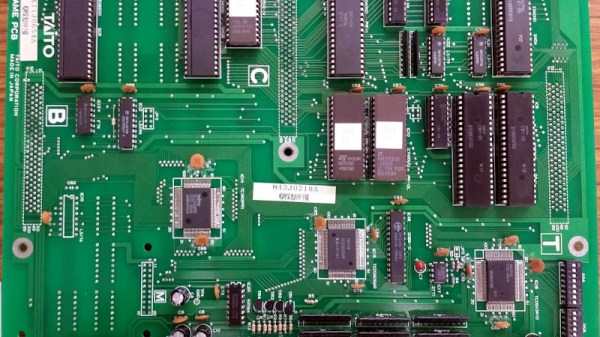
We’re used to games consoles in which the same hardware plays a variety of different games, but if we were to peer inside arcade cabinets of an older vintage we’d find custom boards unique to every game. Some boards from the same manufacturers shared common hardware traits even if they weren’t identical though, and [twistedsymphony] has taken advantage of this to make one vintage Taito game — Gun & Frontier — run on the hardware for another, Ah Eikou no Koshien. It’s a fascinating tale across a forum thread, that’s well worth a read even if you will never touch a vintage arcade board.
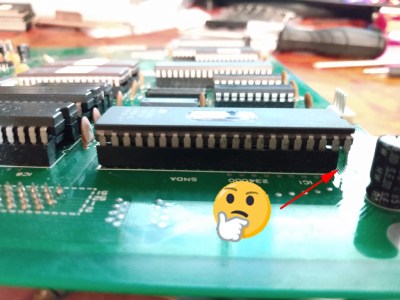
We might expect that the tool of choice would be a logic analyser or similar, but unexpectedly the solution to this hack was found in MAME. The arcade emulator conceals a wealth of information about these boards, from which you can discover their differences and try out possible solutions. The hardware hacks are surprisingly straightforward, a few bodge wires and an extra address line for a larger ROM. A programmable logic array required dumping and rewriting to fix a graphics corruption issue and a little bit of ROM tweaking after emulating a controller problem in MAME was required, but it seems that yes, one game can run on another. Certainly less painful than the Taito hack that required a chip to be decapped.

[via r/ReverseEngineering]
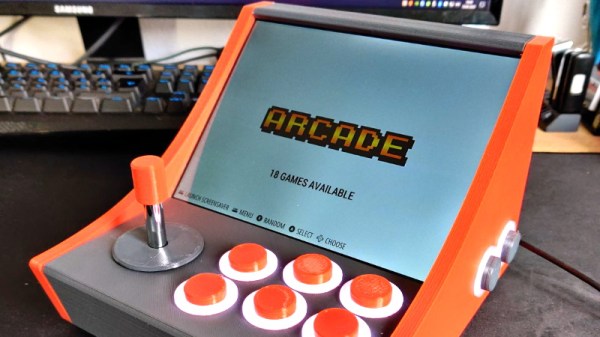
3D Print Your Way To A Bartop Arcade Cabinet

Custom arcade machines have always been a fairly common project in the hacker and maker circles, but they’ve really taken off with the advent of the Raspberry Pi and turn-key controller kits. With all the internals neatly sorted, the only thing you need to figure out is the cabinet itself. Unfortunately, that’s often the trickiest part. Without proper woodworking tools, or ideally a CNC router, it can be tough going to build a decent looking cabinet out of the traditional MDF panels.

But if you’re willing to leave wood behind, [Gerrit Gazic] might have a solution for you. This bartop arcade, which he calls the simplyRetro D8, uses a fully 3D printed cabinet. He’s gone through the trouble of designing it so there are no visible screw holes, so it looks like the whole thing was hewn from a chunk of pure synthwave ore. He notes that this can make the assembly somewhat tricky in a few spots, but we think it’s a worthy compromise.

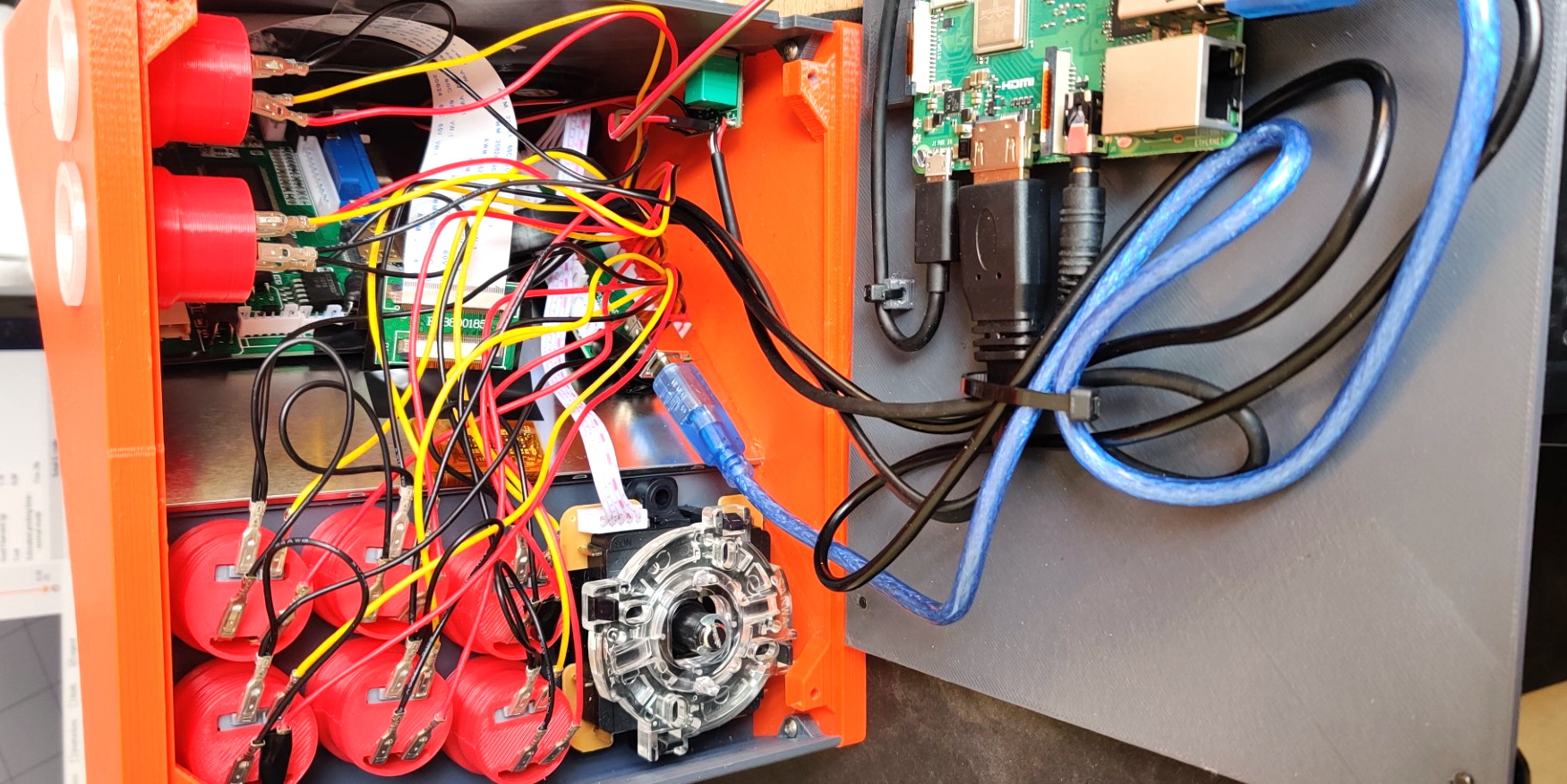
Given the squat profile of the simplyRetro, the internals are packed in a bit tighter than we’re accustomed to seeing in a arcade build. But there’s still more than enough room for the Raspberry Pi, eight inch touch screen HDMI panel, and all the controls. To keep things as neat as possible, [Gerrit] even added integrated zip tie mount points; a worthwhile CAD tip that’s certainly not limited to arcade cabinets.

[Gerrit] has included not only the STL files for this design, but also the Fusion 360 Archive should you want to make any modifications. There’s also a complete Bill of Materials, as well as detailed instructions on how to pull it all together. If you’ve ever wanted your own arcade machine but felt a bit overwhelmed about figuring out all the nuances on your own, the simplyRetro could be the project you’ve been waiting for.

Of course if you do have access to a CNC or laser cutter, then there are some designs you could produce quite a bit faster.

Camcorder Viewfinder Converted To Diminutive Vector Display

We generally cast a skeptical eye at projects that claim some kind of superlative. If you go on about the “World’s Smallest” widget, the chances are pretty good that someone will point to a yet smaller version of the same thing. But in the case of what’s touted as “The world’s smallest vector monitor”, we’re willing to take that chance.

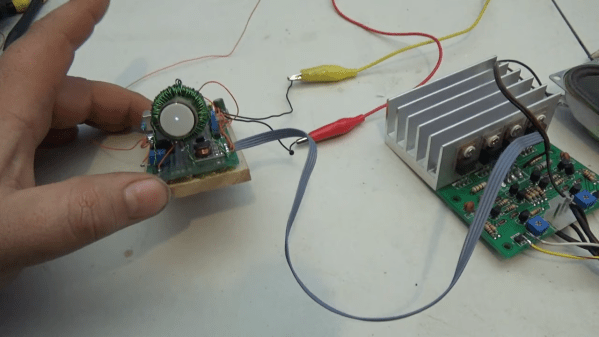
If you’ve seen any of [Arcade Jason]’s projects before, you’ll no doubt have noticed his abiding affection for vector displays. We’re OK with that; after all, many of the best machines from the Golden Age of arcade games such as Asteroids and Tempest were based on vector graphics. None so small as the current work, though, based as it is on the CRT from an old camcorder’s viewfinder. The tube appears to be about 3/4″ (19 mm) in diameter, and while it still had some of its original circuitry, the deflection coils had to be removed. In their place, [Jason] used a ferrite toroid with two windings, one for vertical and one for horizontal. Those were driven directly by a two-channel push-pull audio amplifier to make patterns on the screen. Skip to 15:30 in the video below to see the display playing [Jerobeam Fenderson]’s “Oscilloscope Music”.

As much as we’d love to see a tiny game of Battlezone played on the diminutive display, there’s only so much it can do. Maybe an analog version of this adorable digital oscilloscope would be possible?

Continue reading “Camcorder Viewfinder Converted To Diminutive Vector Display”

Barcaderator Is Coin-Op Arcade Up Top And Kegerator Down Below

It’s a common sight in our community for a life-expired arcade cabinet to be repurposed as a MAME cabinet with an up-to-date screen and other internals. Many of us have had some fun pursuing high scores in a hackerspace somewhere, and even if they don’t have the screen burn and annoying need for cash of the originals they still deliver plenty of fun.

But if there’s one pleasure an adult can pursue that a kid in a 1980s arcade couldn’t, it’s a cool glass of beer. [Marcus Young] has brought together the two with his Barcaderator, a custom MAME cabinet with a beer tap on the side and a fridge for a keg in its base.

The MAME internals include a Lattepanda Alpha and an LED controller for those illuminated buttons. Where this build shines is in its custom cabinet, which instead of being an all-in-one unit takes the form of a base and top half that are detatchable. It appears to take its inspiration and build techniques from the world of flight cases. You can see the detail where the two halves come together in this image. The result should be of great interest to anyone who has struggled with moving an unwieldy traditional arcade cabinet.

This is we think the first beer/arcade combo to grace these pages. But we’ve had more than one arcade cabinet, and definitely quite a few kegs along the way.

Building A DIY Desktop-Sized Arcade Machine

Full-sized arcade cabinets are undeniably cool, but take up a lot of space and can be somewhat of a handful. [PleaseNoFisticuffs] desired something a little more fun-sized, and so built a desktop arcade machine that has some serious style.

It’s a build that’s remarkably accessible for even the inexperienced builder. Paper templates are used to cut out the plywood parts for the cabinet, and the electronic components are all off-the-shelf items. Assembly is readily achievable with high-school level woodworking and soldering skills. Like most similar builds, it relies on the Raspberry Pi running RetroPie, meaning you’ll never run out of games to play.

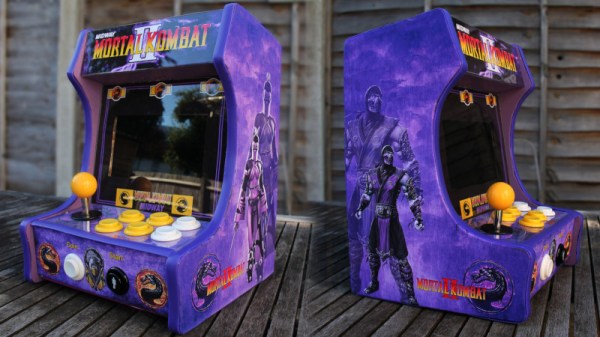
Where this project really shines, however, is the graphics. Cribbed from Mortal Kombat II and looking resplendent in purple, they’re key to making this cabinet a truly stunning piece. The attention to detail is excellent, too, with the marquee and screen getting acrylic overlays for that classic shine, as well as proper T-moulding being used to finish the edges.

We’d love to have something like this on our desk, though we’d likely get far less work done in such an event. For another take on an arcade build, check out this impressive Undertale pinball cabinet.


LEDSpicer Is An Open Source Light Controller For Your Arcade Machine

In this day and age of cheap and easy emulation, it’s more tempting than ever to undertake a home arcade cabinet build. If you want to show off, it’s got to have a light show to really pull the crowds in. To make that easier, [Patricio] put together a software package by the name of LEDSpicer.

The project came about when [Patricio] was working on his Linux-based MAME cabinet, and realised there were limited software options to control his Ultimarc LED board. As the existing solutions lacked features, it was time to get coding.

LEDSpicer runs on Linux only, and requires compilation, but that’s not a huge hurdle for the average MAME fanatic. It comes with a wide variety of animations, as well as tools for creating attract modes and managing LEDs during gameplay. There are even audio-reactive modes available for your gaming pleasure. It’s open source too, so it’s easy to tinker with if there’s something you’d like to add yourself.

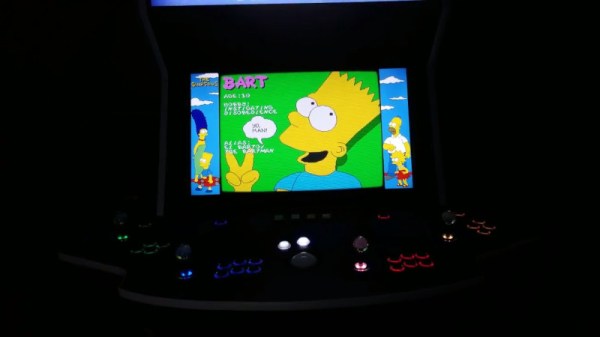
It’s a great package that should help many arcade builders out there. LEDs can be used to great effect on a cabinet build; this marquee is a particularly good example. Video after the break.

[Thanks to Guillermo for the tip!]

Continue reading “LEDSpicer Is An Open Source Light Controller For Your Arcade Machine”

Arcade With LED Marquee Shows Off Your Game

We’ve seen a lot of arcade machine builds here on Hackaday. Seriously, a lot. Even more so since the Raspberry Pi took over the world and made it so you didn’t have to cannibalize an old laptop to build one anymore. It’s one of those projects with huge appeal: either you’re somebody who’s built their own arcade, or you’re somebody who wishes they had. But even after seeing all these builds, we occasionally come across a specimen that deserves special recognition.

LED display controller

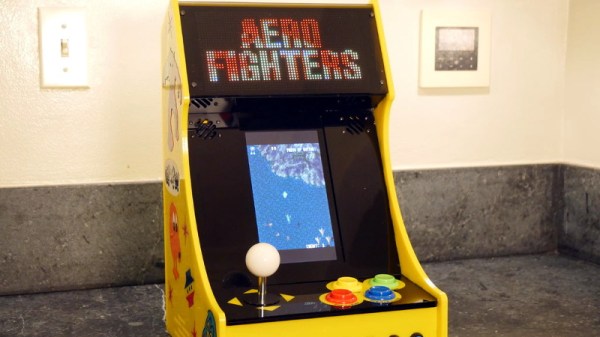
[Al Linke] recently wrote in to tell us about his arcade build, which we think you’ll agree is worth a closer look. The core build is actually a modification of a previously published design, but what makes this one unique is the addition of a programmable LED matrix in the top that actually shows the logo and artwork for whatever game you’re currently playing. This display really helps sell the overall look, and instantly makes the experience that much more authentic. Sure you don’t need the marquee of your home arcade machine to show era-appropriate artwork…but we know you want it to.

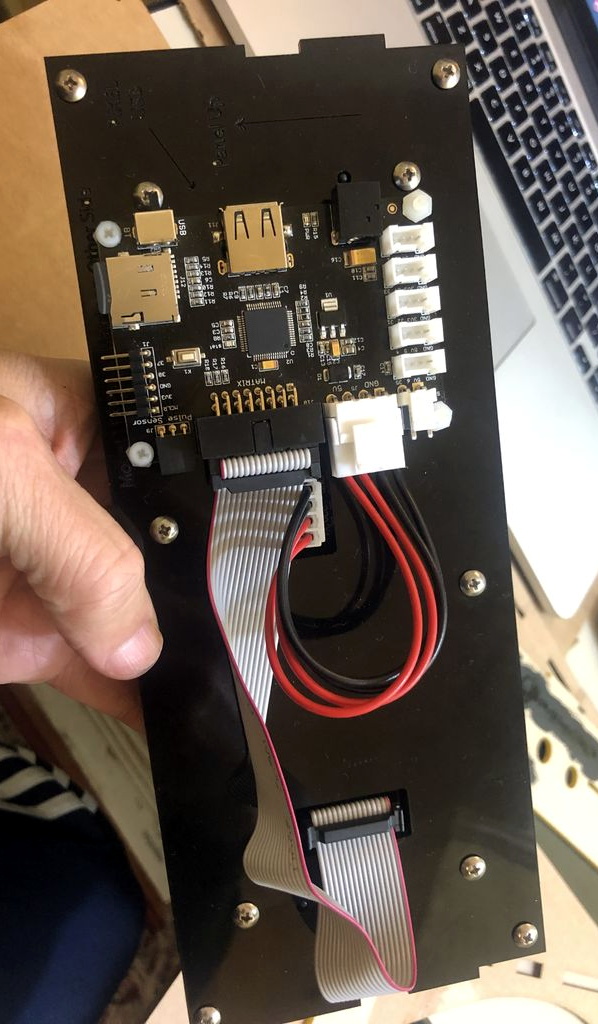
So how does one interface their Raspberry Pi with this beautiful 64×32 LED marquee display? Well it just so happens that [Al] is in the business of making cool LED displays, and even has a couple successful Kickstarter campaigns under his belt to prove it. He’s developed a board that lets you easily connect up to low-cost HUB75 LED panels such as the one used in the arcade. It’s been a few years since we’ve last seen a project that tackled these specific LED displays, and it’s encouraging to see how far things have come since then.

Even if you’re somehow not in love with the LED marquee, this build really does stand on its own as a fantastic example of a desktop arcade machine. [Al] went to great length to document his build, including putting together several videos during different phases of construction. If you’re curious about the start of the art for home arcade builds, this project would be a pretty good one to use as a barometer.

Whether it’s a full-size replica of the machine you spent your youth standing in front of, or an entirely new design made to your exacting specifications, there’s few projects that are a better conversation starter than one of these beauties blinking away in your living room.

Continue reading “Arcade With LED Marquee Shows Off Your Game”