Learning ARM Without Dev Board

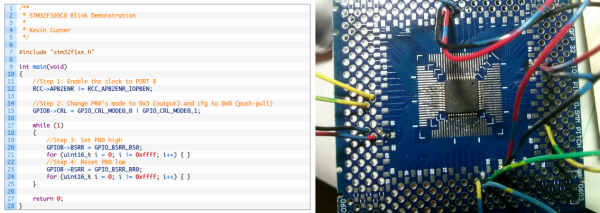
There’s a tremendous amount of value in using pre-built, known-good development environments. It saves you hours of potential headaches when things aren’t working. Is the bug in the hardware or the software? If you bought a dev kit, you can be pretty sure it’s your software. But sometimes using a dev kit also feels like there’s a black box in the system. [Kevin] wanted to peer inside the black box, so he ordered a tray of cheap STM32F103 chips on eBay, and did the rest himself.

“The rest” isn’t all that much, but figuring that out is half the battle. [Kevin] soldered the TQFP chip onto a breakout board, added some decoupling capacitors, and connected four pins up to a dirt-cheap ST-Link programmer clone. The rest of the article describes the toolchain he used to compile for and program the chip. The end result is, natch, a blinking LED.

If you’re a bit experienced with microcontrollers and want to dive head-first into an ARM chip, [Kevin]’s writeup is just the ticket. In a single (long) blog post, he walks you through all the steps. If this is your first rodeo, you might be tempted to cheese out and buy a pre-built board on eBay (search “STM32F103” and you’ll find many options to choose from) and we don’t think that’s a bad idea either. Still, there’s just something to be said for the confidence that you’ll have once you’ve built the whole system from scratch.

FriendlyARM: A Different Flavor Of Raspberry

A lot of old science fiction movies show people wearing the same–or nearly the same–clothes. We’re left guessing if this is because there is a single centralized plant mass-producing skin-tight jumpsuits, or if everyone is under orders to dress the same. Now that we live in the past’s future, it looks like science fiction was a poor predictor of fashion. People want variety.

Which calls to mind development boards. How many different ones do we need? Need doesn’t matter, because we have plenty of them. There may be strong leaders: in the 8-bit world, you think of the Arduino, and on the Linux side, maybe the Raspberry Pi. But there are options.

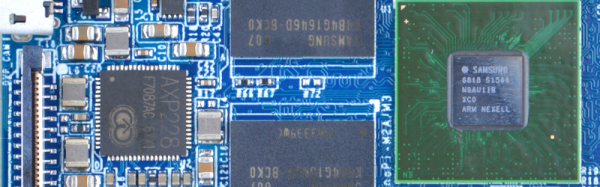
[Eric Brown] recently compared several inexpensive development boards from FriendlyARM including the NanoPi M3, the NanoPi M1, and the NanoPC-T3. These range from about $11 to $60 with the M3 costing $35. You can see an M1 booting on an HDMI screen in the video below.

Continue reading “FriendlyARM: A Different Flavor Of Raspberry”

Mike Szczys Ends 8-Bit Vs 32-Bit Holy War!

If you’ve read through the comments on Hackaday, you’ve doubtless felt the fires of one of our classic flame-wars. Any project done with a 32-bit chip could have been done on something smaller and cheaper, if only the developer weren’t so lazy. And any project that’s squeezes the last cycles of performance out of an 8-bit processor could have been done faster and more appropriately with a 32-bit chip.

bits_argument

Of course, the reality for any given project is between these two comic-book extremes. There’s a range of capabilities in both camps. (And of course, there are 16-bit chips…) The 32-bit chips tend to have richer peripherals and run at higher speeds — anything you can do with an 8-bitter can be done with its fancier cousin. Conversely, comparatively few microcontroller applications outgrow even the cheapest 8-bitters out there. So, which to choose, and when?

Eight Bits are Great Bits

The case that [Mike] makes for an 8-bit microcontroller is that it’s masterable because it’s a limited playground. It’s a lot easier to get through the whole toolchain because it’s a lot shorter. In terms of debugging, there’s (often) a lot less that can go wrong, letting you learn the easy debugging lessons first before moving on to the truly devilish. You can understand the hardware peripherals because they’re limited.

And then there’s the datasheets. The datasheet for a chip like the Atmel ATMega168 is not something you’d want to print out, at around 660 pages long. But it’s complete. [Mike] contrasts with the STM32F405 which has a datasheet that’s only 200 pages long, but that’s just going over the functions in principle. To actually get down to the registers, you need to look at the programming manual, which is 1,731 pages long. (And that doesn’t even cover the various support libraries that you might want to use, which add even more to the documentation burden.) The point is, simpler is simpler. And if you’re getting started, simpler is better.

Continue reading “Mike Szczys Ends 8-Bit Vs 32-Bit Holy War!”

Reverse Engineer Your Robot Lawnmower

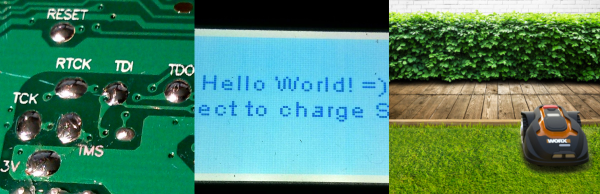
Your home is your castle, and you are king or queen of all you survey. You’ve built your own home-automation system from scratch. Why would you possibly settle for the stock firmware in your robotic lawnmower? [Daniel Wiegert] wouldn’t either, so in Project Landlord he has started to reverse-engineer it.

You can hardly blame him. The Worx Landroid‘s controller board uses an NXP LPC1768 ARM Cortex-M3, and the debug pins are labelled on the backside. The manufacturer didn’t protect the flash memory. It’s just begging to have its firmware dumped. So far, [Daniel] has managed to both brick and unbrick the device, and has completely mapped the controller’s pinout, so he’s on his way to complete control.

Right now, he’s got a working proof-of-concept firmware on his GitHub that’s able to drive the machine around a little bit and set the brakes. It’s running FreeRTOS, and [Daniel] is looking for other people to get in on the project. He’s done the hard initial work, so get in there and reap the rewards! Just don’t neglect to remove the blade before custom firmware.

Will custom firmware in a robotic lawnmower change the world? Probably not. But it is awesome, and will certainly make a difference in the lives of people whose robot mowers continually get stuck behind the hydrangeas.

The HackadayPrize2016 is Sponsored by:

The Open Source Hacker’s Laptop

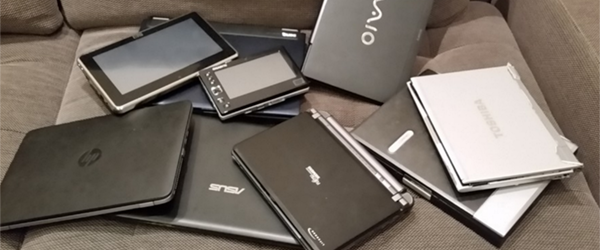
[Tsvetan Usunov] has been Mr. Olimex for about twenty five years now, and since then, he’s been through a lot of laptops. Remember when power connectors were soldered directly to the motherboard? [Tsvetan] does, and he’s fixed his share of laptops. Sometimes, fixing a laptop doesn’t make any sense; vendors usually make laptops that are hard to repair, and things just inexplicably break. Every year, a few of [Tsvetan]’s laptops die, and the batteries of the rest lose capacity among other wear and tear. Despite some amazing progress from the major manufacturers, laptops are still throwaway devices.

Since [Tsvetan] makes ARM boards, boards with the ~duino suffix, and other electronic paraphernalia, it’s only natural that he would think about building his own laptop. It’s something he’s been working on for a while, but [Tsvetan] shared his progress on an Open Source, hacker’s laptop at the Hackaday | Belgrade conference.

Continue reading “The Open Source Hacker’s Laptop”

Hackaday Links: April 24, 2016

TruckThe Internet Archive has a truck. Why? Because you should never underestimate the bandwidth of a truck filled with old manuals, books, audio recordings, films, and everything else the Internet Archive digitizes and hosts online. This truck also looks really, really badass. A good thing, too, because it was recently stolen. [Jason Scott] got the word out on Twitter and eagle-eyed spotters saw it driving to Bakersfield. The truck of awesome was recovered, and all is right with the world. The lesson we learned from all of this? Steal normal cars. Wait. Don’t steal cars, but if you do, steal normal cars.

In a completely unrelated note, does anyone know where to get a 99-01 Chevy Astro / GMC Safari cargo van with AWD, preferably with minimal rust?

[Star Simpson] is almost famous around these parts. She’s responsible for the TacoCopter among other such interesting endeavours. Now she’s working on a classic. [Forrest Mims]’ circuits, making the notebook version real. These Circuit Classics take the circuits found in [Forrest Mims]’ series of notebook workbooks, print them on FR4, and add a real, solderable implementation alongside.

Everyone needs more cheap Linux ARM boards, so here’s the Robin Core. It’s $15, has WiFi, and does 720p encoding. Weird, huh? It’s the same chip from an IP webcam. Oooohhhh. Now it makes sense.

Adafruit has some mechanical keyboard dorks on staff. [ladyada] famously uses a Dell AT101 with Alps Bigfoot switches, but she and [Collin Cunningham] spent three-quarters of an hour dorking out on mechanical keyboards. A music video was the result. Included in the video: vintage Alps on a NeXT keyboard and an Optimus Mini Three OLED keyboard.

A new Raspberry Pi! Get overenthusiastic hype! The Raspberry Pi Model A+ got an upgrade recently. It now has 512MB of RAM

We saw this delta 3D printer a month ago at the Midwest RepRap festival in Indiana. Now it’s a Kickstarter. Very big, and fairly cheap.

The Rigol DS1054Zed is one of the best oscilloscopes you can buy for the price. It’s also sort of loud. Here’s how you replace the fan to make it quieter.

Here’s some Crowdfunding drama for you. This project aims to bring the Commodore 64 back, in both a ‘home computer’ format and a portable gaming console. It’s not an FPGA implementation – it’s an ARM single board computer that also has support for, “multiple SIDs for stereo sound (6581 or 8580).” God only knows where they’re sourcing them from. Some tech journos complained that it’s, “just a Raspberry Pi running an emulator,” which it is not – apparently it’s a custom ARM board with a few sockets for SIDs, carts, and disk drives. I’ll be watching this one with interest.

Pine64: The Un-Review

Even before the announcement and introduction of the Raspberry Pi 3, word of a few very powerful single board ARM Linux computers was flowing out of China. The hardware was there – powerful 64-bit ARM chips were available, all that was needed was a few engineers to put these chips on a board, a few marketing people, and a contract manufacturer.

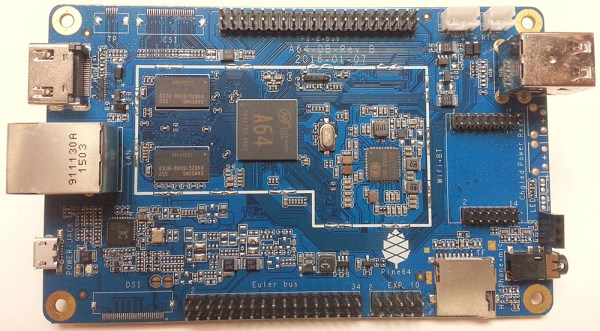
One of the first of these 64-bit boards is the Pine64. Introduced to the world through a Kickstarter that netted $1.7 Million USD from 36,000 backers, the Pine64 is already extremely popular. The boards are beginning to land on the doorsteps and mailboxes of backers, and the initial impressions are showing up in the official forums and Kickstarter campaign comments.

I pledged $15 USD to the Pine64 Kickstarter, and received a board with 512MB of RAM, 4K HDMI, 10/100 Ethernet and a 1.2 GHz ARM Cortex A53 CPU in return. This post is not a review, as I can’t fully document the Pine64 experience. My initial impression? This is bad. This is pretty bad.

Continue reading “Pine64: The Un-Review”