Pine64: The Un-Review

Even before the announcement and introduction of the Raspberry Pi 3, word of a few very powerful single board ARM Linux computers was flowing out of China. The hardware was there – powerful 64-bit ARM chips were available, all that was needed was a few engineers to put these chips on a board, a few marketing people, and a contract manufacturer.

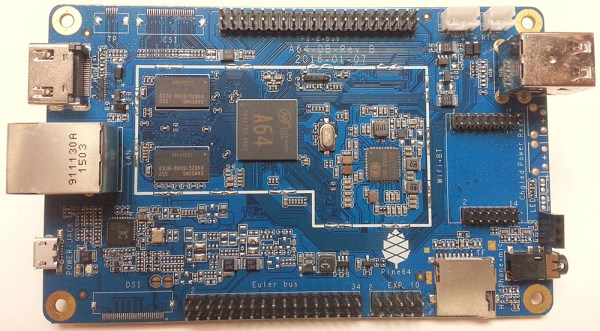
One of the first of these 64-bit boards is the Pine64. Introduced to the world through a Kickstarter that netted $1.7 Million USD from 36,000 backers, the Pine64 is already extremely popular. The boards are beginning to land on the doorsteps and mailboxes of backers, and the initial impressions are showing up in the official forums and Kickstarter campaign comments.

I pledged $15 USD to the Pine64 Kickstarter, and received a board with 512MB of RAM, 4K HDMI, 10/100 Ethernet and a 1.2 GHz ARM Cortex A53 CPU in return. This post is not a review, as I can’t fully document the Pine64 experience. My initial impression? This is bad. This is pretty bad.

Continue reading “Pine64: The Un-Review”

Snake On A BBC Micro:bit

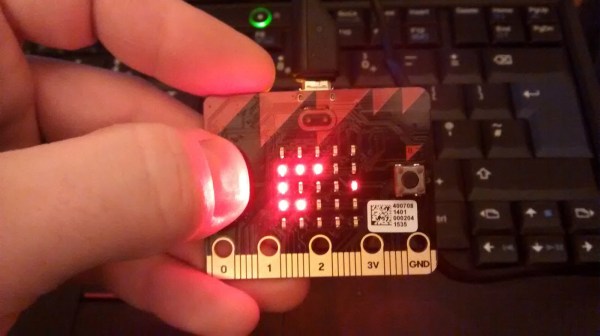
The first of the BBC Micro Bits are slowly making their ways into hacker circulation, as is to be expected for any inexpensive educational gadget (see: Raspberry Pi). [Martin] was able to get his hands on one and created the “hello world” of LED displays: he created a playable game of snake that runs on this tiny board.

For those new to the scene, the Micro Bit is the latest in embedded ARM systems. It has a 23-pin connector for inputs and outputs, it has Bluetooth and USB connectivity, a wealth of sensors, and a 25-LED display. That’s small for a full display but it’s more than enough for [Martin]’s game of snake. He was able to create a hex file using the upyed tool from [ntoll] and upload it to the Micro Bit. Once he worked out all the kinks he went an additional step further and ported the game to Minecraft and the Raspberry Pi Sense HAT.

[Martin] has made all of the code available if you’re lucky enough to get your hands on one of these. Right now it seems that they are mostly in the hands of some UK teachers and students, but it’s only a matter of time before they become as ubiquitous as the Raspberry Pi or the original BBC Micro.  It already runs python, so the sky’s the limit on these new boards.

Continue reading “Snake On A BBC Micro:bit”

Arduino Comes To The Raspberry Pi, Linux ARM Devices

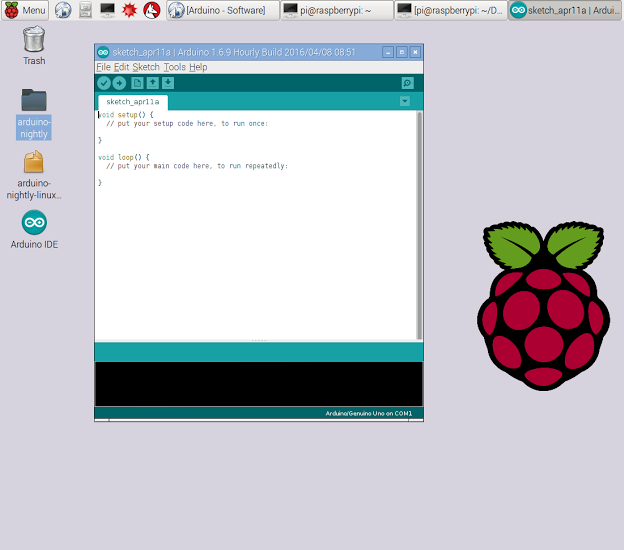
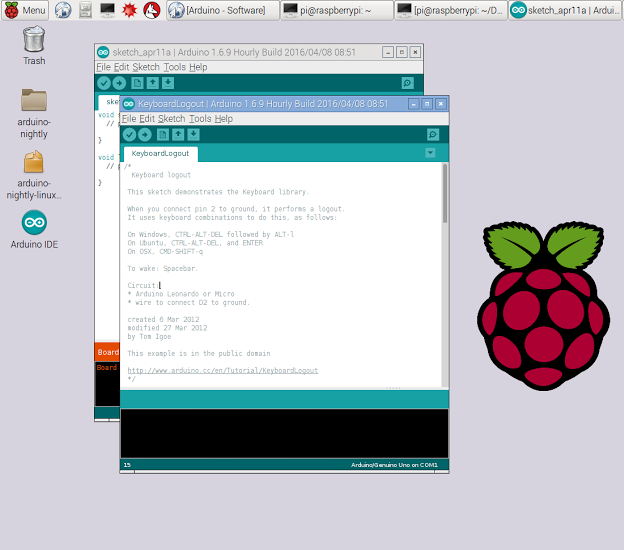
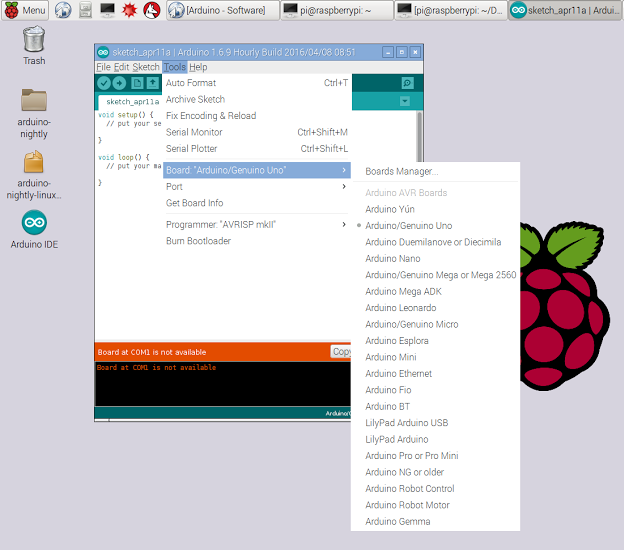
Arduino is the perfect introduction to microcontrollers and electronics. The recent trend of powerful, cheap, ARM-based single board Linux computers is the perfect introduction to computer science, programming, and general Linux wizardry. Until now, though, Arduino and these tiny ARM computers have been in two different worlds. Now, finally, there are nightly builds of Arduino IDE on the Raspberry Pi and other single board Linux computers.

The latest Arduino build for ARM Linux popped up on the arduino.cc downloads page early this week. This is the result of an incredible amount of work from dozens of open source developers across the Arduino project. Now, with just a simple download and typing ‘install’ into a terminal, the Arduino IDE is available on just about every single board Linux computer without having to build the IDE from source. Of course, Arduino has been available on the Raspberry Pi for a very long time with sudo apt-get install arduino, but this was an older version that cannot work with newer Arduino boards.

Is this distribution of the Arduino IDE the same you would find on OS X and Windows? Yep, everything is the same:

While this is really just arduino.cc improving their automated build process and putting a link up on their downloads page, it does make it exceptionally easy for anyone to set up a high school electronics lab. The Raspberry Pi is almost a disposable computing device, and combining it with Arduino makes for a great portable electronics lab.

Embed With Elliot: ARM Makefile Madness

To wrap up my quick tour through the wonderland of make and makefiles, we’re going to look at a pair of possible makefiles for building ARM projects. Although I’m specifically targeting the STM32F407, the chip on a dev board that I have on my desk, it’s reasonably straightforward to extend these to any of the ST ARM chips, and only a bit more work to extend it to any ARM processor.

If you followed along in the first two installments of this series, I demonstrated some basic usages of make that heavily leveraged the built-in rules. Then, we extended these rules to cross-compile for the AVR series of microcontrollers. Now we’re going to tackle a more complicated chip, and that’s going to mean compiling with support libraries. While not required, it’s a lot easier to get an LED blinking on the ARM platforms with some additional help.

One of the main contributions of an IDE like Arduino or mbed or similar is the ease of including external libraries through pull-down menus. If you’ve never built a makefile-based project before, you might be surprised how it’s not particularly more difficult to add libraries to your project.
Continue reading “Embed With Elliot: ARM Makefile Madness”

British Kids Finally Get Their Micro:Bits

The little board that has at times seemed so plagued with delays as to become the Duke Nukem Forever of small computers has finally shipped. A million or so British seventh-grade schoolchildren and their teachers will today start receiving their free BBC micro:bits.

Announced early last year, the plan was to rekindle the learning of code in schools through handing out a powerful and easy to program small computer to the students. The hope is that it will recapture the spirit of the 1980s, when school computing meant programming Acorn’s BBC Micro rather than learning how to use Microsoft Word.

Sadly the project has been delayed multiple times, the original target of last October was missed, and a revised estimate from January suggested they might ship at half-term (about four weeks ago). With only a few days to go before the Easter school holidays the kids will have to try them out at home, but at least they’re arriving.
Continue reading “British Kids Finally Get Their Micro:Bits”

The Internet Of Linux Things

The Linux Foundation is a non-profit organization that sponsors the work of Linus Torvalds. Supporting companies include HP, IBM, Intel, and a host of other large corporations. The foundation hosts several Linux-related projects. This month they announced Zephyr, an RTOS aimed at the Internet of Things.

The project stresses modularity, security, and the smallest possible footprint. Initial support includes:

  • Arduino 101
  • Arduino Due
  • Intel Galileo Gen 2
  • NXP FRDM-K64F Freedom

The project (hosted on its own Website) has downloads for the kernel and documentation. Unlike a “normal” Linux kernel, Zephyr builds the kernel with your code to create a monolithic image that runs in a single shared address space. The build system allows you to select what features you want and exclude those you don’t. You can also customize resource utilization of what you do include, and you define resources at compile time.

By default, there is minimal run-time error checking to keep the executable lean. However, there is an optional error-checking infrastructure you can include for debugging.

The API contains the things you expect from an RTOS like fibers (lightweight non-preemptive threads), tasks (preemptively scheduled), semaphores, mutexes, and plenty of messaging primitives. Also, there are common I/O calls for PWM, UARTs, general I/O, and more. The API is consistent across all platforms.

You can find out more about Zephyr in the video below. We’ve seen RTOS systems before, of course. There’s even some for robots. However, having a Linux-heritage RTOS that can target small boards like an Arduino Due and a Freedom board could be a real game changer for sophisticated projects that need an RTOS.

Continue reading “The Internet Of Linux Things”

When Are 8 Bits More Than 32?

Whenever we write up a feature on a microcontroller or microcontroller project here on Hackaday, we inevitably get two diametrically opposed opinions in the comments. If the article featured an 8-bit microcontroller, an army of ARMies post that they would do it better, faster, stronger, and using less power on a 32-bit platform. They’re usually right. On the other hand, if the article involved a 32-bit processor or a single-board computer, the 8-bitters come out of the woodwork telling you that they could get the job done with an overclocked ATtiny85 running cycle-counted assembly. And some of you probably can. (We love you all!)

redblue_pillWhen beginners walk into this briar-patch by asking where to get started, it can be a little bewildering. The Arduino recommendation is pretty easy to make, because there’s a tremendous amount of newbie-friendly material available. And Arduino doesn’t necessarily mean AVR, but when it does, that’s not a bad choice due to the relatively flexible current sourcing and sinking of the part. You’re not going to lose your job by recommending Arduino, and it’s pretty hard to get the smoke out of one.

But these days when someone new to microcontrollers asks what path they should take, I’ve started to answer back with a question: how interested are you in learning about microcontrollers themselves versus learning about making projects that happen to use them? It’s like “blue pill or red pill”: the answer to this question sets a path, and I wouldn’t recommend the same thing to people who answered differently.

For people who just want to get stuff done, a library of easy-to-use firmware and a bunch of examples to crib learn from are paramount. My guess is that people who answer “get stuff done” are the 90%. And for these folks, I wouldn’t hesitate at all to recommend an Arduino variant — because the community support is excellent, and someone has written an add-on library for nearly every gizmo you’d want to attach. This is well-trodden ground, and it’s very often plug-and-play.

Continue reading “When Are 8 Bits More Than 32?”