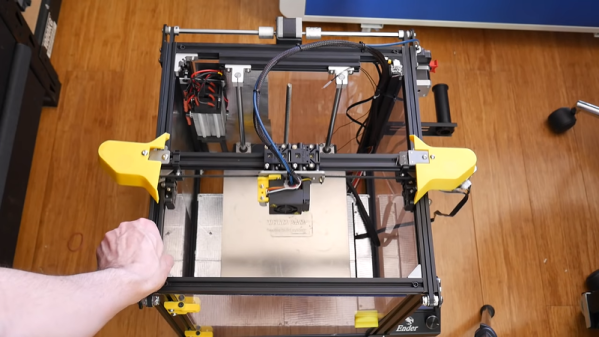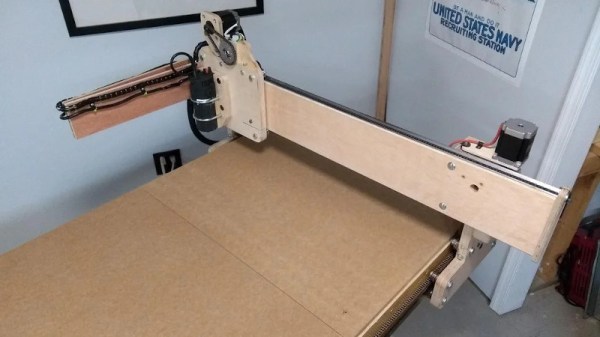
If you are building a CNC machine, a 3D printer, or even a plotter, you have a need for motion in both the X and Y directions. There are many ways to accomplish this, for example, some printers move the tool in the X direction and the bed in the Y direction while others move the entire X carriage in the Y direction and yet more use a delta mechanism. However, one of the oldest means of doing this is the Core XY method. It is interesting because both motors remain stationary and the business end moves entirely on belts or cords. This is similar to the H-Bot technique, but with some differences. [Michael Laws] has a video (see below) that explains how two stationary motors can move a tool anywhere in an XY region.
The idea behind Core XY goes back to at least old drafting tables. You can think of it as an object held by two ends of the same belt. As one end of the belt gets shorter the other end gets longer. The belts are arranged so that motion of one motor causes the tool to move at a 45 degree angle. That means you have to move both motors to go in a straight line.
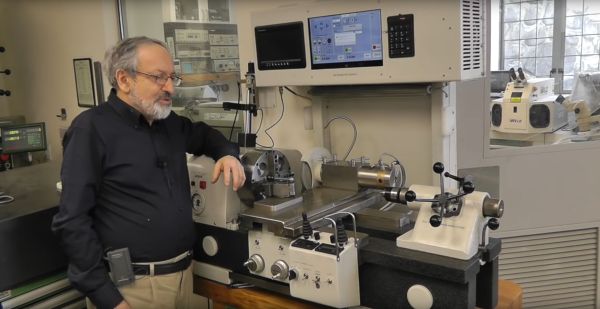
You know you’re in for a treat when you are told that a lathe which can reach a resolution of one micrometer (1×10⁻⁶, a millionth of a meter, or 0.00004″ for people who love zeros) is ‘not hard to build’. This is one of the opening statements in this video by [Dan Gelbart], as he walks the viewer through the details of a custom CNC lathe which he built. (Video embedded below.)
As it’s a combined CNC lathe and grinder, it uses custom software he had developed specifically for the machine. Much of the high precision of the machine is courtesy of air bearings. All but two of the air bearings were made by [Dan], with the two surplus air bearings he used coming from machines used in the semiconductor industry.
The bed of the machine is formed out of off-the-shelf reference granite, to which the other parts are epoxied, providing a stable base with well-defined dimensions. Though perhaps a few light years beyond most DIY lathe efforts, [Dan]’s videos nevertheless provide a treasure trove of tips and information for lathe builders and users alike. Certainly worth a look.
When it comes to building a new CNC machine, you’ve got a wide world of controller boards to choose from. Whether you’re building a 3D-printer or a CNC plasma cutter, chances are good you’ll find a controller that fits your needs and your budget. Not so much, though, when you want to add CNC to a pen plotter from the early days of the PC revolution.
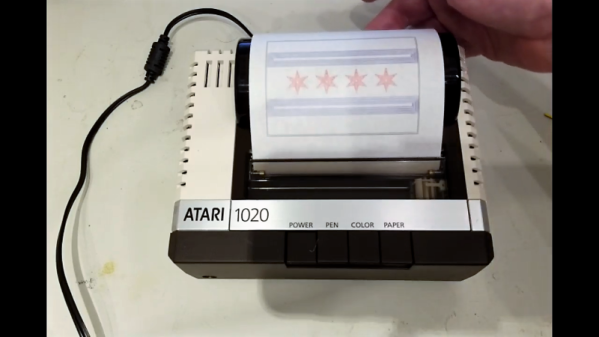
[Barton Dring] just posted the last installment of a five-part series in which he documented putting an Atari 1020 plotter under CNC control. The plotter was a peripheral for the Atari line of 6502 machines from the late 1970s; the guts of the little roll-fed, ballpoint-pen plotter appeared in Commodore, Tandy, and TI versions as well. [Bart]’s goal was to not add or modify anything to the mechanically simple device apart from the controller. That was easier said than done, given the unipolar stepper motors controlling the pen position and paper roll, and the fact that the pen lift mechanism uses a solenoid. Support for those had to be added to his Grbl_ESP32 firmware, as did dealing with the lack of homing switches in the plotter, and adapting the Grbl tool change command to the pen color change mechanism, which rotates the pen holder by bumping it into the right-hand carriage stop. The stock controller was replaced by a custom PCB that fits perfectly within the case, with plenty of room to spare. The video below shows it plotting out a vexillogically relevant sample.
From custom coasters to wooden nickels to complex string art, [Bart] has really put Grbl through the wringer. We really like this retro-redo, though, and fully support his stated desire to convert more old hardware to Grbl_ESP32.
It’s hard to beat the warm memories of Hasbro’s Operation, a game that boils down the fine art of surgery to removing farcically named plastic bones and organs. Just in case you can’t conjure up the memory, the game board looks just like this huge version of it, but normally sits flat on the table and is no larger than… well, a board game. Players take turns using a tethered tweezer to remove butterflies from your stomach without touching the metal sides of the incision area. If the tweezers touch the metal, a buzzer goes off and the player loses a turn.
Delightfully, the controls are designed like a coin-op arcade machine and the three-axis CNC machine they’ve built is a new take on the claw machine. It has a gantry that moves left and right, a head that moves up and down along that gantry rail, and an actuator that moves in to snatch those pesky organs. Limit switches cut the power to the motors if the axis moves too far.
Pieces are foam and hang from a coat-hanger hook
In true robosurgery fashion, there’s a webcam that goes along for the ride to give the surgeon a close-up look. Just stay away from those edges! There’s a button on the tip of the actuator that sets off the alarm if you miss the hole and hit the surface of the board, thereby ending your turn. Each organ is made of foam, faced with a piece of sheet metal, and hung from a hook made of coat hanger wire. That sheet metal allows the gripper to use an electromagnet to pick each piece up.
Hackaday Editors Elliot Williams and Mike Szczys work their way through a fantastic week of hacks. From a rideable tank tread to spoofing radio time servers and from tune-playing vacuum cleaners to an epic camera motion control system, there’s a lot to get caught up on. Plus, Elliot describes frequency counting while Mike’s head spins, and we geek out on satellite optics, transistor-based Pong, and Jonathan Bennett’s weekly security articles.
Take a look at the links below if you want to follow along, and as always tell us what you think about this episode in the comments!
Take a look at the links below if you want to follow along, and as always, tell us what you think about this episode in the comments!
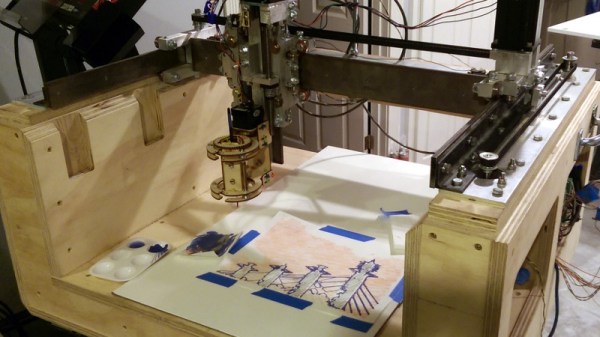
Sometimes we manage to miss projects when they first appear, only to have the joy of discovering them a while later. So it is with [John Opsahl]’s Project Convert To Paint, a CNC painting ‘bot that takes a bitmap image and paints it on canvas as a fine artist would, with a real brush, and paints.
It was first created for the 2017 robotart.org competition, and takes the form of a fairly standard CNC gantry machine. It departs from the norm in its chuck however, as it has what is described as a universal artist chuck, capable of holding a variety of artistic implements. The images are converted from bitmap to vector format, and thence to gcode with the help of a bit of custom Python code.
He’s at pains to say that simply because an image can be converted to a paintable format does not mean that it will produce a good picture. But some of the results are rather impressive, delivering anything from a pointilist effect to a broader brush stroke. We can see that with a bit of experience in the processing it would be possible to create a veritable gallery of masterpieces.
If you’ve been reading Hackaday for awhile, there’s an excellent chance you’ve seen a project or two powered by the Smoothieboard. The open source controller took Kickstarter by storm in 2013, promising to be the last word in CNC thanks to its powerful 32-bit ARM processor. Since then we’ve seen it put to use in not only the obvious applications like 3D printers and laser cutters, but also for robotic arms and pick-and-place machines. If it moves, there’s a good chance you can control it with the Smoothieboard.
But after six years on the market, the team behind this motion control powerhouse has decided it’s time to freshen things up. The Kickstarter for the Smoothieboard v2 has recently gone live and, perhaps unsurprisingly, already blown past its funding goal. Rather than simply delivering an upgraded Smoothieboard, the team has also put together a couple “spin-offs” targeting different use cases. If Smoothie v1 was King of CNC boards, then v2 is aiming to be the Royal Family.
Smoothieboard v2-Prime with breakouts
The direct successor to the original board is called v2-Prime, and it’s everything you’d expect in an update like this. Faster processor, more RAM, more flash, and improved stepper drivers. There’s also available GPIO expansion ports to connect various breakout boards, and even a header for you to plug in a Raspberry Pi. If you’re looking to upgrade your existing Smoothieboard machines to the latest and greatest, the Prime is probably what you’re after.
Then there’s the v2-Mini, designed to be as inexpensive as possible while still delivering on the Smoothieboard experience. The Mini has the same basic hardware specs as the Prime, but uses lower-end stepper drivers and deletes some of the protection features found on the more expensive model. For a basic 3D printer or laser cutter, the Mini and its projected $80 price point will be a very compelling option.
In the other extreme we have the v2-Pro, which is intended to be an experimenter’s dream come true. It features more stepper drivers, expansion ports, and even an integrated FPGA. Realistically, this board probably won’t be nearly as popular as the other two versions, but the fact that they’ve even produced it shows how committed the team is to pushing the envelope of open source motion control.
Our coverage of the original Smoothieboard campaign back in 2013 saw some very strong community response, with comments ranging from excited to dismissive. Six years later, we think the team behind the Smoothieboard has earned a position of respect among hackers, and we’re very excited to see where this next generation of hardware leads.