Running Windows 98 On The IPAQ IA-2 Internet Appliance

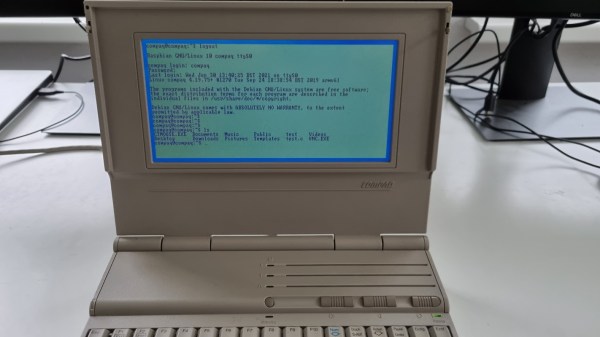
Devices that were limited to only run a web browser were relatively common around 2000, as many people wanted to surf the Information Super Highway, but didn’t quite want to get a regular PC — being in many ways the retro equivalent of a Chromebook. The Compaq iPAQ IA-2 from 2000 that [Dave Luna] got is no exception, with a Microsoft CE-based OS that is meant to be used with Microsoft Network (MSN) dial-up, which amusingly is still available today.
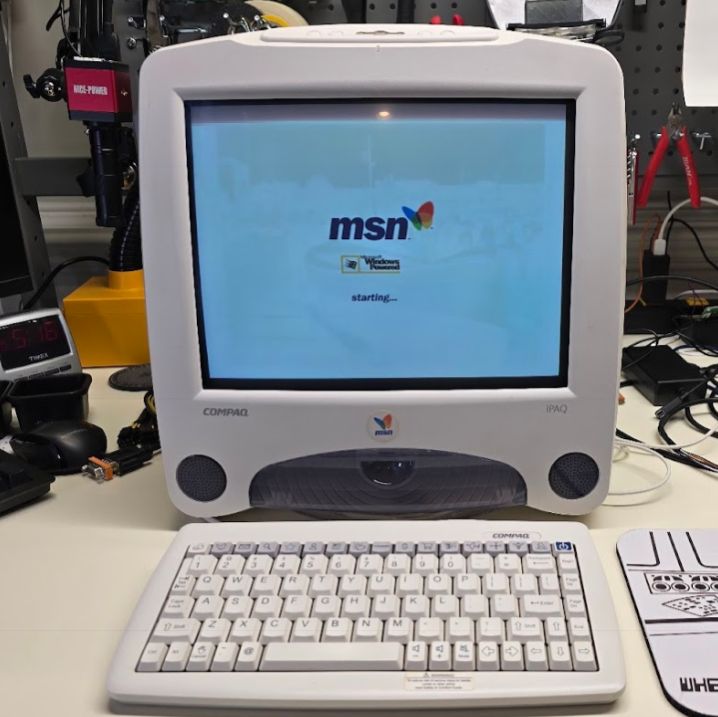
In order to get a more useful OS on it, like Windows 98, you have to jump through quite a few hoops, as [Dave] found out. Although there is an IDE connection on the mainboard, this cannot be booted from, likely due to BIOS limitations. This means that he had to chain boot via the 16 MB NAND Flash drive that the original OS booted from, which was done by writing MS-DOS to the Flash drive using another workaround as it’s not a standard IDE device either.

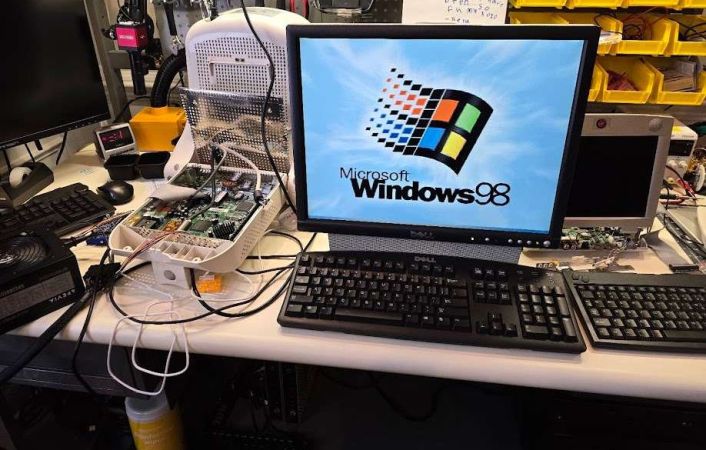
From this you can then boot Windows 98 from an IDE drive by pretending that it’s an ATAPI IDE device to dodge a limitation on IDE devices. The system’s hardware isn’t really going to make it into a blazing fast retro computer. It only has a 266 MHz Geode GX1 CPU and supports up to 256 MB of SDRAM. The IA-2 is also limited to 800×600, which required the use of an external monitor (as seen above) hooked up to the internal VGA port to set the proper resolution in the OS.

But at least it can run DOOM, so that bare minimum requirement can be ticked off.

Continue reading “Running Windows 98 On The IPAQ IA-2 Internet Appliance”
Compaq Portable III Is More Than Meets The Eye

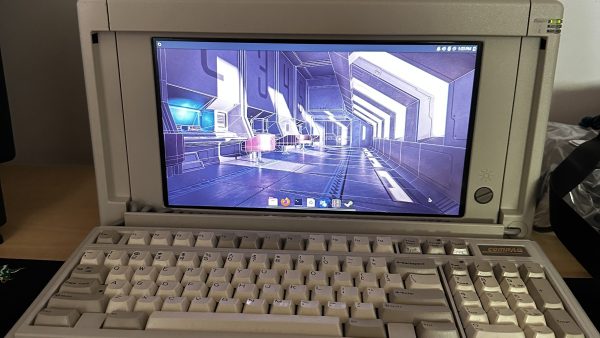
The Compaq Portable III hails from the 386 era — in the days before the laptop form factor was what we know today. It’s got a bit of an odd design, but a compelling one, and the keyboard is pretty nifty, too. [r0r0] found one of these old-school machines and decided it was well worth refitting it to give it some modern grunt.

The Portable III ended up scoring a mini-ITX build, with an AMD Ryzen 7 3700X and an AMD RX580 GPU. Cramming all this into the original shell took some work, like using a vertical riser to fit in the GPU. Hilariously, the RGB RAM sticks are a little bit wasted when the enclosure is closed.

For the purists out there, you’ll be relieved to know the machine’s original plasma display was dead. Thus, a larger modern LCD was fitted instead. However, [r0r0] did play around with software to emulate the plasma look just for fun.

It’s funny to think you could once score one of these proud machines for free at a swap meet.

Continue reading “Compaq Portable III Is More Than Meets The Eye”

Compaq 286 Laptop Gets Raspberry Transfusion

We know, we know. A lot of you don’t like projects that consist of gutting a vintage computer (or anything else, for that matter) and replacing its internals with modern electronics. But can you really look at the clunky Compaq LTE 286 laptop that [Dmitry Brant] hacked a Raspberry Pi into and honestly say it’s a machine worthy of historical preservation? The 30+ year old laptop had all the design cues of a saltine cracker, and the performance to match. At least now with a Pi under the hood, you can play some newer games on the thing.

Besides, [Dmitry] says the machine was damaged beyond the point of economical repair anyway. The only stock hardware that’s left beyond the case itself is the keyboard, which he was able to get talking USB thanks to a Teensy microcontroller. It’s not immediately clear if any attempt has been made to get the switches above the keyboard working, but we imagine it wouldn’t be too hard to tie them into some spare GPIO pins on the MCU for a bit of added authenticity.

The bottom half of the machine was cleared out to the point of it literally being a husk of its former self, which gave him plenty of room to hold the Pi 3B and the HDMI driver board that controls the new 9-inch TFT display. Speaking of which, the new panel was a close enough match to the original’s aspect ratio that only minor bezel modifications were required to get it to fit. The modern LCD makes for a massive improvement over the original, without looking too conspicuous.

While there’s still plenty of available space inside the Compaq, [Dmitry] has opted not to include an onboard battery at this time. Instead, power is provided to the Pi and associated hardware through a bulkhead mount USB connector on the side of the machine. It looks like it wouldn’t be too much trouble to add support for an off-the-shelf USB battery bank, as we recently saw with a particularly well engineered retro-futuristic folding cyberdeck, but far from us to tell a hacker what they should do with their bespoke computer.

Installing Linux Like It’s 1989

A common example of the sheer amount of computing power available to almost anyone today is comparing a smartphone to the Apollo guidance computer. This classic computer was the first to use integrated circuits so it’s fairly obvious that most modern technology would be orders of magnitude more powerful, but we don’t need to go back to the 1960s to see this disparity. Simply going back to 1989 and getting a Compaq laptop from that era running again, while using a Raspberry Pi Zero to help it along, illustrates this point well enough.

[befinitiv] was able to get a Raspberry Pi installed inside of the original computer case, and didn’t simply connect the original keyboard and display and then call it a completed build. The original 286 processor is connected to the Pi with a serial link, so both devices can communicate with each other. Booting up the computer into DOS and running a small piece of software allows the computer into a Linux terminal emulator hosted on the Raspberry Pi. The terminal can be exited and the computer will return back to its original DOS setup. This also helps to bypass the floppy disk drive for transferring files to the 286 as well, since files can be retrieved wirelessly on the Pi and then sent to the 286.

This is quite an interesting mashup of new and old technology, and with the Pi being around two orders of magnitude more powerful than the 286 and wedged into vacant space inside the original case, [befinitiv] points out that this amalgamation of computers is “borderline useful”. It’s certainly an upgrade for the Compaq, and for others attempting to get ancient hardware on the internet, don’t forget that you can always use hardware like this to access Hackaday’s retro site.

Continue reading “Installing Linux Like It’s 1989”

Vintage Keyboard Gets The QMK Treatment

While nobody could deny that computing technology has some a long way in the last few decades, there are many out there who believe peak keyboard was sometime before the turn of the new millennium. They prefer the look, feel, and especially the sounds, of those classic keyboards to what passes for an input device these days. So much so that it’s not uncommon to see one of these old mammoths get freshened up and pushed into service with a modern computer.

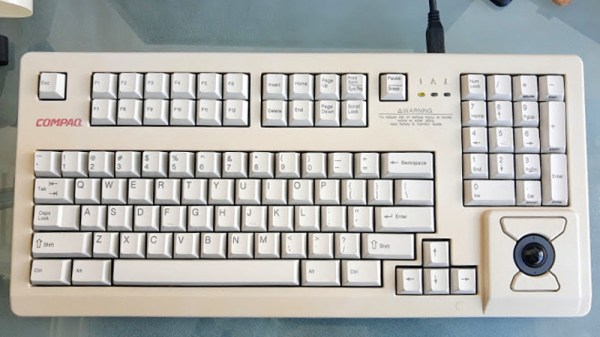
Which is exactly what [Juan Pablo Kutianski] has done with his Compaq MX-11800. This keyboard, which is actually a branded version of the Cherry G80-11800, really stands out in a crowd. With an integrated trackball and a two-row arrangement for the function keys, it’s not hard to see why he’d want to show it off. But while the hardware itself was solid, the features and capabilities of this old school keyboard left something to be desired.

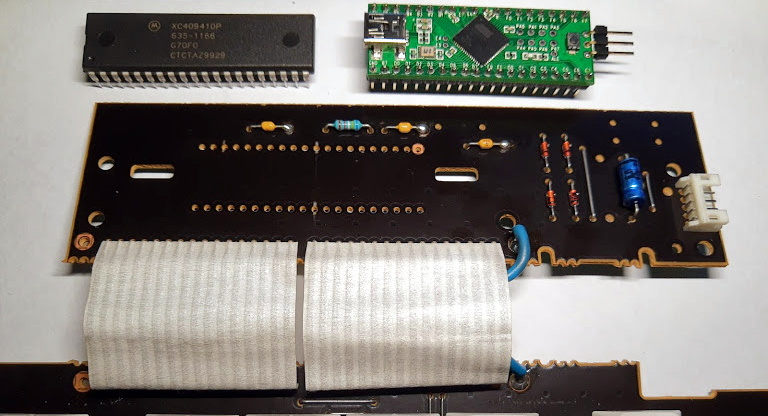
The solution was to replace the keyboard’s original electronics with a Teensy++2.0 running the popular QMK firmware. This not only made the keyboard USB, but allowed [Juan] to tweak things such as the trackball sensitivity and add in support for layers and macros. All of which can be managed through VIA, a graphical configuration tool for QMK.

As we’ve seen in so many projects, the combination of QMK running on the Teensy is a powerful tool for getting the most out of your keyboard. Whether breathing new life into a vintage piece of hardware or creating something truly custom like our very own [Kristina Panos] recently did, it’s definitely something to keep in mind if you’re considering any keyboard hacking.

Alexa, Remind Me Of The First Time Your Product Category Failed

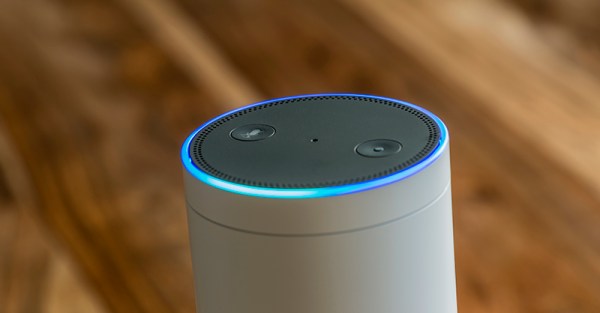
For the last few years, the Last Great Hope™ of the consumer electronics industry has been voice assistants. Alexas and Echos and Google Homes and Facebook Portals are all the rage. Over one hundred million Alexa devices have been sold, an impressive feat given that there are only about 120 Million households in the United States, and a similar number in Europe. Look to your left, look to your right, one of you lives in a house with an Internet connected voice assistant.

2018 saw a huge explosion of Internet connected voice assistants, in sometimes bizarre form factors. There’s a voice controlled microwave, which is great if you’ve ever wanted to defrost a chicken through the Internet. You can get hardware for developing your own voice assistant device. 2019 will be even bigger. Facebook is heavily advertising the Facebook Portal. If you haven’t yet deleted your Facebook account, you can put the Facebook Portal on your kitchen counter and make video calls with your family and friends through Facebook Messenger. With the Google Home Hub and a Nest doorbell camera, you too can be just like Stu Pickles from Rugrats.

This is not the first time the world has been enamored with Internet-connected assistants. This is not the first time the consumer electronics industry put all their hope into one product category. This has happened before, and all those devices failed spectacularly. These were the Internet appliances released between 1999 and 2001: the last great hurrah of the dot-com boom. They were dumb then, and they’re dumb now.

Continue reading “Alexa, Remind Me Of The First Time Your Product Category Failed”

Put An ItsyBitsy Zork In Your Pocket

Before computer games had all these fancy graphics, text based games were a very popular genre. Rather than move a character on the screen, you’d type out commands for your player in sentence form which the game would interpret; decades before the “cloud” language processing technology that the likes of Amazon and Google currently use to power their virtual assistants. In some ways the genre was ahead of its time, but it didn’t survive the graphical revolution for home computers. Of course, these games still have some diehard fans out there.

[Dan The Geek] is one such fan. He loves text based adventure games like Zork so much that he wanted to create his own implementation of the core technology that made these games possible all those years ago. But he didn’t want to just do it on this desktop computer, there’s already projects that let you run these classic games on modern hardware. He wanted to see if he could run these classic games on a modern microcontroller, and create a authentic retro experience on a handy portable device.

[Dan] starts by explaining the technology used to make titles like these possible in the days when the wide array of home computer types required a nuanced approach. By separating the story files from the actual interpreter, developers could more easily port the games to various computers. In theory these interpreters, known as “Z-machines”, could be written for any computer that could compile C code, had enough RAM to hold the story, and had a terminal and keyboard. Not exactly the kind of system requirements we’re used to seeing for modern PC games, but it was the 1980’s.

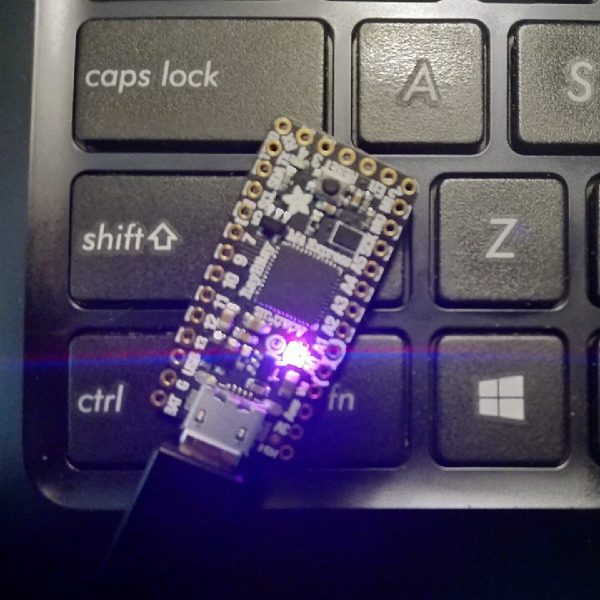
In theory a modern microcontroller will meet these requirements, so [Dan] wanted to create his own Z-machine for one. But rather than “cheat” by using an SD card like previous Arduino Z-machines have, he wanted to see if there was a development board out there that could do it all internally. The answer came in the form of the  Adafruit ItsyBitsy M4 Express, with its 192 kB of RAM and 2 MB of SPI flash.

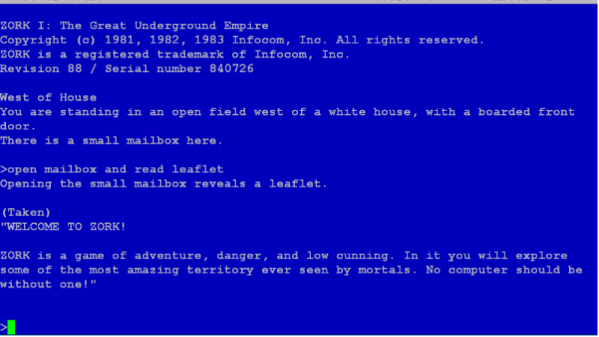
The Z-machine created by [Dan], which he’s calling A2Z, allows users to run Zork and other compatible interactive text games on the ItsyBitsy without any additional hardware. Just plug the board into your computer and you’ll be able to play the games over the the serial connection. He’s even implemented some retro color schemes to make the experience more authentic, like the blue of the Amiga or Compaq green.

We’ve covered previous projects that brought Zork and friends to the Arduino, your web browser via a virtual Altair 8800, and even some more exotic targets like custom FPGAs. You can play cave adventure, the game that inspired Zork, on the Supercon Badge.