Watch Video On A Oscilloscope With An ESP32

[bitluni] got a brand new scope, and he couldn’t be happier. No, really — check the video below; he’s really happy. And to celebrate, he turned his scope into a vector display using an ESP32.

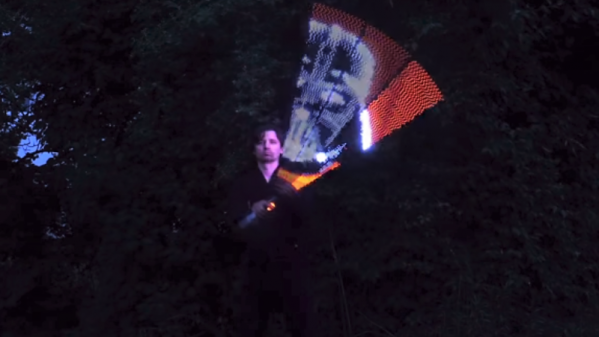
Using a scope in X-Y mode is nothing new, of course. The technique is used to display everything from Lissajous patterns from an SDR to bouncing balls from an analog computer. Taken on as more of an exercise to learn how to use his new tool than a practical project, [bitluni]’s project starts by using two DACs on an ESP32 to create simple Lissajous patterns to learn about the scope’s controls. Next he built some code to display 3D point clouds, but learned that the native DAC code wasn’t up to the job. A little hacking improved the speed 27-fold, which was enough for great 3D images and live video from an I²S camera module. The latter was accomplished by grabbing frames from the camera and rendering them pixel by pixel, CRT style. The results are pretty clean, and there’s a lot to be learned about both using scopes as X-Y displays and tweaking the ESP32 for maximum performance.

Need more background on the ESP32? Start by checking out these ESP32 tutorials.


Continue reading “Watch Video On A Oscilloscope With An ESP32”

Hackaday Prize Entry: Radio Telescope Interferometer

Radio telescopes are one of the dark arts of science. Not only do you have to deal with RF wizardry, the photons you’re detecting are so far out of the normal human experience that you really don’t know what you’re looking at. It’s hard, but that’s the point — there’s a lot to learn with a radio telescope.

[alfazoOm]’s entry in the 2017 Hackaday Prize seeks to counteract a two-part problem: first, there is a dearth of educational radio interferometers in Latin America. Secondly, in Colombia, there’s only so much clear sky so radio astronomy is the preferred technique. Even though they’re so close to the equator, a lot of the northern stars can be seen as well. His interferometer, IMFR11GHz, answers both of those challenges.

IMFR11GHz is a Michelson interferometer, in which a light source is split into two beams, which are reflected by mirrors back to the detector. [alfazoOm] is basing his telescope off of the Stony Brook radio interferometer, though he is designing custom hardware that can position the dish in whatever direction the operator desires with an Alt-Az mount. The control system consists of an ESP32 microcontroller with an IMU and two stepper motors controlling azimuth and elevation. This is awesome citizen science, and a great entry in the Hackaday Prize.

Paperback: ePaper desktop monitor playing Doom

Hackaday Prize Entry: PaperBack Desktop EPaper Monitor

When we announced the Hackaday Prize with its Best Product category, [PK] polled his wife and co-workers about the idea of making a desktop monitor using 6″ 800×600 ePaper, which he has since built and calls the PaperBack. One such requirement for a monitor is to be able to connect to it using one of the usual desktop methods: VGA, DVI or HDMI. Given his previous experience making his own VGA card for the 2015 prize, he went with that. HDMI is in the works.

But it ended up being more than a desktop monitor. He first made a power and breakout board that a VGA input board would eventually connect to. To test it, he included a socket for plugging in an ESP32. With only one bodge he had the Hackaday logo displayed on the ePaper. He also now had the option of using it as a wireless internet connected display.

Moving on to VGA support, [PK] made a VGA input board using the MST9883 chip, which does the A/D conversion of the VGA RGB graphics signal and also recovers a pixel sampling clock from the HSYNC. His new VGA ePaper monitor has to identify itself to the VGA source, telling it dimensions, resolution and so on. This is called the EDID and was handled by the addition of an Atmel ATmega328 to the board. To finish it off, an LCMXO1200C FPGA does the high-speed conversions with the help of a 4 MBit SRAM framebuffer.

His very first test involved simply displaying the Hackaday logo using the ESP32, but now with the VGA input board he has it displaying Doom. Since it’s using ePaper it has only a 1-second refresh rate but it’s hard to come up with a more awesome way to proved that it works. He can also unplug it at any time and walk away with the latest screenshot intact. See it for yourself in the video below.

Continue reading “Hackaday Prize Entry: PaperBack Desktop EPaper Monitor”

Global Thermonuclear War: Tweeted

[Andreas Spiess] did a video earlier this year about fallout shelters. So it makes sense now he’s interested in having a Geiger counter connected to the network. He married a prefabricated counter with an ESP32. If it were just that simple, it wouldn’t be very remarkable, but [Andreas] also reverse-engineered the schematic for the counter and discusses the theory of operation, too. You can see the full video, below.

We often think we don’t need a network-connected soldering iron or toaster. However, if you have a radiological event, getting a cell phone alert might actually be useful. Of course, if that event was the start of World War III, you probably aren’t going to get the warning, but a reactor gas release or something similar would probably make this worth the $50.

Continue reading “Global Thermonuclear War: Tweeted”

Quick And Easy NTP Clock

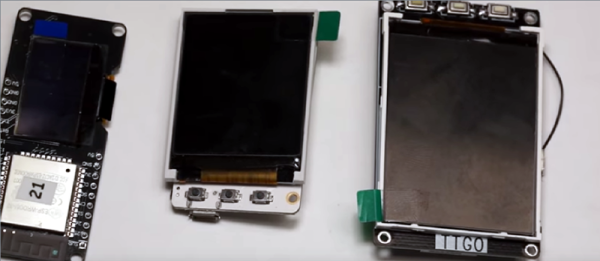
[Danman] got an ESP32 with built-in OLED display, and in the process of getting a clock up and running and trying to get a couple of NodeMCU binaries installed on it, thought he’d try rolling his own.

[Danman] used PlatformIO to write the code to his ESP. PlatformIO allowed [Danman] to browse for a NTP library and load it into his project. After finding the NTP library, [Danman] wrote a bit of code and was able to upload it to the ESP. When that was uploaded [Danman] noticed that nothing was being displayed on the OLED, but that was just a simple matter of tracking down the right address to use when setting up the library for his OLED. Lastly, [Danman] created a large font to display the time with and his mini-clock was done!

It’s always nice to see someone be able to go from buying a board to having a demo put together, and it’s getting easier and easier. Check out this OLED watch, and this pocket watch doesn’t use OLEDs, but it still looks pretty cool.

7-Segment Digits Slide Stylishly On This OLED Clock

Over at Sparkfun, [Alex] shared an OLED clock project that’s currently in progress but has a couple interesting twists. The first is the use of a small OLED screen for each digit, to which [Alex] added a stylistic touch. Digits transition by having segments slide vertically in a smooth animated motion. It’s an attractive effect, and the code is available on his github repository for anyone who wants to try it out.

[Alex] also found that by using an ESP32 microcontroller and synchronizing the clock via NTP over WiFi, the added cost of implementing a real-time clock in hardware becomes unnecessary. Without an RTC, time would drift by a few seconds every day and require a reset. At the moment the clock requires the SSID and password to be hardcoded, but [Alex] would prefer to allow this to be configured via a web page and could use some help. If you have implemented a web server on the ESP32, [Alex] would like to know how you handled multiple pages. “I’ve been scratching my head throughout the build on how to get this done,” he writes. “With the ESP8266, there’s on(const String &uri, handler function), but that seems to have been removed on the ESP32.” If you can point [Alex] in the right direction, be sure to pipe up.

OLED displays and clocks often go together, as we have seen with projects like the DIY OLED Smart Watch, but it’s nice to see someone using the OLED’s strengths to add some visual flair to an otherwise plain display.

A Robot That Can Still Keep Its Balance After A Night In The Pub

One of the star attractions at the recent bring-a-hack prior to our London unconference was [Dan]’s two-wheeled self-balancing robot. As the assorted masses of the Hackaday readership consumed much fine ale and oohed and ahhed over each others work, there it stood on a pub table, defying all attempts to topple it.

In a way a successful self-balancer can look surprisingly unexciting because it achieves the seemingly unimpressive task of just standing there and not doing much except trundling about, but to take such a superficial view belies the significant feat of engineering that gives the self-balancer its party trick. And it’s no mean achievement to create one from fairly basic hardware, so how has he done it?

The 3D-printed frame holds a pair of stepper motors to do the hard work, while a piece of stripboard acts as carrier for boards containing the MPU6050 accelerometer and DRV8825 stepper motor drivers. Meanwhile the brains of the whole show started as an Espruino Pico but has since been moved to an ESP32.

There is a linked GitHub repository with all the code, and if our description of seeing it in a London pub isn’t good enough for you then you can see it in action in the video below.

Continue reading “A Robot That Can Still Keep Its Balance After A Night In The Pub”