
Glowing and blinking things are some of our favourite projects around these parts, and the bigger, the better. [Thomas] wrote to us recently to share the design and construction of a large LED wall at the Oregon Museum of Science, and the results are nothing short of impressive.
The concept involved a large LED wall that would be completely hidden when switched off. The team decided to approach this by hiding high-brightness LED panels using APA102 strings behind milky-white plexiglass panels covered with a woodgrain print. The screen has a total of 90,000 pixels, arranged in a 408×220 resolution display.
A lot of bespoke LED displays have some pre-coded patterns, or perhaps some basic reactive features. In this case, FPGA grunt was brought to bear on the problem and the display accepts standard HDMI input. Four Spartan 6 Mojo FPGA boards split up the task of addressing the panels, each receiving the same HDMI signal, but only crunching the pixels relevant to their area of the display. To make sure clean SPI signals get to each panel, special RS485 driver chips are used to send the signal over a differential pair from the FPGA, before breaking the signal back out to standard SPI at the destination.
Building such a large display takes special techniques, and [Thomas] notes that the help of a local construction company was imperative to making the construction of the final video wall look easy. It’s always interesting to see what goes into these large installations. Sometimes, a major build can even clear out world stocks of important components.







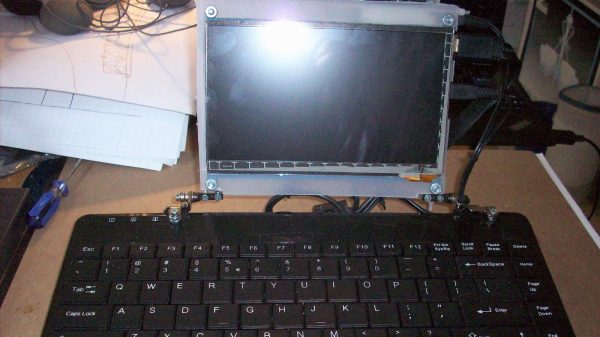
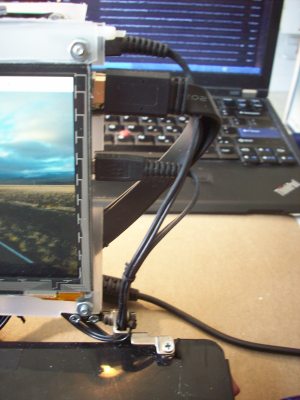 All joking aside, this is a great example of doing what you can with what you’ve got. [starhawk] is limited on funds, and a regular laptop is beyond his means. But being light in the wallet is no reason to go without when you can scrounge parts from friends and family. The base of the laptop is a mini USB keyboard, with the top formed mainly by a 7″ HDMI panel. The back of the display is adorned with a Raspberry Pi 3, a USB hub, a little sound dongle, and the aforementioned Jolly Wrencher. The whole thing is powered by a cast-off power supply brick — no exploding batteries to worry about!