Instant Sketch Camera Is Like A Polaroid That Draws

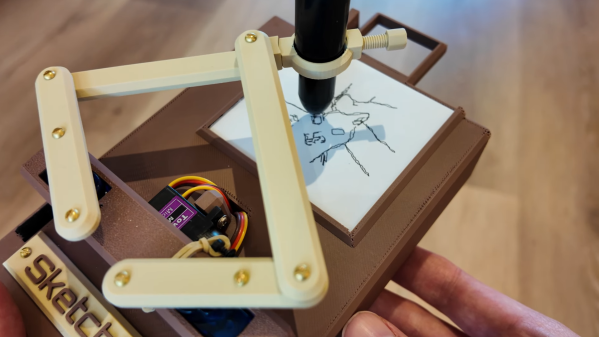
These days, everyone’s got a million different devices that can take a passable photo. That’s not special anymore. A camera that draws what it sees, though? That’s kind of fun. That’s precisely what [Jens] has built—an instant sketch camera!

The sketch camera looks like a miniature drawing easel, holding a rectangular slip of paper not dissimilar in size to the Polaroid film of old. The 3D-printed frame rocks a Raspberry Pi controlling a simple pen plotter, using SG90 servos to position the drawing implement and trace out a drawing. So far, so simple. The real magic is in the image processing, which takes any old photo with the Pi camera and turns it into a sketch in the first place. This is achieved with the OpenCV image processing library, using an edge detection algorithm along with some additional filtering to do the job.

If you’ve ever wanted to take Polaroids that looked like sketches when you’re out on the go, this is a great way to do it. We’ve featured some other great plotter builds before, too, just few that are as compact and portable as this one. Video after the break.

Continue reading “Instant Sketch Camera Is Like A Polaroid That Draws”
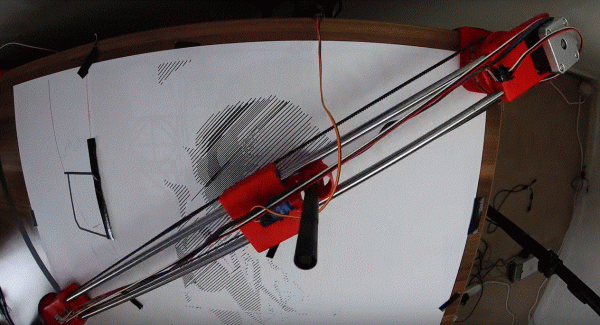
The Incrediplotter: Voice Controlled Plotter From Repurposed Printer

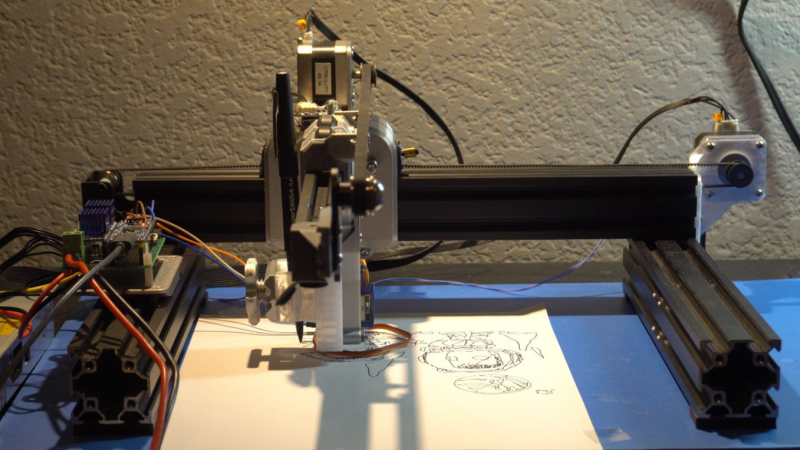
There’s something uniquely satisfying about a pen plotter. Though less speedy or precise than a modern printer, watching a pen glide across the page, mimicking human drawing, is mesmerizing. This project, submitted by [Jacob C], showcases the Incrediplotter, a brilliant repurposing of a 3D printer built by him and his brother.

Starting with a broken 3D printer, [Jacob C] and his brother repurposed its parts to create a voice-controlled pen plotter. They 3D-printed custom components to adapt the printer’s framework for plotting. An STM32 Blue Pill running Klipper controls two TMC2208 motor drivers for the x- and y-axes, while a small standalone servo manages the pen’s height.

The unique twist lies in the software: you can speak to the plotter, and it generates a drawing based on your prompt without needing to select an image. The process involves sending the user’s voice prompt to Google Gemini, which generates an image. The software then converts this image into an SVG compatible with the plotter. Finally, the SVG is translated into G-Code and sent to the plotter to start drawing.

Thanks to [Jacob C] for sharing this impressive project. It’s a fantastic example of repurposing a broken machine, and the voice-to-image feature adds a creative twist, enabling anyone to create unique artwork. Be sure to check out our other featured plotter hacks for more inspiration.

Continue reading “The Incrediplotter: Voice Controlled Plotter From Repurposed Printer”

Pen Plotter Uses Polar Coordinates

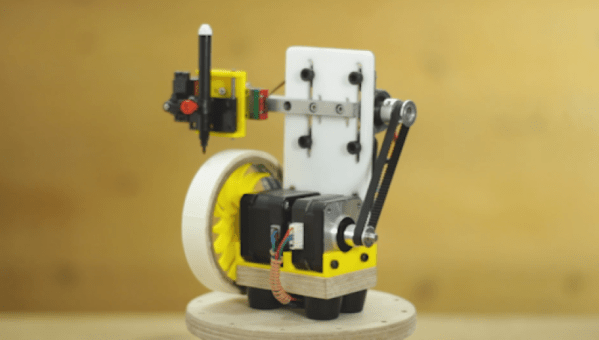
To keep track of a location in a two-dimensional space, two measurements are needed. Most of the time, we would naturally think to do this by the Cartesian method, measuring position along one axis and then again along a second axis. But this isn’t the only way of keeping track of position. Polar coordinates, where the distance from the origin and an angle are used as the two measurements, works just as well, and sometimes can be a preferred method. This pen plotter tosses the expected Cartesian methodology we would typically expect in favor of this polar system.

The first prototype that [André] built was a good proof of concept. A pen attached to a movable carriage on a single rotating arm produced passable drawings, but as all prototypes go this one needed some refinement. Limit switches at the ends of the table, as well as within the arm, served to orient the plotter so that it didn’t manually need to be zeroed out every time. A linear actuator was added to give finer control over the pen’s pressure on the table, and finally an encoder was added to the base of the plotter to more accurately correct positional errors in the rotating arm mechanism.

With everything said and done, the polar coordinate plotter seems to work just as well as its Cartesian cousins might, orienting it like this has some advantages as well. Specifically, it is more adapted to drawing curves or circles than an X-Y device might be able to, like we saw with this similar sand-drawing plotter. Also, if allowed to rotate its entire 360-degree reach instead of just the 90 degrees shown in the video, a machine like this could theoretically reach a wider workspace more easily than other plotters.

Continue reading “Pen Plotter Uses Polar Coordinates”

Automate Handwritten Postcards With Robots

As someone notorious for not doing things the old-fashioned manual way, we’re not sure by [Shane] of Stuff Made Here was thinking when he promised to send out a few hundred handwritten letters. Predictably he built an automated production line for the task. Video after the break.

With “handwritten” and “automated” not being particularly compatible, [Shane] set out to create a robot to create believable handwritten letters, which is significantly harder than it may seem at first glance. It turns out that turning your handwriting into a font is too consistent to be believable, which led down the rabbit of generated handwriting. [Shane] first spend a ridiculous amount of time trying to implement a machine learning model for the task, only to find there’s already an open source library good enough to fool a forensic handwriting expert.

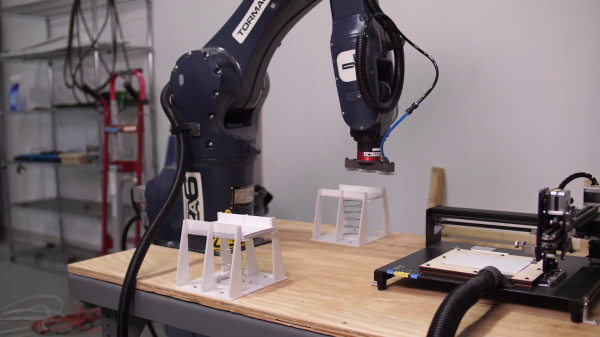
On the robot side, [Shane] used a pen plotter from Amazon that’s it’s actually cheaper than building one from scratch. With the “handwriting” taken care of, [Shane] set up an automated loading system with the industrial robot arm he also used for his CNC chainsaw. The feeders for the empty and full postcards are 3D printed with a spring-loaded mechanism to keep the top card at the same height all the time.

Although this project contained less custom hardware and software than [Shane’s] other projects, it served as an excellent reminder that it’s unnecessary to reinvent the wheel when building a car. It’s easy to get caught up in the small details of a project that don’t matter much in the final implementation and usage.

Continue reading “Automate Handwritten Postcards With Robots”

The $50 Pen Plotter

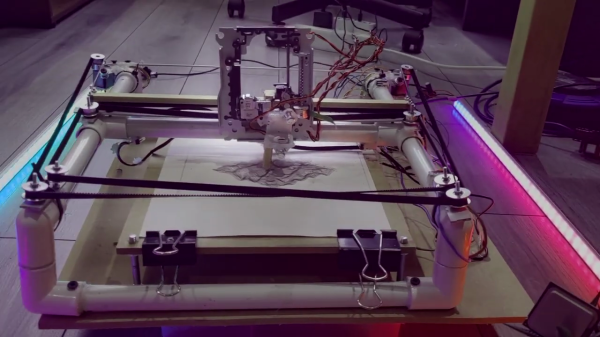
[Arca] sets out to build himself a low-cost pen plotter that doesn’t require access to a 3D printer. The plotter uses a coreXY arrangement, powered by 28BYJ-48 stepper motors, which he overdrives with +12 VDC to increase the torque. Pen up and down control is done using a stepper motor salvaged from a DVD reader. The frame is constructed using PVC electrical conduit and associated fittings, and [Arca] uses the hot glue gun quite liberally. Steppers were driven by A4988 modules with heatsinks, and motion control is provided by GRBL running on an Arduino UNO.

He has a few issues with glitches on the limit switches, and is continuing to tweak the design. There is no documentation yet, but you can discern the construction easily from the video if you want to try your hand at making one of these. This is a really cool DIY plotter, and many parts you probably have laying around your parts boxes. As [Arca] says, it’s not an AxiDraw, but the results are respectable. Keep a lookout for part 2 of this project on his YouTube channel.

Continue reading “The $50 Pen Plotter”

Irreproducible, Accumulative Hacks

Last weekend, I made an incredibly accurate CNC pen-plotter bot in just 20 minutes, for a total expenditure of $0. How did I pull this off? Hacks accumulate.

In particular, the main ingredients were a CNC router, some 3D-printed mounts that I’d designed and built for it, and a sweet used linear rail that I picked up on eBay as part of a set a few years back because it was just too good of a deal. If you had to replicate this build exactly, it would probably take a month or two of labor and cost maybe $2,000 on top of that. Heck, just tuning up the Chinese 6040 CNC machine alone took me four good weekends and involved replacing the stepper motors. Continue reading “Irreproducible, Accumulative Hacks”

Plotter Churns Out Labels With Roll Of Tape

Like it or not, organizing your workspace from time to time is a necessary chore. Labels can go a long way towards taming the most unruly of benches, but writing them out by hand isn’t exactly ideal. Looking for something a bit neater, [sandy] built a simple pen plotter to write labels on a roll of tape.

Pen plotter writing on roll of masking tape

The plotter uses the usual 3D printer components like steppers, drivers, belts, and rails. The tape holder is printed with flexible arms for a tight grip, and a servo is used to raise and lower the pen while writing.

The custom control board includes an Arduino Nano clone and a pair of stepper drivers, and an optional Bluetooth module and can be configured for a variety of machine control applications. A pair of Android apps are used to generate and send the G-code from a phone to the GRBL firmware loaded on the Arduino.

This seems to fall in the category of “entry-level” custom automation tools which help to save some time and effort on repetitive tasks without blowing the budget. We would include the various component tape cutters we’ve seen in this category, as well as smart build platform for manual PCB assembly