Circuit Bending A TV For Better Input

If you haven’t noticed, CRTs are getting hard to find. You can’t get them in Goodwill, because thrift stores don’t take giant tube TVs anymore. You can’t find them on the curb set out for the trash man, because they won’t pick them up. It’s hard to find them on eBay, because no one wants to ship them. That’s a shame, because the best way to enjoy old retrocomputers and game systems is with a CRT with RGB input. If you don’t already have one, the best you can hope for is an old CRT with a composite input.

But there’s a way. [The 8-Bit Guy] just opened up late 90s CRT TV and modded it to accept RGB input. That’s a monitor for your Apple, your Commodore, and a much better display for your Sega Genesis.

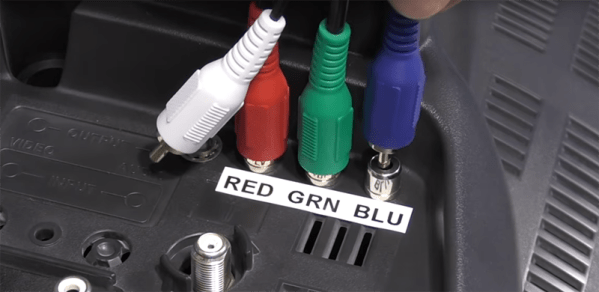
There are a few things to know before cracking open an old CRT and messing with the circuits. Every (color) CRT has three electron guns, one each for red, green, and blue. These require high voltage, and in CRTs with RGB inputs you’re looking at a circuit path that takes those inputs, amplifies them, and sends them to the gun. If the TV only has a composite input, there’s a bit of circuitry that takes that composite signal apart and sends it to the guns. In [8-bit guy]’s TV — and just about every CRT TV you would find from the mid to late 90s — there’s a ‘Jungle IC’ that handles this conversion, and most of the time there’s RGB inputs meant for the on-screen display. By simply tapping into those inputs, you can add RGB inputs with fancy-schmancy RCA jacks on the back.

While the actual process of adding RGB inputs to a late 90’s CRT will be slightly different for each individual make and model, the process is pretty much the same. It’s really just a little bit of soldering and then sitting back and playing with old computers that are finally displaying the right colors on a proper screen.

Continue reading “Circuit Bending A TV For Better Input”

New Controller For Retro Console

In the world of retro gaming, when using emulators and non-native hardware it’s pretty common to use whatever USB controller happens to be available. This allows us to get a nostalgic look while using a  configurable controller. One thing that isn’t as common is using the original hardware while still finding a way to adapt a modern controller to an old console. This is exactly what you need though, when you’re retro gaming on a platform with notoriously terrible controllers.

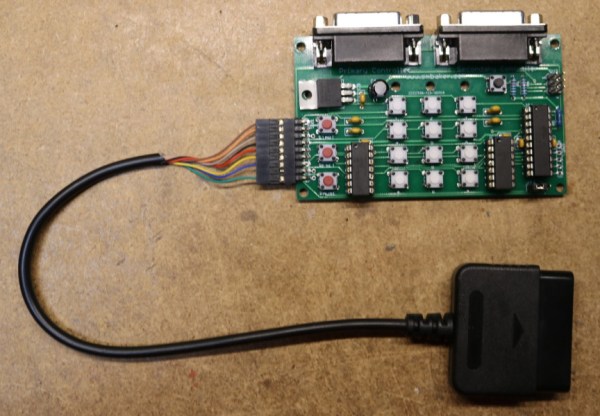
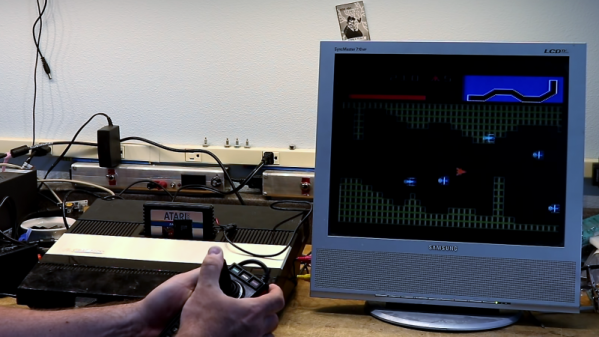
[Scott] enjoys his Atari 5200 but the non-centering and generically terrible joystick wasn’t well received even in the early 80s when the console was in its prime. He decided that using a Dual Shock controller from a Playstation 2 would provide a much better gaming experience, and set about building an adapter. He found that in a way the Dual Shock controller was an almost perfect pairing for the Atari because it has two analog control sticks built-in already. There’s also an array of information on pairing the Dual Shock controller with AVR microcontrollers, so he wouldn’t have to reinvent the wheel. From there, it was just a matter of pairing communications protocols between the two pieces of hardware.

The project page goes into quite a bit of detail on SPI communication protocols and the needs of both the Atari and the Playstation controller. If you’re a retro gaming fan, really into communication protocols, or have always had a love-hate relationship with your Atari because the controllers were just that bad, it’s worth checking out. If this is too much, though, there are other ways to get that Atari nostalgia.

Thanks to [Baldpower] for the tip!

Continue reading “New Controller For Retro Console”

TI(ny) Is A New Take On The TI-99/4A

Way back in the 1980s, in the heyday of the personal computer revolution, Texas Instruments were one of the major players. The TI-99/4A was one of their more popular machines, selling 2.8 million units after an epic price war with the Commodore VIC-20. However once it had been discontinued, fans were left wanting more from the platform. Years later, that led [Fabrice] to produce the TI(ny), his take on an upgraded, more integrated TI-99/4A (Google Translate link).

Having spent many years working on these machines, [Fabrice] was very familiar with the official TI schematics – regarding both their proper use and their errors, omissions and inaccuracies. With a strong underlying knowledge of what makes a TI-99/4A tick, he set out to pen his own take on an extended model. [Fabrice] rolls in such features as Atari-compatible joystick ports, slot connectors for PeBOX expansion cards, and an RGB video output. It’s then all wrapped up in a very tidy looking case of somewhat unclear construction; it appears to be modified from an existing small computer case, and then refinished to look almost stock.

The best detail, though? It’s all made with components available in 1983! We see a lot of retro builds that are the equivalent of throwing a modern fuel-injected V8 into a vintage muscle car, and they are fantastic – but this is a project that shows us what was possible way back when.

Overall it’s a tidy build that shows what the TI-99/4A could have been if it was given a special edition model at the end of its life. If you’re looking to relive the glory days of the machine yourself, what better way then firing up the best demo on the platform? As the saying goes – Don’t Mess With Texas.

[Thanks to g_alen_e for the tip!]

Retro Console Upgrade Gives Atari Flair

If you’re desperate for a sense of nostalgia for video games of yore but don’t want to shell out the big bucks for an NES classic, you can always grab a single arcade-style game that’ll plug straight into your TV. Of course it’s no longer 1980, and playing Space Invaders or Asteroids can get old after a while. When that happens, just replace the internals for an upgraded retro Atari 2600 with all the games from that system instead of just one.

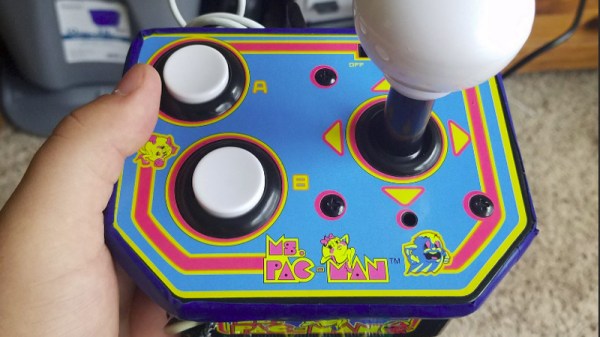
As expected for something that has to fit in such a tiny package, this upgrade is based on a Raspberry Pi Zero. It’s not quite as simple as throwing RetroPi on it and calling it a day, though. For one, [Blue Okiris] is still using the original two-button controller/joystick that came with the Ms. Pac-Man game this build is based on, and that added its own set of challenges. For another, RetroPi didn’t have everything he needed so he switched to another OS called Recalbox. It also includes Kodi so it could be used as a media center as well.

The build looks like a hack in the truest sense of the word. The circuit board sticks out the bottom a little bit, but this is more of a feature than a bug because that’s where some extra buttons and the power switch are. Overall, it’s a great Retro Atari system that has all the true classics that should keep [Blue Okiris] entertained until Atari releases an official system one day. If you’d like to go a little deeper in the Atari world, though, you could always restore one instead.

Continue reading “Retro Console Upgrade Gives Atari Flair”

Dual-Port Memory And Raspberry Pi Team Up For Retro Console Multicart

There’s something powerful about reliving the experience of using a game console from our personal good old days, especially the tactile memories stored up from hundreds of hours handling a chintzy joystick or the sound and feel of inserting a game cartridge. Emulators have their place, but they fall far short of period-correct hardware in the nostalgia department.

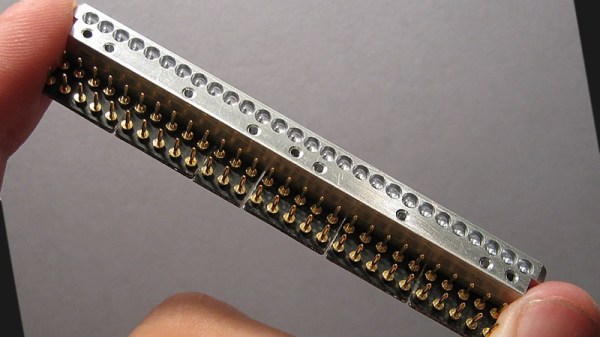
That’s not to say that the retro gear can’t use a little help in terms of usability, which is why [Scott M. Baker] built this Raspberry Pi multi-cartridge for his Atari 5200. The idea is to maintain the experience of the cartridge interface without having to keep stacks of cartridges around for all the games he wants to play. [Scott] leveraged the approach he used when he built a virtual floppy drive for a homebrew PC/XT: dual-port memory. The IDT7007 is a 32k chip that lives between the Atari 5200 and a Raspberry Pi Zero and can be addressed by both systems; the Pi to write ROM images to the memory, and the console to read them. He had to deal with some fussy details like chip select logic and dealing with the cartridge interlock signals, not to mention the difference in voltage between the memory chip’s logic levels and that of the Pi. Retro game-play occupies the first part of the video below; skip to 6:45 for build details.

The one quibble we have is trying to jam everything into an old cartridge. It’s critical to replicating the tactile experience, and while we don’t think we’d have gone so far as to injection mold a custom cartridge to house everything without any protrusions, we might have 3D-printed a custom cartridge instead. In the end it doesn’t detract much from the finished project, though, and we appreciate the mix of old and new tech.

Continue reading “Dual-Port Memory And Raspberry Pi Team Up For Retro Console Multicart”

Vintage eight transistor stereo amplifier

Eight Transistor Stereo Amplifier From The Days Of Yore

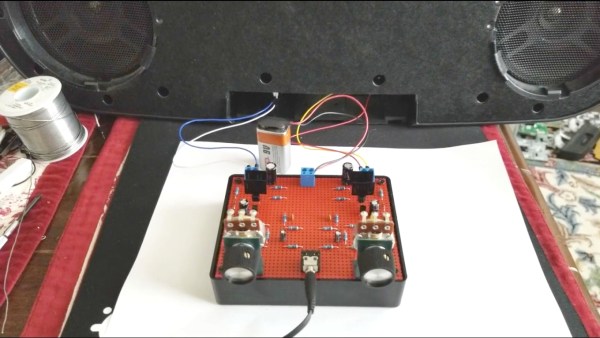
Reading an article about the first transistorized Hi-Fi amplifier, [Netzener] got the itch to make one. But what to use for the starting point? Enter an old Radio Shack P-Box stereo amplifier kit. After a few modernizations and tweaks, the result is an 8-transistor stereo amplifier that’s aesthetically pleasing, sounds great, and is fully documented.

The Radio Shack kit used germanium transistors, but with their high leakage current and low thermal conductivity, he decided to convert it to work with silicon transistors. He also made some improvements to the push-pull bias circuit and limited the high-frequency response. As for the finished product, in true [Netzener] style, he assembled it all to look like the original completed Radio Shack amplifier. He even wrote up a manual which you’d think, as we did at first, was the original one, giving that old, comfortable feeling of reading quality Radio Shack documentation.

Check out the video below where he uses a 9 V battery and half a watt per channel to fill a room with clear, stereo sound.

This isn’t the first Radio Shack kit that [Netzener] has adapted. Check out his single tube radio and classic neon “Goofy Light” box.

Continue reading “Eight Transistor Stereo Amplifier From The Days Of Yore”

Vlogging With Vintage 1980s Equipment

[Dan Mace] decided to try vlogging 1980s style. To do this, he built Pram Cam — a one-man mobile video recording setup using vintage gear. [Dan] is a YouTuber from Cape Town, South Africa. His goal for this project was to motivate people to get out there and make videos. Smartphones, action cams, and modern video equipment all have made it incredibly easy to create content.

[Dan] reminds us of this by grabbing a vintage 1984 video camera – a Grundig vs150 VHS recorder. He couples the camera with a sturdy video tripod, blimp microphone, CRT TV as a monitor, and everything else needed for a period-accurate recording setup.

In a build sequence even the A-Team would appreciate, [Dan] tears down a rusty old three wheel pram, or baby carriage for the Americans out there. He then mounts the video setup to the pram frame using duct tape, zip ties, and a few odd pieces of wood. The result is a proper hacked off-road rolling video studio.

He then uses Pram Cam to film some of the great scenery in Cape Town — beaches, rocky cliffs, and even a helicopter ride. To say the pram was a bit more cumbersome than a cell phone would be the understatement of the year.

The video quality from the camera looks quite a bit worse than we would expect. Some of this may be due to Dan’s digitizing system though the chances are it’s from the camera itself. The Grundig captured video using a Saticon, which was Hitachi’s version of the video camera tube. That’s right, this is a tube based camera – no CMOS sensor, nor CCD. Tubes might not have Jello effect, but they do have all the blooming, motion blur, and other problems one might expect from a 34-year-old device.

What becomes of the Pram Cam? You’ll have to watch the video below to find out. Dan’s message is clear though: get out there and film something. Of course this is Hackaday, so if we’ll add that you should build something — then film it!

Continue reading “Vlogging With Vintage 1980s Equipment”