This week Jonathan chats with Andrea Gallo about RISC-V! What does it mean for RISC-V to be an Open ISA? Where is RISC-V popping up, and what’s the new frontier? Watch to find out!
Continue reading “FLOSS Weekly Episode 874: Really, We Do PDFs”

This week Jonathan chats with Andrea Gallo about RISC-V! What does it mean for RISC-V to be an Open ISA? Where is RISC-V popping up, and what’s the new frontier? Watch to find out!
Continue reading “FLOSS Weekly Episode 874: Really, We Do PDFs”
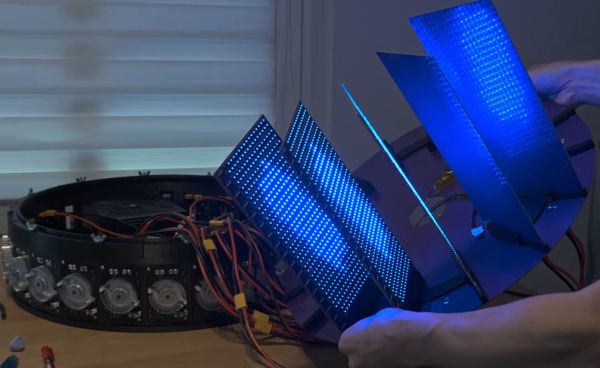
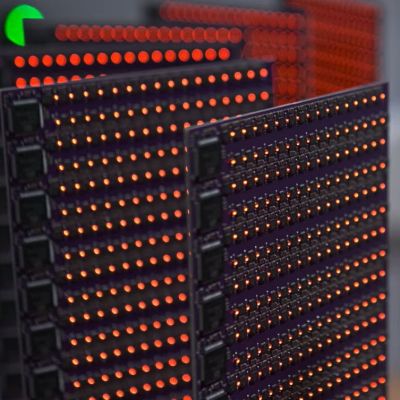 What do you get when you take 8,192 CH570 MCUs, put them on custom PCBs, and write firmware for this interconnected gaggle of cores? In the case of [bitluni]’s project, you get something that’s decidedly cluster-shaped.
These cheap MCUs feature a QingKe 32-bit RISC-V core that’s clocked at a maximum of 100 MHz, with an RV32IMBC instruction set. This means that they support integers, integer multiplication and division, bit manipulation, and compressed instructions, but no atomic, vector, or floating-point instructions.
The basic concept was to use a single MCU per pixel, but once you start scaling up a measly 10 mA and ~$0.10 per MCU to literally tens of thousands of them, you’re suddenly talking about thousands of dollars in hardware as well as a cool 655.36A at 3.3V – or 2 kW – for something close to QVGA resolution at 320×200. Clearly this would be a rather crazy project to implement, which is why each MCU also got its own RGB LED to immediately create the pixel.

A good demo, like [Linus Akesson]’s Sum Ergo Demonstrato, looks like magic to the average hacker. To normies who don’t know the limitations of the RP2350, they don’t see the big deal. To anyone who has spent any time with the chip, though, it’s a series of tricks you cannot help but be amazed by. Fortuanately for us, [Linus] isn’t actually a magician, because while a magician never reveals his tricks, [Linus] has an hour-long video explaining exactly how his demo was accomplished. We’ve embedded both the demo and the explanation below.
Even if you aren’t into YouTube, you should check out the demo video, and again– remember this is all on a Pi Pico with only the extra passives required for video-out. Then you can watch [Linus] explain how he did it, which is really best heard in his own words. There are a couple of bleeding-edge tricks on the RISC V core and peripherals that we would hate to misrepresent– especially the clever hack with the interpolator that he uses for 3D acceleration.
If this sounds a bit familiar, it’s because we were equally impressed by his Kaleidoscopico demo last year. From demos like this to 3D engines on the ESP32, its amazing what you can do on modern micros if you’re willing to hit the limits of the hardware.
Thanks to [Stephen Walters] for the tip!
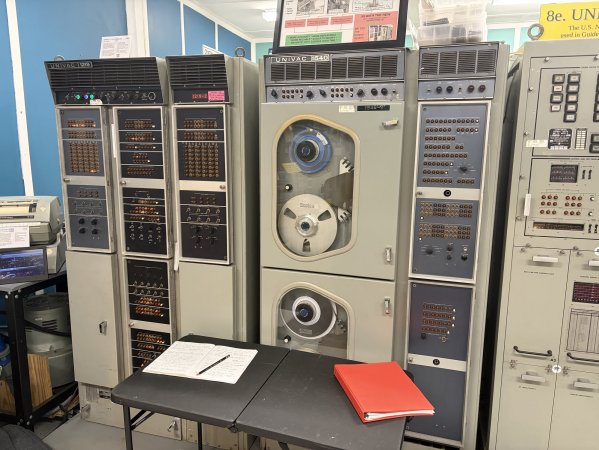
There are two UNIVAC 1219B computers that have survived since the 1960s and one of them is even operational. [Nathan Farlow] wanted to run a Minecraft server on it, so he did. After a lot of work, of course, which is described in a detailed blog post, and, a YouTube video by [TheScienceElf] we’ve embedded below.
The UNIVAC is a seriously weird architecture by modern standards: it’s got eighteen-bit words — yeah, not even a power of two — and one’s compliment arithmatic with a weird signed zero thing going on. There’s one 36-bit and one 18-bit register, and only 40,960 words of memory. Eighteen-bit words. Yeah, it was the 1960s and they were making it up as they went along.
[Nathan] wasn’t, entirely, as this weird system is both well-documented and already had an emulator — in BASIC, of all things. [TheScienceElf] used the docs and the existing emulator to recreate his own in Rust so he could test their somewhat crazy plan without wasting cycles on real hardware. The plan? Well, there are really only two options if you want to build modern software for a niche architecture: one is to add niche support to something like GCC, and the other is to write a RISC V emulator and compile to that. We’ve seen that second one before, and that’s the route [Nathan] took.
Of course, [Nathan] is a machine learning guy, so he made the best possible use of LLMs — though it’s interesting to see that unlike Z80 Assembly, Claude Code really couldn’t wrap its virtual head around the UNIVAC’s assembly language, and [Nathan] had to bang out the RISC V emulator himself. Emulator in hand, [Nathan] and friends had code to run on the museum UNIVAC. A single frame of an NES game took 40 minutes, but hey, at least it finished before they got back from lunch.
[TheScienceElf]’s YouTube treatment teases hosting Minecraft, but it wasn’t a full server, just the login portion. That they were able to get TCP/IP over serial and set up a handshake between a 2020s laptop and a 1960s computer is still mighty impressive. Just the work the Vintage Computer Federation put in to get and keep this antique running is mighty impressive all on its own, but it’s wonderful they let people play with it.
Continue reading “What Can You Run On A 1960s Univac? Anything You’re Willing To Wait For!”
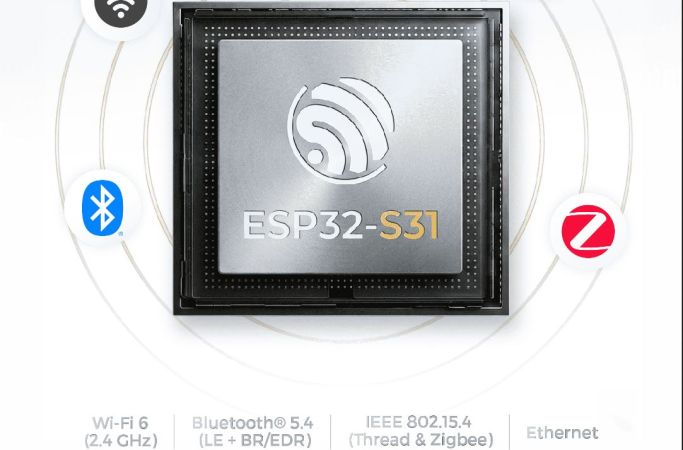
In a move that’s no doubt going to upset and confuse many, Espressif has released its newest microcontroller — the ESP32-S31. The confusing part here is that the ESP32-S series was always the one based on Tensilica Xtensa LX7 cores, while the ESP32-C series was the one using RISC-V cores.
That said, if one looks at it as a beefier -S3 MCU it does have some appealing upgrades. The most obvious improvements are with the use of WiFi 6, as well as Bluetooth Classic and LE 5.4, including LE Audio. There is also Thread and Zigbee support for those who are into such things.
The Ethernet MAC got a bump from the 100 Mbit RMII MAC in previous MCUs and is now gigabit-rated, while the number of GPIO is significantly higher at 60 instead of 45 on the -S3. On the RAM side, things are mostly the same, except for DDR PSRAM support, with octal SPI offering up to 250 MHz compared to 80 MHz on the -S3.
On the CPU side the up-to-320 MHz RISC-V cores are likely to be about as powerful as the 240 MHz LX7 cores in the -S3, based on the ESP32-C series performance in terms of IPC. Overall it does seem like a pretty nice MCU, it’s just confusing that it doesn’t use LX7 cores with the series it was put into. When this MCU will be available for sale doesn’t seem to be known yet, with only samples available to select customers.
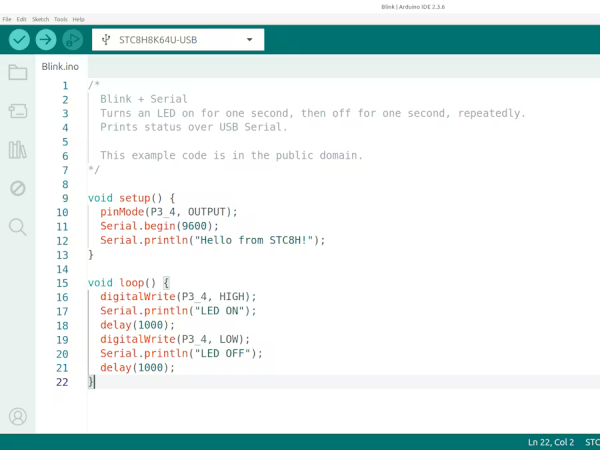
The 8051 was an 8-bit Harvard-architecture microcontroller first put out by Intel in 1980. They’ve since discontinued that line, but it lives on in the low-cost STC8 family of chips, which is especially popular in Asia. They’re cheap as, well, chips — under 1$ — but lack compatibility with modern toolchains. If you’re happy with C, then you’re fine, but if you want to plus-plus it up and use all those handy-dandy shortcuts provided by the Arduino ecosystem, you’re out of luck. Or rather, you were, until [Bùi Trịnh Thế Viên] aka [thevien257] came up with a workaround.
The workaround is delightfully Hack-y. One could, conceivably, port a compiler for Arduino’s Wiring to the 8051, but that’s not what [Viên] did, probably because that would be a lot of work. There isn’t even a truly modern toolchain to put plain C on this chip. Instead, [Viên] started with rv51, a RISC-V emulator written in 8051 assembly language by [cryozap]. RISC-V is a lot easier to work with and, frankly, a more useful skill to build up.
Continue reading “Arduino Code? On My 8051? It’s More Likely Than You Think”
One of the joys of writing for Hackaday comes in following the world of new semiconductor devices, spotting interesting ones while they are still just entries on manufacturer websites, and then waiting for commonly-available dev boards. With Chinese parts there’s always a period in which Chinese manufacturers and nobody else has them, and then they quietly appear on AliExpress.
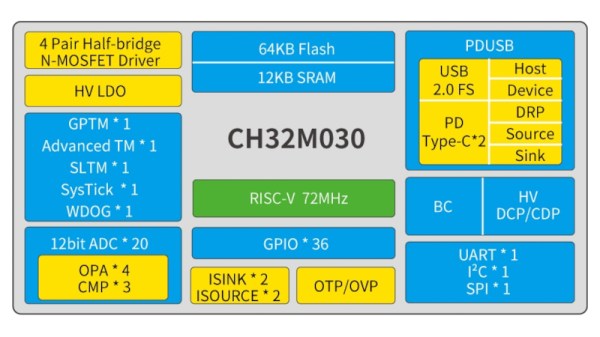
All of which brings us to the WCH CH32M030, a chip that’s been on the radar for a while and has finally broken cover. It’s the CH32 RISC-V microcontroller you may be familiar with, but with a set of four half-bridge drivers on board for running motors. A handy, cheap, and very smart motor controller, if you will.
There’s been at least one Chinese CH32M030 dev board (Chinese language) online for a while now, but the one listed on AliExpress appears to be a different design. At the time of writing the most popular one is still showing fewer than 20 sales, so we’re getting in at the ground floor here.
We think this chip is of interest because it has the potential to be used in low price robotic projects, replacing as it does a couple of parts or modules in one go. If you use it, we’d like to hear from you!