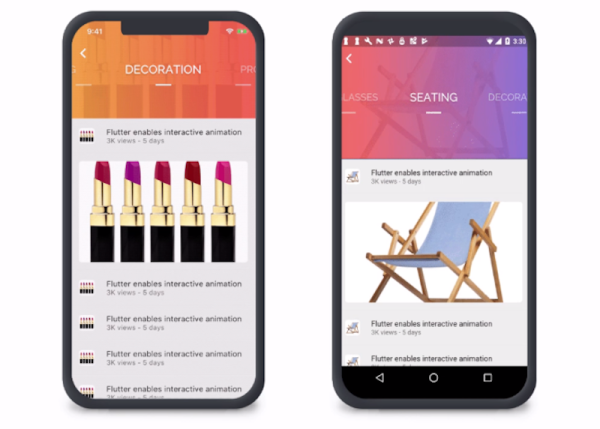
The holy grail of computer languages is to write code once and have it deploy effortlessly everywhere. Java likes to take credit for the idea, but UCSD P-Code was way before that and you could argue that mainframes had I/O abstraction like Fortran unit numbers even earlier. More modern efforts include Qt, GTK, and other things. Naturally, all of these fall short in some way. Now Google enters the fray with Flutter.
Flutter isn’t new, but in the past, it only handled Android and iOS. Now it can target desktop platforms and can even produce JavaScript. We haven’t played with the system enough to say how successful it is, but you can try it in your browser if you want some first-hand experience.
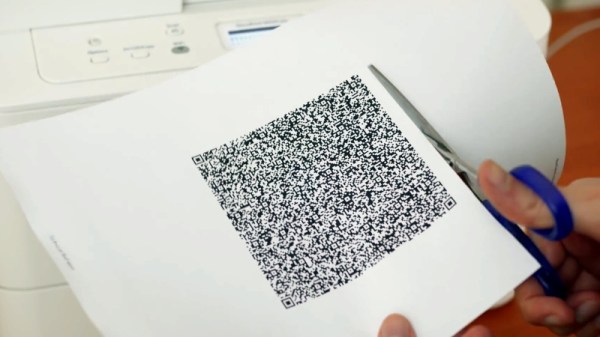
QR codes are usually associated with ASCII text like URLs or serial numbers, but did you know you can also encode binary data into them? To demonstrate this concept, [MattKC] embarked on a journey to create a QR code that holds an executable version of Snake. Video after the break.
As you might expect, the version 40 QR code he ended up using is much larger than the ones you normally see. Consisting of a 171 by 171 grid, it’s the largest version that can still be read by most software. This gave [MattKC] a whopping 2,953 bytes to work with. Not a lot of space, but still bigger than some classic video games of the past.
To start, he first wrote Snake to run in a web browser using HTML, CSS, and JavaScript, which was able to fit in the available space. Modern browsers do a lot of the lifting with built-in features, and [MattKC] wanted more of a challenge, so he decided to instead create a Windows executable file. His first attempts with compiled C code were too large, which led down the rabbit trail of x86 Assembly. Here he found that his knowledge of Assembly was too limited to create a small enough program without investing months into the project. He went back to C and managed to compress his executable using Crinkler, a compressing linker commonly used in the demoscene. This shrunk the file down to 1,478 bytes.
Zbar, a command-line barcode reader for Windows was used to test the final Snake QR code. [MattKC] discovered a bug in Zbarcam that prevented it from reading binary data via a webcam input, so through the power of open source, he submitted a bug fix which is now integrated into the official release.
All the files are available for anyone to play with on [MattKC]’s website. The video below goes into a lot of detail on the entire journey. Since this project proves software can be embedded in QR codes, it means that malware could also be hidden in a QR code, if there is an exploitable bug somewhere in a smartphone QR reader app.
QR codes are an interesting tool with a variety of uses. Take a deep dive into how they work, generate a 3D printable version, or build a QR jukebox, if you want to learn more.
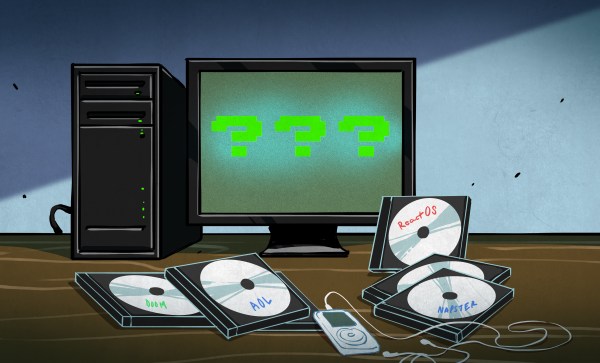
Do you remember when trying a new OS meant burning a CD? Not merely downloading an ISO and mounting it on a USB drive, but taking a circle of polycarbonate and hoping you didn’t get a buffer underrun as the file you’d spent an entire day downloading was burned onto it. A couple of decades ago that was how we’d take a look at a new Linux distro, and at the time we considered it to be nothing short of incredible that such a thing was possible. One of the ISOs I remember downloading back then was an early version of ReactOS, a project with the lofty aim of creating an open-source equivalent of Windows NT. You might think that in the nearly two decades since then it would have become an irrelevance and its contributors moved on to other work, but no. ReactOS is very much still with us, and indeed has just seen a new release. Version 0.4.13 is the latest in a long line of incremental updates, and remembering those early ReactOS ISOs when I saw their announcement, I thought I’d give it a spin. The result was both a peek at the current state of the project, and a chance to think about the place of a Windows clone in 2020. Continue reading “ReactOS: Dipping A Toe In A Millennium-era Open Source Dream”→
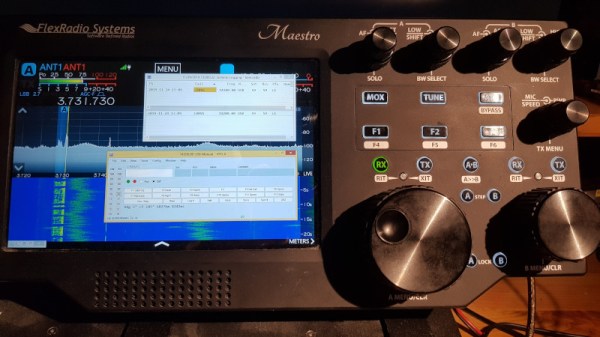
The student radio society in Trondhjem owns a Flex 6500-radio, with its associated Maestro panel peripheral. This is a software defined radio, and the Maestro is a computer containing just enough of an embedded version of Windows to run its front-end software. Unfortunately for our Norwegian radio amateur friends it runs very little else, even to the extent of being unable to connect to public WiFi that requires a web log-in. This was particularly annoying as the student network does this and they’d had to create their own hotspot, so they’ve provided some details on how they were able to open it up a little to do a bit more.
At first they were cagey about the exact nature of the exploit they used to penetrate the device’s defenses, but since then they’ve published a second installment with full details. It involved gaining access to the filesystem and a terminal through a right-click menu from a web browser screen within the Maestro software, then using that access to change configuration such that it could be exposed across the network. From there they were able to treat it much as they would a normal Windows installation, including putting other software such as SmartSDR onto it.
This piece of work provides a fascinating insight into an embedded Windows device, and leaves us as usual surprised by the ease of the exploit. We’d say it’s something of a brave move for a company to ship a feature-limited product to radio amateurs of all people, a community that has been experimenting and finding whatever means to extend the capabilities of their equipment for over a hundred years. Perhaps Flexradio’s eyes are on greater things.
The Microsoft .NET framework has been with us in one form or another since the millennium, and though it has remained largely the preserve of the Microsoft universe, it has found its way since then through a variety of implementations to other platforms including MacOS and GNU/Linux. In Microsoft terms though its history goes back only as far as Windows 98, earlier MS operating systems remain off-limits.
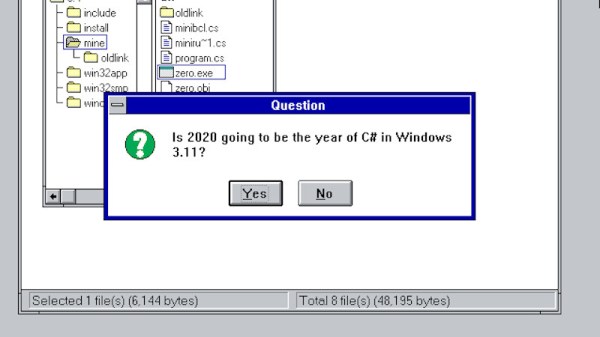
Just a glimmer of .NET in DOS and Windows 3.11 comes courtesy of [Michal Strehovský], who has successfully compiled .net C# code for both Windows 3.11 and DOS. An in-depth explanation comes courtesy of [Scott Hanselman], and it involves some tricks spanning the decades since the early 1990s. The .NET Core compiler’s object files can be fed into the linker that shipped with an ancient version of Microsoft’s C++ compiler, which when used with Microsoft’s Win32s compatibility layer that brought some of Windos NT’s APIs to the 16-bit OS, allows C# from 2020 to run as though it were 1992 again. Meanwhile the DOS version uses .NET Core’s ability to produce self-contained executables along with some very significant tricks to pare down the size of the finished program from many megabytes to an eventual DOS-suitable 27k. Remember the apocryphal Bill Gates quote, that “640k should be enough for anyone“, that refers to the maximum memory available to DOS without extra memory-extending tricks.
Neither piece of software is especially useful, and we can’t see a rush of C# coders to these new platforms. But we applaud him for his ingenuity, and getting old hardware to do new tricks is right up our alley. It’s certainly dredged up a few memories from back in the day for us. Meanwhile we’ve featured .NET in a few projects over the years, most recently on an FPGA.
The news this week was dominated by the novel coronavirus outbreak centered in Wuhan, China. Despite draconian quarantines and international travel restrictions, the infection has spread far beyond China, at least in small numbers. A few cases have been reported in the United States, but the first case reported here caught our eye for the technology being used to treat it. CNN and others tell us that the traveler from Wuhan is being treated by a robot. While it sounds futuristic, the reality is a little less sci-fi than it seems. The device being used is an InTouch Vici, a telemedicine platform that in no way qualifies as a robot. The device is basically a standard telepresence platform that has to be wheeled into the patient suite so that providers can interact with the patient remotely. True, it protects whoever is using it from exposure, but someone still has to gown up and get in with the patient. We suppose it’s a step in the right direction, but we wish the popular press would stop slapping a “robot” label on things they don’t understand.
Also in health news, did you know you’re probably not as hot as you think you are? While a glance in the mirror would probably suffice to convince most of us of that fact, there’s now research that shows human body temperature isn’t what it used to be. Using medical records from the Civil War-era to the 1930s and comparing them to readings taken in the 1970s and another group between 2007 and 2017, a team at Stanford concluded that normal human body temperature in the USA has been slowly decreasing over time. They proposed several explanations as to why the old 98.6F (37C) value is more like 97.5F (36.4C) these days, the most interesting being that general overall inflammation has decreased as sanitation and food and water purity have increased, leading the body to turn down its thermostat, so to speak. Sadly, though, if the trend holds up, our body temperature will reach absolute zero in only 111,000 years.
Wine, the not-an-emulator that lets you run Windows programs on POSIX-compliant operating systems, announced stable release 5.0 this week. A year in the making, the new version’s big features are multi-monitor support with dynamic configuration changes and support for the Vulkan spec up to version 1.1.126.
Any color that you want, as long as it’s amorphous silicon. Sono Motors, the German start-up, has blown past its goal of raising 50 million euros in 50 days to crowdfund production of its Sion solar-electric car. The car is planned to have a 255 km range on a full charge, with 34 km of that coming from the solar cells that adorn almost every bit of the exterior on the vehicle. Living where the sun doesn’t shine for a third of the year, we’re not sure how well this will pay off, but it certainly seems smarter than covering roads with solar cells.
And finally, here’s a trip down memory lane for anyone who suffered through some of the cringe-worthy depictions of technology that Hollywood came up with during the 70s, 80s, and 90s. Looking back through the clips shown in “copy complete” reminds us just how many movies started getting into the tech scene. It wasn’t just the sci-fi and techno-thrillers that subjected us to closeups of scrolling random characters and a terminal that beeped every time something changed on the screen. Even straight dramas like Presumed Innocent and rom-coms like You’ve Got Mail and whatever the hell genre Ghost was got in on the act. To be fair, some depictions were pretty decent, especially given the realities of audience familiarity with tech before it became pervasive. And in any case, it was fun to just watch and remember when movies were a lot more watchable than they are today.
We have to admit, we have an odd fascination with WSL — the Windows subsystem for Linux. On the one hand, it gives us more options on Windows 10 for running the software we love. On the other hand, we wonder why we aren’t just running Linux. Sometimes it is because our cool laptop doesn’t work well on Linux. Other times we are using someone else’s computer that we aren’t allowed to reload or dual boot. Still, as long as we have to use Windows, we are glad to have WSL. A recent blog post by [Hanselman] shows some very cool tricks for using WSL that make it even better.
Exploring WSL
Did you know you can use WSL to run Linux commands in a Windows command shell? For example, you have a long directory and you want to run grep:
dir c:\archive\* | wsl grep -i hackaday
Of course, from bash you could access the same directory: