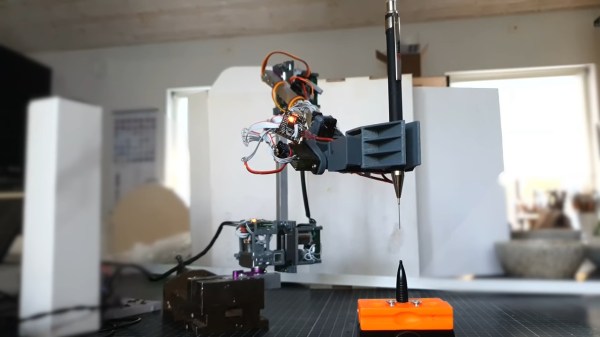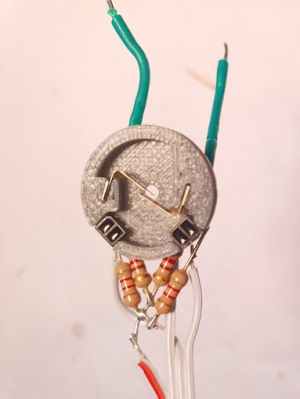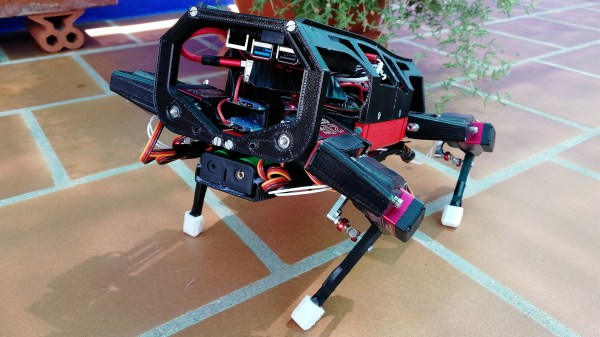
The folks at Evil Mad Scientist labs have finally created the Googly Eye Shield for Arduinos. With it’s pass-through .100 headers, it adds googly eyes to your Arduino projects. Of course, instead of in addition to the googly eyes you could add a breadboard, making it somewhat useful. A million fake internet points goes to the first person to implement Xeyes on this thing.
Phat beats from kids toys
[Ville] couldn’t afford an Akai MPC for laying down some beats. Wanting a real tactile interface, he hacked this kid’s toy. It’s just an RCA cable attached to the tiny chip inside the toy. The new line out goes to his mixers where he does some pretty impressive stuff.
Mona Lisa is Vigo the Carpathian
What did we just say about real-life Xeyes? [Geert] just made a print of the Mona Lisa follow you around the room with her eyes (Dutch, translation). The build is a pair of servos and a DIY motion capture app running on a laptop. Now we need to find a print of Vigo…
Quantifying heat sink efficiencies
[Mike] is an experimenter at heart. He was wondering about the efficiency of small, clip-on heat sinks versus the ones we use to defrost frozen food. The results are exactly as you would expect, but he did find something interesting – his experimental technique didn’t find much of a difference between thermal paste/grease/pads and no thermally conductive material.
Mini-fig sized R/C LEGO car
The guys at Brickmodder.net took a car from a LEGO set and made it remote control. The drive train and steering both use servos controlled by the smallest 3-channel receiver they could find.
[Chris] is at it again and this time he has put together a tutorial rounding off his animatronic face by actuating the mouth. His tutorial covers two different styles of robot mouth: an LCD mouth which dims to imply actuation and a servo articulated flap.
[Chris] covers all the aspects of each mouth type, from the basics of human mouth actuation to servo motor control. In this case the LCD mouth is not quite as impressive so it gets installed on a face mock up while the servo mouth goes on the face previously featured in his other tutorials. The entire setup is still controlled using a single PIC 18F452. The circuit diagrams and code for both types of mouth are all available on the site including videos of the actuated mouth and a gif of the LCD mouth in action.
Check out a video of the articulated mouth below throwing down some classic season 6 Jean-Luc. If you are interested in the other parts of the face we have covered [Chris]‘s other tutorials on the eyebrows and the eyeballs. These are a great jumping point for your own animatronic face project and do a great job of setting up all the know how you’d need to build your own emotional puppet.
[Chris] writes in to let us know about his latest animatronics tutorial, this time on robotic eyebrows! The tutorial takes us through the process of using a fairly simple PIC circuit to display various facial expressions. Since a wide array of facial expressions have unique and well understood eyebrow positions this simple hack can make even the most bland looking mask come to life . Animatronics is a subject near and dear to our hearts, but the simple actuation of servos can go much further than cardboard faces. This easy to follow tutorial can help you on your way to controlling all sorts of servo stuff like ventflaps or um… fish, if you’d like. The software is not very deeply explained but it is commented and available for download from [Chris]‘s site.
From here [Chris] plans to expand the project with more tutorials that can help further animate the face. We are particularly interested in the one and two eye systems he mentions, as well as more complicated eyebrow mechanics. Also check out [Chris]‘s other servo based robotics tutorials like the Sharpie Spotifier and the Wooden Menace.
There is also a video of the eyebrows in action after the break.
[DJ Sures] got his hands on a plastic Wall-E toy and decided to build a robot that includes a camera, voice recognition, and object tracking. The result is adorable so we’re putting this video before the break:
After seeing his fair share of hexapod-style bots on the Internet, [Russell] decided he wanted to build one of his own. One of the downsides to building these robots is the cost. He often saw them constructed from laser cut parts and very expensive servos. Rather than blow hundreds upon hundreds of dollars on the bot, [Russell] decided he could a lightweight bot on the cheap using chopsticks and polymorph modeling plastic.
His octopod robot is aptly called “Chopsticks” and utilizes 28 different servos to control its motions. 24 servos are used for its legs, 3 more are reserved for head movements, while a single additional servo manipulates the robot’s mandibles. The robot’s legs and main structure are composed of chopsticks, while the polymorph is used for feet, servo mounts, and pretty much anywhere else chopsticks just wouldn’t do.
[Russell] even added a set of eye stalks to complete the spider theme, arming them with IR compound eyes for object tracking. The robot is quite interactive as you can see in the video below.
Last year, [Justin Dailey] was coming down the home stretch of his senior year as a Computer Engineering student and needed to build a final design project. He always wanted to construct a robotic arm, and figured that there was no better way to legitimize such a project, than to claim that it was “homework”.
While he originally wanted to control the arm with a joystick, he had been messing with Blender quite a bit leading up to his final project, and thought it would be pretty cool to let Blender do the work. He started out by testing his ability to control a single servo with Blender, then slowly increased the complexity of the project. He prototyped the arm using cardboard, and satisfied with his progress thus far, began constructing the arm out of aluminum.
Once he had all six of his servos attached to the arm’s joints and wired to his Roboduino, he got busy constructing a 3D model in Blender. Using a few Python scripts, the movements inside Blender are translated to serial data in real-time, which is relayed to the Roboduino in order to control the arm.
Check out his site if you get a chance – there’s plenty of code to be had, as well as several videos of the arm in various stages of construction and testing.
Twitter can be a great tool for keeping up to date with your favorite person/company/band/etc. You can find a Twitter client for just about anything that plugs in these days, but sometimes we find that we simply need a break from our computers and smart phones – even if just for a few minutes. What happens when you want to unplug, but still need to know what everyone is up to?
[Patrick Dinnen] asked himself the same thing, and decided that the solution was a mechanical Twitter feed display. The display consists of a static user list strung up against the wall, with a mobile speech bubble mounted next to it. The bubble moves to the user who has most recently updated their status (presumably using a pair of servos), and uses a projector to display their messages. The effect is pretty neat, and it still allows you to get your Twitter fix without staring blankly at your computer screen or smart phone.
We think it would be even cooler if it used a projector on both sides, enabling it to dynamically shuffle through users and status messages at the same time. [Patrick] says that for right now it is merely a proof of concept, so there is no telling how he’ll tweak it going forward.
Continue reading to see his mechanical Twitter feed in action.
Most everyone is looking to live a little greener these days, with motivating factors typically being the preservation of the environment or financial considerations. [Fabien] fit into the latter category after realizing that about 25% of his monthly gas bill went to heating the water he and his family use each day. After a few calculations, he found that they only required hot water 68 of the 168 hours per week that the water heater was typically running. He figured the best way to save a few dollars was to rig the water heater to turn itself down when it wasn’t being used.
He connected a servo to the temperature control knob on his water heater, allowing it to be adjusted by a microcontroller. Having a rough idea as to the schedule his family keeps during an average week, he wrote an application for his Netduino that would actuate the servo when needed. A DS1307 real-time clock was wired to the Netduino for accurate timekeeping, so as to ensure [Fabien's] wife never had to endure a cold shower.
It’s a shame that most water heaters don’t ship with some sort of programmable thermostat like you see with newer HVAC systems, but this hack is definitely a step in the right direction.
Continue reading to see his power-saving water heater in action.