Perfect Jump Shots With OpenCV And Processing

jumpshot

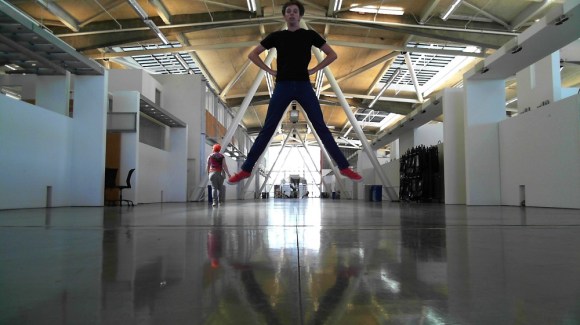
[ElectricSlim] likes taking “Jump Shots” – photographs where the subject is captured in midair. He’s created a novel method to catch the perfect moment with OpenCV and Processing. Anyone who has tried jump shot photography can tell you how frustrating it is. Even with an experienced photographer at the shutter, shots are as likely to miss that perfect moment as they are to catch it. This is even harder when you’re trying to take jump shots solo. Wireless shutter releases can work, but unless you have a DSLR, shutter lag can cause you to miss the mark.

[ElectricSlim] decided to put his programming skills to work on the problem. He wrote a Processing sketch using the OpenCV library. The sketch has a relatively simple logic path: “IF a face is detected within a bounding box AND the face is dropping in height THEN snap a picture” The system isn’t perfect, A person must be looking directly at the camera for the photo the face to be detected. However, it’s good enough to take some great shots. The software is also repeatable enough to make animations of various jump shots, as seen in [ElectricSlim’s] video.

We think this would be a great starting point for a trigger system. Use a webcam to determine when to shoot a picture. When the conditions pass, a trigger could be sent to a DSLR, resulting in a much higher quality frame than what most webcams can produce.

Continue reading “Perfect Jump Shots With OpenCV And Processing”

Build An FPGA Microbee In Three (Not So) Easy Steps

Microbee,_Melbourne_Museum

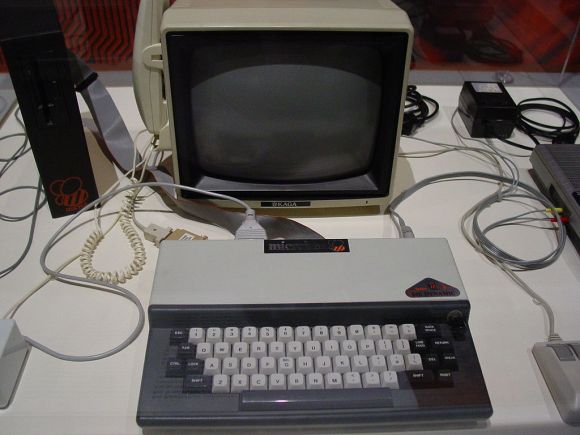
[Brad Robinson] was feeling a bit nostalgic for his Microbee, so he rebuilt it in an FPGA. Not once, but three times. For the uninitiated, the Applied Technology Microbee was a Z80 based computer 1980’s. Designed in Australia, the Microbee did not see much popularity outside its home continent. Even so, the introduction to home computers many Australians was on a Microbee. [Brad] actually wrote several programs for the Microbee, including some games sold by Applied Technology themselves.

Fast forward to 2012, [Brad] is learning FPGAs, and wants to build a Microbee in VHDL. The FPGAbee was born. The first iteration of the FPGAbee began with the CPU, which came from the T80 open source VHDL Z80 core. Around this core [Brad] added the video controller, keyboard, and sound. When he started adding disk functionality, [Brad] ran into some problems. He wanted to use a FAT formatted SD card for cassette and hard disk emulation.

The relative complexities of the FAT format meant he would have to use some custom software to make this work. [Brad] decided to run this software on a second Z80 core. Both cores would need access to memory, and this is where [Brad] learned what he calls “a hard lesson in cross domain clocks” on FPGAs. Multiple clock nets can cause major propagation delay issues. [Brad] was able to work through the problems, but it caused him to step back and re-evaluate the entire design. This was the start of FPGABee2.

Continue reading “Build An FPGA Microbee In Three (Not So) Easy Steps”

Circuit Bent Toy Keyboard Is MIDI Controlled

tymkrsKeyboard
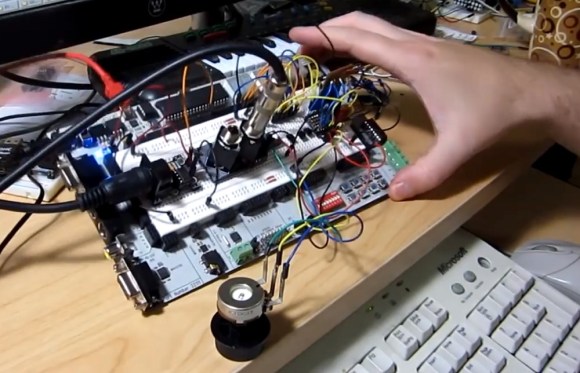
The [Tymkrs] crew has come up with a pretty neat circuit bent toy keyboard hack. It’s been a while since we’ve seen a good circuit bending hack. This project started as a way to demo the [Tymkrs] “MIDI In Me” kit. A cheap toy keyboard was sacrificed for its sound generator board. Like many cheap mass-produced toys, this board is based upon a COB (chip on board) package. The silicon die of the main ASIC is placed directly on the PCB and bonded out to pads. A round epoxy blob keeps everything protected.

The [Tymkrs] found a number of the chip’s pads were unused in their keyboard. The inputs appeared to trigger drums, possibly for use in a different toy. These inputs, coupled with the ‘demo song’ buttons turned out to be the basis of this hack. MIDI input is sent to a Parallax Propeller. The prop runs a program that will set its I/O pins based upon MIDI Note On/Off commands. The I/O pins then drive transistors which inject signals into the button inputs of the keyboard.

The [Tymkrs] even went so far as to use a voltage divider on the main clock circuit of the keyboard. Changing the main clock causes a sort of pitch bend effect often heard with circuit bent toys. As with the buttons, a MIDI signal commands the prop to enable or disable oscillator signal injection. A potentiometer is used to tweak the oscillator frequency.

Continue reading “Circuit Bent Toy Keyboard Is MIDI Controlled”

[Ben Krasnow] Explains Kilowatt Hour Meters

benkrazpowermeter

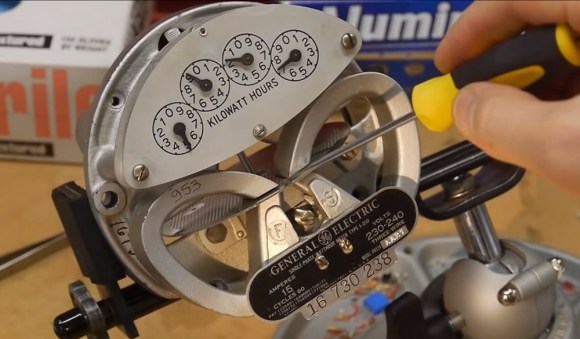
[Ben Krasnow] is back, and this time he’s tearing down a kilowatt hour meter (kWh). While not as exciting as making aerogel at home, or a DIY scanning electron microscope, [Ben’s] usual understated style of explaining things makes a complex topic simple to digest.

These old mechanical meters have been a staple on the sides of houses and businesses since the dawn of commercial power. We always thought the meters were a basic electric motor. Based upon [Ben’s] explanation though, these meters are a complex dance of electromagnetic fields. Three coils create magnetic fields near an aluminum disk. This creates eddy currents in the disk resulting in a net torque. The disk spins, turning a clockwork and advancing the dials.

Why three coils? One is a high turn high gauge voltage coil, and the other two are low turn low gauge current coils. The voltage coil has to be phase shifted 90 degrees to create the proper torque on the disk. Confused yet? Watch the video! [Ben] does a much better job explaining the field interactions than we could ever do in text.

Continue reading “[Ben Krasnow] Explains Kilowatt Hour Meters”

Create A Full Adder Using The C Preprocessor

Full_Adder

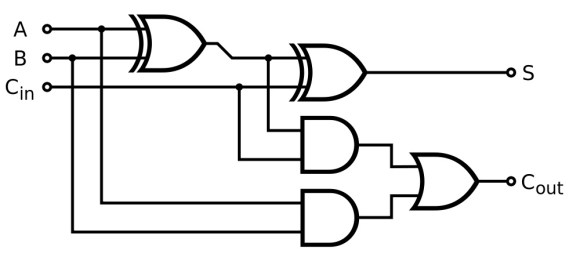
[Phillip] wanted to play with the C preprocessor. He decided to do that by creating a 4 bit full adder. We know this is pretty useless in everyday life, but it was a great learning experience. The beauty of this adder is right at the start. [Phillip] defines truth tables for XOR and AND. He’s able to then create strings that reference these truth tables.
For example: the first line of [Phillip’s] AND table is #define AND_00 0. If the preprocessor concatenates strings that equal “AND_00” they will then be converted to 0. This is the groundwork for the half adder .

The next step is the operational logic, which of course falls upon macros:


/* Full adder macros */
/* Out = (A ^ B) ^ cin */
#define FULL_ADD_OUT( a, b, cin ) \
 XOR( XOR( a, b ), cin )

/* Carry_out = (A & B) ^ (Carry_in & (A ^ B)) */
/* The standard adder uses OR for the last 'gate' - this
 can safely be changed  to XOR, which has been done here
 to avoid defining an OR operator */
#define FULL_ADD_CARRY( a, b, cin ) \
 XOR( AND( XOR( a, b ), cin ), AND( a, b ) )

Continue reading “Create A Full Adder Using The C Preprocessor”

Reverse Engineering An LG Cell Phone Display

andy-cell

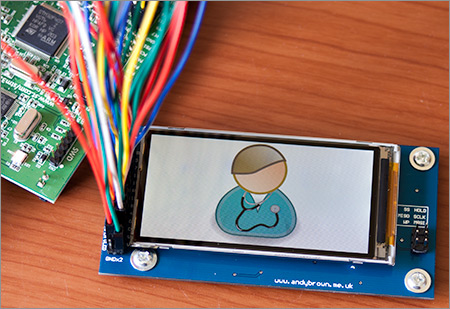
[Andy] has done a great job reverse engineering the LG KF700 cell phone display. LG’s KF700 is a 2008 era cell phone — that’s about 300 years old in cell phone years. The phone was somewhat novel in that it used a 3” diagonal 2:1 480×240 widescreen format. While the phone itself may be a memory, its screen lives on through the magic of Ebay.

Obtaining the LCD is the easy part – the hard part is figuring out how to interface to it. LG is very helpful in that regard by publishing detailed service manuals and schematics on their cell phones. We’re not sure if these manuals are supposed to be public domain, but Google is your friend here. With the help of the service manual, [Andy] was able to determine the LCD has an on board controller (Himax HX8352), making it much easier to interface to. He was also able to find out information about the LCD connector pin out, and even a connector part number.

Continue reading “Reverse Engineering An LG Cell Phone Display”

Atlas Survives The Wrecking Ball

[Boston Dynamics] has been just full of videos over the last few days. They’ve dropped updates on Atlas and LS3 in addition to the WildCat update we already featured.

This video shows updates to the Atlas robot. This is to be a simplified version of the atlas, as compared to the robots sent off to competitors in the DARPA robotics challenge. Arms have been replaced with weights. It appears that this update focuses on Atlas’ balancing and handling on rough terrain. Atlas walks gingerly, over some crushed cinder blocks – possibly the same ones we saw BigDog throwing around recently. There are a few tense moments, but Atlas manages to get through unscathed.

The real scary part (for us) is watching Atlas get hit with a weighted ball. We’re assuming the 20 on the ball indicates pounds. Imagine getting hit from the side with a 20lb swinging weight. Would you be able to stand up? Did we mention Atlas did this all while standing on one foot? Atlas takes it in stride though – waving its arms to maintain balance in a very human manner.  Notable is the balance system. Atlas never lifts its foot off the ground. This is slightly different from the bouncing/hopping system of balance we’ve come to know and love in [Boston Dynamics’] other robots.  Continue reading “Atlas Survives The Wrecking Ball”