Best Of Both Worlds: The MacPad

Despite a growing demand for laptop-tablet hybrid computers from producers like Lenovo, HP, and Microsoft, Apple has been stubbornly withdrawn this arena despite having arguably the best hardware and user experiences within the separate domains of laptop and tablet. Charitably one could speculate that this is because Apple’s design philosophy mandates keeping the user experiences of each separate, although a more cynical take might be that they can sell more products if they don’t put all the features their users want into a single device. Either way, for now it seems that if you want a touchscreen MacBook you’ll have to build one yourself like the MacPad from [Federico].

This project started as simply providing a high-quality keyboard and mouse for an Apple Vision Pro, whose internal augmented reality keyboard is really only up to the task of occasionally inputting a password or short string. For more regular computing, [Federico] grabbed a headless MacBook which had its screen removed. This worked well enough that it triggered another line of thought that if it worked for the Vision Pro it might just work for an iPad Pro as well. Using Apple tools like Sidecar makes this almost trivially easy from a software perspective, although setting up the iPad as the only screen, rather than an auxiliary screen, on the MacBook did take a little more customization than normal.

The build goes beyond the software side of setting this up, though. It also includes a custom magnetic mount so that the iPad can be removed at will from the MacBook, freeing both the iPad for times when a tablet is the better tool and the MacBook for when it needs to pull keyboard duty for the Vision Pro. Perhaps the only downsides are that this only works seamlessly when both devices are connected to the same wireless network and that setting up a headless MacBook without a built-in screen takes a bit of extra effort. But with everything online and working it’s nearly the perfect Apple 2-in-1 that users keep asking for. If you’re concerned about the cost of paying for an iPad Pro and a Macbook just to get a touchscreen, though, take a look at this device which adds a touchscreen for only about a dollar.

Thanks to [Stuart] for the tip!

Streaming Deck Removes Need For Dedicated Hardware

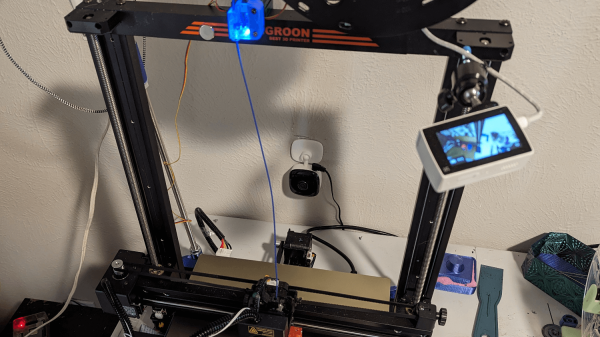
Streaming content online has never been more popular than it is now, from YouTube to Twitch there are all kinds of creators around with interesting streams across a wide spectrum of interests. With that gold rush comes plenty of people selling figurative shovels as well, with audio mixing gear, high-quality web cams, and dedicated devices for controlling all of this technology. Often these devices take the form of a tablet-like device, but [Lenochxd] thinks that any tablet ought to be able to perform this task without needing dedicated, often proprietary, hardware.

The solution offered here is called WebDeck, an application written in Flask that turns essentially any device with a broswer into a stream control device. Of course it helps to have a touch screen as well, but an abundance of tablets and smartphones in the world makes this a non-issue. With the software running on the host computer, the streamer can control various aspects of that computer remotely by scanning a QR code which opens a browser window with all of the controls accessible from within. It has support for VLC, OBS Studio, and Spotify as well which covers the bases for plenty of streaming needs.

Currently the host software only runs on Windows, but [Lenochxd] hopes to have MacOS and Linux versions available soon. We’re always in favor of any device that uses existing technology and also avoids proprietary hardware and software. Hopefully that’s a recipe to avoid planned obsolescence and unnecessary production. If you prefer a version with a little bit of tactile feedback, though, we’ve seen other decks which add physical buttons for quick control of the stream.

A Smarter Solar Water Heater

Installing solar power at a home is a great way to reduce electricity bills, especially as the cost of solar panels and their associated electronics continue to plummet. Not every utility allows selling solar back to the grid, though, so if you’re like [Rogan] who lives in South Africa you’ll need to come up with some clever tricks to use the solar energy each day while it’s available to keep from wasting any. He’s devised this system for his water heater that takes care of some of this excess incoming energy.

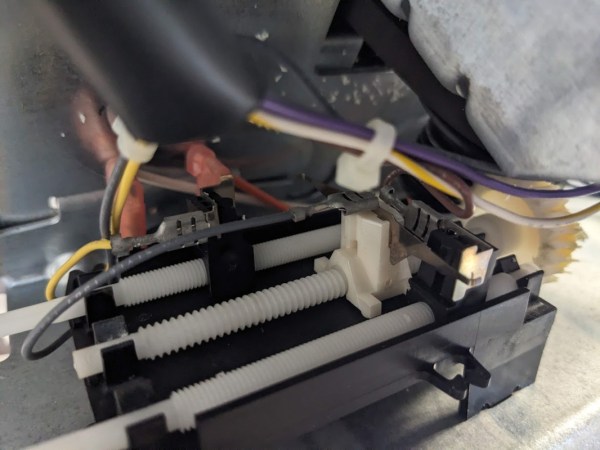
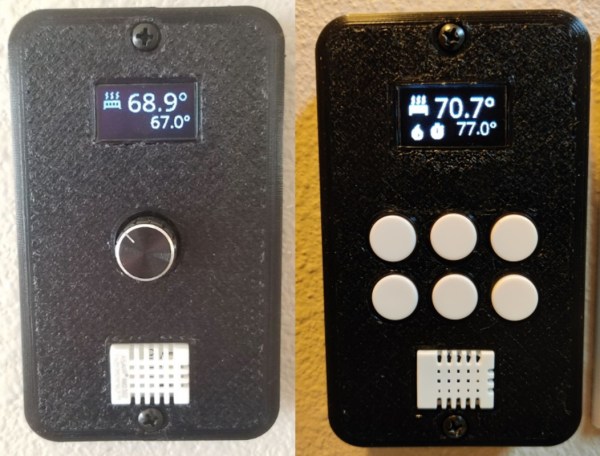
A normal water heater, at least one based on electric resistive heaters, attempts to maintain a small range of temperatures within the insulated tank. If the temperature drops due to use or loss to the environment, the heaters turn on to bring the temperature back up. This automation system does essentially the same thing, but allows a much wider range of temperatures depending on the time of day. Essentially, it allows the water heater to get much hotter during times when solar energy is available, and lets it drop to lower values before running the heater on utility electricity during times when it isn’t. Using a combination ESP32 and ATtiny to both control the heater and report its temperature, all that’s left is to program Home Assistant to get the new system to interact with the solar system’s battery charge state and available incoming solar energy.

While it’s an elegantly simple system that also affords ample hot water for morning showers, large efficiency gains like this can be low-hanging fruit to even more home energy savings than solar alone provides on paper. Effectively the water heater becomes another type of battery in [Rogan]’s home, capable of storing energy at least for the day in the form of hot water. There are a few other ways of storing excess renewable energy as well, although they might require more resources than are typically available at home.

Reggaeton-Be-Gone Disconnects Obnoxious Bluetooth Speakers

If you’re currently living outside of a Spanish-speaking country, it’s possible you’ve only heard of the music genre Reggaeton in passing, if at all. In places with large Spanish populations, though, it would be more surprising if you hadn’t heard it. It’s so popular especially in the Carribean and Latin America that it’s gotten on the nerves of some, most notably [Roni] whose neighbor might not do anything else but listen to this style of music, which can be heard through the walls. To solve the problem [Roni] is now introducing the Reggaeton-Be-Gone. (Google Translate from Spanish)

Inspired by the TV-B-Gone devices which purported to be able to turn off annoying TVs in bars, restaurants, and other places, this device can listen to music being played in the surrounding area and identify whether or not it is hearing Reggaeton. It does this using machine learning, taking samples of the audio it hears and making decisions based on a trained model. When the software, running on a Raspberry Pi, makes a positive identification of one of these songs, it looks for Bluetooth devices in the area and attempts to communicate with them in a number of ways, hopefully rapidly enough to disrupt their intended connections.

In testing with [Roni]’s neighbor, the device seems to show promise although it doesn’t completely disconnect the speaker from its host, instead only interfering with it enough for the neighbor to change locations. Clearly it merits further testing, and possibly other models trained for people who use Bluetooth speakers when skiing, hiking, or working out. Eventually the code will be posted to this GitHub page, but until then it’s not the only way to interfere with your neighbor’s annoying stereo.

Thanks to [BaldPower] and [Alfredo] for the tips!

ESP32 Oscilloscope Skips Screen For The Browser

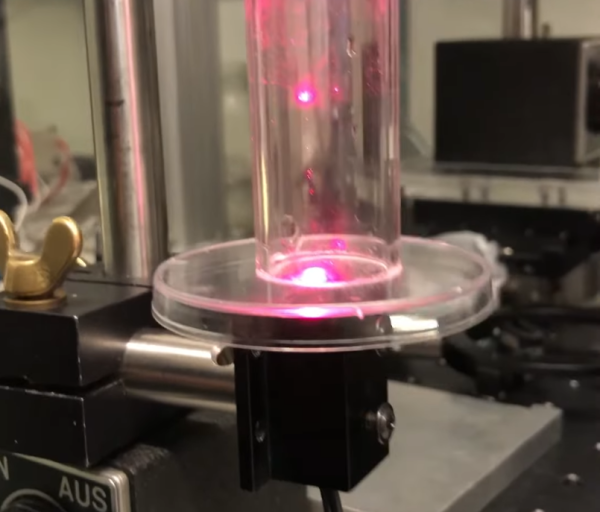
An oscilloscope can be an expensive piece of equipment, but not every measurement needs four channels and gigahertz sampling rates. For plenty of home labs, old oscilloscopes with CRTs can be found on the used marketplace for a song that are still more than capable of getting the job done, but even these can be overpowered (not to mention extremely bulky). If you’re looking for something even cheaper, and quite a bit smaller, this ESP32 scope from [BojanJurca] might fit the bill.

The resulting device manages to keep costs extremely low, but not without a trade-off. For this piece of test equipment, sampling is done over the I2C bus on the ESP32, which can manage a little over 700 samples per second with support for two channels. With the ESP32 connected to a wireless network, the data it captures can be viewed from a browser in lieu of an attached screen, which also keeps the size of the device exceptionally small. While it’s not a speed demon, that’s more than fast enough to capture waveforms from plenty of devices or our own circuit prototypes in a form factor that can fit even the smallest spaces.

Of course for work on devices with faster switching times, it’s always good to keep a benchtop oscilloscope around. But as far as we can tell this one is the least expensive, smallest, and most capable we’ve come across that would work for plenty of troubleshooting or testing scenarios in a pinch. We’ve seen others based on slightly more powerful microcontrollers like this one based on the STM32 and this other built around the Wio Terminal with a SAMD51, both of which also include built-in screens.

Replacement PCB Replicates Early 80s Modem

It’s certainly been a few decades, but plenty of us remember a time before widespread access to broadband internet, when connections were generally made over phone lines using acoustic modems. In the 90s these could connect you to AOL and Napster well enough, but in the early 80s the speeds were barely enough to read text as it loaded. A company called Hayes set out to change this with some of the first useful, widely-available modems for the PCs at the time. While they couldn’t keep up with the changing times there’s still a retro community that has these antiques, and to modernize it a bit this drop-in replacement for the PCBs replicates these old modems almost exactly.

The new PCB is equipped with everything needed to get a retro computer online again, including all the ports to connect a computer without any further modifications. It houses a few modern upgrades beyond its on-board processors, though. Rather than needing an actual acoustic coupled phone, this one has an ESP32 which gives it wireless capability. But the replacement PCB maintains the look and feel of the original hardware by replicating the red status LEDs at the front, fitting into the original Hayes cases with no modifications needed at all, and even includes a small speaker through which it can replicate the various tones, handshakes, and other audio cues that those of us nostalgic for this new online era remember quite well.

For those looking for a retro feel without the hassle of getting antique networking equipment functional again, this type of upgrade that preserves the essence of the original hardware is an excellent way of keeping retro computers functional on modern networking equipment. But if you absolutely must get the networking equipment exactly right down to the last patch cable, you might end up having to build your own ISP from scratch.

Continue reading “Replacement PCB Replicates Early 80s Modem”

Rebuilding A $700k Refrigerator

When cleaning out basements, garages, or storage units we often come across things long forgotten. Old clothes, toys, maybe a piece of exercise equipment, or even an old piece of furniture. [Ben] and [Hugh] were in a similar situation cleaning out an unused lab at the University of California Santa Barbara and happened upon an old refrigerator. This wasn’t just a mini fridge left over from a college dorm, though. This is a dilution refrigerator which is capable of cooling things down to near absolute zero, and these scientists are trying to get it to its former working state.

The pair are hoping to restore the equipment to perform dark matter experiments, but the refrigerator hasn’t been in use since about 2016 (and doesn’t have an instruction manual), which is a long time for a piece of specialty scientific equipment to be collecting dust. The first step is to remove wiring and clean it of all the grime it’s accumulated in the last decade. After that, the pair work to reassemble the layers of insulation around the main cooling plate and then hook up a vacuum pump to the device which also needed some repair work.

The critical step at this point is to evacuate the refrigerant lines so they can be filled with expensive Helium-3 and Helium-4. The problem is that there’s still some of this valuable gas in the lines that needs to be recovered, but the risk is that if any air gets into the cold section of the refrigerator it will freeze and clog the whole system. After chasing some other electrical and vacuum gremlins and discovering a manual from a similar refrigerator, they eventually get it up and running and ready for new scientific experiments. While most of us won’t discover a fridge like this cleaning out our attics, this refrigerator powered by rubber bands is a little more accessible to the rest of us.

Continue reading “Rebuilding A $700k Refrigerator”