An Entire Game Inside Of A Font

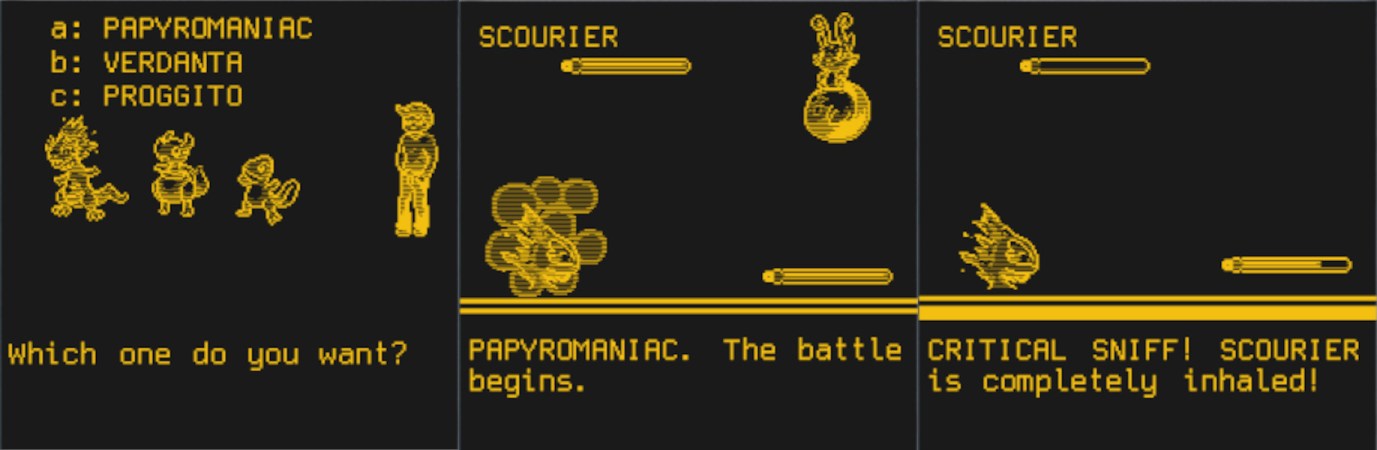
Where’s the last place you’d expect to be able to play a game on your computer? The word processing program? Image editor? How about your text editor? That’s right — you can fight your Fontemons in any program that makes use of fonts, because mad genius [Michael Mulet] has created a game that exists entirely within a single Open Type font file.

[Michael] has harnessed the power of ligatures to create a choose-your-own-adventure-style turn-based game that pokes fun at both Pokemon and various typeface names. You start by choosing between Papyromaniac, Verdanta, and Proggito and face off against enemies like Helvetikhan and Scourier.

This works because there are many ways to draw glyphs on a screen. [Michael] chose Type 2 Charstrings, which is a vector graphics format that Adobe created for PostScript. It can draw pixels with a series of move specifications that tell it to draw up, to the right, and then back down before closing off the pixel with an implicit operator that draws from the starting point to the ending point. [Michael] was able to create two shades of gray by drawing smaller versions of the pixels and making the image by combining white and black pixels.

If you just want to play the game, you can either download the .otf file or just try it out in the browser. You’re supposed to use ‘a’ and ‘b’ to make choices that advance the game, but we soon discovered that spamming other keys like ‘v’ and Enter will lead to strange places. If you play it straight, it takes about 20 minutes, but there are enough secrets built in to make it last five times as long. [Michael] was kind enough to create a tutorial for making font-based games, but if you just want to get going, the game engine is open source.

What other fun things can you do on that locked-down work computer? If it has Excel, you can use it to do animation or just kick back and watch a movie.

Reproducing A Reproducer: Servicing A Cylinder Phonograph In The Year 2021

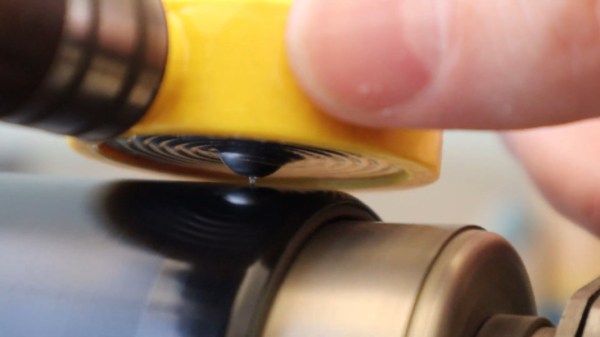
[Jan Derogee] pulled out his phonograph the other day to hear the 100+ year old wax cylinder warble of “It’s a Long Way to Tipperary”, but couldn’t locate the reproducer — this is the small circular bit that holds the stylus and transfers the groove-driven vibrations to the center of a thin diaphragm, which vibrates into the sound horn. It’s easily the most important part of a cylinder phonograph. What do you do when you lose your reproducer? You could search ebay for a replacement, but that wouldn’t be nearly as fun as reproducing your reproducer yourself.

Traditionally, diaphragms were made from mica or celluloid, and the Edison disk phonograph used seven layers of shellac-soaked rice paper. Reproducers typically have a Dagwood sandwich of gaskets surrounding the membrane, but they don’t have to be so convoluted to work — a single strong membrane will do just fine. Just ask [Jan], who made a new reproducer with a 3D-printed case, a hand-pulled glass stylus, and a disposable aluminum foil pan for the diaphragm.

It’s difficult for us to say which part looks more fun — stretching the glass shard over a gas kitchen stove with the flame focused by a stack of wrench sockets, or cutting up a bicycle inner tube and using a car jack to press the aluminum into shape against a 3D-printed mold. The whole video is awesome and you can check it out after the break.

As [Jan] notes in the video and on the project site, the glass stylus should really be made from borosilicate because it’s harder than regular soda lime glass (that’s why they often make vaccine vials out of it). Regular glass will work and takes much less time and gas to reach the pull-able stage, so that’s what [Jan] used in the video, but it will wear out much more quickly. Fortunately, this was a temporary solution, because as soon as [Jan] made a replacement, the missing reproducer showed up.

Continue reading “Reproducing A Reproducer: Servicing A Cylinder Phonograph In The Year 2021”

Negative Reinforcement: Drill Bits Edition

In theory, it’s fun to have a lot of toys tools around, but the sad reality is that it’s only as fun as the organization level applied. Take it from someone who finds organization itself thrilling: it really doesn’t matter how many bits and bobs you have, as long as there’s a place for everything and you put away your toys at the end of the day.

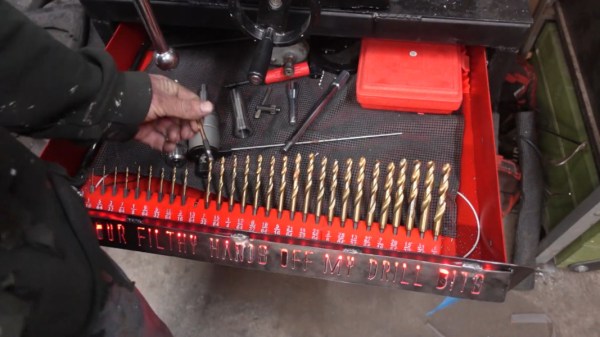
[Cranktown City] is always leaving drill bits lying around instead of putting them back in their bit set boxes. Since he responds well to yelling, he decided to build an intelligent drill bit storage system that berates him if he takes one out and doesn’t put it back within ten minutes.

But [Cranktown City] did much more than that. The system is housed in a really nice DIY stand that supports his new milling and drilling machine and has space to hold a certain type of ubiquitous red tool box beneath the drill bits drawer.

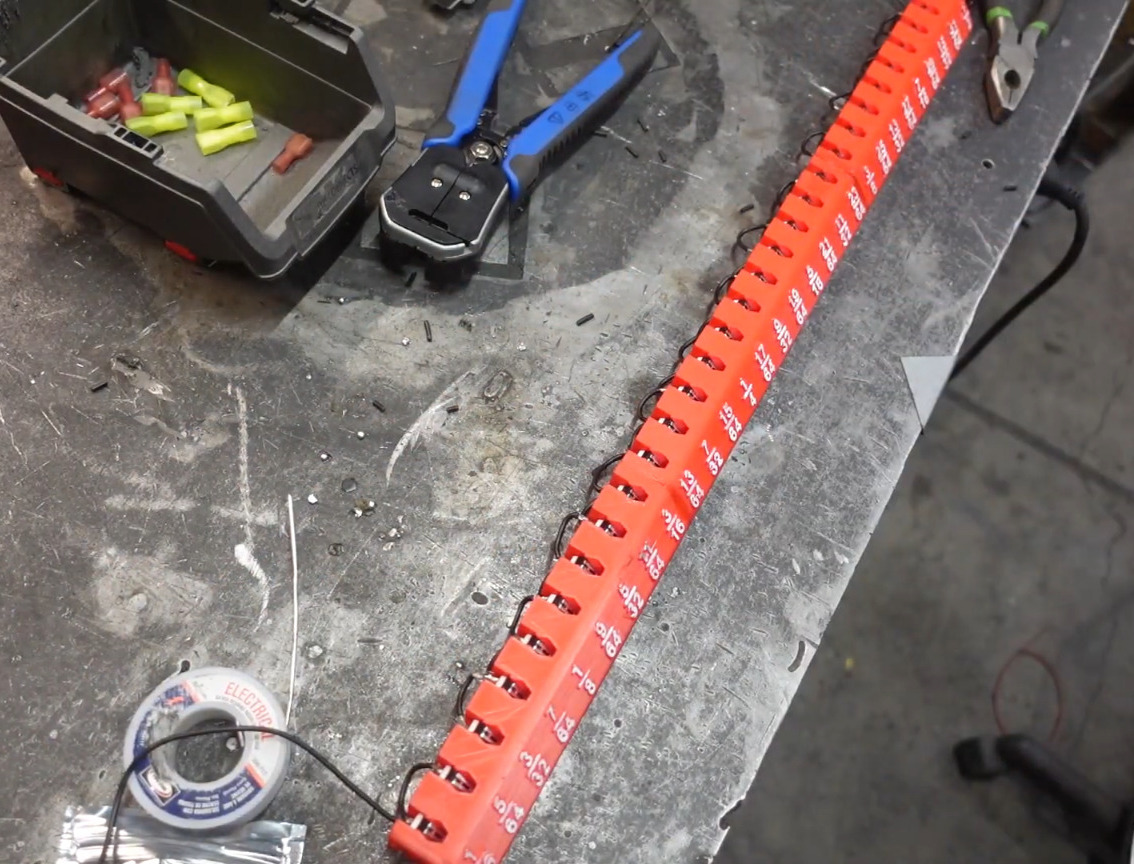
All the bits now sit in a 3D-printed index that fits the width of the drawer. [Cranktown City] tried to use daisy-chained pairs of screws as contacts behind each bit that could tell whether the bit was home or not, but too much resistance interfered with the signal. He ended up using a tiny limit switch behind each bit instead. If any bit is removed, the input signal from the index goes low, and this triggers the Arduino Nano to do two things: it lights up a strip of red LEDs behind the beautiful cut out letters on the drawer’s lip, and it starts counting upward. Every ten minutes that one or more bits are missing, the drawer complains and issues ad hominem attacks. Check out the demo and build video after the break, but not until you put your tools away. (Have you learned nothing?)

Okay, so how do you deal with thousands of jumbled drill bits? Calipers and a Python script oughta do it.

Continue reading “Negative Reinforcement: Drill Bits Edition”

An Algorithm For Art: Thread Portraits

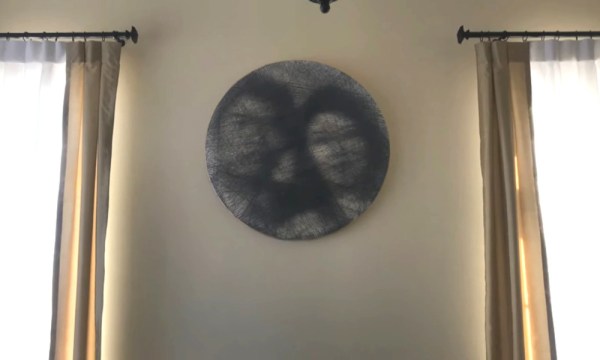
We’ve all been there — through the magic of the internet, you see someone else’s stunning project and you just have to replicate it. For [Jenny Ma], that project was computer-generated string art, as in the computer figures out the best nail order to replicate a given image, and you lay out the thread yourself.

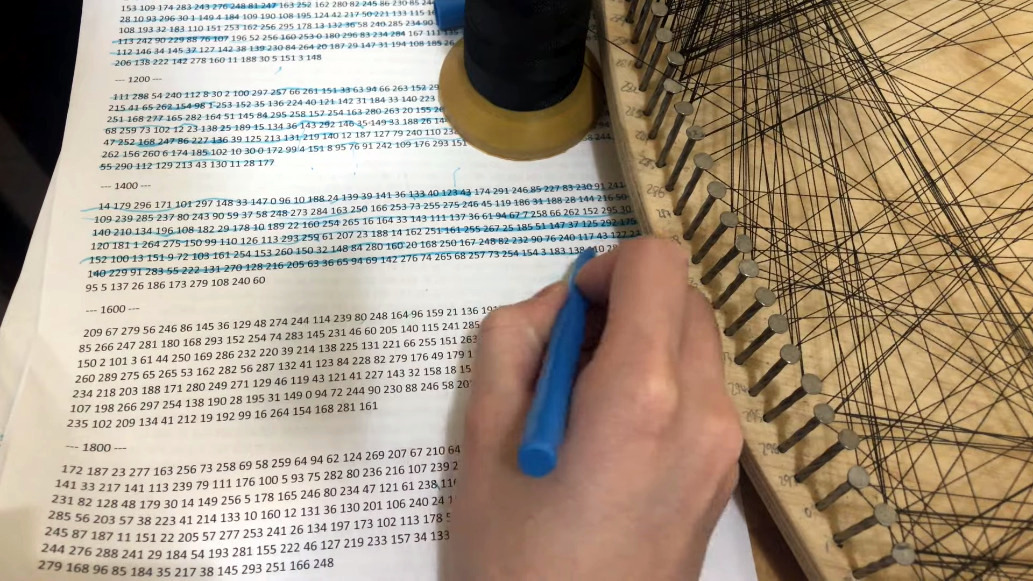
So, how does it work? Although a few algorithms are out there already, [Jenny] wanted to make her own using Python. Essentially it crops the image into a circle and then lays out evenly-spaced software nails around the circumference. The algorithm starts from a random nail and then determines the best next nail to wrap around by drawing a line from that nail to every other nail and choosing the darkest one based on the darkness of the image underneath that little line. It repeats this one chord at a time, subtracting from the original image until every pixel has been replaced with a thread or lack thereof, and then it spits out an ordered list of nail numbers.

Once the software was ready, [Jenny] made a wood canvas that’s 80 cm (31.5″) in diameter and started laying out the nail hole locations. There wasn’t quite enough room for 300 nails, so instead of starting over, [Jenny] changed the algorithm to use 298 nails and re-ran it.

[Jenny] does a great job of discussing the many variables at play in this hardware representation of software-created art. The most obvious of course is that the more nails used, the higher the resolution would be, but she determined that 300 is the sweet spot — more than that, and the resolution doesn’t really improve. We have to wonder if 360 nails would make things any easier. Check out the build video after the break.

Want to cut out most of the manual labor altogether? Build yourself a string art machine.

Continue reading “An Algorithm For Art: Thread Portraits”

DIY B-Movie Robot Is A-OK

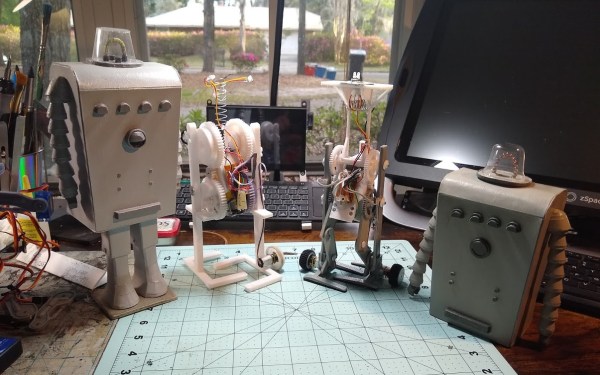
While we certainly agree that “Devil Girl From Mars” is an attractive movie title, we have yet to see this apparent British B-movie delight for ourselves. If [Cory Collins]’ fantastic build of Chani, the lumbering, terrifying robot that accompanies the vinyl-clad and caped Devil Girl in question is any indication, we bet it’s delightfully bad.

[Cory] was able to faithfully reproduce Chani — lights, lumbering and all — for less than $50. This price tag does not include the vacuum former required to make the domed head, but hey, it’s an investment into future projects.

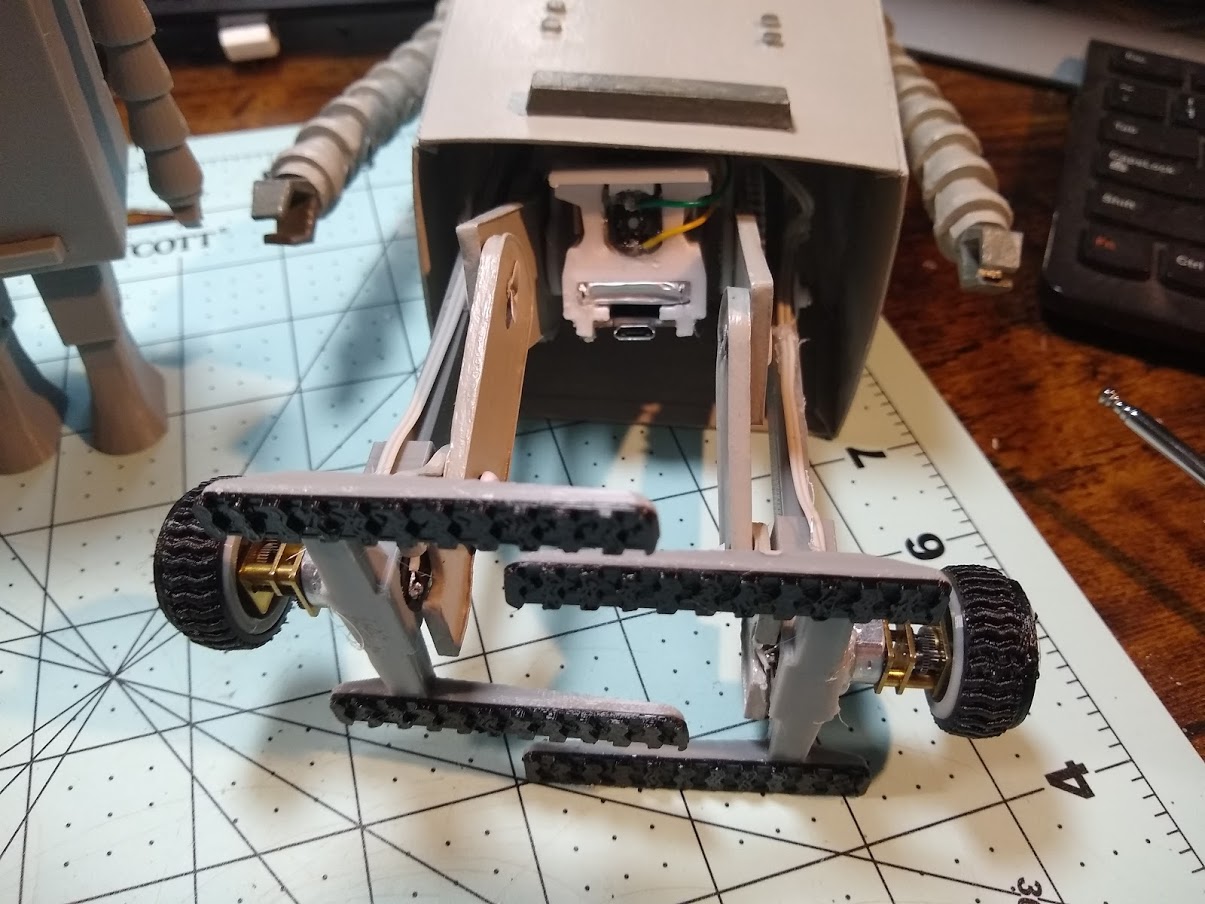
[Cory] started by dissecting an R/C stunt car from Harbor Freight and stringing the innards up to a 3D-printed walking mechanism that’s been modified to use gear-reduced motors so it walks more slowly. While Chani is stomping around on TPU treads, the LEDs from the R/C car’s headlights shine inside of its dome. Chani’s boxy body is a big paper sculpture that looks spot-on to us when compared to the movie’s trailer.

We love the way that Chani walks — it sort of dips and glides along in a forward-facing Moonwalk fashion. As you can see in the video below, [Cory] totally nailed the robot’s gait, and it’s hilarious to watch Chani’s little coolant hose-looking arms dangle and shake as he makes his slow and menacing way across the table. Stick around for some scary nighttime footage of Chani against a thunderstorm.

Want your robots to move more like movie robots? All you gotta do is use the right tools.

Continue reading “DIY B-Movie Robot Is A-OK”

Inputs Of Interest: Marsback M1 Is A Portable Party Peripheral

Again, let’s just get this out of the way up front: I got this lovely little 75% keyboard for free from a gaming accessories company called Marsback. It’s a functioning prototype of a keyboard that they have up on Kickstarter as of March 2nd. It comes in three color schemes: dark, white and sakura pink, which is white and pink with cherry blossoms.

This illustration of the lube points is from my email string with Marsback.

Marsback found me through my personal website and contacted me directly to gauge my interest in this keyboard. I’ll admit that I wasn’t too excited about it until I scrolled further in the email and saw that they are producing their own switches in-house.

I think that’s a really interesting choice given that Cherry MX and other switches exist, and there so many Cherry MX clones out there already. Naturally, I had to investigate, so following a short review, I’ll take it apart.

Continue reading “Inputs Of Interest: Marsback M1 Is A Portable Party Peripheral”

There’s A Fungus Among Us That Absorbs Sound And Does Much More

Ding dong, the office is dead — at least we hope it is. We miss some of the people, the popcorn machine, and the printer most of all, but we say good riddance to the collective noise. Thankfully, we never had to suffer in an open office.

For many of us, yours truly included, home has become the place where we spend approximately 95% of our time. Home is now an all-purpose space for work, play, and everything in between, like anxiety-induced online shopping. But unless you live alone in a secluded area and/or a concrete bunker, there are plenty of sound-based distractions all day and night that emanate from both inside and outside the house. Headphones are a decent solution, but wearing them isn’t always practical and gets old after a while. Wouldn’t it be nice to be able to print your own customized sound absorbers and stick them on the walls? Continue reading “There’s A Fungus Among Us That Absorbs Sound And Does Much More”