Grace Under Pressure: Shelley Green Celebrates Crimped Connections

We think it’s pretty safe to assume that most of the electrical connections our readers are making out there involve solder or solder paste. But we’ve all made a crimp connection or two in our lifetimes. Maybe you’ve squeezed a butt connector here and there, or made an Ethernet cable. Beyond getting the wiring order right in the Ethernet cable, how much did you wonder about what was happening inside the connector?

It may seem like solder is the superior option for making a low-resistance electrical connection. After all, you’re welding metals together with another metal. And this is usually all fine and good for circuit boards with sedentary indoor lives. But if a joint needs to be mechanically stable and survive in potentially harsh environments, you don’t want an alloy holding things together. You want metal to metal contact, and crimping is where it’s at.

A well-made crimp should last for several decades, but as Shelley Green explained in her talk at the 2019 Hackaday Superconference, good quality crimps don’t happen by accident. Good crimps are meticulously designed, and carefully executed from start to finish.

Continue reading “Grace Under Pressure: Shelley Green Celebrates Crimped Connections”

Build The Baddest Keypad On The Block With LEGO

Like so many of us, [EducatedAce] has been quelling the quarantine blues by resurrecting old projects and finding new challenges to fill the days. He’s just finished building this blocky macro keypad to hold a bunch of shortcuts for Photoshop, thus continuing and compounding the creative spree.

[EducatedAce] already had everything on hand except the Arduino Micro. Instead of standard key switches, this macro block uses 16 of the loudest, crunchiest tactile buttons out there — those big ones with the yellow stems that sound like small staplers.

And don’t worry — no LEGO or LEGO accessories were harmed in the making of this macro pad — the base plate and switch plate are 3D printed. [EducatedAce] has the STL files posted along with great build instructions if you want to wire one up for yourself.

This is a great project because it’s sturdy, it gets the job done without a lot of expense, and still looks like something you’d want on your desk. [EducatedAce] plans to rebuild it with uniformly colored bricks, but we think it looks great as-is, especially with those vented 1×2 pieces. If it were ours, we might use a different color for each row or column to help keep the shortcuts straight.

What? You’ve never printed your own interlocking building blocks before? Well, don’t limit yourself to 1:1 scale, otherwise the minifigs have won. Build a go-kart big enough for humans!

Coffee Maker Gives Plants An Automatic Drip

Somehow, [Jeremy S   Cook]’s wife was able to keep a Keurig machine going for 10 years before it quit slinging caffeine. [Jeremy] got it going again, but decided to buy a new one when he saw how it was inside from a decade of water deposits.

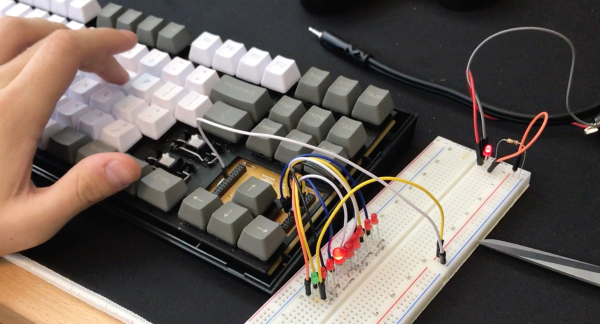
But why throw the machine out like spent coffee grinds? Since the pump is still good, he decided to turn it into an automatic plant watering machine. Now the Keurig pumps water using a Raspberry Pi Zero W and a transistor. [Jeremy] can set up watering cron jobs with PuTTY, or push water on demand during dry spells. We love that he wired up a soil moisture sensor to the red/blue LEDs around the brew button — red means the plant is thirsty, purple means water is flowing, and no light means the plant is quenched and happy.

This project is wide open, but cracking into the Keurig is up to you. Fortunately, that part of the build made it into the video, which is firmly planted after the break.

Old coffee makers really do seem suited to taking up plant care in retirement. Here’s a smart garden made from an espresso machine.

Continue reading “Coffee Maker Gives Plants An Automatic Drip”

Servo-Powered 7-Segments Choreograph This Chronograph

Good clocks are generally those that keep time well. But we think the mark of a great clock is one that can lure the observer into watching time pass. It doesn’t really matter how technical a timepiece is — watching sand shimmy through an hourglass has its merits, too. But just when we were sure that there was nothing new to be done in the realm of 7-segment clocks, [thediylife] said ‘hold my beer’ and produced this beauty.

A total of 28 servos are used to independently control four displays’ worth of 3D-printed segments. The servos pivot each segment back and forth 90° between two points: upward and flat-faced to display the time when called upon, and then down on its side to rest while its not needed.

Circuit-wise, the clock’s not all that complicated, though it certainly looks like a time-consuming build. The servos are controlled by an Arduino through a pair of 16-channel servo drivers, divided up by HH and MM segments. The Arduino fetches the time from a DS1302 RTC module and splits the result up into four-digit time. Code-wise, each digit gets its own array, which stores the active and inactive positions for each servo. Demo and full explanation of the build and code are waiting after the break.

When it comes to 7-segment displays, we say the more the merrier. Here’s a clock that uses pretty much all of them.

Continue reading “Servo-Powered 7-Segments Choreograph This Chronograph”

Limiting Factor Submersible Is In A League Of Its Own

Space may be the final frontier, but there are still Earthly frontiers that a select few have visited — the deepest depths of the high seas. Victor Vescovo, a Texas businessman and former Naval officer, is one of those few. Last spring, Vescovo realized his dream of becoming the first person to scrape the bottoms of all five oceans.

Vescovo descended alone in Limiting Factor, a $37 million two-seater submersible he commissioned from Triton, a private manufacturer who made this feat of engineering come to life. Vescovo and the crew discovered over 40 new species of aquatic lifeforms throughout the course of their Five Deeps expedition. But the attention-getting takeaway came when Vescovo visited the absolute lowest point on Earth. In the Challenger Deep portion of the Marianas Trench, seven miles below sea level, he saw a plastic bag drift by in the abyss.

One normal-sounding quirk sets this sub apart from others: it’s made to be reusable. You read that right, most super-deep divers never manage to dive over and over again.

Continue reading “Limiting Factor Submersible Is In A League Of Its Own”

Rapid Prototyping System Gives Wheels To Wearables

Wearables are kind of a perplexing frontier for electronics. On the one hand, it’s the best possible platform for showing off a circuit everywhere you go. On the other hand, the whole endeavor is fiddly because the human body has no straight lines and moves around quite a bit. Circuits need to be flexible and comfortable. In other words, a wearable has to be bearable.

[Konstantin], [Raimund], and [Jürgen] have developed an intriguing system for prototyping e-textiles that opens up the wearables world to those who don’t sew and makes the prototyping process way easier for everyone.

It’s a small and portable roll-on ironing device that lays down different kinds of custom ‘tapes’ on to textiles. The conductive fabric tapes can be used as touchable traces, and can support components such as flexible e-ink screens and solar panels. Some tapes provide single or multiple points of connectivity, and others are helper substrates like polyimide tape that multiply the possibilities for complex circuits.

The device uses a modified soldering iron to transfer the tapes, which are loaded onto 3D-printed spools that double as the wheels. Check it out after the break — there’s a 30-second tour and a 5-minute exploration of the whole process.

Everyone needs to prototype, even the seasoned stitchers. The next time you’re thinking in thread, throw some magnets into the process.

Continue reading “Rapid Prototyping System Gives Wheels To Wearables”

Inputs Of Interest: The Differently Dexterous DataHand Directionalizes Digits

If you had debilitating pain from repetitive stress injury in the 1990s, there were a lot of alternative keyboard options out there. One of the more eye-catching offerings was the DataHand keyboard made by DataHand Systems out of Phoenix, AZ. The DataHand debuted in 1993 with a price tag around $2,000. While this is admittedly pretty steep for the average consumer, it was well within the IT budgets of companies that wanted to avoid workman’s comp claims and keep their employees typing away.

In theory, this is holy grail territory for anti-RSI keyboards. The DataHand was designed to eliminate wrist motion altogether by essentially assigning a d-pad plus a regular push-down button to each finger. The layout resembles QWERTY as closely as possible and uses layers to access numbers, symbols, and other functions, like a rudimentary mouse.

Although if you put them this close together, you’re kind of missing the point. Image via Bill Buxton

Ergonomic to the Max

Typing on the DataHand is supposed to be next to effortless. The directional switches are all optical, which probably has a lot to do with the eye-popping price point. But instead of being spring-loaded, these switches use magnets to return to the neutral position.

Continue reading “Inputs Of Interest: The Differently Dexterous DataHand Directionalizes Digits”