Small sensor built into audio jack, held in tweezers

Measuring LED Flicker, With Phototransistor And Audio App

No one likes a flickering light source, but lighting is often dependent on the quality of a building’s main AC power. Light intensity has a close relation to the supply voltage, but bulb type plays a role as well. Incandescent and fluorescent bulbs do not instantly cease emitting the instant power is removed, allowing their output to “coast” somewhat to mask power supply inconsistencies, but LED bulbs can be a different story. LED light output has very little inertia to it, and the quality of both the main AC supply and the bulb’s AC rectifier and filtering will play a big role in the stability of an LED bulb’s output.

Mobile phone spectrum analyzer pointed at light source
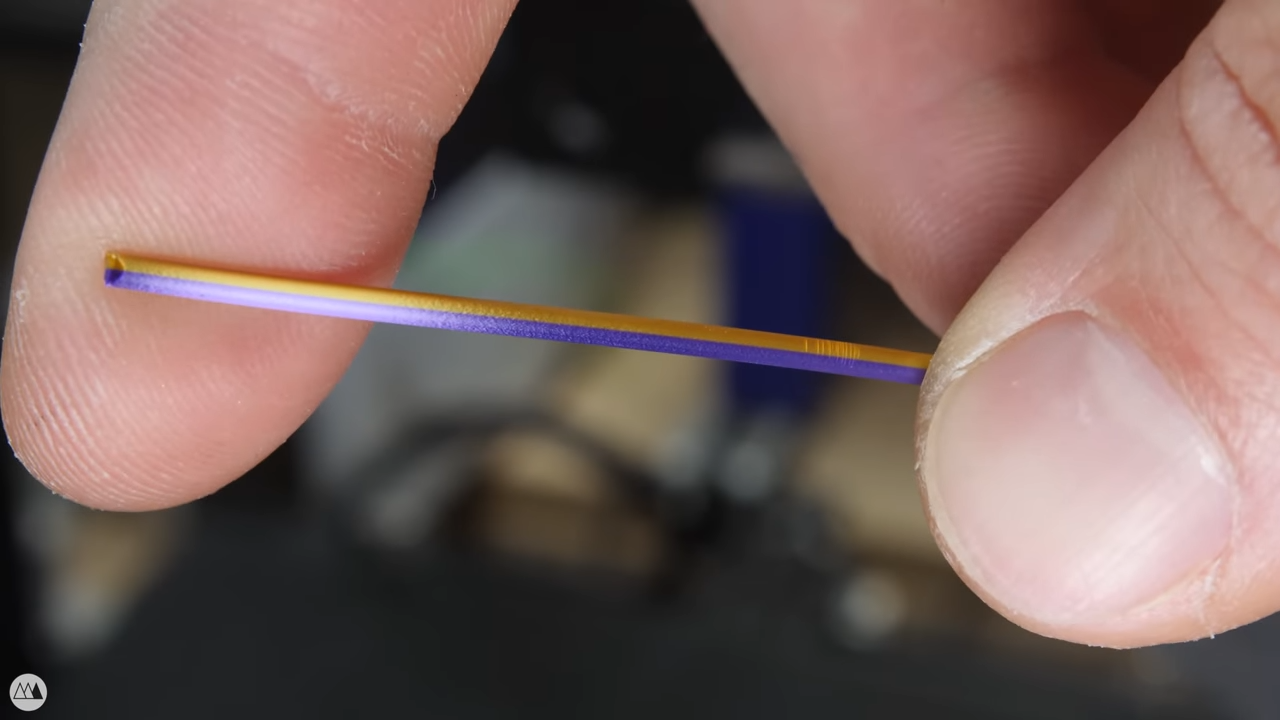
The DIY photosensor takes the place of the microphone input.

[Tweepy] wanted to measure and quantify this effect, and found a way to do so with an NPN phototransistor, a resistor, and a 3.5 mm audio plug. The phototransistor and resistor take the place of a microphone plugged into the audio jack of an Android mobile phone, which is running an audio oscilloscope and spectrum analyzer app. The app is meant to work with an audio signal, but it works just as well with [Tweepy]’s DIY photosensor.

Results are simple to interpret; the smoother and fewer the peaks, the better. [Tweepy] did some testing with different lighting solutions and found that the best performer was, perhaps unsurprisingly, a lighting panel intended for photography. The worst performer was an ultra-cheap LED bulb. Not bad for a simple DIY sensor and an existing mobile phone app intended for audio.

Want a closer look at what goes into different LED bulbs and how they tick? We have you covered. Not all LED bulbs are the same, either. Some are stripped to the bone and others are stuffed with unexpected goodness.

Art of 3D printer in the middle of printing a Hackaday Jolly Wrencher logo

3D Printering: Is Hassle-Free Bed Leveling Finally Here?

3D printers have come a long way over the past several years, but the process of bed leveling remains a pain point. Let’s take a look at the different ways the problem has been tackled, and whether recent developments have succeeded in automating away the hassle.

Anycubic Vyper 3D printer, front view
Anycubic Vyper, with an auto-leveling feature we decided to take a closer look at.

Bed leveling and first layer calibration tends to trip up novices because getting it right requires experience and judgment calls, and getting it wrong means failed prints. These are things 3D printer operators learn to handle with time and experience, but they are still largely manual processes that are often discussed in ways that sound more like an art than anything else. Little wonder that there have been plenty of attempts to simplify the whole process.

Some consumer 3D printers are taking a new approach to bed leveling and first layer calibration, and one of those printers is the Anycubic Vyper, which offers a one-touch solution for novices and experienced users alike. We accepted Anycubic’s offer of a sample printer specifically to examine this new leveling approach, so let’s take a look at the latest in trying to automate away the sometimes stubborn task of 3D printer bed leveling.

Continue reading “3D Printering: Is Hassle-Free Bed Leveling Finally Here?”

Casting Silicone Parts With 3D-Printed Inserts For Stiffness

Prolific maker [Jan Mrázek] shared his process for casting soft silicone parts that nevertheless have some added stiffness, which he accomplished by embedding porous, 3D-printed “ribs” into the pieces during the casting process. The 3D-printed inserts act as a sort of skeleton, and as a result, the parts have a soft silicone surface but gain structure and rigidity that simply wouldn’t be obtained if the part were cast entirely in silicone. The nice thing is that no new materials or tools were needed; [Jan] 3D printed both the molds for the parts as well as the structural inserts. It’s always nice when one can use the same tool and materials to accomplish different functions.

The parts [Jan] is making are interesting, as well. He observed that the process of swapping resin in his printer’s build tank was an unpleasant experience for a number of reasons, chief among them being that resin is sticky and messy, and the shape of the build tank doesn’t make pouring resin from it a clean job.

His solution was to design a pour spout that could be pressed onto the build tank, and some specially-designed squeegees to allow scraping the tank clean with ease. Silicone is the ideal material for the parts because it turns out that sticky resin beads nicely on silicone’s surface. Anywhere else, resin tends to spread out and form a sticky mess, but on silicone resin it forms tidy drops and is much easier to clean up.

It’s a technique worth keeping in mind, because one never knows when it could come in handy. Fabricating soft robots for example tends to involve silicone casting and clever techniques. See [Jan]’s parts in action in the video, embedded below.

Continue reading “Casting Silicone Parts With 3D-Printed Inserts For Stiffness”

Fail Of The Week: Flipped Cable Leads To Fried Radio

[Doug]’s newly-installed Yaesu FT-891 mobile transceiver failed to power up despite a careful installation, and it turns out to have ultimately been caused by a reversed cable. There’s a happy ending, however. Since the only real casualties were a blown resettable fuse and a badly-burned resistor that damaged the PCB, [Doug] was able to effect a repair. Things could have been worse, but they also could have been better. Damage could have been prevented entirely with some better design, which [Doug] explains during his analysis of what went wrong.

The destroyed SMT resistor and pads were easily replaced with a through-hole version, thanks to the schematics.

The main problem was that the generic RJ12 cable that [Doug] used to connect radio components had its connections reversed. This would not be a problem if it was used to connect a landline telephone to the wall, but it was a big problem when used to connect the radio components together. According to the radio schematics, the two center wires carry +13 V and GND, which meant that a reversed cable delivered power with reversed polarity; never an optimal outcome.

Once the reversed power arrived at the other end, [Doug] discovered something else. Diodes whose job would be to protect against reverse polarity were marked DO NOT INSTALL, probably to shave a few cents off the bill of materials. As a result, the full 13 V was soaked up by a 1/8 W surface mount resistor which smoldered and burned until a fuse eventually blew, but not before the resistor and pads were destroyed. Thankfully, things cleaned up well and after replacing the necessary parts and swapping for a correct cable, things powered up normally and the mobile radio was good to go.

Curious for a bit more details about mobile radio installations? Check out our own Dan Maloney’s rundown on installing a discontinued (but perfectly serviceable) Yaesu FT-8900R.

Tool Generates Interactive PCB Diagrams From KiCAD

Nearly everyone likes nice pinout diagrams, but the more pins and functions are involved, the more cluttered and less useful the diagram becomes. To address this, [Jan Mrázek] created Pinion, a tool to help generate interactive diagrams from KiCad design files.

The result is an interactive diagram that can be viewed in any web browser. Hovering over a pin or pad highlights those signals with a callout for the name, and clicking makes it stay highlighted for easier reference. Further information can be as detailed or as brief as needed.

Interestingly, Pinion isn’t a web service that relies on any kind of backend. The diagrams are static HTML and JavaScript only, easily included in web pages or embedded in GitHub documentation.

If you think Pinion looks a bit familiar, you’re probably remembering that we covered [Jan]’s much earlier PcbDraw tool, which turned KiCad board files into SVG renderings but had no ability to add labels or interactivity. Pinion is an evolution of that earlier idea, and its diagrams are able to act as both documentation and interactive reference, with no reliance on any kind of external service.

Interested? Pinion has a full tutorial and demo and a growing library of parts, so check it out.

See This Hybrid Approach To Folded 3D Printed Mechanisms

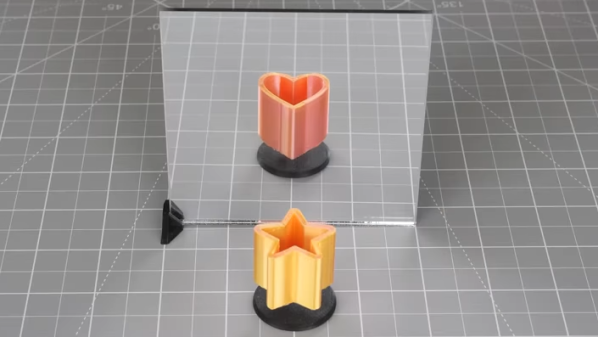
3D printers are quite common nowadays, but we’re still far from exhausting new ideas to try with them. [Angus] of [Maker’s Muse] recently got interested in 3D printing small mechanical assemblies that can be put together by folding them up, and also depend on folding linkages for the moving parts. (Video, embedded below.) The result would be lightweight, functional assemblies that would be simple to manufacture and require very few parts; but how to make the hinges themselves is the tricky part. As a proof-of-concept, [Angus] designed a clever steering linkage that could be printed flat and folded together, and shows his work on trying to make it happen.

[Angus] points out that that 3D-printed hinges have a lot of limitations that make then less than ideal for small and lightweight assemblies. Printing hinge pieces separately and assembling after the fact increases labor and part count, and print-in-place hinges tend to have loose tolerances. A living hinge made from a thin section of material that folds would be best for a lightweight assembly, but how well it works depends a lot of the material used and how it is made.

[Angus] tries many different things, and ultimately decided on a hybrid approach, combining laser cutting with 3D printing to create an assembly that consists of a laser-cut bottom layer with 3D printed parts on top of it to create a durable and lightweight device. He hasn’t quite sorted it all out, but the results show promise, and his video is a fantastic peek at just how much work and careful experimentation can go into trying something new.

Continue reading “See This Hybrid Approach To Folded 3D Printed Mechanisms”

Hands-On Review: TCam-Mini WiFi Thermal Imager

A thermal camera is a tool I have been wanting to add to my workbench for quite a while, so when I learned about the tCam-Mini, a wireless thermal camera by Dan Julio, I placed an order. A thermal imager is a camera whose images represent temperatures, making it easy to see things like hot and cold spots, or read the temperature of any point within the camera’s view. The main (and most expensive) component of the tCam-Mini is the Lepton 3.5 sensor, which sits in a socket in the middle of the board. The sensor is sold separately, but the campaign made it available as an add-on.

Want to see how evenly a 3D printer’s heat bed is warming up, or check whether a hot plate is actually reflowing PCBs at the optimal temperature? How about just seeing how weird your pets would look if you had heat vision instead of normal eyes? A thermal imager like the tCam-mini is the tool for that, but it’s important to understand exactly how the tCam-mini works. While it may look like a webcam, it does not work like one.

Continue reading “Hands-On Review: TCam-Mini WiFi Thermal Imager”