Gaze Inside These Nanopower Op-Amps

[Robo] over at Tiny Transistor Labs has a fascinating look at what’s inside these modern, ultra low-power devices that consume absolutely minuscule amounts of current. Crank up the magnification, and go take a look at the dies on these two similar (but internally very different) devices.

Texas Instruments LPV801, under the hood.

The first unit is the Texas Instruments LPV801, a single-channel op-amp that might not be very fast, but makes up for it by consuming only a few hundred nanoamps. Inside, [Robo] points out all the elements of the design, explaining how a part like this would be laser-trimmed to ensure it performs within specifications.

The second part is the Texas Instruments LPV821 which uses a wee bit more power, but makes up for it with a few extra features like zero-drift and EMI hardening. Peeking inside this device reveals the different manufacturing process this part used, and [Robo] points out things like the apparent lack of fuses for precise trimming of the part during the manufacturing process.

Seeing these structures up close isn’t an everyday thing for most of us, so take the opportunity to check out [Robo]’s photos. Tiny Transistor Labs definitely takes the “tiny” part of their name seriously, as we’ve seen with their 555 timer, recreated with discrete transistors, all crammed into a package that’s even the same basic size as the original.

DIY Keyboard Can’t Get Much Smaller

The PiPi Mherkin really, really can’t get much smaller. The diminutive keyboard design mounts directly to the Pi Pico responsible for driving it, has a similar footprint, and is only about 9 mm thick. It can’t get much smaller since it’s already about as small as the Pi Pico itself.

Running on the Pi Pico is the PRK firmware, a keyboard framework that makes the device appear as a USB peripheral, checking the “just works” box nicely. The buttons here look a little sunken, but the switches used are available in taller formats, so it’s just a matter of preference.

We have to admit the thing has a very clean look, but at such a small size we agree it is perhaps more of a compact macropad than an actual, functional keyboard. Still, it might find a place in the right project. Design files are online, if you’re interested.

If you like small, compact keyboards but would prefer normal-sized keys, check out the PiPi Mherkin’s big brother, the PiPi Gherkin which gets clever with dual-function tap/hold keys to provide full functionality from only 30 keys, with minimal hassle.

Keyboards are important, after all, and deserve serious attention, as our own [Kristina Panos] knows perfectly well.

3D Printed Flexure Shows Precision In Action

Here’s an older but fantastic video that is as edifying as it is short. [Topias Korpi] demonstrates a 3D printed flexure with a dial indicator on one end, and an M3 screw on the other. As the screw is turned, the dial indicator moves steadily with roughly a 15:1 reduction between the movement of the screw and the indicator. Stable deflections of 0.01 mm are easily dialed in, and it’s neat seeing it work while the flexure itself shows no perceptible movement. A demonstration is embedded below the page break and is less than a minute long, so give it a watch and maybe get some ideas.

Flexures are fantastic designs capable of a wide variety of physical functions, and just as [Topias]’s demonstration shows, they can be a natural complement to 3D printing. In fact, flexures are an important part of the design and function of JWST’s mirror actuators, which are responsible for making astonishingly small adjustments to each of the space telescope’s 18 mirror sections.

Continue reading “3D Printed Flexure Shows Precision In Action” →

3D Printed Protection Against “Under-Door” Attacks

“Under-door” style attacks are when an attacker slides a tool through the gap underneath a door, hooks the interior handle from below, and opens the door by pulling the handle downward. This kind of attack works on the sort of doors and locks commonly found in hotels, where turning the handle from the inside always results in an open door. [Michal Jirků] found himself in a hotel room with a particularly large gap underneath the door, and decided to quickly design and print a door guard to protect against just such an attack.

It’s a simple object, and twenty minutes of printing and a little double-sided tape is all it takes to deploy. Because an attacker performs an under-door attack with a sizable mechanical disadvantage, it doesn’t take much to frustrate the attempt, and that’s exactly what the object does. Physical security in hotels is especially important, after all, and crooks have been known to exploit known flaws like the face-palmingly bad Onity key card lock exploit.

If you’re having trouble picturing how it all works, this video demonstrates an under-door attack in action, so you can see how blocking the space by the handle would easily prevent the tool from getting where it needs to go.

Laser-Engraving Hairlines: When A Line Isn’t A Line

When is a line not a line? When it’s a series of tiny dots, of course!

The line is actually tiny, laser-etched craters, 0.25 mm center-to-center.

That’s the technique [Ed Nisley] used to create a super-fine, colored hairline in a piece of clear plastic — all part of his project to re-create a classic Tektronix analog calculator from the 1960s, but more on that in a moment.

[Ed] tried a variety of methods and techniques, including laser engraving a solid line, and milling a line with an extremely tiny v-tool. Results were serviceable, but what really did the trick was a series of tiny laser-etched craters filled in with a red marker. That resulted in what appears — to the naked eye — as an extremely fine hairline. But when magnified, as shown here, one can see it is really a series of small craters. The color comes from coloring in the line with a red marker, then wiping the excess off with some alcohol. The remaining pigment sitting in the craters gives just the right amount of color.

This is all part of [Ed]’s efforts to re-create the Tektronix Circuit Computer, a circular slide rule capable of calculating all kinds of useful electrical engineering-related things. And if you find yourself looking to design and build your own circular slide rule from scratch? We have you covered.

Adjustable Workholding For Honeycomb Tables, With A Bit Of DIY

Honeycomb tables are often found on laser cutters, where they provide a way for work material to be laid flat while not interfering with things like airflow. This leads to a cleaner laser cut and a nicer finish, but if one’s work depends on precise positioning and placement, they leave something to be desired because there’s no good way to attach rails, jigs, or anything of the sort in an easy and stable fashion.

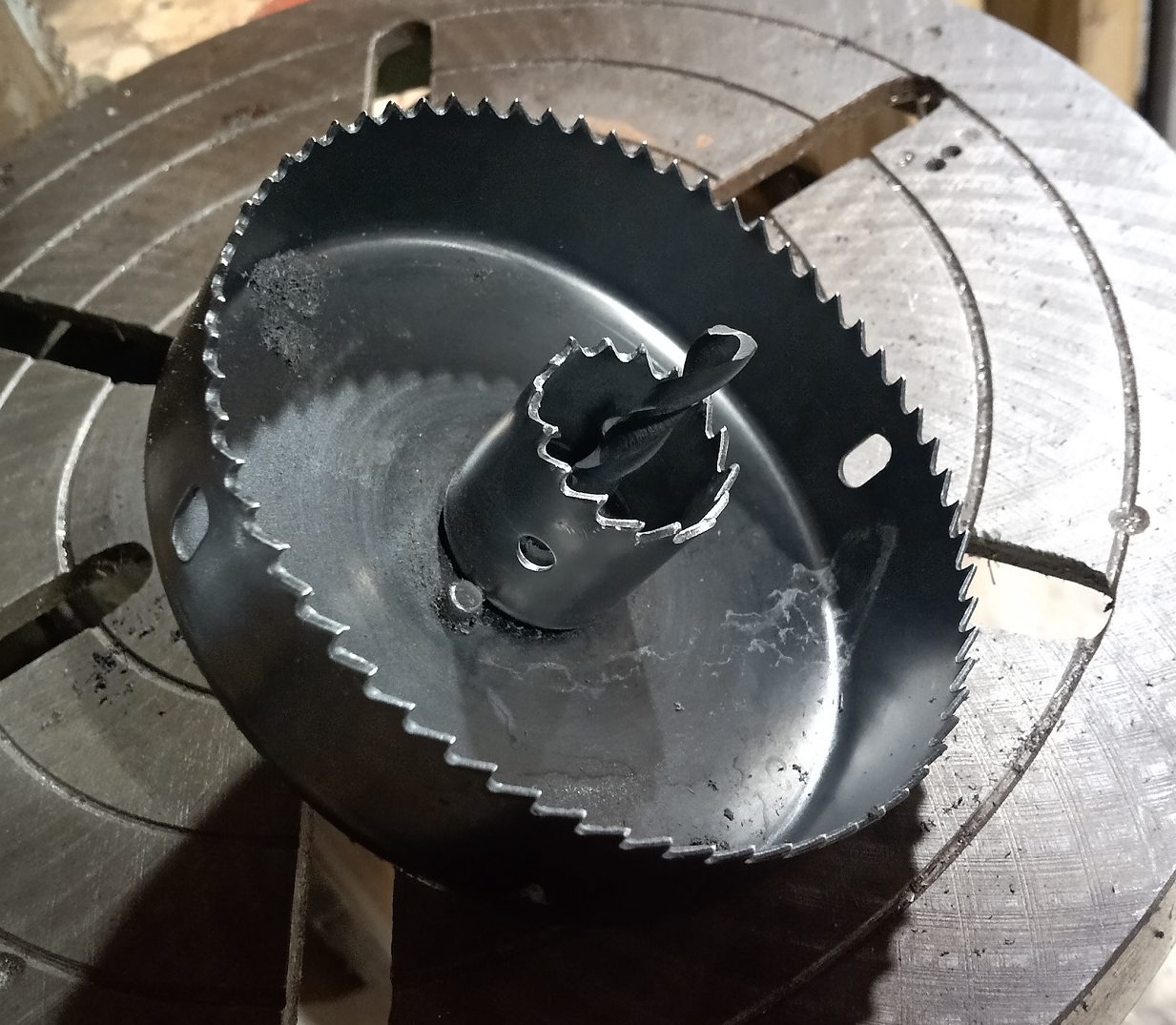
The solution [Ed] found for this was to make himself some adjustable offset stops designed to fit into his laser cutter’s honeycomb table. Each consists of a laser-cut disc of wood, which is screwed off-center into an acetal “plug” sized to fit into the vertical gaps in the honeycomb table. This allows each disc to be rotated to fine-tune positioning. With the help of some T-shaped pegs that are also sized to fit into the honeycomb table, [Ed] has all he needs to fix something like a workpiece or jig into a particular and repeatable position.

The whole thing depends on a friction fit, so the sizing of the plug needs to match a particular honeycomb table’s construction. We think this makes it a good match for 3D printing, as one can measure and print plugs (perhaps employing the Goldilocks approach) that fit with just the right amount of snug.

Honeycomb tables are fantastic for laser cutting, but if you find yourself in a pinch for a replacement, an old radiator can make a pretty decent stand-in.

Annotate PDFs On Linux With PDFrankenstein

On Windows and Mac machines, it’s not too troublesome to add text or drawings (such as signatures) to PDF files, but [Mansour Behabadi] found that on Linux machines, there didn’t seem to be a satisfying way or a simple tool. Being an enterprising hacker, [Mansour] set out to fill that gap, and the way it works under the hood is delightfully hacky, indeed.

The main thing standing in the way of creating such a tool is that the PDF format is a complex and twisty thing. Making a general-purpose PDF editing tool capable of inserting hyperlinks, notes, images, or drawings isn’t exactly a weekend project. But [Mansour] didn’t let that stop him; he leveraged the fact that tools already exist on Linux that can read and create PDF files, and tied them all together into what was at one point “a horrific patchwork of tools” which inspired the name pdfrankenstein.

The tool is a GUI that uses Inkscape and qpdf to convert a PDF page to an SVG file, set it as a locked background, then let the user add any annotations they desire, using Inkscape as the editor. After changes are made, the program removes the background, overlays the annotations back onto the originals, and exports a final file. Annotations can therefore be anything that can be done in Inkscape.

Curious about these and other tools for handling PDFs? We’ve shared some programs and tricks when we previously covered dealing with the PDF format in Linux.