Hexabitz, Modular Electronics Made Easier

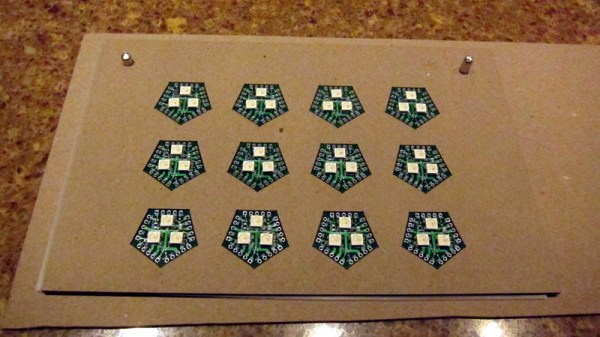
Over the years there have been a variety of modular electronic systems allowing the creation of complex circuits by the interconnection of modules containing individual functions. Hexabitz, a selection of interlocking polygonal small PCBs, is just such a system. What can it bring to the table that others haven’t done already?

The problem facing designers of modular electronics is this: all devices have different requirements and interfaces. To allow connection between modules that preserves all these connections requires an ever-increasing complexity in the inter-module connectors, or the application of a little intelligence to the problem. The Hexabitz designers have opted for the latter angle, equipping each module with an STM32 microcontroller that allows it to identify both itself and its function, and to establish a mesh network with other modules in the same connected project. This also gives the system the ability to farm off computing tasks to individual modules rather than relying solely upon a single microcontroller or single-board computer.

An extremely comprehensive array of modules can be had for the system, which lends it some interesting possibilities, however, it suffers from the inherent problem of modular electronic systems, that it is less easy to incorporate non-standard functions. If they can crack a prototyping module coupled with an easy way to tell its microcontroller to identify whatever function is upon it, they might have a winner.

Definitely-Not-Neopixel Rings, From Scratch!

The WS2812 addressable LED is a marvellous component. Any colour light you want, all under the control of your favourite microcontroller, and daisy-chainable to your heart’s content. Unsurprisingly they have become extremely popular, and can be found in a significant number of the project s you might read about in these pages.

A host of products have appeared containing WS2812s, among which Adafruit’s Neopixel rings are one of the more memorable. But they aren’t quite as cheap as [Hyperlon] would like, so the ever-resourceful hacker has created an alternative for the constructor of more limited means. It takes the form of a circular PCB that apes the Adafruit original, and it claims to deliver a Bill of Materials cost that is 85% cheaper.

In reality the Instructables tutorial linked above is as much about how to create a PCB and surface-mount solder as it is specific to the pixel ring, and many readers will already be familiar with those procedures. But we won’t rest until everyone out there has tried their hands at spinning their own PCB project, and this certainly proves that such an endeavour is not out of reach. Whether or not you pay for the convenience of the original or follow this lead is your own choice.

The real thing has been in so many projects it’s difficult to pick just one to link to. This Christmas tree is rather nice.

A 3D-Printed Robot Actuator

Somehow, walking robots at our level never really seem to deliver on the promise that should be delivered by all those legs. Articulation using hobby servos is simple enough to achieve, but cumbersome, slow, and not very powerful. [Paul Gould] has a plan to make a better, 3D-printed articulated robot actuator.

His solution is both novel and elegant, a fairly conventional arm geometry that has at its joints a set of brushless motors similar to but a little larger than the kind you might be more familiar with on multirotors, paired with 3D-printed cycloidal gearboxes. Magnetic encoders provide the necessary positional feedback, and the result is a unit that is both compact and powerful.

With such a range of small brushless motor controllers on the market, it’s at first sight unexpected that he’s designed his own controller board. But this gives him complete control over his software, plus the CAN bus that ties everything together. He’s given us a video which we’ve placed below the break, showing the build process, the impressive capabilities of his system, and a selection of builds including a robot dog complete with tail. This is definitely a project to watch.

Continue reading “A 3D-Printed Robot Actuator”

Field Trip! Hackaday Visits Pimoroni

If you have a Raspberry Pi and have any interest in its peripherals, you may be familiar with the grinning pirate logo of the British company, Pimoroni. The Sheffield, UK based outfit first established a niche for itself as one of the go-to places for much of the essentials of Pi ownership, and has extended its portfolio beyond the Pi into parts, boards, and components across the spectrum of electronic experimentation. Their products are notable for their distinctive and colourful design language as well as their  constant exploration of new ideas, and they have rapidly become one of those companies to watch in our sphere. On our way up to Newcastle for Maker Faire UK, we passed close enough to the Pimoroni HQ to be able to ask nicely if we could drop in and have a tour.

[Paul] showing off some of the Pimoroni attention to design detail. This artwork is hidden behind a display panel on the finished product.
Paul showing off some of the Pimoroni attention to design detail. This artwork is hidden behind a display panel on the finished product.
The Pimoroni HQ can be found in a nondescript unit with a discreetly placed sign on an industrial estate after a short drive through the city from the motorway. Inside it’s the same as thousands of other units, a set of offices at the front and a cavernous warehouse behind, except this one is filled with the kinds of goodies that get our blood pumping! And we’re told this toybox warehouse is soon to be joined by another nearby unit, as the Pimoroni business is expanding.

Our guide was the company co-founder Paul Beech, whose work you will be familiar with even if this is the first time you’ve heard his name;  Paul was the designer of the Raspberry Pi logo! The company is not exclusive to that platform but it’s fair to say they have a strong connection with the Pi, starting in 2012 with as their website puts it: “One laser cutter and a kettle” on which they produced the first of their iconic PiBow laser-cut sandwich Raspberry Pi cases.

Continue reading “Field Trip! Hackaday Visits Pimoroni”

Rescuing K-9

Fans of the long-running and ever-fantastic British TV show Dr. Who will no doubt hold a soft spot in their hearts for the Doctor’s little robot companion. No, not one of his many human sidekicks, we’re talking about K-9, the angular dog-like android that burst onto British screens back in 1977.

There were a number of original [K-9] props made by the BBC, and these were eventually sold by the corporation. One found its way to Abertay University, and it was there that [Gary Taylor], a computer science student found it. Sadly the years had not been kind to the robotic mutt, in particular water from a roof leak had damaged its internals beyond repair. With little more than the fibreglass shell to work with, he set out to rebuild K-9 and make the task the subject of his dissertation.

The original robo-dog was little more than a 1970s remote-controlled car, but its upgrades bring it firmly into the 21st century. At its heart is the inevitable Raspberry Pi 3, coupled with an Arduino mega 2560 that handles motor control and interfacing to an array of ultrasonic sensors. The Pi’s Bluetooth radio talks to an app on an Android phone, that serves as the K-9’s controller. All of which makes for an impressive upgrade, but we hope has disturbed as little of the original prop work as possible

Not everyone is lucky enough to find an original K-9, but for those destined for classic BBC prop disappointment there is always the possibility that you could build your own.

3D Print A Remote Control Flame Thrower

We all have a weakness for a good flamethrower project, but sometimes they can look a little hairy, even if losing hairs to them seems to be the order of the day. [Hyper_Ion] has a ‘thrower that might satisfy the need for fire among the cautious though, because he’s created a remote control flamethrower.

Fuel for the flames is provided from a butane canister held within a 3D-printed frame, and is delivered via a piece of copper tube to a welding nozzle. A plunger beneath the can is connected to a rack-and-pinion driven by a servo, connected to a straightforward radio control receiver. The position of the can is adjusted until there is just enough gas to sustain a pilot flame at the nozzle, and a command to the servo releases a burst of gas that results in a satisfying puff of fire.

This is more of a static stage effect than the wearable flamethrowers or flamethrower guitar projects we’ve seen in the past, but it is no less a neat project. And unlike many other flamethrowers, it’s simple to build. We have to deliver the usual exhortation though: take care with your fire, we’d prefer not to be writing either obituaries of Fail Of The Week posts about smoking ruins.

Custom Buttons For Your Game Controller

Console gamers have relatively few options when it comes to hardware hacking, unless they wish to partake of some extreme modifications that threaten the very integrity of their machines. So without reaching for a Dremel, how can you insert a little individuality into the same standard components all your friends have?

It seems one answer is to customise your controller with some different buttons. There are commercial outfits that will supply your needs in this direction, but they aren’t always cheap, and plenty of older machines have no products available. This isn’t  a problem for [RockerGaming] though, who shows us how to cast your own set of custom buttons using a silicone mold taken from the originals.

The video is a step-by-step walkthrough of the molding process that could just as easily be applied to any other small plastic parts and is not unique to console buttons. The subjects come from a Sega Saturn controller, in the video a beige model, which raises a passing interest among European Hackaday scribes who remember the Saturn as a black console.

We see the preparation of the original buttons and mold. An acrylic golf ball trophy display case is pressed into service. (Who knew those were even a thing!) A dye is added to the two-part silicone to provide a visual mixing aid, and once the cast mold is separated from the buttons the final resin is poured into it. The cloned buttons are tidied up underneath with a Dremel, and the controller is reassembled.

A set of custom buttons will not improve your gaming, but underlying this is the fact that resin casting is a useful skill. It’s somewhere we’ve been before in depth, so it’s worth reading our guide from back in 2016.

Continue reading “Custom Buttons For Your Game Controller”