Facebook To Slurp Oculus Rift Users’ Every Move

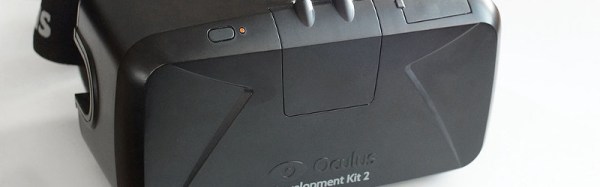
The web is abuzz with the news that the Facebook-owned Oculus Rift has buried in its terms of service a clause allowing the social media giant access to the “physical movements and dimensions” of its users. This is likely to be used for the purposes of directing advertising to those users and most importantly for the advertisers, measuring the degree of interaction between user and advert. It’s a dream come true for the advertising business, instead of relying on eye-tracking or other engagement studies on limited subsets of users they can take these metrics from their entire user base and hone their offering on an even more targeted basis for peak interaction to maximize their revenue.

Hardly a surprise you might say, given that Facebook is no stranger to criticism on privacy matters. It does however represent a hitherto unseen level of intrusion into a user’s personal space, even to guess the nature of their activities from their movements, and this opens up fresh potential for nefarious uses of the data.

Fortunately for us there is a choice even if our community doesn’t circumvent the data-slurping powers of their headsets; a rash of other virtual reality products are in the offing at the moment from Samsung, HTC, and Sony among others, and of course there is Google’s budget offering. Sadly though it is likely that privacy concerns will not touch the non-tech-savvy end-user, so competition alone will not stop the relentless desire from big business to get this close to you. Instead vigilance is the key, to spot such attempts when they make their way into the small print, and to shine a light on them even when the organisations in question would prefer that they remained incognito.

Oculus Rift development kit 2 image: By Ats Kurvet – Own work, CC BY-SA 4.0, via Wikimedia Commons.
My Most Obsolete Skill: Delta-Gun Convergence

In a lifetime of working with electronics we see a lot of technologies arrive, become mighty, then disappear as though they had never been. The germanium transistor for instance, thermionic valves (“tubes”), helical-scan video tape, or the CRT display. Along the way we pick up a trove of general knowledge and special skills associated with working on the devices, which become redundant once the world has moved on, and are suitable only reminiscing about times gone by.

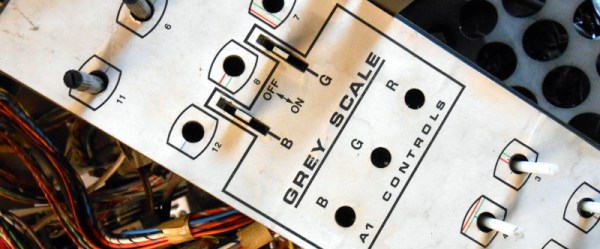
When I think about my now-redundant special skills, there is one that comes to the fore through both the complexity and skill required, and its complete irrelevance today. I’m talking about convergence of the delta-gun shadow mask colour CRTs that were the height of television technology until the 1970s, and which were still readily available for tinkering purposes by a teenager in the 1980s.
Continue reading “My Most Obsolete Skill: Delta-Gun Convergence”

DVB-S From A Raspberry Pi With No Extra Hardware

An exciting aspect of the trend in single board computers towards ever faster processors has been the clever use of their digital I/O with DSP software to synthesize complex signals in the analogue and RF domains that would previously have required specialist hardware. When we use a Raspberry Pi to poll a sensor or flash an LED it’s easy to forget just how much raw processing power we have at our fingertips.

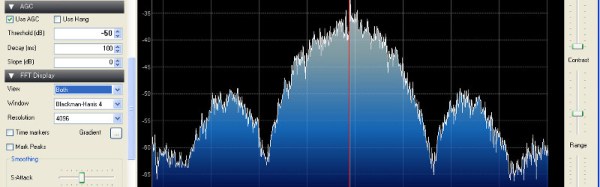
One of the more recent seemingly impossible feats of signal synthesis on a Raspberry Pi comes from [Evariste Courjaud, F5OEO]. He’s created a DVB-S digital TV transmitter that produces a usable output direct from a GPIO pin, with none of the external modulators that were a feature of previous efforts required. (It is worth pointing out though that for legal transmission a filter would be necessary.)

DVB is a collection of digital TV standards used in most of the world except China and the Americas. DVB-S is the satellite version of DVB, and differs from its terrestrial counterpart in the modulation scheme it employs. [Evariste] is using it because it has found favor as a digital mode in amateur radio.

This isn’t the first piece of [F5OEO] software creating useful radio modes from a GPIO pin. He’s also generated SSB, AM, and SSTV from his Pi, something which a lot of us in the amateur radio community have found very useful indeed.

We’ve covered digital TV creation quite a few times in the past on these pages, from the first achievement using a PC VGA card almost a decade ago to more recent Raspberry Pi transmitters using a USB dongle and a home-built modulator on the GPIO pins. Clever signal trickery from digital I/O doesn’t stop there though, we recently featured an astoundingly clever wired Ethernet hack on an ESP8266, and we’ve seen several VHF NTSC transmitters on platforms ranging from the ESP to even an ATtiny85.

Thanks [SopaXorzTaker] for the nudge to finally feature this one.

Raspberry Pi As Speed Camera

Wherever you stand on the topics of road safety and vehicle speed limits it’s probably fair to say that speed cameras are not a universally popular sight on our roads. If you want a heated argument in the pub, throw that one into the mix.

But what if you live in a suburban street used as a so-called “rat run” through route, with drivers regularly flouting the speed limit by a significant margin. Suddenly the issue becomes one of personal safety, and all those arguments from the pub mean very little.

Sample car speed measurements

[Gregtinkers]’ brother-in-law posted a message on Facebook outlining just that problem, and sadly the local police department lacked the resources to enforce the limit. This set [Gregtinkers] on a path to document the scale of the problem and lend justification to police action, which led him to use OpenCV and the Raspberry Pi camera to make his own speed camera.

The theory of operation is straightforward, the software tracks moving objects along the road in the camera’s field of view, times their traversal, and calculates the resulting speed. The area of the image containing the road is defined by a bounding box, to stop spurious readings from birds or neighbours straying into view.

He provides installation and dependency instructions and a run-down of the software’s operation in his blog post, and the software itself is available on his GitHub account.

We’ve had a lot of OpenCV-based projects but haven’t featured a speed camera before here on Hackaday. But we have had a couple of dubious countermeasures, like that humorous attempt at an SQL injection attack, or a flash-based countermeasure.

A Keypad Joypad For Your Retro Gaming

[TK] is a retro computer enthusiast who’s had some difficulty locating a joystick for his trusty Amiga 500. New ‘sticks are expensive, and battered survivors from the 80s go for more than they should.

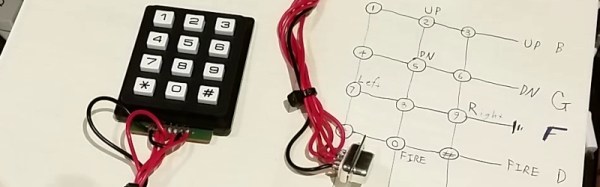
Happily these old controllers were simple devices, having only five control lines for the four directions and a fire button which were active low. [TK] therefore cast around the available components and decided to craft his own controller from a numerical keypad.

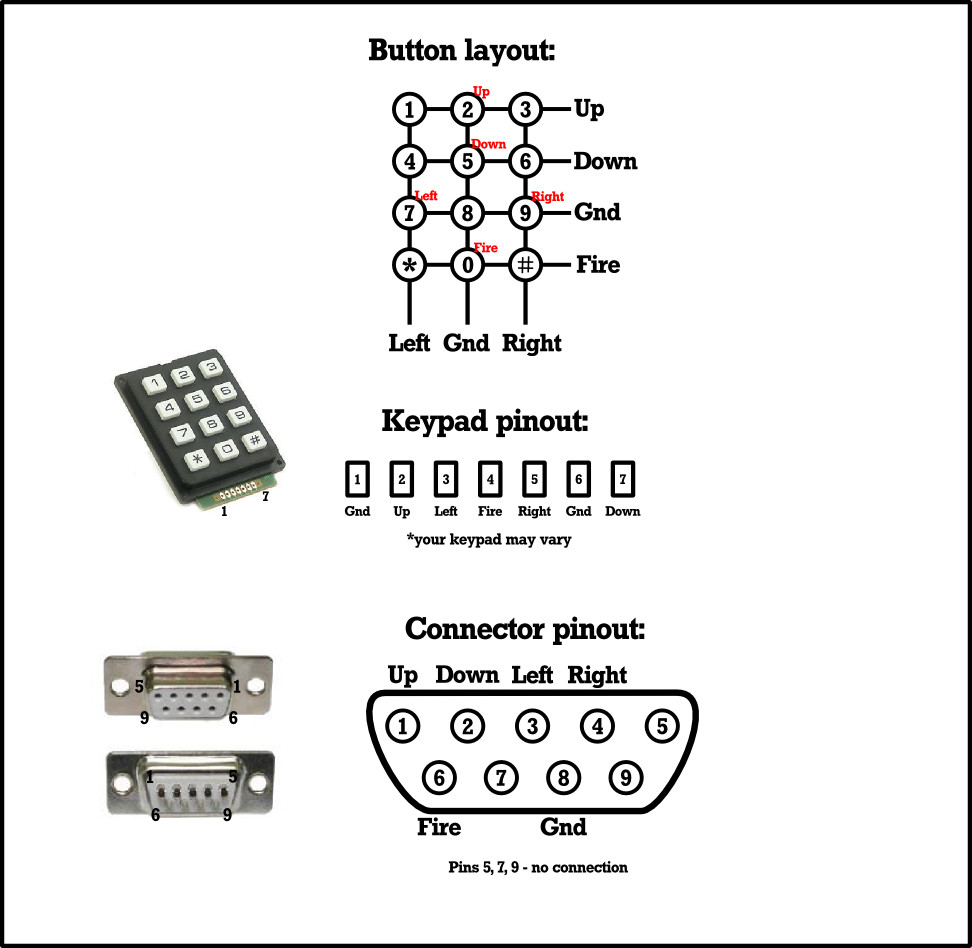
Numerical joypad schematic

Numerical keypads may be ubiquitous, but they’re not the perfect choice for a joypad. Instead of individual switches, they are wired as a matrix. [TK]’s controller works within that constraint without butchering the keypad PCB, though his layout has the left and right buttons below the up and down buttons. Looking at the schematic we wonder whether the 4-5-6 and 7-8-9 rows could be transposed , though joypad layout is probably a matter of personal choice.

Making the controller was a simple case of wiring the pad to a 9-pin D socket in the correct order, and plugging it into the Commodore. He reports that it’s comfortable to use and better than some of the lower-quality joysticks that were on the market back in the day. Veterans of Amiga gaming will understand that sentiment, there were some truly shocking offerings to be had at the time.

Quite a few home-made game controllers have made it onto these pages over the years. There is this one using tactile switches and a ballpoint pen, and a stick made from the idler wheel from a surplus VCR, but the ultimate crown of junkbox joysticks should go to this joystick made from clothes pins. If we take one thing away from all this home-made controller ingenuity, it is that what really matters is not the hardware but the gameplay.

Co-Exist With Your Coax: Choose The Right Connector For The Job

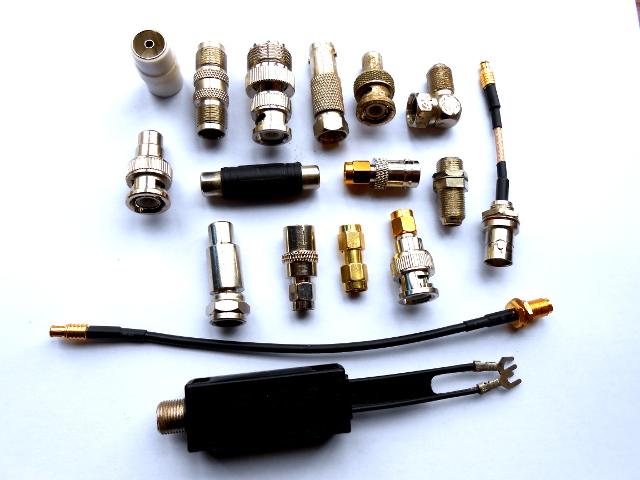
Just a selection from the author's unholy assortment of adaptors.
Just a selection from the author’s unholy assortment of adaptors.

If you do any work with analogue signals at frequencies above the most basic audio, it’s probable that somewhere you’ll have a box of coax adaptors. You’ll need them, because the chances are your bench will feature instruments, devices, and modules with a bewildering variety of connectors. In making all these disparate devices talk to each other you probably have a guilty past: at some time you will have created an unholy monster of a coax interface by tying several adaptors together to achieve your desired combination of input and output connector. Don’t worry, your secret is safe with me.

Continue reading “Co-Exist With Your Coax: Choose The Right Connector For The Job”

Intel Ups The Dev Board Ante With The Quark D2000

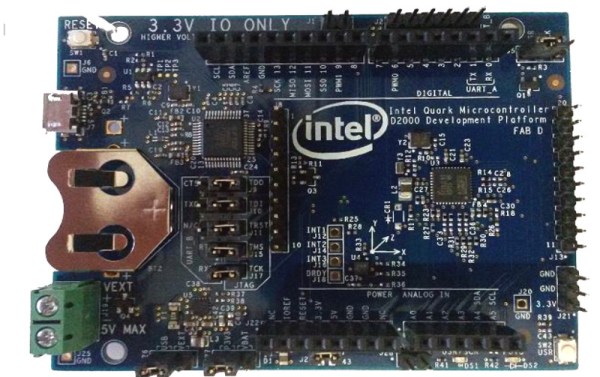
Intel have a developer board that is new to the market, based on their Quark (formerly “Mint Valley”) D2000 low-power x86 microcontroller. This is a micropower 32-bit processor running at 32MHz, and with 32kB of Flash and 8kB of RAM. It’s roughly equivalent to a Pentium-class processor without the x87 FPU, and it has the usual impressive array of built-in microcontroller peripherals and I/O choices.

The board has an Arduino-compatible shield footprint, an FTDI chip for USB connectivity, a compass, acceleration, and temperature sensor chip, and a coin cell holder with micropower switching regulator. Intel provide their own System Studio For Microcontrollers dev environment, based around the familiar Eclipse IDE.

Best of all is the price, under $15 from an assortment of the usual large electronics wholesalers.

This board joins a throng of others in the low-cost microcontroller development board space, each of which will have attributes that its manufacturers will hope make it stand out. Facing such competition the Intel board will have to be something rather special to achieve that aim, so why should it excite your interest? We would point to the low price, the x86 code if that is your flavour of choice, and the relatively tiny power consumption.

Stepping back from the dev board for a moment, consider this processor as an illustration of technological progress in semiconductor fabrication. Over twenty years ago this chip’s Pentium ancestor ran on 5 volts and got so hot you could fry an egg on it, here is a Pentium that can run on a few milliwatts from a coin cell. Fortunately you won’t be running Windows 95 on it though.

We’re sure we’ll see plenty of projects here in the future using the Quark. Intel’s previous effort in this space, the Edison, has made several appearances. We’ve covered its launch in 2014, looked at someone running Doom on it, and examined its use with audio effects.

Thanks [Nolan M] for the tip.