New Privacy Policy Gets Audacity Back On Track

Regular readers will likely be aware of the considerable debate over changes being made to the free and open source audio editor Audacity by the project’s new owners, Muse Group. The company says their goal is to modernize the 20 year old GPLv2 program and bring it to a larger audience, but many in the community have questioned whether the new managers really understand the free software ethos. An already precarious situation has only been made worse by a series of PR blunders Muse Group has made over the last several months.

But for a change, it seems things might be moving in the right direction. In a recent post to Audacity’s GitHub repository, Muse Group unveiled the revised version of their much maligned Privacy Policy. The announcement also came with an admission that many of the key elements from the draft version of the Privacy Policy were poorly worded and confusing. It seems much of the problem can be attributed to an over-analysis of the situation; with the company inserting provocative boilerplate protections (such as a clause saying users must be over the age of 13) that simply weren’t necessary.

Ultimately, the new Privacy Policy bears little resemblance to the earlier draft. Which objectively, is a good thing. But it’s still difficult to understand why Muse Group publicly posted such a poorly constructed version of the document in the first place. Project lead Martin Keary, better known online as Tantacrul, says the team had to consult with various legal teams before they could release the revised policy. That sounds reasonable enough, but why where these same teams not consulted before releasing such a spectacularly ill-conceived draft?

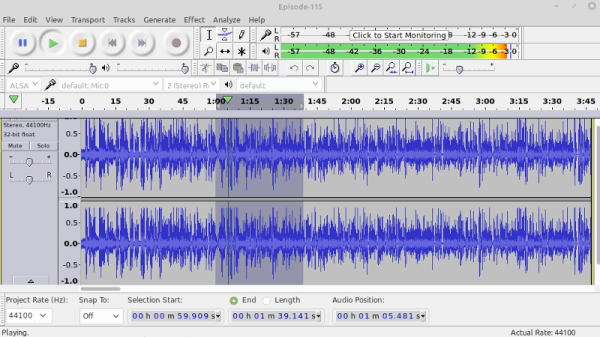
The new Privacy Policy makes it clear that Audacity won’t be collecting any user data, and what little personally identifiable information Muse Group gets from the application when it automatically checks for an update (namely, the client’s IP address) isn’t being stored. It’s further explained in the GitHub post that the automatic update feature only applies to official binary builds of Audacity, meaning it will be disabled for Linux users who install it through their distribution’s package repository. The clause about working with unnamed law enforcement agencies has been deleted, as has the particularly troubling age requirement.

Credit where credit is due. Muse Group promised to revise their plans for adding telemetry to Audacity, and judging by the new Privacy Policy, it seems they’ve done an admirable job of addressing all of the issues brought up by the community. Those worried their FOSS audio editor of choice would start spying on them can rest easy. Unfortunately the issue of Audacity’s inflammatory Contributor License Agreement (CLA) has yet to be resolved, meaning recently christened forks of the audio editor dedicated to preserving its GPLv2 lineage are unlikely to stand down anytime soon.
New Video Series: Designing With Complex Geometry

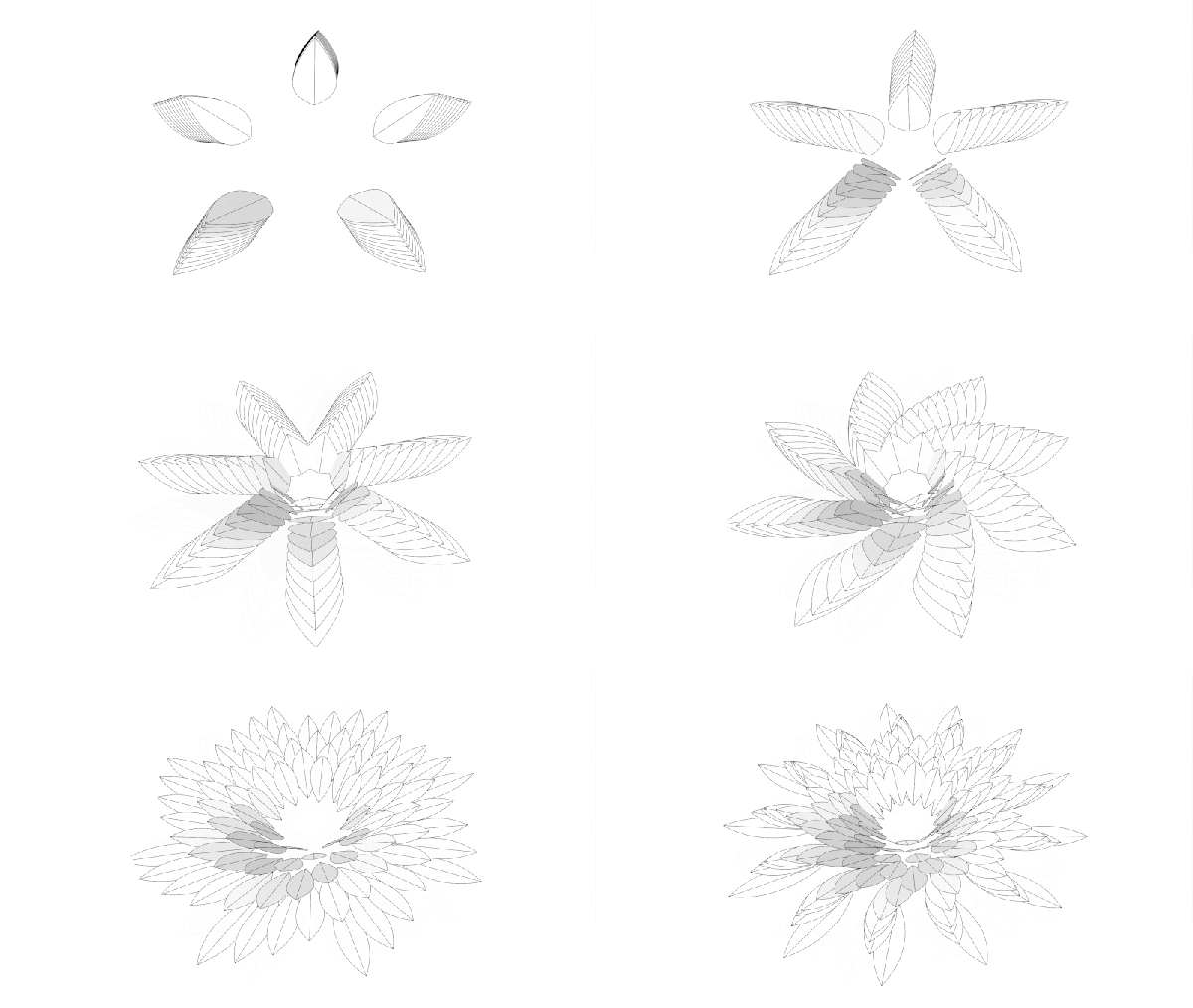
Whether it’s a 3D printed robot chassis or a stained glass window, looking at a completed object and trying to understand how it was designed and put together can be intimidating. But upon closer examination, you can often identify the repeating shapes and substructures that were combined to create the final piece. Soon you might find that the design that seemed incredibly intricate when taken as a whole is actually an amalgamation of simple geometric elements.

This skill, the ability to see an object for its principle components, is just as important for designing new objects as it is for understanding existing ones. As James McBennett explains in his HackadayU course Designing with Complex Geometry, if you want to master computer-aided design (CAD) and start creating your own intricate designs, you’d do well to start with a toolbox of relatively straightforward geometric primitives that you can quickly modify and reuse. With time, your bag of tricks will be overflowing with parametric structures that can be reshaped on the fly to fit into whatever you’re currently working on.

His tool of choice is Grasshopper, a visual programming language that’s part of Rhino. Designs are created using an interface reminiscent of Node-RED or even GNU Radio, with each interconnected block representing a primitive shape or function that can be configured through static variables, interactive sliders, conditional operations, and even mathematical expressions. By linking these modules together complex structures can be generated and manipulated programmatically, greatly reducing the time and effort required compared to a manual approach.

As with many powerful tools, there’s certainly a learning curve for Grasshopper. But over the course of this five part series, James does a great job of breaking things down into easily digestible pieces that build onto each other. By the final class you’ll be dealing with physics and pushing your designs into the third dimension, producing elaborate designs with almost biological qualities.

Of course, Rhino isn’t for everyone. The $995 program is closed source and officially only runs on Windows and Mac OS. But the modular design concepts that James introduces, as well as the technique of looking at large complex objects as a collection of substructures, can be applied to other parametric CAD packages such as FreeCAD and OpenSCAD.

Designing with Complex Geometry is just one of the incredible courses offered through HackadayU, our pay-as-you-wish grad school for hardware hackers. From drones to quantum computing, the current list of courses has something for everyone.

Continue reading “New Video Series: Designing With Complex Geometry”

Lord Kelvin’s Contraption Turns Drips Into Sparks

It’s easy to think that devices which generate thousands of volts of electricity must involve relatively modern technology, but the fact is, machines capable of firing sparks through open air predate Edison’s light bulb. Which means that recreating them with modern tools, construction techniques, and part availability, is probably a lot easier than most people realize. The fascinating machine [Jay Bowles] put together for his latest Plasma Channel video is a perfect example, as it’s capable of developing 6,000 volts without any electronic components.

Now as clever as [Jay] might be, he can’t take credit for the idea on this one. That honor goes to Lord Kelvin, who came up with this particular style of electrostatic generator back in 1867. Alternately called “Kelvin water dropper” or “Lord Kelvin’s Thunderstorm”, the machine is able to produce a high voltage charge from falling water without using any moving parts.

Diverging streams means a charge is building up.

Our very own [Steven Dufresne] wrote an in-depth look at how these devices operate, but the short version is that a negative and positive charge is built up in two sets of metallic inductor rings and buckets, with the stream of water itself acting as a sort of wire to carry the charge up to the overhead water reservoir. As [Jay] demonstrates the video, you’ll know things are working when the streams of water become attracted to the inductors they are passing through.

Rather than connecting a separate spark gap up to the water “receivers” on the bottom of his water dropper, [Jay] found the handles on the metal mugs he’s using worked just as well. By moving the mugs closer and farther away he can adjust the gap, and a second adjustment lets him move the vertical position of the inductors. It sounds like it takes some fiddling to get everything in position, but once it’s working, the whole thing is very impressive.

Of course if you’re looking to get serious with high voltage experiments, you’ll want to upgrade to some less whimsical equipment pretty quickly. Luckily, [Jay] has shown that putting together a reliable HV supply doesn’t need to be expensive or complicated.

Continue reading “Lord Kelvin’s Contraption Turns Drips Into Sparks”

Clever PCB Brings Micro USB To The Arduino Uno

Even with more and more devices making the leap to USB-C, the Arduino Uno still proudly sports a comparatively ancient Type-B port. It wouldn’t be a stretch to say that many Hackaday readers only keep one of these cables around because they’ve still got an Uno or two they need to plug in occasionally.

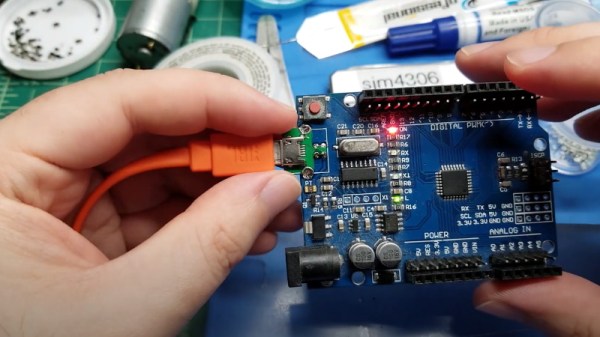
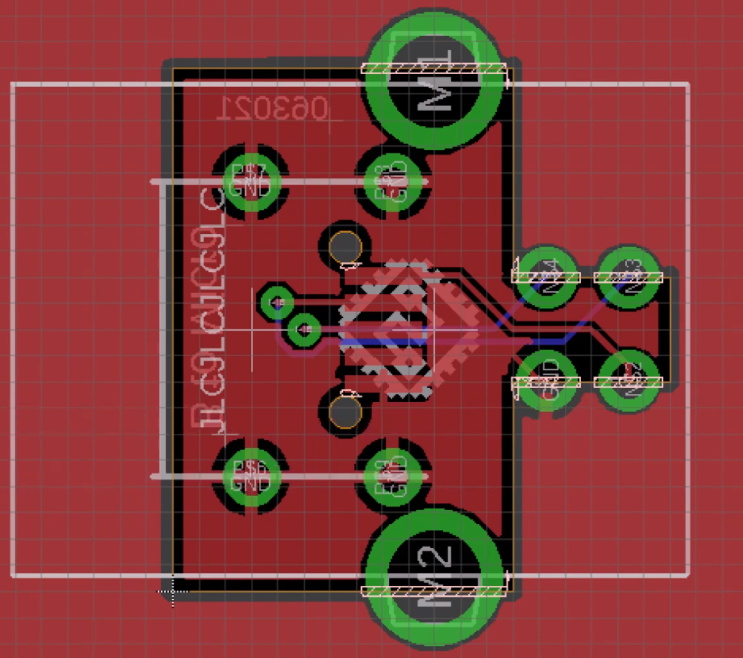
Looking to at least move things in the right direction, [sjm4306] recently set out to create a simple board that would let him mount a micro USB connector in place of the Uno’s original Type-B. Naturally there are no components on the PCB, it simply adapts the original through-hole footprint to the tight grouping of surface mount pads necessary to mount a female micro USB port.

Making castellated holes on the cheap.

The design is straightforward, but as [sjm4306] explains in the video below, there’s actually more going on here than you might think. Looking to avoid the premium he’d pay to have the board house do castellated holes, he cheated the system a bit by having the board outline go right through the center of the standard pads.

Under a microscope, you can see the downside of this approach. Some of the holes got pretty tore up as the bit routed out the edges of the board, with a few of them so bad [sjm4306] mentions there might not be enough of the pad left to actually use. But while they may not be terribly attractive, most of them were serviceable. To be safe, he says anyone looking to use his trick with their own designs should order more boards than they think they’ll actually need.

Of course you could go all the way and retrofit the Uno with a USB-C port, as we’ve seen done with devices in the past. But the latest-and-greatest USB interface can be a bit fiddly, especially with DIY gadgets, so we can’t blame him for going with the more reliable approach.

Continue reading “Clever PCB Brings Micro USB To The Arduino Uno”

This Group Of Women Tried To Break Into Astronaut Program In 1960s; One Just Made It

When Mary Wallace “Wally” Funk reached the boundary of space aboard the first crewed flight of Blue Origin’s New Shepard capsule earlier today, it marked the end of a journey she started 60 years ago. In 1961 she became the youngest member of what would later become known as the “Mercury 13”, a group of accomplished female aviators that volunteered to be put through the same physical and mental qualification tests that NASA’s Mercury astronauts went through. But the promising experiment was cut short by the space agency’s rigid requirements for potential astronauts, and what John Glenn referred to in his testimony to the Committee on Science and Astronautics as the “social order” of America at the time.

Continue reading “This Group Of Women Tried To Break Into Astronaut Program In 1960s; One Just Made It”

An OLED Photo Frame Powered By The ATtiny85

Rolling your own digital picture frame that loads images from an SD card and displays them on an LCD with a modern microcontroller like the ESP32 is an afternoon project, even less if you pull in somebody else’s code. But what if you don’t have the latest and greatest hardware to work with?

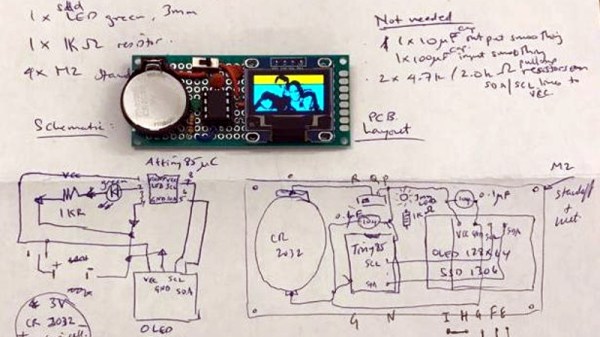
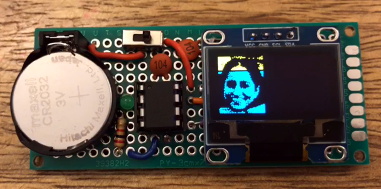
Whether you look at it as a practical application or an interesting experiment in wringing more performance out of low-end hardware, [Assad Ebrahim]’s demonstration of displaying digital photographs on an OLED using the ATtiny85 is well worth a look. The whole thing can put put together on a scrap of perfboard with a handful of common components, and can cycle through the five images stored on the chip’s flash memory for up to 20 hours on a CR2032 coin cell.

As you might expect, the biggest challenge in this project is getting all the code and data to fit onto the ATtiny85. To that end [Assad] wrote his own minimal driver for the SSD1306 OLED display, as the traditional Adafruit code took up too much space. The driver is a pretty bare bones implementation, but it’s enough to initialize the screen and get it ready for incoming data. His code also handles emulating I2C over Atmel’s Universal Serial Interface (USI) at an acceptable clip, so long as you bump the chip up to 8 MHz.

For the images, [Assad] details the workflow he uses to take the high-resolution color files and turn them into an array of bytes for the display. Part of that it just scaling down and converting to 1-bit color, but there’s also a bit of custom Forth code in the mix that converts the resulting data into the format his code expects.

This isn’t the first time we’ve seen somebody use one of these common OLED displays in conjunction with the ATtiny85, and it’s interesting to see how their techniques compare. It’s not a combination we’d necessarily chose willingly, but sometimes you’ve got to work with whats available.

A Look Back On A Decade Of Kerbal Space Program

Just a few weeks before Atlantis embarked on the final flight of the Space Shuttle program in 2011, a small Mexican company by the name of Squad quietly released Kerbal Space Program (KSP) onto an unsuspecting world. Until that point the company had only developed websites and multi-media installations. Kerbal wasn’t even an official company initiative, it started as a side project by one of their employees, Felipe Falanghe. The sandbox game allowed players to cobble together rockets from an inventory of modular components and attempt to put them into orbit around the planet Kerbin. It was immediately addictive.

There was no story to follow, or enemies to battle. The closest thing to a score counter was the altimeter that showed how far your craft was above the planet’s surface, and the only way to “win” was to put its little green occupant, the titular Kerbal, back on the ground in one piece. The game’s challenge came not from puzzles or scripted events, but from the game’s accurate (if slightly simplified) application of orbital mechanics and Newtonian dynamics. Building a rocket and getting it into orbit in KSP isn’t difficult because the developers baked some arbitrary limitations into their virtual world; the game is hard for the same reasons putting a rocket into orbit around the Earth is hard.

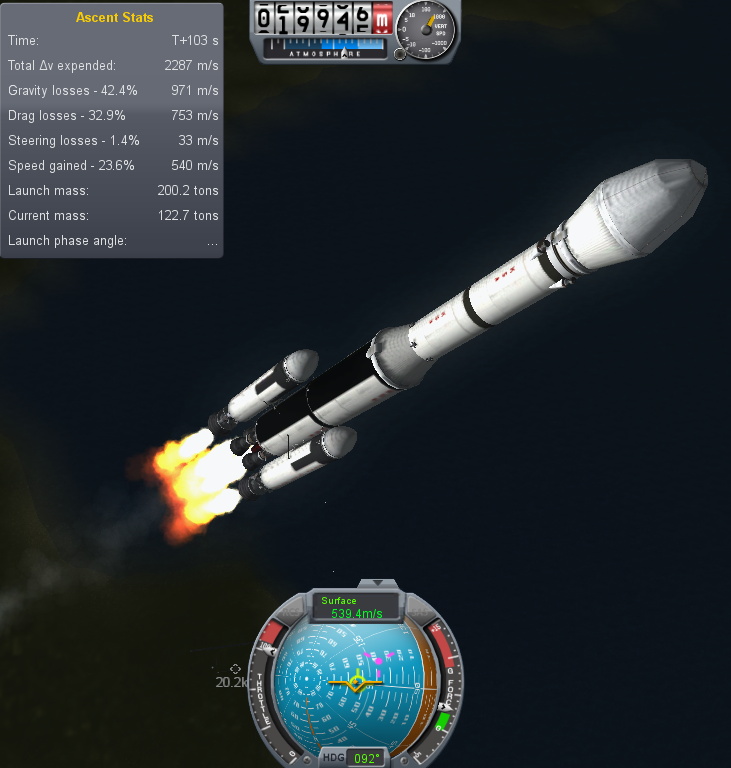
One of my early rockets, circa 2013.

Over the years official updates added new components for players to build with and planets to explore, and an incredible array of community developed add-ons and modifications expanded the scope of the game even further. KSP would go on to be played by millions, and seeing a valuable opportunity to connect with future engineers, both NASA and the ESA helped develop expansions for the game that allowed players to recreate their real-world vehicles and missions.

But now after a decade of continuous development, with ports to multiple operating systems and game consoles, Squad is bringing this chapter of the KSP adventure to a close. To celebrate the game’s 10th anniversary on June 24th, they released “On Final Approach”, the game’s last official update. Attention will now be focused on the game’s ambitious sequel, which will expand the basic formula with the addition of interstellar travel and planetary colonies, currently slated for release in 2022.

Of course, this isn’t the end. Millions of “classic” KSP players will still be slinging their Kerbals into Hohmann transfer orbits for years to come, and the talented community of mod developers will undoubtedly help keep the game fresh with unofficial updates. But the end of official support is a major turning point, and it seems a perfect time to reminisce on the impact this revolutionary game has had on the engineering and space communities.

Continue reading “A Look Back On A Decade Of Kerbal Space Program