Clever PCB Brings Micro USB To The Arduino Uno

Even with more and more devices making the leap to USB-C, the Arduino Uno still proudly sports a comparatively ancient Type-B port. It wouldn’t be a stretch to say that many Hackaday readers only keep one of these cables around because they’ve still got an Uno or two they need to plug in occasionally.

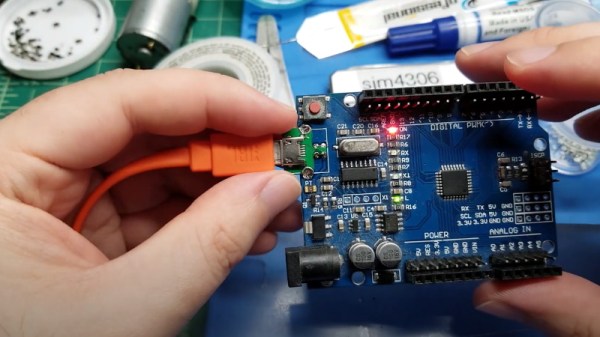
Looking to at least move things in the right direction, [sjm4306] recently set out to create a simple board that would let him mount a micro USB connector in place of the Uno’s original Type-B. Naturally there are no components on the PCB, it simply adapts the original through-hole footprint to the tight grouping of surface mount pads necessary to mount a female micro USB port.
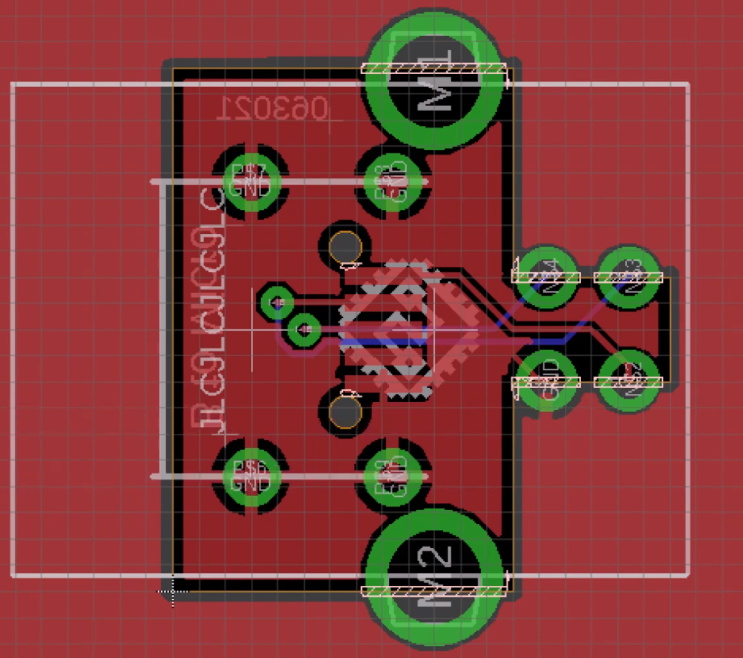
Making castellated holes on the cheap.

The design is straightforward, but as [sjm4306] explains in the video below, there’s actually more going on here than you might think. Looking to avoid the premium he’d pay to have the board house do castellated holes, he cheated the system a bit by having the board outline go right through the center of the standard pads.

Under a microscope, you can see the downside of this approach. Some of the holes got pretty tore up as the bit routed out the edges of the board, with a few of them so bad [sjm4306] mentions there might not be enough of the pad left to actually use. But while they may not be terribly attractive, most of them were serviceable. To be safe, he says anyone looking to use his trick with their own designs should order more boards than they think they’ll actually need.

Of course you could go all the way and retrofit the Uno with a USB-C port, as we’ve seen done with devices in the past. But the latest-and-greatest USB interface can be a bit fiddly, especially with DIY gadgets, so we can’t blame him for going with the more reliable approach.

Continue reading “Clever PCB Brings Micro USB To The Arduino Uno”

This Group Of Women Tried To Break Into Astronaut Program In 1960s; One Just Made It

When Mary Wallace “Wally” Funk reached the boundary of space aboard the first crewed flight of Blue Origin’s New Shepard capsule earlier today, it marked the end of a journey she started 60 years ago. In 1961 she became the youngest member of what would later become known as the “Mercury 13”, a group of accomplished female aviators that volunteered to be put through the same physical and mental qualification tests that NASA’s Mercury astronauts went through. But the promising experiment was cut short by the space agency’s rigid requirements for potential astronauts, and what John Glenn referred to in his testimony to the Committee on Science and Astronautics as the “social order” of America at the time.

Continue reading “This Group Of Women Tried To Break Into Astronaut Program In 1960s; One Just Made It”

An OLED Photo Frame Powered By The ATtiny85

Rolling your own digital picture frame that loads images from an SD card and displays them on an LCD with a modern microcontroller like the ESP32 is an afternoon project, even less if you pull in somebody else’s code. But what if you don’t have the latest and greatest hardware to work with?

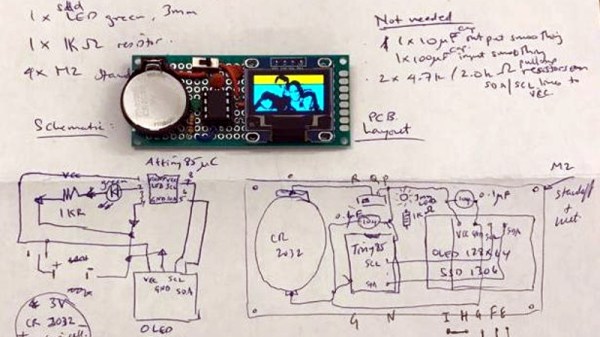
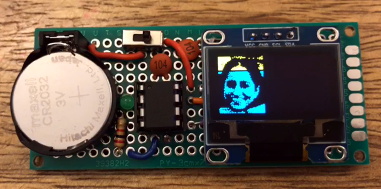
Whether you look at it as a practical application or an interesting experiment in wringing more performance out of low-end hardware, [Assad Ebrahim]’s demonstration of displaying digital photographs on an OLED using the ATtiny85 is well worth a look. The whole thing can put put together on a scrap of perfboard with a handful of common components, and can cycle through the five images stored on the chip’s flash memory for up to 20 hours on a CR2032 coin cell.

As you might expect, the biggest challenge in this project is getting all the code and data to fit onto the ATtiny85. To that end [Assad] wrote his own minimal driver for the SSD1306 OLED display, as the traditional Adafruit code took up too much space. The driver is a pretty bare bones implementation, but it’s enough to initialize the screen and get it ready for incoming data. His code also handles emulating I2C over Atmel’s Universal Serial Interface (USI) at an acceptable clip, so long as you bump the chip up to 8 MHz.

For the images, [Assad] details the workflow he uses to take the high-resolution color files and turn them into an array of bytes for the display. Part of that it just scaling down and converting to 1-bit color, but there’s also a bit of custom Forth code in the mix that converts the resulting data into the format his code expects.

This isn’t the first time we’ve seen somebody use one of these common OLED displays in conjunction with the ATtiny85, and it’s interesting to see how their techniques compare. It’s not a combination we’d necessarily chose willingly, but sometimes you’ve got to work with whats available.

A Look Back On A Decade Of Kerbal Space Program

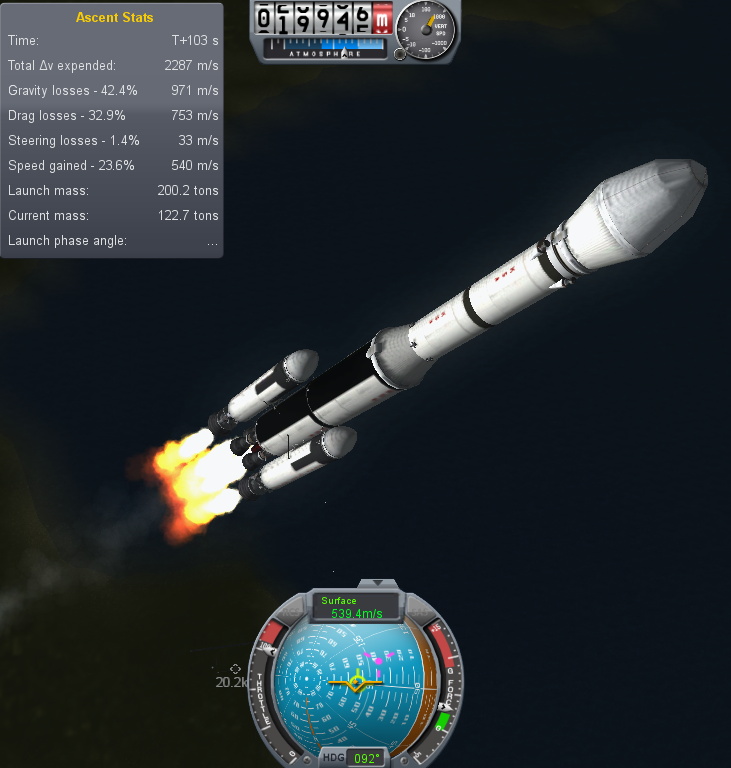
Just a few weeks before Atlantis embarked on the final flight of the Space Shuttle program in 2011, a small Mexican company by the name of Squad quietly released Kerbal Space Program (KSP) onto an unsuspecting world. Until that point the company had only developed websites and multi-media installations. Kerbal wasn’t even an official company initiative, it started as a side project by one of their employees, Felipe Falanghe. The sandbox game allowed players to cobble together rockets from an inventory of modular components and attempt to put them into orbit around the planet Kerbin. It was immediately addictive.

There was no story to follow, or enemies to battle. The closest thing to a score counter was the altimeter that showed how far your craft was above the planet’s surface, and the only way to “win” was to put its little green occupant, the titular Kerbal, back on the ground in one piece. The game’s challenge came not from puzzles or scripted events, but from the game’s accurate (if slightly simplified) application of orbital mechanics and Newtonian dynamics. Building a rocket and getting it into orbit in KSP isn’t difficult because the developers baked some arbitrary limitations into their virtual world; the game is hard for the same reasons putting a rocket into orbit around the Earth is hard.

One of my early rockets, circa 2013.

Over the years official updates added new components for players to build with and planets to explore, and an incredible array of community developed add-ons and modifications expanded the scope of the game even further. KSP would go on to be played by millions, and seeing a valuable opportunity to connect with future engineers, both NASA and the ESA helped develop expansions for the game that allowed players to recreate their real-world vehicles and missions.

But now after a decade of continuous development, with ports to multiple operating systems and game consoles, Squad is bringing this chapter of the KSP adventure to a close. To celebrate the game’s 10th anniversary on June 24th, they released “On Final Approach”, the game’s last official update. Attention will now be focused on the game’s ambitious sequel, which will expand the basic formula with the addition of interstellar travel and planetary colonies, currently slated for release in 2022.

Of course, this isn’t the end. Millions of “classic” KSP players will still be slinging their Kerbals into Hohmann transfer orbits for years to come, and the talented community of mod developers will undoubtedly help keep the game fresh with unofficial updates. But the end of official support is a major turning point, and it seems a perfect time to reminisce on the impact this revolutionary game has had on the engineering and space communities.

Continue reading “A Look Back On A Decade Of Kerbal Space Program

Making Custom Curved Mirrors At Home

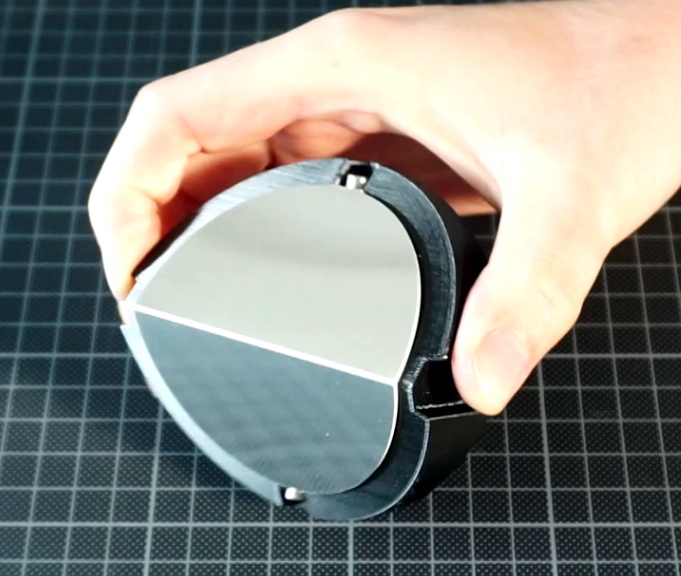
Generally speaking, creating custom mirrors is a complex task that involves a lot of careful grinding, and isn’t something to be taken lightly if you need precision results. Just ask the folks who provided NASA with a wonky mirror for the Hubble. But assuming you’re not working on an orbital space telescope (or even a ground based one, for that matter), [volzo] has recently documented some techniques for producing single and double curved mirrors of reasonable quality using common workshop tools.

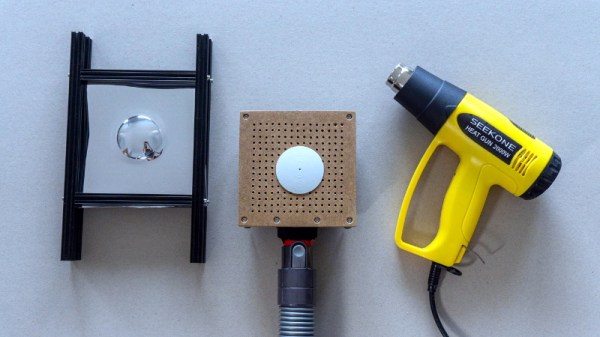
The first step is finding something that’s a bit easier to work with than glass. After testing various reflective materials such as PVC foil and painted PETG sheets by comparing the reflections of projected test patterns, [volzo] found that laminated polystyrene gave the most accurate results. If you just want to make a simple bent mirror, he shows how you can pop one of these sheets on a CNC router, make the appropriate cuts, and fold them into shape.

That part might seem a bit obvious, but what about a more complex shape? Here, [volzo] points to how the thin sheets of polystyrene also lend themselves to vacuum forming. As demonstrated in the video below, all it takes is a 3D printed plug and some basic equipment to rapidly produce mirrors in arbitrary shapes.

Now obviously the optical properties of such mirrors will leave something to be desired, but depending on your application, that might not be such a big deal. As examples [volzo] shows off a few projects using these custom mirrors, such as a tabletop camera that captures both sides of the table simultaneously and a circular projector. Laminated polystyrene could potentially even be used to create low-cost variable mirrors.

Continue reading “Making Custom Curved Mirrors At Home”

Foam F-35 Learns To Hover

With cheap RC hardware, powerful motors, and high-capacity battery packs, getting something to fly has never been easier. It also helps that, whether you’re into fixed-wing craft or multirotors, there’s plenty of information and prior art floating around online that you can use to jumpstart your own build. But when it comes to homebrew vertical take-off and landing (VTOL) planes, things are a bit trickier.

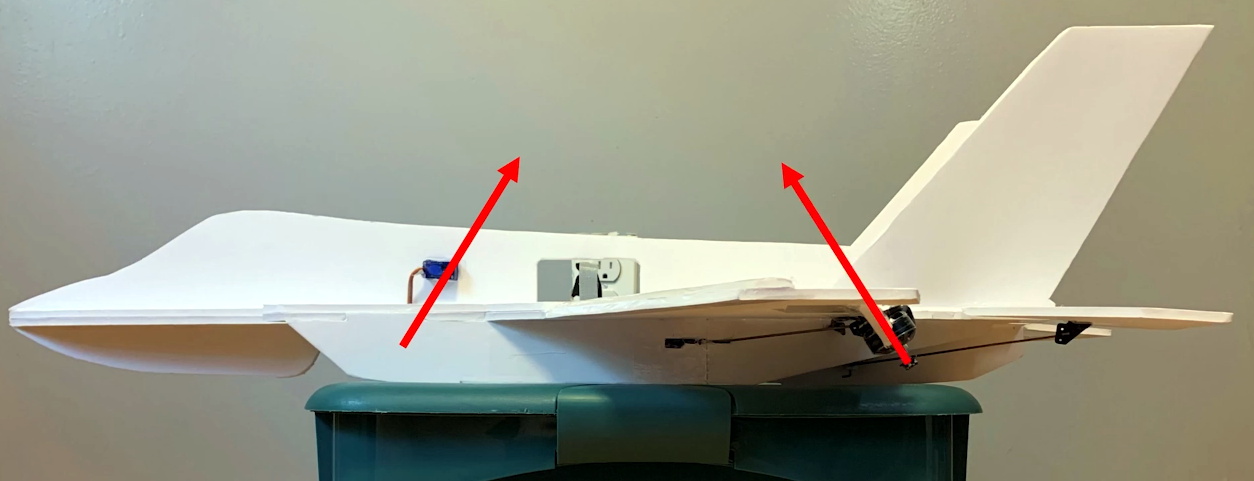
Luckily for us, [Nicholas Rehm] has made all the plans and information necessary to duplicate his incredible RC F-35 available for anyone who wants to experiment with these relatively niche fliers. Even if it was a standard park flier, the build would be worth a close look thanks to the vectored thrust motors that give it phenomenal maneuverability and a top speed in the neighboorhood of 120 KPH (80 MPH). But with the flick of a switch, the plane transitions into a tricopter-like flight mode that allows it to land and takeoff vertically.

How does it work? The downward facing motor just behind the “cockpit” lifts up the front of the foam flier and tilts left and right to provide yaw control, while the two motors on the back tilt down to lift up the rear of the aircraft. Aviation buffs in the audience may recognize this as being fairly close to how the actual F-35B hovers, although on the real jet fighter, downward thrust under the wings is generated by redirected turbine exhaust rather than dedicated motors, and yaw control is provided by swiveling the engine’s nozzle rather than the front lift fan.

Getting the plane to takeoff vertically was one thing, but being able to transition from a hover into forward flight was quite another. To make this aerial transformation possible [Nicholas] actually had to write his own flight controller software, which he calls dRehmFlight. The GPLv3 code runs on the Teensy 4.0 and uses the common GY-521 MPU6050 gyroscope/accelerometer, so you don’t need to get any custom boards spun up just to give it a test drive flight. In the video below he walks through configuring the software for VTOL operation by defining how each control surface and motor is to respond to control input given the currently selected flight mode.

It probably won’t surprise you to hear that this isn’t the first time [Nicholas] has experimented with unusual flying machines. Last year we covered his RC Starship, which managed to stick the “belly flop” landing even before SpaceX managed to get the real life version down in one piece.

Continue reading “Foam F-35 Learns To Hover”

Analog Style VU Meter With Arduino And OLED Display

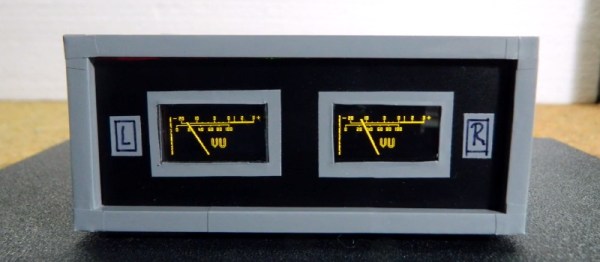
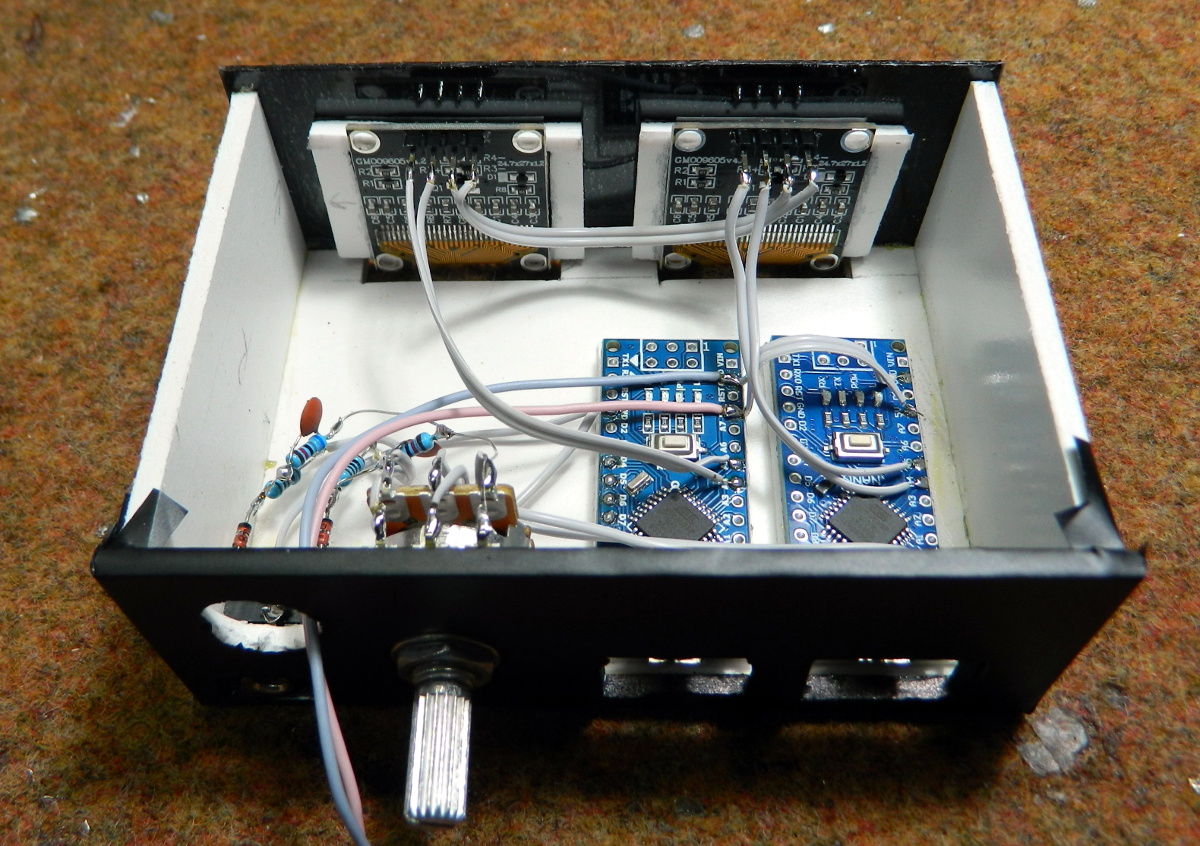
Looking for a digital recreation of the classic analog volume unit (VU) meter? If you’ve got an Arduino, a few passive components, and a SSD1306 OLED, then [mircemk] might have the answer for you. As you can see in the video below, his code turns a handful of cheap parts into an attractive and functional audio display.

The project’s Hackaday.IO page explains that the idea is based on the work of [stevenart], with code adapted for the SSD1306 display and some tweaks made to the circuit. While [mircemk] says the code could be modified for stereo as long as the two displays don’t have conflicting I2C addresses, he decided to simply duplicate the whole setup for each channel to keep things simple. With as cheap as some of these parts are nowadays, it’s hard to blame him.

[mircemk] has provided source code for a couple different styles of VU indicators, the colors of which can easily be inverted depending on your tastes. He also clarifies that the jerky motion of the virtual “needle” seen in the video is due to the camera; in real-life it sweeps smoothly like the genuine article.

Much like the project that aimed to recreate authentic “steam gauges” with e-paper displays, this as an excellent technique to file away for use in the future. Compared to authentic analog gauges, these digital recreations are quicker and faster to implement, plus going this route prevents any antique hardware from going on the chopping block.

Continue reading “Analog Style VU Meter With Arduino And OLED Display”