Old Kindle Shows HDMI Video, Eventually

Even with the recent price reductions on stand-alone panels, picking up a used Kindle is still arguably the most cost effective way to get your hands on a large electronic paper display. Especially when you consider the Kindle includes a battery, case, and electronics to drive the display. Bending the Kindle software to your whims introduces its own unique challenges of course, but with a little tweaking, an old e-reader can live again as whatever you wish it to be.

Case in point, the OkMonitor project by [Brendan Sleight]. Using a somewhat dizzying combination of software and hardware, he’s figured out a way to turn an older Kindle Paperwhite into a plug-and-play HDMI monitor. Is it a great monitor? Far from it. As the name implies, the best you can hope to get from this solution is an OK monitor. But at least it’s something.

There’s quite a bit going on behind the scenes in OkMonitor, which [Brendan] describes through a slideshow on the project page. But the high-level idea is that a Raspberry Pi 4 with a simple USB HDMI capture device takes the video input and converts it on the fly to a scaled down Kindle-friendly format. The converted video is streamed over WiFi to the jailbroken Kindle with netcat, where it’s displayed by a native video player. In the video after the break you can see that the end result looks pretty impressive, even if there is a considerable delay involved.

Despite the demonstration [Brendan] has put together for OkMonitor, we can’t say we’d watch many films over this setup. But the fact that you can plug any HDMI device into the “base station” and have the video sent out to one or more Kindles is undeniably impressive. It’s definitely worth a close look, even if you just take some of the concepts of this project to get your own Kindle repurposing idea off the ground.

We’ve recently seen some promising progress made towards repurposing large e-paper price tags labels, but it’s hard to imagine such niche devices will ever become cheaper than second hand Kindles. With continued software development, these old e-readers are likely to remain quite popular among hackers.

Continue reading “Old Kindle Shows HDMI Video, Eventually”

FISHBOT Reels Them In So You Don’t Have To

Fishing is generally thought of as a relaxing and laid-back activity, but it still requires a certain amount of physical strength and dexterity. This can be a problem for older anglers or those with physical disabilities. To bring back the simple joy of fishing to those who may no longer be able to hold a rod on their own, [Ozz] has been working on the FISHBOT.

The FISHBOT looks like a miniature crane, complete with an electric motor and winch to pull in the line. But there’s a bit more going on here than meets the eye. Anyone who’s tried to land a large fish knows you have to be cautious of snapping the line, so [Ozz] has added a load cell to the system that can tell when its being pulled too tightly. In the future he hopes to make this feature a bit smarter by taking into account additional variables, but for now it should at least keep the more energetic of your quarry from getting away.

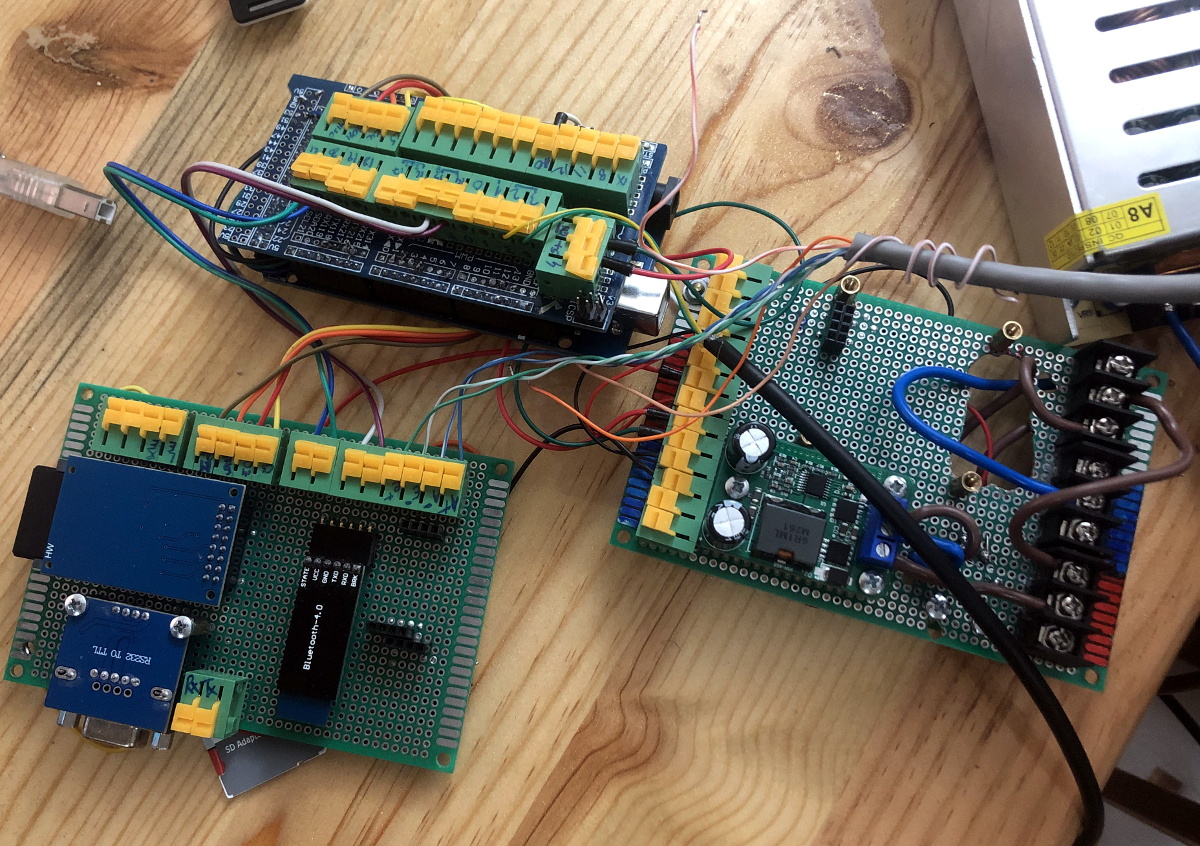
[Ozz] is controlling the beefy 400 watt motor with an IBT-2 H-bridge module connected to an Arduino Mega. The electronics can communicate with the user’s smartphone over a HM-10 Bluetooth module, which allows for more advanced features such as gesture controls that utilize the accelerometer in the phone. Long term, it sounds like he hopes to use the microcontroller in conjunction with the load cell to pull off more advanced tricks like weighing the fish and sending the data off to the user’s fishing buddies to show off.

In the past we’ve seen a drone used to get a lure out where the fish are, but catching one and reeling it back in is a very different challenge. It looks like [Ozz] still has some work to do on this project, but so far it seems things are going well. Being able to return a simple pleasure like this to those who thought their fishing days were behind them will surely prove worthy of the effort.

Continue reading “FISHBOT Reels Them In So You Don’t Have To”

Building A Pocket Sized Python Playground

Like many of us, [Ramin Assadollahi] has a certain fondness for the computers of yesteryear. Finding his itch for nearly instant boot times and bare metal programming weren’t being adequately scratched by any of his modern devices, he decided to build the PortablePy: a pocket-sized device that can drop him directly into a Python prompt wherever and whenever the urge hits him.

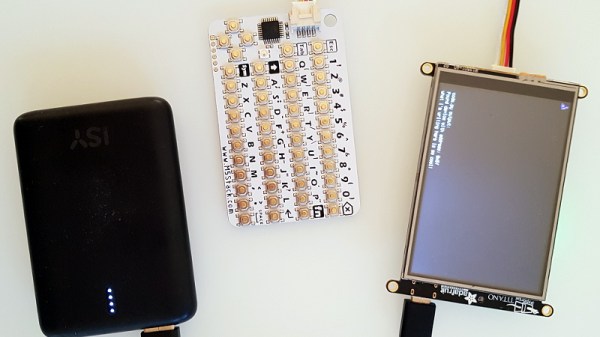
The device is powered by the Adafruit PyPortal Titano, which combines a ATSAMD51J20, ESP32, an array of sensors, and a 3.5″ diagonal 320 x 480 color TFT into one turn-key unit. The PyPortal is designed to run CircuitPython, but the scripts are usually dropped on the device over USB. That’s fine for most applications, but [Ramin] wanted his portable to be usable without the need for a host computer.

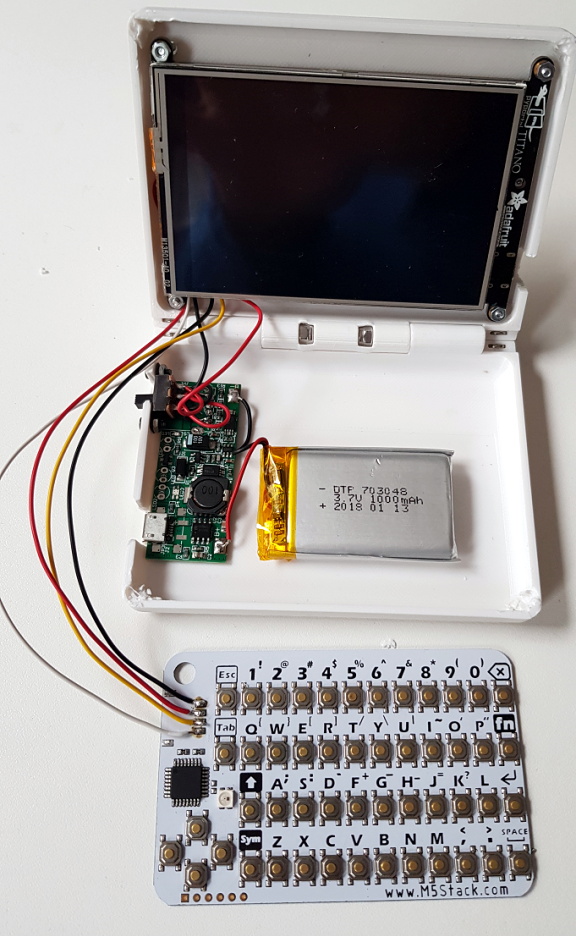
For a truly mobile experience, he had to figure out a way to bang out some Python code on the device itself. The answer ended up being the M5Stack CardKB, a tiny QWERTY board that communicates over I2C. Once he verified the concept was sound, he wrote a simple file management application and minimal Python editor that could run right on the PyPortal.

The final step was packaging the whole thing up into something he could actually take off the bench. He designed a 3D printed clamshell case inspired by the classic Game Boy Advance SP, making sure to leave enough room in the bottom half to pack in a charging board and LiPo pouch battery. He did have to remove some of the connectors from the back of the PyPortal to get everything to fit inside the case, but the compact final result seems worth the effort.

While an overall success, [Ramin] notes there are a few lingering issues. For one thing, the keyboard is literally a pain to type on. He’s considering building a custom keyboard with softer buttons, but it’s a long-term goal. More immediately he’s focusing on improving the software side of things so its easier to write code and manage multiple files.

It sounds like [Ramin] isn’t looking to compromise on his goal of making the PortablePy completely standalone, but if your convictions aren’t as strong, you could always connect a device like this up to your mobile to make things a bit easier.

Continue reading “Building A Pocket Sized Python Playground”

Automating Your Car With A Spare Fob And An ESP8266

Despite the name, home automation doesn’t have to be limited to only the devices within your home. Bringing your car into the mix can open up some very interesting possibilities, such as automatically getting it warmed up in the morning if the outside air temperature drops below a certain point. The only problem is, not everyone is willing to start hacking their ride’s wiring to do it.

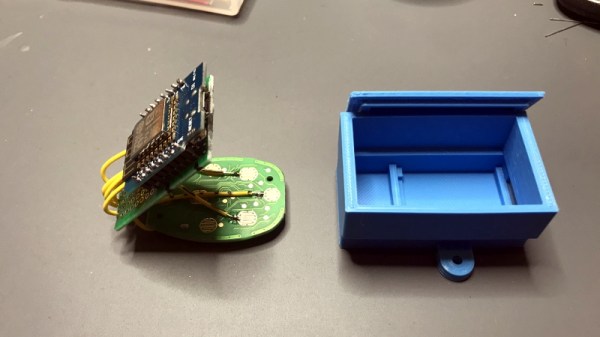
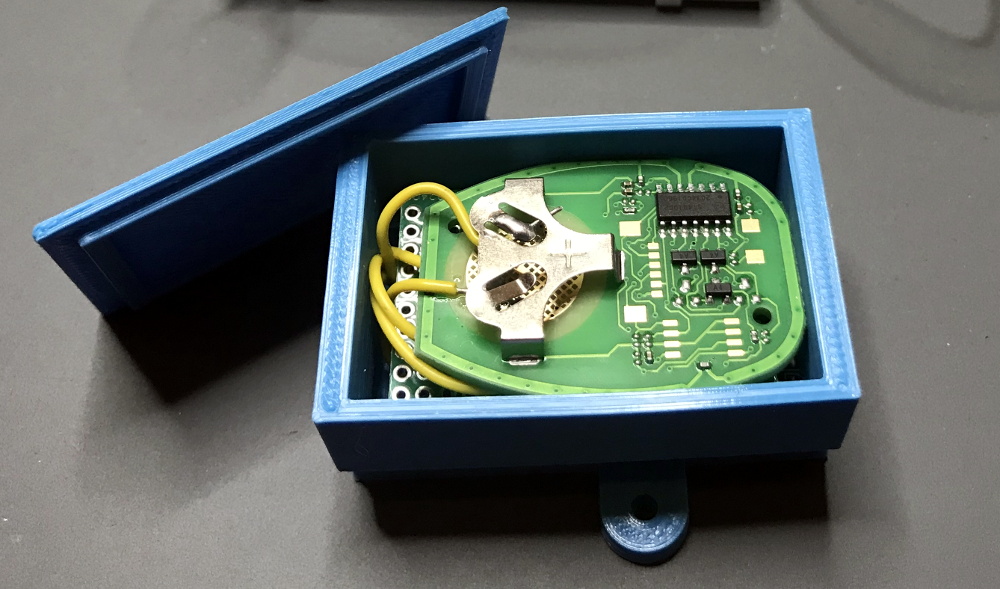
Which is exactly why [Matt Frost] went the non-invasive route. By wiring up an ESP8266 to a cheap aftermarket key fob for his Chevrolet Suburban, he’s now able to wirelessly control the door locks and start the engine without having to make any modifications to the vehicle. He was lucky that the Chevy allowed him to program his own fob, but even if you have to spend the money on getting a new remote from the dealer, it’s sure to be cheaper than the repair bill should you cook something under the dash with an errant splice or a misplaced line of code.

The hardware for this project is about as simple as it gets. The fob is powered by the 3.3 V pin on the Wemos D1 Mini, and the traces for the buttons have been hooked up to the GPIO pins. By putting both boards into a custom 3D printed enclosure, [Matt] came up with a tidy little box that he could mount in his garage and run off of a standard USB power supply.

On the software side of things [Matt] has the device emulating a smart light so it can easily be controlled by his Alexa, with a few helpful routines sprinkled in that allow him to avoid the awkward phraseology that would be required otherwise. There’s also a minimal web server running on the microcontroller that lets him trigger various actions just by hitting the appropriate URLs, which made connecting it to Home Assistant a snap. One downside of this approach is that there’s no acknowledgement from the vehicle that the command was actually received, but you can always send a command multiple times to be sure.

This isn’t the first time we’ve seen an ESP8266 used to “push” buttons on a remote. If you’ve got a spare fob for your device, or can get one, it’s an excellent way to automate it on the cheap.

Xbox Controller Mod Gets Serious About Stick Drift

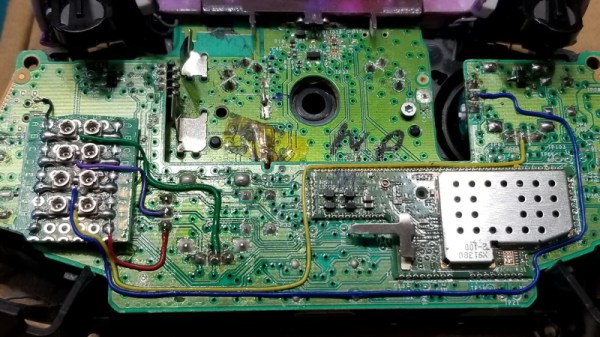
Many a gamer has found that after a few years of racing around the track or sending demons back from whence they came, the analog sticks on their trusty controller can start to drift around. Many times it’s a fairly minor problem, something you might only notice if you were really keeping an eye out for it, but it can definitely be annoying. Those handy with a soldering iron might just swap out the sticks for replacements once it gets to that point, but [Taylor Burley] wondered how difficult it would be to recalibrate the ailing sticks instead.

To be clear, [Taylor] acknowledges this approach is overkill. It would be cheaper and easier to just replace the drifting stick with a new one. Even if you take into account that new sticks might not be as high quality as the originals and could give up the ghost faster, this probably isn’t worth the effort. But that doesn’t mean it’s not an interesting hack.

In the video after the break, [Taylor] starts by explaining how stick drift occurs in the first place. Each axis of the stick is physically connected to the wiper of a potentiometer, so for 10K pots, the stick’s center point should correspond to a resistance of 5K. He then goes on to measure the resistance in a bad joystick, and sure enough, the center resistance is off by several hundred Ohms.

To fix this, he comes up with a simple circuit that places additional potentiometers between the wipers. With two joysticks and two adjustment pots per axis, that makes eight little adjustment wheels that need to be fiddled with to get the center points calibrated properly. In this case [Taylor] uses a controller diagnostic tool for the Xbox to quantify the impact his adjustments are making so he can dial it in perfectly, but the idea is the same no matter who’s logo is on the box.

We’d say this is the most overkill attempt at addressing the issue of stick drift on gaming controllers we’ve ever seen, but that title has to go to [Matteo Pisani], who replaced the analog stick on his Switch Joy-Con with a custom circular touchpad.

Continue reading “Xbox Controller Mod Gets Serious About Stick Drift”

Burned Out SKR E3 Mini Gets New Stepper Driver

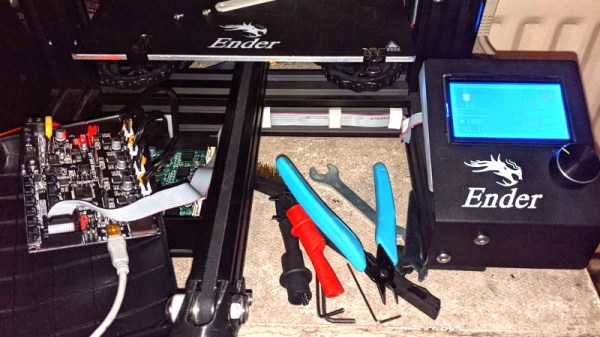
It didn’t take long to figure out that a dead X axis and an message saying “TMC CONNECTION ERROR” meant that one of the stepper drivers on the SKR E3 Mini 3D printer control board had released the magic smoke. Manufacturer BigTreeTech replaced the board under warranty, and the printer was back up and running in short order. But instead of tossing it in the trash, [Simon] wondered how hard it would be to repair the dead board.

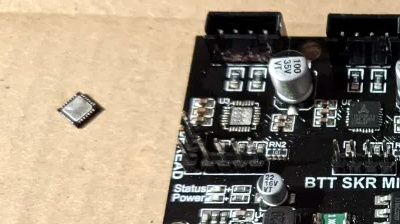
Removing the original stepper driver IC.

The short answer is, not very hard. There was no question as to which of the four TMC2209 drivers was shot, since the X motor was the only one experiencing a problem. The drivers unfortunately aren’t socketed on this board, but after a little kiss with the hot air, the old chip was off.

[Simon] didn’t have any spare TMC2209 chips, but the TMC2208 has the same pinout and is a drop-in replacement. The TMC2208 is rated for a bit less current, but it shouldn’t be a problem under normal circumstances.

Other than the stepper connector getting a little toasty during the installation, the swap went off without a hitch and the board was up and running again. [Simon] ended up putting the now repaired SKR E3 Mini in his Ender 3; a nice 32-bit upgrade compared to the ATmega1284 that was originally running the show. Though in the past, he’s managed to squeeze a bit more performance out of the older 8-bit board as well.

New Micro YARH.IO Designed For Skilled Operators

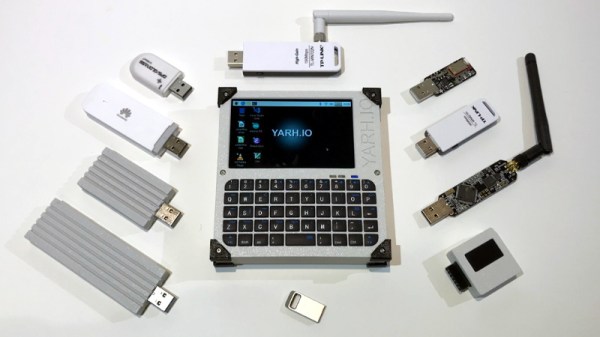
A few months back we brought you word of the YARH.IO, an extremely impressive Raspberry Pi portable that featured rugged good looks and a unique convertible design made possible by a removable keyboard. One of the most appealing aspects of the design was that everything was built from off-the-shelf modules; it only took a couple jumper wires and some scrap perfboard to get everything wired up inside the 3D printed enclosure.

The downside of this construction style was that the finished product was a bit chunkier than was strictly necessary. But that’s not the case with the new YARH.IO Micro. The palm-sized portable looks almost exactly like the original, though it had to ditch the removable keyboard in the shrinking process. Gone as well is the touch pad, though with the touch screen capabilities of the Pimoroni Hyper Pixel four inch IPS display, that’s not much of a problem.

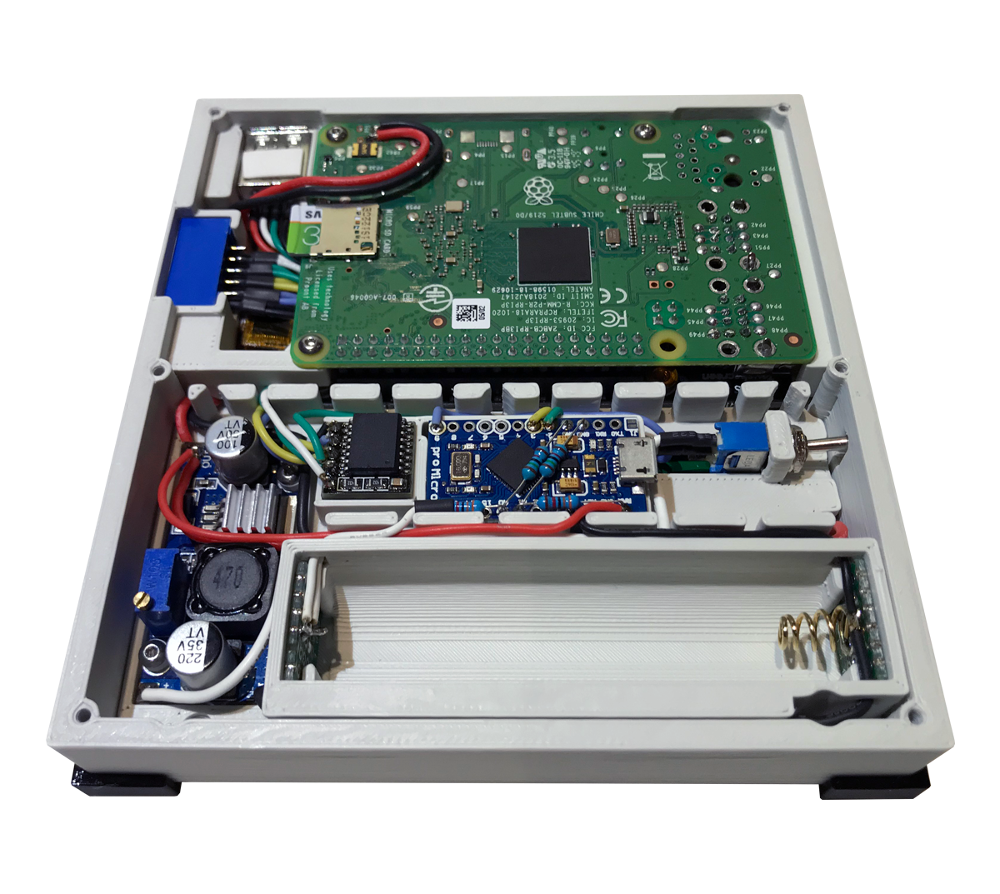
What’s the catch? Well, at a glance we can tell you this one is considerably harder to build. For one thing, you’ll need to remove the Ethernet and USB connectors from the Pi 3B+. The USB ports get relocated, but Ethernet understandably has to be left on the cutting room floor. Nothing to worry about with the GPIO pins, the display takes up all of those, but you’ll probably want to wire the I2C lines to the female header on the side of the case so you can add external hardware and sensors.

You also need to nestle an Arduino Pro Micro in there to communicate status information about the battery to the operating system over I2C. If you wanted to save a little wiring you could probably leave off the DS3231 RTC module, but it depends on how often you’ll be able to sync up with NTP.

While it may be more difficult to assemble than its predecessor, it’s certainly not unapproachable. Once again, no custom PCBs or exotic components are required. You might be doing a lot more soldering (and desoldering) than you would have before, but it’s nothing that the average Hackaday reader isn’t capable of. For your troubles, you’ll get a exceptionally portable Linux machine that’s ripe for hacking and modification.

If the time and effort it will take to put together a YARH.IO is a bit more than you’re willing to invest right now, there’s always commercial alternatives like the DevTerm. But whether you go with the original or this new Micro edition, we think the satisfaction of having built the whole thing yourself will be more than worth it.