Preserving Historic NASA Display Technology

When [Patrick Hickey] spent a tidy sum on eBay to purchase a pair of seven-segment displays used in the Launch Control Center at Kennedy Space Center during the Apollo program, he could have just put them up on a shelf. It’s certainly what most people would have done. Instead, he’s decided to study and document their design with the hope of eventually creating 3D replicas of these unique pieces of NASA history.

With a half century now separating us from the Moon landing, it’s more important than ever to preserve the incredible technology that NASA used during mankind’s greatest adventure. Legitimate Apollo-era hardware is fairly scarce on the open market, and certainly not cheap. As [Patrick] explains on the Hackaday.io page for this project, being able to 3D print accurate replicas of these displays is perhaps the best way we can be sure they won’t be lost to history.

But more than that, he also wants others to be able to see them in operation and perhaps even use them in their own projects. So that means coming up with modern electronics that stand-in for the 60s era hardware which originally powered them.

Since [Patrick] doesn’t have access to whatever (likely incandescent) lighting source these displays used originally, his electronics are strictly functional rather than being an attempt at a historic recreation. But we have to say, the effect looks fantastic regardless.

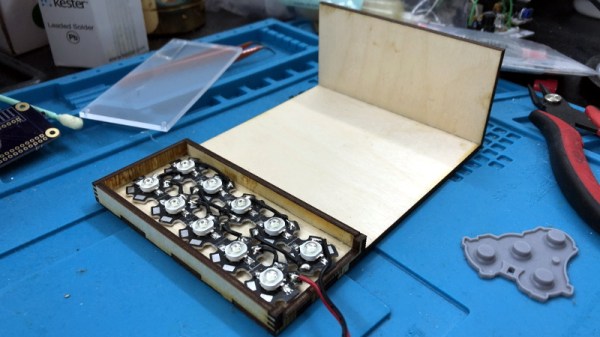
Currently, [Patrick] is putting most of his efforts on the smaller of the two displays that he calls “Type A”. The chunk of milled aluminum with integrated cooling fins has a relatively simple shape that should lend itself to replication through 3D scanning or even just a pair of calipers. He’s also put together a proof of concept for how he intends to light the display with 5mm LEDs on a carefully trimmed bit of protoboard, which he plans on eventually refining to reduce the number of wires used.

One aspect he’s still a little unsure of is how best to replicate the front mask. It appears to be made of etched metal with an integrated fiberglass diffuser, and while he’s already come up with a few possible ways to create a similar front panel for his 3D printed version, he’s certainly open to suggestions from the community.

This isn’t the first time we’ve seen a dedicated individual use 3D printing to recreate a rare and expensive object. While the purists will say that an extruded plastic version doesn’t compare to the real thing, we think it’s certainly better than letting technology like this fade into obscurity.

Teardown: Catel CTP300 Restaurant Pager

I have a problem. If I go to a swap meet , or even a particularly well stocked yard sale, I feel compelled to buy something. Especially if that something happens to be an oddball piece of electronics. While on the whole I’m a man of few vices, I simply can’t walk away from a good deal; doubly so if it has a bunch of buttons, LEDs, and antennas on it.

Table for one, by the window.

Which is exactly how I came into the possession of a Catel CPT300 restaurant paging system for just $20 a few months ago. I do not, as you may have guessed, operate a restaurant. In fact, as many of my meals take the form of military rations eaten in front of my computer, I’m about as far away from a restaurateur as is humanly possible. But I was so enamored with the rows of little plastic pagers neatly lined up in their combination charging dock and base station that I had to have it.

The man selling it swore the system worked perfectly. Even more so after he plugged it in and it didn’t do anything. But appearances can be deceiving, and his assurance that all the pagers needed was a good charge before they’d burst back to life seemed reasonable enough to me. Of course, it hardly mattered. The regular Hackaday reader at this point knows the fate of the CPT300 was to be the same whether or not it worked.

Incidentally, those cute little pagers would not burst back to life with a good charge. They may well have burst into something, but we’ll get to that in a moment. For now, let’s take a look at a gadget that most of us have used at one time or another, but few have had the opportunity to dissect.

Continue reading “Teardown: Catel CTP300 Restaurant Pager”

Vintage Computer Festival West Is Almost Here

If you’ve got an interest in technology, a penchant for that particular shade of yellowed plastic, and happen to be located in the California area, then we’ve got the event for you. The Vintage Computer Festival West is happening this weekend, August 3rd and 4th, at the Computer History Museum in Mountain View, California.

The Vintage Computer Festival offers a truly unique experience for anyone with a passion for all the silicon that’s come before. Where else could you sit in on a roundtable of early Apple employees discussing the bevy of authentic ultra-rare Apple I computers that will be on display, or get up close and personal with a restored Apollo Guidance Computer? If you really want to dive in on the deep end, Hackaday’s own Bill Herd will be in attendance giving his lecture about the effects of heat and time on the internal components of decades-old pieces of hardware.

Still skeptical? Perhaps you’ll get a kick out of the exhibit that celebrates more than two decades of Quake by hosting a LAN game where the classic game is running on less common platforms like the RS/6000 series or the Sun Ulta. If you’re interested in seeing modern reconstructions of classic technology, there will be plenty of that on display as well. Eric Schlaepfer will be showing off his transistor-scale replica of the iconic 6502 microprocessor, and you won’t want to miss the Cactus in all its rainbow colored toggle switch and blinkenlight glory.

Of course, if you’re in the market for your very own piece of computing history, there’s no better place to be. The consignment area gives showgoers a chance to buy and sell all manners of vintage and unique hardware, harking back to the days where the best way to get your hands on a computer (or the parts to build one) was by attending a dedicated event. Plus, no shipping fees!

Put simply, there really is something for everyone at the Vintage Computer Festival. Even if you weren’t around to experience Apple II or Commodore 64 in their prime, these events are a rare opportunity to learn about the early days of a technology that today we all take for granted. Have you ever wondered how programs were entered into those early computers with nothing more than a bank of toggle switches and an array of LEDs? One of the passionate exhibitors at VCF will be more than happy to walk you through the process.

At the end of the day, preserving this technology and sharing it with future generations is really what it’s all about. Just as in previous years, Hackaday is proud to sponsor the Vintage Computer Festival and further their goal of ensuring this incredible shared heritage isn’t lost.

The Bluetooth LCD Sniffer You Didn’t Know You Needed

At one time or another, we’ve all suffered through working with a piece of equipment that didn’t feature a way to export its data to another device. Whether it was just too old to offer such niceties, or the manufacturer locked the capability behind some upgrade, the pain of staring at digits ticking over on a glowing LCD display and wishing there was a practical way to scrape what our eyes were seeing is well known to hackers.

That was precisely the inspiration for DoMSnif, the dot matrix LCD sniffer that [Blecky] has been working on. Originally the project started as a way to record the temperature of his BRTRO-420 reflow oven, but realizing that such a device could have widespread appeal to other hardware hackers, he’s rightfully decided to enter it into the 2019 Hackaday Prize. If perfected, it could be an excellent way to bolt data capture capabilities to your older devices.

The first phase of this project was figuring out how to capture and parse the signals going into the device’s KS0108 LCD. Getting the data was certainly easy enough, he just had to hook a logic analyzer up between the display and the main board of the device. Of course, figuring out what it all means is a different story.

After running the oven for a bit with the analyzer recording, [Blecky] had more than enough data to get started on decoding it. Luckily, the layout of this fairly common 128×64 pixel display is well documented and easy enough to understand. With a little work, he was able to create a tool that would import the captured data and display it on a virtual LCD.

Unfortunately, the Bluetooth part is where things get tricky. Ultimately, [Blecky] wants to ditch the logic analyzer and use a Adafruit Feather nRF52 Bluefruit to capture the signals going to the LCD and pipe them to a waiting device over Bluetooth. But his testing has found that the nRF52’s radio is simply too slow. The display is receiving data every 14us, but it takes the radio at least 50us to send a packet.

[Blecky] is looking at ways around this problem, and we’re confident he’ll crack it. The solution could be in buffering and compressing the data before sending it out, though you’d lose the ability to monitor the display in real-time. Even if he has to abandon the Bluetooth aspect entirely and make the device wired, we still think there would be a market for an easy to use hardware and software solution for scraping LCD data.

Taking A Peek Inside Amazon’s Latest Dot

Like a million or so other people, [Brian Dorey] picked up a third generation Echo Dot during Amazon’s big sale a couple weeks ago. Going for less than half its normal retail price, he figured it was the perfect time to explore Amazon’s voice assistant offerings. But the low price also meant that he didn’t feel so bad tearing into the thing for our viewing pleasure.

By pretty much all accounts, the Echo Dot line has been a pretty solid performer as far as corporate subsidized home espionage devices go. They’re small, fairly cheap, and offer the baseline functionality that most people expect. While there was nothing precisely wrong with the earlier versions of the Dot, Amazon has used this latest revision of the device to give the gadget a more “premium” look and feel. They’ve also tried to squeeze a bit better audio out of the roughly hockey puck sized device. But of course, some undocumented changes managed to sneak in there as well.

For one thing, the latest version of the Dot deletes the USB port. Hackers had used the USB port on earlier versions of the hardware to try and gain access to the Android (or at least, Amazon’s flavor of Android) operating system hiding inside, so that’s an unfortunate development. On the flip side, [Brian] reports there’s some type of debug header on the bottom of the device. A similar feature allowed hackers to gain access to some of Amazon’s other voice assistants, so we’d recommend hopeful optimism until told otherwise.

The Echo Dot is powered by a quad-core Mediatek MT8516BAAA 64-bit ARM Cortex-A35 processor and the OS lives on an 8GB Samsung KMFN60012M-B214 eMMC. A pair of Texas Instruments LV320ADC3101 ADCs are used to process the incoming audio from the four microphones arranged around the edge of the PCB, and [Brian] says there appears to be a Fairchild 74LCX74 flip-flop in place to cut the audio feed when the user wants a bit of privacy.

Of course, the biggest change is on the outside. The new Dot is much larger than the previous versions, which means all the awesome enclosures we’ve seen for its predecessor will need to be reworked if they want to be compatible with Amazon’s latest and greatest.

Take Control Of Your DSLR With PiXPi

If you’ve ever tried to take a picture of a fast moving object, you know how important timing is. You might only have one chance, and if you hit the shutter a bit too early or too late, the shot could be ruined. Past a certain point, no human camera operator can react quickly enough. Which is exactly why [Krzysztof Krześlak] created PiXPi.

In the past we’ve seen high-speed flashes designed to “freeze time” by illuminating the scene at the precise moment, and while PiXPi can technically do that, it also offers a few alternate methods of capturing that perfect moment. The idea here is to give the photographer the best chance of getting the shot they’re after by offering them as many tools as possible.

Essentially, PiXPi is a microcontroller that allows you to orchestrate your DSLR’s trigger, external flashes, and various other sensors and devices using an easy to use graphical programming interface from your smartphone. So for example, you could program the PiXPi to trigger your camera when it detected a loud enough noise.

But the device also allows you to be a bit more proactive. Rather than sitting back and waiting for a signal to fire off the camera, the PiXPi can directly take control of the action. As an example, [Krzysztof] has created an electronically triggered valve which can release a drop of liquid on command. Using PiXPi, the photographer can quickly put together a routine that triggers a drop, waits the few milliseconds it takes for it to hit the target, and then snaps a picture.

The goal of the 2019 Hackaday Prize is to develop a product fit for production, and naturally a huge part of that is having a well thought-out design. But if you’re ultimately looking to sell said product, it’s also very important to keep the needs of the end user in mind. To that end, we think [Krzysztof] has done a great job by not only making the system very flexible, but keeping it easy to use.

Continue reading “Take Control Of Your DSLR With PiXPi”

Building A Safe ESP32 Home Energy Monitor

The first step to reducing the energy consumption of your home is figuring out how much you actually use in the first place. After all, you need a baseline to compare against when you start making changes. But fiddling around with high voltage is something a lot of hackers will go out of their way to avoid. Luckily, as [Xavier Decuyper] explains, you can build a very robust DIY energy monitoring system without having to modify your AC wiring.

In the video after the break, [Xavier] goes over the theory of how it all works, but the short version is that you just need to use a Current Transformer (CT) sensor. These little devices clamp over an AC wire and detect how much current is passing through it via induction. In his case, he used a YHDC SCT-013-030 sensor that can measure up to 30 amps and costs about $12 USD. It outputs a voltage between 0 and 1 volts, which makes it extremely easy to read using the ADC of your favorite microcontroller.

Once you’ve got the CT sensor connected to your microcontroller, the rest really just depends on how far you want to take the software side of things. You could just log the current consumption to a plain text file if that’s your style, but [Xavier] wanted to challenge himself to develop a energy monitoring system that rivaled commercial offerings so he took the data and ran with it.

A good chunk of his write-up explains how the used Amazon Web Services (AWS) to process and ultimately display all the data he collects with his ESP32 energy monitor. Every 30 seconds, the hardware reports the current consumption to AWS through MQTT. The readings are stored in a database, and [Xavier] uses GraphQL and Dygraphs to generate visualizations. He even used Ionic to develop a cross-platform mobile application so he can fawn over his professional looking charts and graphs on the go.

We’ve already seen how carefully monitoring energy consumption can uncover some surprising trends, so if you want to go green and don’t have an optically coupled electricity meter, the CT sensor method might be just what you need.

Continue reading “Building A Safe ESP32 Home Energy Monitor”