Finding Plastic Spaghetti With Machine Learning

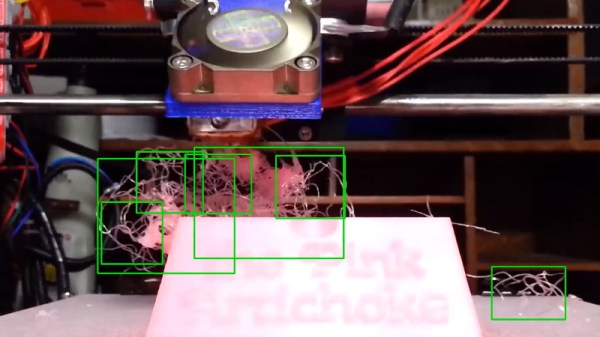
Among 3D printer owners, “spaghetti” is the common term for the tangled mess of stringy plastic that’s often the result of a failed print. Fear of their print bed turning into a hot plate of PLA spaghetti is enough to keep many users from leaving their machines operating overnight or while they’re out of the house. Accordingly, we’ve seen a number of methods that allow the human operator to watch their print remotely to make sure everything is progressing smoothly.

But unless you plan on keeping your eyes on your phone the entire time you’re out of the house, there’s still a chance some PETG pasta might sneak its way out. Enter the Spaghetti Detective, an open source project that lets machine learning take over when you can’t sit watching the printer all day. Their system plugs into Octoprint to monitor your print in real-time and pause it if it starts looking particularly stringy. The concept is still under development, but judging by the gallery of results submitted by users, the system seems to have a knack for identifying non-edible noodles.

Once the software comes out of beta it looks like the team is going to try to monetize it by providing hosting and monitoring services for a monthly fee, but as it’s an open source project, you’re also able to run the software on your own machine. Though the documentation notes that the lowly Raspberry Pi doesn’t have quite what it takes to handle the image recognition routines, so you’ll need a proper computer if you want to self-host the service. Could be a good use for that old laptop you’ve got kicking around the lab.

As demonstrated in the video after the break, the system’s “spaghetti confidence” is shown with a simple to understand gauge: green is a good-looking print, and red means the detective is getting a sniff of the stringy stuff. If your print dips into the red too much, Octoprint is commanded to pause the print. The user can then look at the last image from the printer and decide to either cancel the print entirely, or resume if the Spaghetti Detective got a little overzealous.

Frankly, it’s a brilliant idea and we’re very interested to see where it goes from here. Assuming you’ve got Octoprint controlling your 3D printer there are some very clever monitoring systems out there currently, but since spaghetti isn’t the only thing a rogue 3D printer can cook up, having an extra line of defense sounds like a good idea to us.

Continue reading “Finding Plastic Spaghetti With Machine Learning”
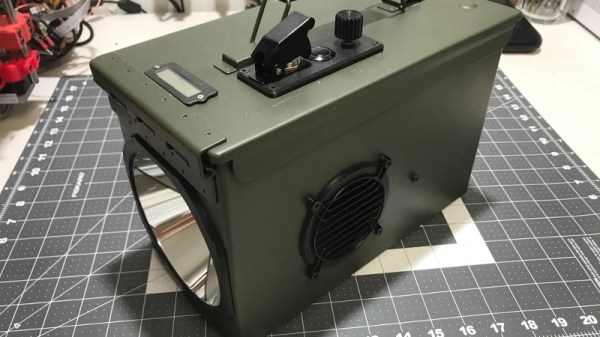
Ammo Can Holds A 14,000 Lumen LED Flashlight

For most people, a flashlight is just something you keep in a drawer in the kitchen in case the power goes out. There’s even a good chance your “flashlight” is just an application on your phone at this point. But as we’ve seen many times before from mechanical keyboards to Power Wheels, hardcore niche communities can develop around the most innocuous pieces of hardware; and the lowly flashlight is no different.

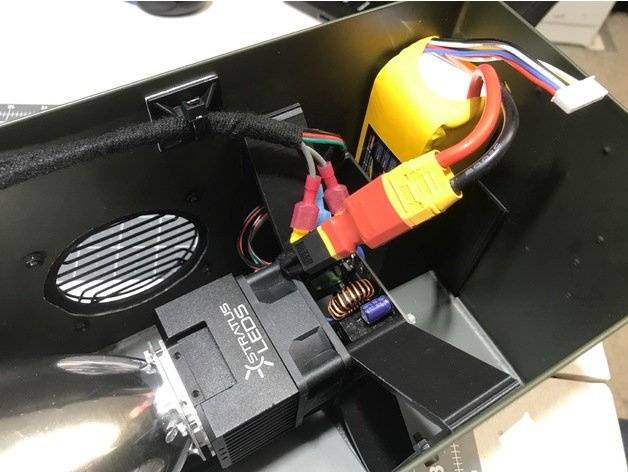
Case in point, this 14,000 lumen LED flashlight built by [Bryson Hicks]. Designed around a 100 watt module from Stratus LED, the flashlight uses a number of 3D printed components to make itself at home in a suitably hardcore enclosure: a metal ammo can. With the addition of some modular electronics and a rather slick little control panel, his light is ready to deliver an unreasonable level of brightness anywhere he wishes.

The Stratus LED module includes its own driver, and just needs to be hooked up to a suitably beefy power source to do its thing. [Bryson] went with a 4500 mAh LiPo battery that he says gets him about a one hour runtime at full brightness. For somewhat less intense operation, he’s added a potentiometer which interfaces with the module’s driver board to control the LED output. Considering how fast the light sucks down the juice, adding a small LCD battery charge indicator to the top of the device seems like it was a prudent decision.

To prevent you from cooking anyone’s eyes at close range, the light requires you to first “arm” it by flipping the military style protected switch. Once the switch is in the on position, an illuminated push button is used to actually turn the LED module on and off. You can also snap the toggle switch back into the closed and covered position if you needed to kill the light in a hurry.

This isn’t the first preposterously bright LED flashlight we’ve seen around these parts. There’s something of an arms-race between hackers and makers to develop increasingly bright lights they can carry around, on the off chance they need to illuminate an entire neighborhood.

WOPR: Security Loses Some Of Its Obscurity

As we’ve seen time and time again, the word “hacker” takes on a different meaning depending on who you’re talking to. If you ask the type of person who reads this fine digital publication, they’ll probably tell you that a hacker is somebody who likes to learn how things work and who has a penchant for finding creative solutions to problems. But if you ask the average passerby on the street to describe a hacker, they might imagine somebody wearing a balaclava and pounding away at their laptop in a dimly lit abandoned warehouse. Thanks, Hollywood.

The “Hollywood Hacker” Playset

Naturally, we don’t prescribe to the idea of hackers being digital villains hell-bent on stealing your identity, but we’ll admit that there’s something of rift between what we call hacking versus what happens in the information security realm. If you see mention of Red Teams and Blue Teams on Hackaday, it’s more likely to be in reference to somebody emulating Pokemon on the ESP32 than anything to do with penetration testing. We’re not entirely sure where this fragmentation of the hacking community came from, but it’s definitely pervasive.

In an attempt bridge the gap, the recent WOPR Summit brought together talks and presentations from all sections of the larger hacking world. The goal of the event was to show that the different facets of the community have far more in common than they might realize, and featured a number of talks that truly blurred the lines. The oscilloscope toting crew learned a bit about the covert applications of their gadgets, and the high-level security minded individuals got a good look at how the silicon sausage gets made.

Two of these talks which should particularly resonate with the Hackaday crowd were Charles Sgrillo’s An Introduction to IoT Penetration Testing and Ham Hacks: Breaking into Software Defined Radio by Kelly Albrink. These two presentations dealt with the security implications of many of the technologies we see here at Hackaday on what seems like a daily basis: Bluetooth Low Energy (BLE), Software Defined Radio (SDR), home automation, embedded Linux firmware, etc. Unfortunately, the talks were not recorded for the inaugural WOPR Summit, but both presenters were kind of enough to provide their slides for reference.

Continue reading “WOPR: Security Loses Some Of Its Obscurity”

Put An Arduino Enigma In Your Pocket

The German Enigma device has always been a fascinating gadget for hackers. We’ve seen various replicas and emulators created over the years, and it was recently even the subject of our weekly Hack Chat. But if you think about it it’s not really a surprise; the Enigma has the perfect blend of historical significance and engineering wizardry, with a healthy dash of mystery thrown in. Why do the bad guys always have the coolest toys?

If you’ve ever wanted your own little Enigma replica to explore, [Mark Culross] has put together a project which makes it easier than ever. In fact, it’s so straightforward that some of you reading this post will probably be able to put one together as soon as you’ve read this post from stuff you already have lying around in the parts bin. All you need is an Arduino Uno, an Adafruit 2.8″ TFT Touch Shield, and a penchant for World War II technology.

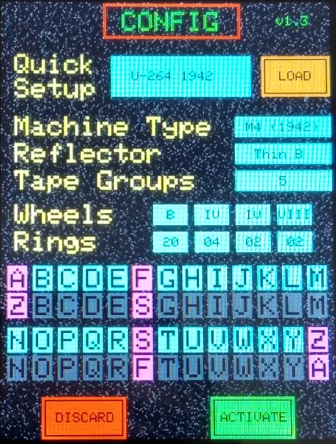
Thanks to the relatively high-resolution touch screen, [Mark] was able to develop a user interface for his Enigma that really gives you a feel for how the original machine worked. Obviously it’s considerably simplified from the real-world version, but using a stylus to tap the rotors you want to spin or the wires you want plugged in makes for a more immersive experience than many of the previous attempts we’ve seen. With a tap you’re even able to load historical machine configurations, such as how the Enigma aboard the submarine U-262 was configured when the Allies intercepted its encoded messages in 1942.

[Mark] says this project was always about developing the software, and he leaves the actual hardware implementation as an exercise for the user. Just to play around with the software it’s enough to hook up an Arduino and the touch screen, but we’d love to see somebody really take the idea and run with it. Add some batteries, a charging circuit, and put it all in a little wooden box for that authentic Enigma look. Can’t forget that iconic wrinkle finish paint, either.

Over the years, we’ve seen replica Enigma machines in all shapes and sizes. From ones you could mount on your wrist, to full size replicas using modern components. We’ve even seen one variation that you can print out on a couple of sheets of paper. The parade of recreations shows no sign of stopping, and we wouldn’t have it any other way.

Continue reading “Put An Arduino Enigma In Your Pocket”

Building An Artisanal Tape Measure

Some tools are so common, so basic, that we take them for granted. A perfect example is the lowly tape measure. We’ve probably all got a few of these kicking around the lab, and they aren’t exactly the kind of thing you give a lot of thought to when you’re using them. But while most of us might not give our tape measure a second thought, [Ariel Yahni] decided to create an absolutely gorgeous new enclosure for his. Because if you’re going to measure something, why not look good doing it?

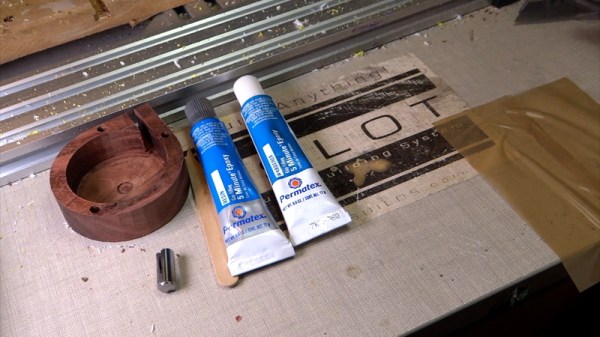
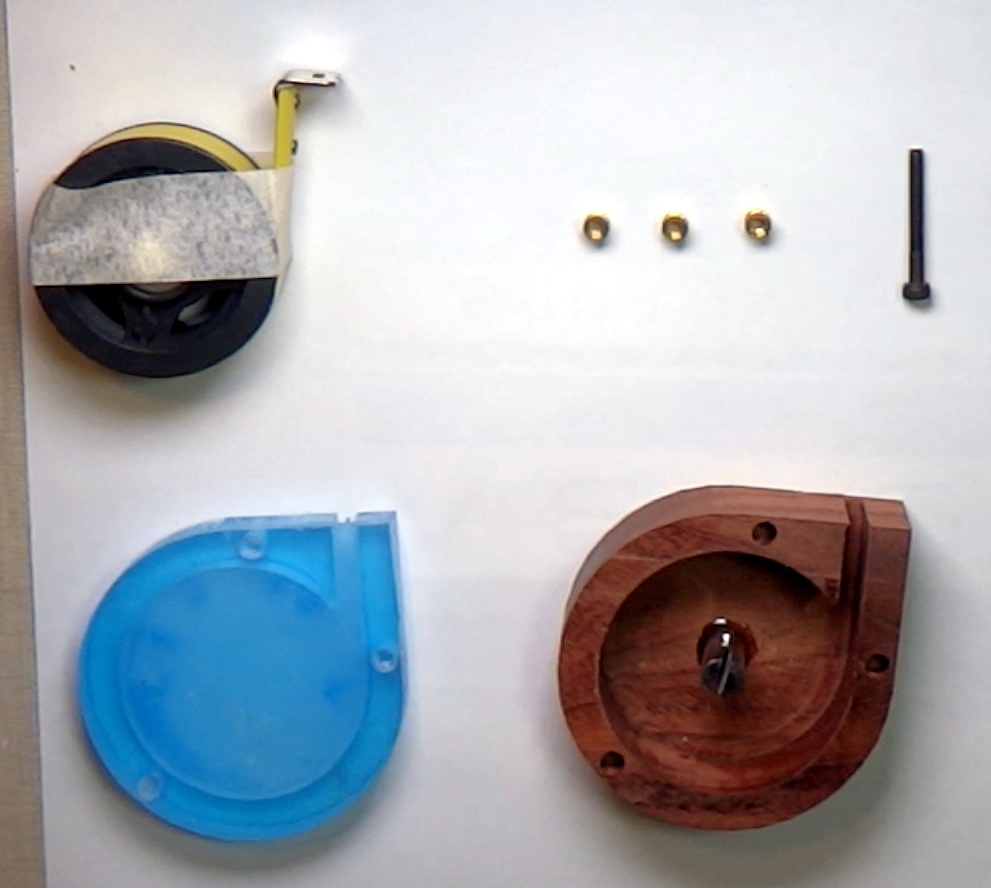
A CNC router is used to carve the body of the new tape measure out of a solid block of wood and cut a top plate out of clear acrylic. [Ariel] then used an angle grinder to cut off a small section of steel rod which he secured into a carved pocket in the base using epoxy. Finally, the internals of a commercial tape measure were inserted into this new enclosure, and the acrylic top was screwed down into place.

[Ariel] has made the DXF files for this project public for anyone else who wants to carve out their own heirloom tape measure, though it seems likely the designs will need some tweaking depending on the make and model of donor tape measure. While this might not be the most technically impressive project to run on Hackaday, it’s still a fantastic example of the sort of bespoke designs that are made possible with modern manufacturing methods.

This design reminds us of a similar project to turn a basic Honda key fob into a true conversation piece with the addition of some CNC’d hardwood and aluminum.

Continue reading “Building An Artisanal Tape Measure”

Monitor Your 3D Printer With Node-RED And Tasker

Anyone with a desktop 3D printer knows that it can be a bit nerve-wracking to leave the machine alone for any extended period of time. Unfortunately, it’s often unavoidable given how long more complicated prints can take. With big prints easily stretching beyond the 20 hour mark, at some point you’re going to need to leave the house or go to sleep. We hope, anyway.

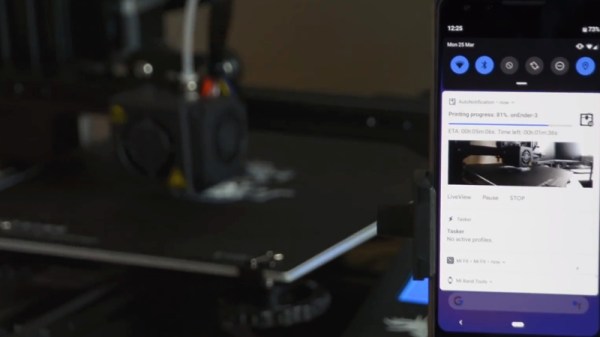
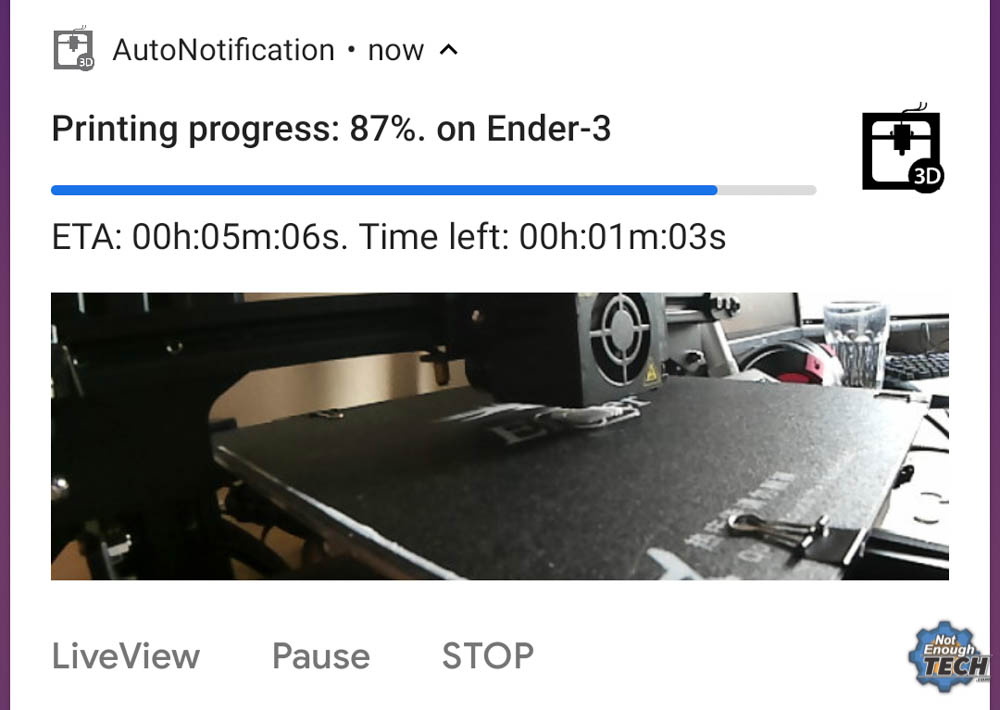
In an effort to make his time away from his printer a bit less stressful, [Mat] from NotEnoughTECH has put together a comprehensive framework for monitoring his machine on the go. After looking at existing remote monitoring solutions, he found none gave him the level of information he was after. His system collects up an incredible number of data points about the printer’s current status and pushes it all to his Android phone as a rich notification. Best of all, he’s documented the entire system in exquisite detail for anyone else who might want to follow in his footsteps.

There’s a considerable amount of hardware and software involved in this system, and getting it up and running won’t be quite as straightforward as using some of the turn-key solutions out there. Octoprint is responsible for controlling and monitoring the printer, and [Mat] is pulling data from its API using Node-RED. That data is formatted and ultimately delivered to his Android device as a notification with Tasker. On the hardware side he’s got a Sonoff POW R2 to not only turn the printer on and off but measure its energy consumption, a USB camera to provide a live view of the printer, and a couple of Raspberry Pis to run it all.

Even if you don’t have a 3D printer, or maybe just don’t leave the house to begin with, the video [Mat] has put together after the break that shows how all the elements of this system are pulled together in Node-RED is a fascinating look at the flow-based visual programming tool. Similarly, it’s a great demonstration on how Tasker can be used to add some very slick Android notifications for your project without having to commit to developing a native application for the platform.

If you like the idea of remotely monitoring your printer but aren’t ready to dive into the deep end like [Mat], there are easier options. With a Raspberry Pi running Octoprint added to your 3D printer and one of the existing mobile monitoring and control front-ends installed, you’ll be well on the way to tackling those big prints without having to pitch a tent in the lab.

Continue reading “Monitor Your 3D Printer With Node-RED And Tasker”

Repairing A Vintage Sharp MemoWriter

As you may know, we’re rather big fans of building things here at Hackaday. But we’re also quite partial to repairing things which might otherwise end up in a landfill. Especially when those things happen to be interesting pieces of vintage hardware. So the work [ekriirke] put in to get this early 1980’s era Sharp MemoWriter EL-7000 back up and running is definitely right up our alley.

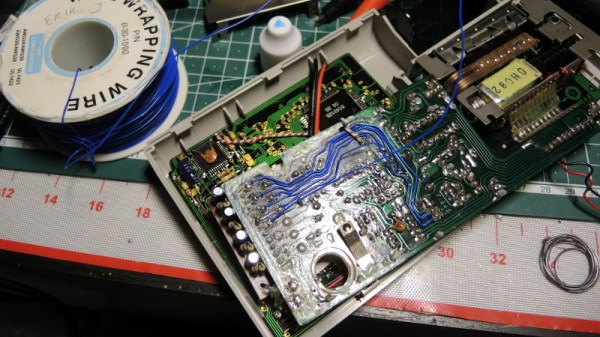
There were a number of issues with the MemoWriter that needed addressing before all was said and done, but none more serious than the NiCd batteries popping inside the case. Battery leakage is a failure mode that most of us have probably seen more than a few times, but it never makes it any less painful to see that green corrosion spreading over the internals like a virus. When [ekriirke] cracked open this gadget he was greeted with a particularly bad case, with a large chunk of the PCB traces eaten away.

The corrosion was removed with oxalic acid, which dropped the nastiness factor considerably, but didn’t do much to get the calculator back in working order. For that, [ekriirke] reconnected each damaged trace using a piece of wire; he even followed the original traces as closely as possible so the final result looked a little neater. Once everything was electrically solid again, he covered the whole repair with a layer of nail polish to adhere the wires and add a protective coating. Nail polish might not have been our first choice for a sealer, and likely not that particular shade even if it was, but sometimes you’ve got to use what you have on hand.

After years of disuse the ribbon cartridge was predictably dry, so [ekriirke] rejuvenated it with the fluid from a permanent marker applied to the internal sponge. He also made some modifications to the battery compartment so he could insert rechargeable Ni-MH AA batteries rather than building a dedicated pack. There’s no battery door in the enclosure, so removing the batteries will require opening the calculator up, but at least he has the ability to remove the batteries before putting the device in storage. Should help avoid a repeat of what happened the first time.

If you’re a fan of a good restoration, we’ve got plenty to keep you entertained. From bringing a destroyed Atari back from the dead to giving some cherished children’s toys a new lease on life, fixing old stuff can be just as engrossing as building it from scratch.

Continue reading “Repairing A Vintage Sharp MemoWriter”