Just In Case You Want To Charge Your Neighbor’s Tesla

Tesla vehicles have a charging port that is under a cover that only opens on command from a charging station. Well, maybe not only. [IfNotPike] reports that he was able to replay the 315MHz signal using a software defined radio and pop the port open on any Tesla he happened to be near.

Apparently, opening the charging port isn’t the end of the world since there isn’t much you can do with the charging port other than charging the car. At least, that we know of. If history shows anything, it is that anything you can get to will be exploited eventually.

Continue reading “Just In Case You Want To Charge Your Neighbor’s Tesla”

A Bargain In Bionic Knees

You probably don’t want to lose a leg, but if you have to there are many options now that were unthinkable not long ago. That is, if you can afford them. A microprocessor knee — a prosthetic with some smarts in it — can run anywhere from $25,000 to well over $100,000. However [Lucas Galey], a PhD candidate at the University of Texas El Paso in a recent paper claims to be able to produce a comparable artificial knee for under $1,000. If the paper is too long to read, Amplitude has a good summary including what it means to people who need them.

Of course, the cost of making something like this is almost incidental. The cost of approvals, testing, and other factors mean that even with about $500 in parts, the retail price would be much higher. Probably not $25,000, though.

Continue reading “A Bargain In Bionic Knees”

A Close Look At A Little Known 8-bit Computer

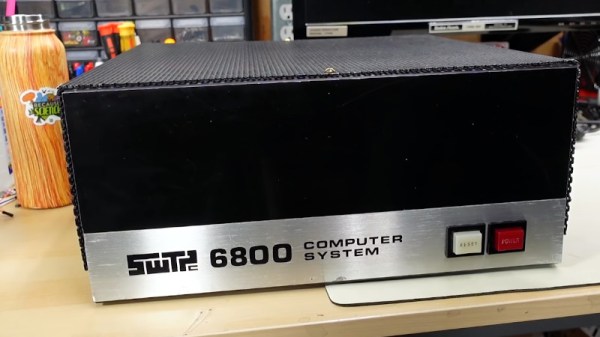
If you read about the history of personal computing, you hear a few familiar names like Microsoft, Apple, and even Commodore. But there were a host of companies that were well known and well regarded back then that are all but forgotten today. Godbout computing, Ohio Scientific, and Southwest Technical Products (SWTP). SWTP is probably best remembered for having a relatively cheap printer and “TV typewriter”, but they also made a 6800-based computer and [Adrian] takes us inside of one.

The 6800 was Motorola’s entry into the microprocessor fray, competing with the Intel 8080. The computer came out scant months after the introduction of the famous Altair 8800. Although the Altair is often credited as being the first hobbyist-grade computer, there were a few earlier ones based on the 8008, but the Altair was the first to be successful.
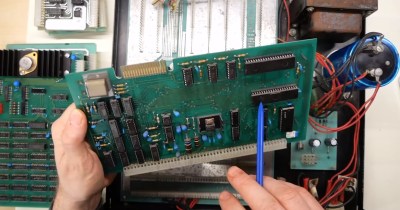
The SWTP was notable for its day for its blank appearance. Most computers in those days had lots of switches and lights. The SWTP has a blank front with only a power switch and a reset button. A ROM monitor let you use the machine with a terminal. For about the same price as a bare-bones Altair that had no interfaces or memory, you could pick one of these up with most of the extras you would need. The memory was only 2K, but that was 2K more than you got with an Altair at that price point.

The $450 sounds fairly cheap, but in the early 70s, that was a lot of lawns to mow. Of course, while you’d need to add memory to the Altair, you’d have to add some kind of terminal to the SWTP. However, you’d wind up with something more usable but the total bill was probably going to approach $1,000 to get a working system.

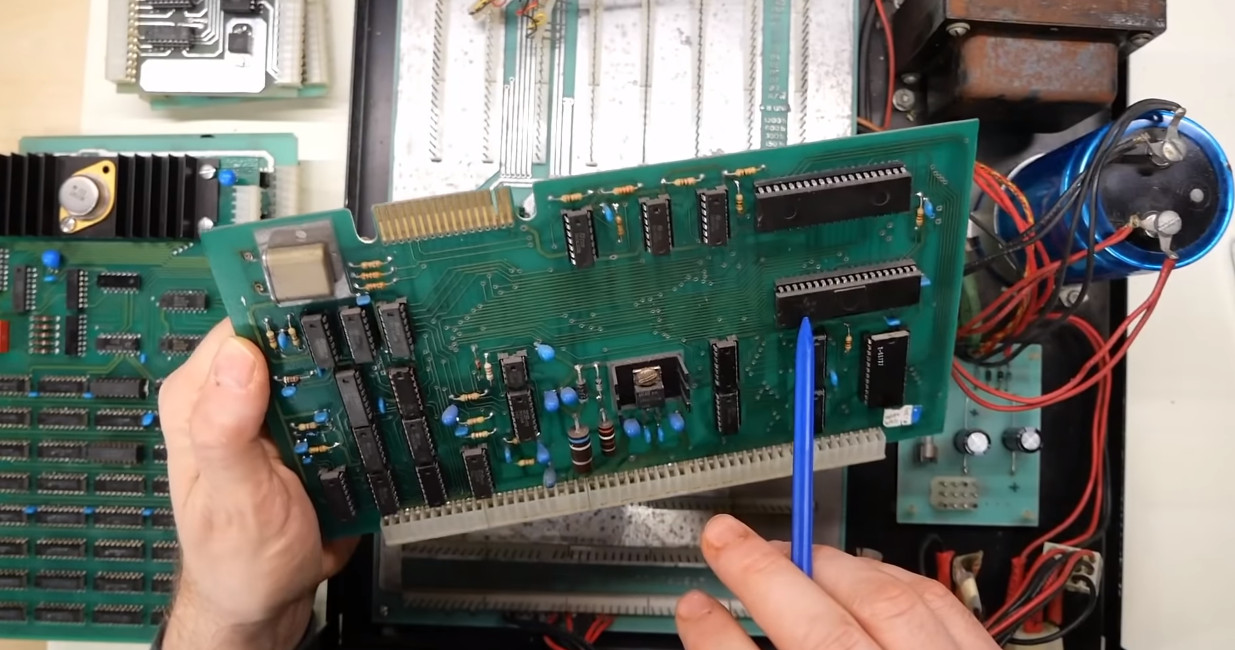
Inside the box were some old-fashioned-looking PC boards and connectors that will look familiar to anyone who has been inside 1970s gear. Will it work? We don’t know yet, but we hope it does. [Adrian] promises that will be in the next video.

It is amazing how far we’ve come in less than 50 years. A postage-stamp sized $10 computer now has enough speed and memory to emulate a bunch of these old machines all at once. The SWTP has been on our pages before. A lot of these old machines and companies are all but forgotten, but not by us!

Continue reading “A Close Look At A Little Known 8-bit Computer”

Inside An 11 Ton Clock With 1,000 Pieces

We aren’t ashamed to admit it, but we like clocks. We’ve built quite a few and clock projects show up regularly in the pages of Hackaday. But there is one clock that is among the most famous in the world: Britain’s Big Ben. It has been getting some repairs and the BBC was nice enough to make a video of the giant mechanism.

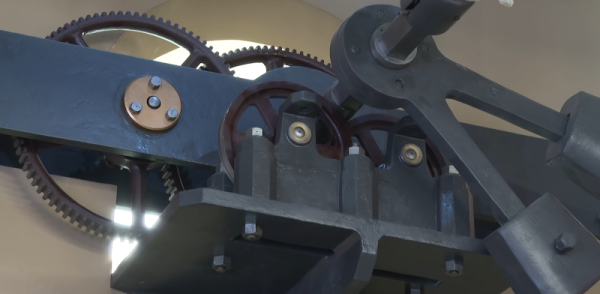
Actually, the clock is not called Big Ben. That’s the name of one of the five bells in the Elizabeth Tower since 2012. Before that it was the Clock Tower, but everyone always calls it Big Ben. The giant clock weighs over 11 tons and has more than 1,000 pieces. Hard to imagine what it took to build such a thing in 1859.

Big Ben itself — the bell — weighs even more than the clock at over 15 short tons. But, of course, we are mostly interested in the clock itself. The design was apparently from a lawyer and an astronomer, both of whom liked clocks. Construction, however, fell to a professional clockmaker and — after his death — his stepson. Dennison, the lawyer, developed a superior gravity escapement that quickly became the standard for future tower clocks and was hailed as one of the great horological inventions of the 19th century.

The clock now has an electric motor that it can use as a backup. However, it is normally hand-wound three times a week. Winding the clock takes about 90 minutes. Adjusting the clock is also an interesting event. On top of the pendulum is a stack of penny coins. Adding a penny makes the clock run a little faster, removing one slows it down. Each penny is worth about 0.2 seconds/day.

It is great to see such a recognizable piece of 19th century tech get its 15 minutes of fame. Not that the tower isn’t famous, but very few people know what’s inside. The old clock is full of odd stories. The original bell broke when Dennison wanted to test it with a bigger hammer. The new bell made from the old metal also has a crack in it, but still is operational.

You probably aren’t going to reproduce this clock, but you can make something that works on the same principle. Or, try something a bit more steam-punk.

Continue reading “Inside An 11 Ton Clock With 1,000 Pieces”

Accessible Arduino Mouse Helps

We enjoy access to cheap stuff because of the mass market for things like mice, keyboards, and cell phones. But if you need a device that doesn’t have mass appeal, you will have to pay a lot more if you can find it at all. However, with modern techniques like 3D printing and Arduino-like microcontrollers being cheap and simple to use, you now have the option to build that special one-of-a-kind device. Case in point: [Davy’s] mouse for people who have brain or nervous system disorders. This particular device is helping a 6-year-old who can’t manipulate a normal mouse.

The device uses an Arduino Pro and an MPU-6050 accelerometer and gyroscope. The original design uses machined aluminum, but 3D printing should work, too. There’s something wrong with the link to the design files in the post, but it is easy to find the correct link.

Continue reading “Accessible Arduino Mouse Helps”

Pong In Hardware… Virtually

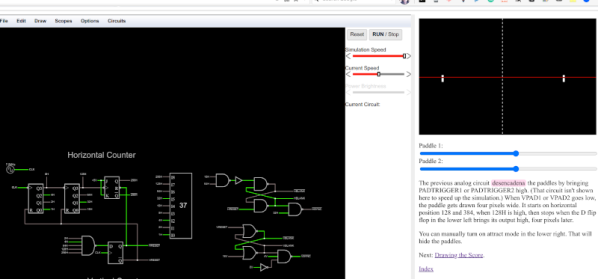
We are big fans of the Falstad circuit simulator. Sure, it isn’t perfect, but there’s nothing else like it when you want to whip up a simple circuit. But we were blown away when we saw a more or less complete hardware implementation of Pong in Falstad. No kidding. Starting with the original schematics, there are multiple pages that show each sub-circuit and even a playable subset that you can play the game in your browser.

But wait… you probably noticed there’s no CRT display in the simulator’s component menu. That’s true, there isn’t. However, you can write JavaScript to interact with a running simulation, so the display is a simple bit of JavaScript that samples signals at predetermined points and does the appropriate drawings. There’s even audio output for the sound effects, although that is built into the simulator.

Continue reading “Pong In Hardware… Virtually”

Solder Pot From The Kitchen

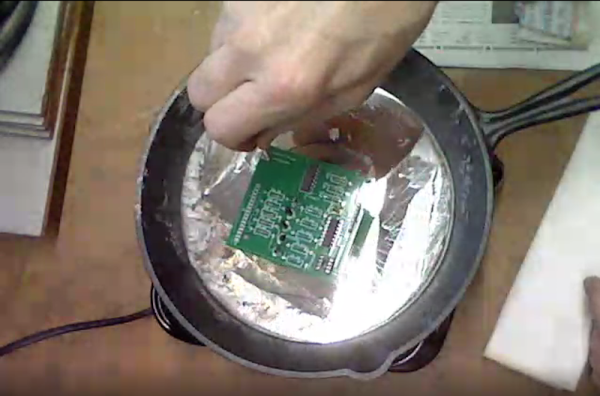
We aren’t shy of dangerous projects, but, then again, a large cooking pan full of lead solder might be a bit much, even for us. It goes without saying that you should be extremely careful and you won’t want to use any of the cookware again for any other purpose. You can see the build in the video below.

On the one hand, it isn’t hard to make a solder pot. All you need is a container that won’t melt and a heat source. But it seems like molten metal should be in something a little harder to tip over. The real story here is the technique for using the solder pot as the build is dead simple: a cheap hot plate and an iron skillet are all it takes.

Why do you want a solder pot? They are useful. As [Coalpeck] shows, you can use them to dip solder a through hole PCB easily enough. They are great, too, if you want to tin a lot of wires. They also can do a great job of removing parts from a board or a connector. Check out the old, but good video of a commercial unit removing a PCB connector after the main video.

We thought the temperature measurement technique of letting newspaper turn brown was interesting. Granted, a commercial solder pot big enough to be useful isn’t cheap. You can, though, get smaller pots (50-80 mm) for under $50. These will usually have a tray to catch spills and will be harder to tip over by accident. Not that you won’t want to be careful, though. If you do attempt this, we suggest you use a pan with no handle and set it in an outer pan to catch any overflow. But if you spill a few pounds of molten solder on your workbench, don’t say we didn’t warn you.

We’ve covered several homebrew solder pots over the years but, mysteriously, all the original websites are gone. We hope they are OK. We did look at a host of desoldering techniques that include the solder pot. Or ditch the pot of hot lead and try one of [Bil Herd]’s methods.

Continue reading “Solder Pot From The Kitchen”