Perhaps The Ultimate Raspberry Pi Case: Your PC

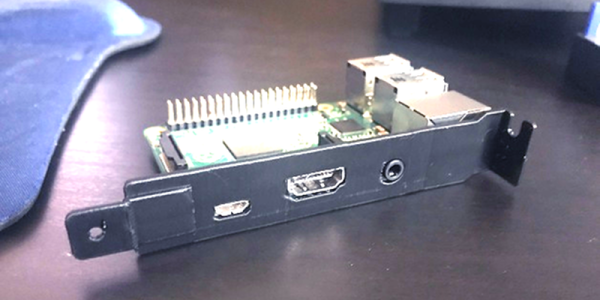
One of the great joys of owning a 3D printer is being able to print custom cases for boards like the Raspberry Pi. What’s more, if you are using a desktop PC, you probably don’t have as many PCI cards in it as you used to. Everything’s moved to the motherboard. [Sneekystick] was using a Pi with a PC and decided the PC itself would make a great Pi case. He designed a bracket and it looks handy.

The bracket just holds the board in place. It doesn’t connect to the PC. The audio, HDMI, and power jacks face out for access. It would be tempting and possible to power the board from the PC supply, but to do that you have to be careful. Connecting the GPIO pins to 5V will work, but bypasses the input protection circuitry. We’ve read that you can find solder points near the USB plug and connect there, but if you do, you should block out the USB port. It might be nice to fill in that hole in the bracket if you planned to do that.

Continue reading “Perhaps The Ultimate Raspberry Pi Case: Your PC”
Easy FPGA CPU With MAX1000

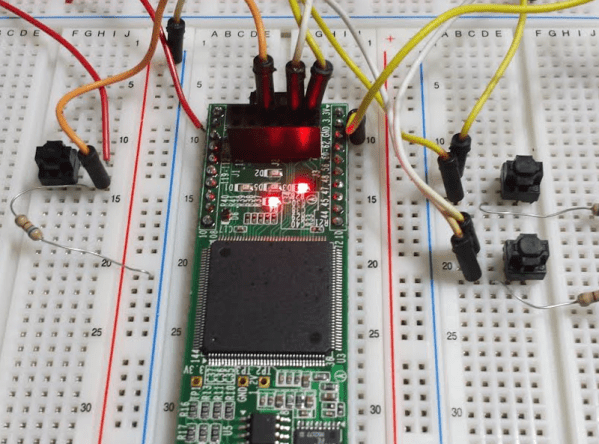
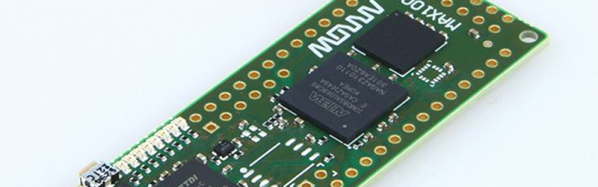
Ok, we’ll admit it. We like FPGAs because it reminds us of wiring up a 100-in-1 kit when we were kids. But the truth is, many projects are just as well off to have a CPU. But there’s a real sweet spot when you have a CPU and an FPGA together. Intel (or Altera, if you prefer) has the NIOS II CPU core, but that’s hard to configure, right? Maybe not, thanks to a project by [jefflieu] over on GitHub. He’s assembled some basic definitions and libraries to easily — relatively speaking — use NIOS II on the MAX1000 as well as a few other boards. The MAX1000 is a pretty nice board for about $30, so this is a very inexpensive way to get into “System on Chip” (SOC) development.

[jeff] goes into more detail in a blog post, but the idea is pretty simple. We tried it, and it works very well, although we found a few things hard to follow so read on to see how we managed.

The idea behind SoC development is you define your CPU configuration and then your hardware devices. Then you write software to talk to those custom hardware devices and — of course — write your actual application code. So you don’t just write a program, you also define the CPU the program will run on and the hardware that it will talk to.

There are several ready-to-go I/O devices included in the project, but the real fun will be writing your own. The Intel tools have the C compiler and everything else you need. You could also do everything from scratch, but these tools make it much easier to get started.

Continue reading “Easy FPGA CPU With MAX1000”

Linux Fu: Keep An Eye On That File

One of the things that’s nice about Linux or Unix compared to many other operating systems is there’s a good chance a Linux program will spew out informational messages to a log somewhere. Many commands even have a way to turn on more logs. I know that Windows has the event viewer, but many programs don’t have much to say which makes it difficult to know what’s happening when things go wrong.

The problem is, sometimes programs tell you too much information. How do you find what you want to know? It looks cool on a movie where the hacker is in front of a terminal scrolling 500 lines a second of some log file, but in real life, it is hard to read a moving screen, although with some practice you can sometimes — unreliably — pick out a keyword as it whizzes by.

Like most Unix things, there’s a tool for that. In fact, unsurprisingly, there are many tools for that. If you are using the tail command, that’s certainly one of them. But there are others you should consider.

Continue reading “Linux Fu: Keep An Eye On That File”

WebSockets Embedded With The ESP8266

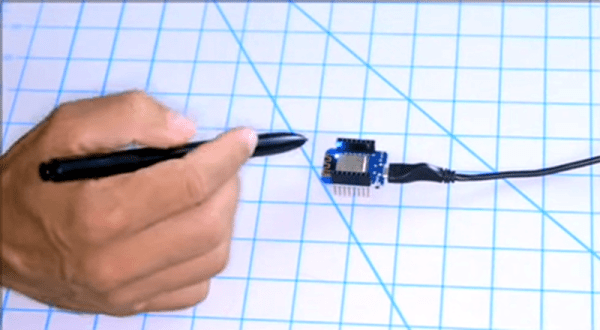
It used to be that Web browsing was simple. You asked a server for some text, which was duly sent, and then formatted by your browser. Now a web page is as likely to be a full-blown application that is reading mail, editing text, or lots of other things and may use WebSockets to create a back channel to the server. Thanks to affordable hardware like the ESP8266 one of those things a modern web browser can do is sense and control the real world. [Acrobotic] has an interesting video about using WebSockets to allow a browser to talk to an ESP8266 web server in real time. You can see his simple demo in the video below.

Of course, you’ll use the usual language you use on the ESP8266 — [Acrobotic] uses C++ in the Arduino IDE. On the browser side you’ll use JavaScript, although that will be embedded in your C++ program which acts as a web server.

Continue reading “WebSockets Embedded With The ESP8266”

Icestorm Tools Roundup: Open Source FPGA Dev Guide

We like the ICE40 FPGA from Lattice for two reasons: there are cheap development boards like the Icestick available for it and there are open source tools. We’ve based several tutorials on the Icestorm toolchain and it works quite well. However, the open source tools don’t always expose everything that you see from commercial tools. You sometimes have to dig a little to find the right tool or option.

Sometimes that’s a good thing. I don’t need to learn yet another fancy IDE and we have plenty of good simulation tools, so why reinvent the wheel? However, if you are only using the basic workflow of Yosys, Arachne-pnr, icepack, and iceprog, you could be missing out on some of the most interesting features. Let’s take a deeper look.

Continue reading “Icestorm Tools Roundup: Open Source FPGA Dev Guide”

Microsoft Releases Crown Jewels — From 1982!

If you look back 30 or so years ago, it wasn’t clear what was going to happen with personal computers. One thing most people would have bet on, though, was that CP/M — the operating system from Digital Research — would keep growing and power whatever new machines were available. Except it didn’t. MS-DOS took over the word and led — eventually — to the huge number of Windows computers we know today. Microsoft has released the source code to MS-DOS 1.25 and 2.0 on GitHub.

Microsoft — then another fledgling computer company — had written some BASIC interpreters and wanted in on the operating system space. They paid the princely sum of $75,000 to Seattle Computer Products for something called QDOS written by [Tim Paterson]. Rebranded as MS-DOS, the first version appeared in late 1981 and version 1.25 was out about a year later.

While you might not think having MS-DOS source code is a big deal, there’s still a lot of life left in DOS and it is also interesting from an educational and historical perspective. If you don’t want to read x86 assembly language, there’s also the BASIC source for the samples (paradoxically, in the bin subdirectory) along with compiled COM files for old friends like EDLIN and DEBUG.

Continue reading “Microsoft Releases Crown Jewels — From 1982!”

ICEstick Makes Terrible Radio Transmitter

We’ve done a lot of posts on how to use the Lattice iCEstick ranging from FPGA tutorials to how to use one as a logic analyzer. If you picked up one of these inexpensive boards here’s a fun little experiment. [T4D10N] saw a project [Hamster] put together to send SOS on the FM radio band using nothing but an FPGA. [Hamster used a Spartan], so he decided to do the same trick using an iCEstick with the open source IceStorm tools.

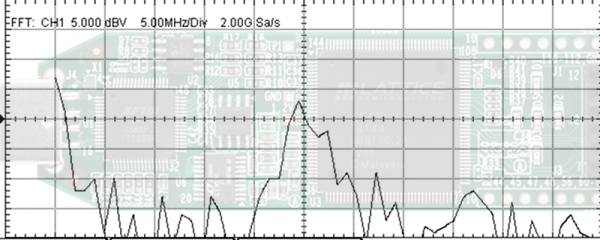
You might be surprised that the whole thing only takes 53 lines of Verilog — less if you cut out comments and whitespace. That’s because it uses the FPGA’s built-in PLL to generate a fast clock and then uses a phase accumulator divider to produce three frequencies on the FM radio band; one for a carrier and two for a tone, spaced 150 Hz apart. The result is really frequency shift keying but you can hear the results on an FM radio.

Continue reading “ICEstick Makes Terrible Radio Transmitter”