Hackaday.io Passes 200,000 Registered Users

Hackaday.io just welcomed the 200,000th registered user! We are the world’s largest repository of open hardware projects and Hackaday.io is proving its worth as the world’s most vibrant technology community. This is where you go to get inspiration for your next project, to get help fleshing out your product ideas, to build your engineering dream team, and to tell the tales of the workbench whether that be success, failure, or anything in between.

Over the past six months, as we’ve grown from the 150k member milestone to this one, our movement has enjoyed ever-increasing interaction among this amazing group of people. Thank you for spending so much time here and making Hackaday.io a great place for everyone!

Hack Chat Bring Experts from Many Fields

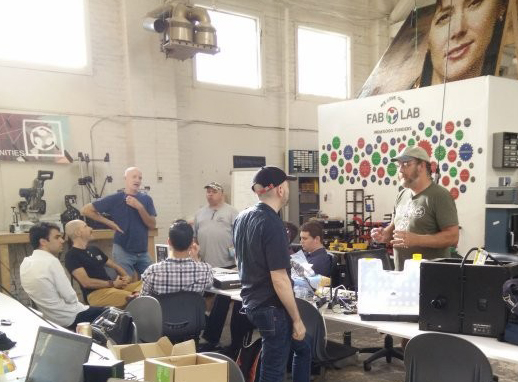
bunnie03-01It’s always great when you can watch a conference talk or interview online. But if you weren’t there in person the opportunity for meaningful interaction has already passed. With this in mind, we’ve been inviting experts from numerous fields to host discussions live in the Hackaday.io Hack Chat room.

This is a great way to further our goal of forming a global virtual hackerspace. It’s common to have talks and workshops at a hackerspace, where you can not only learn from and ask questions of the person leading the event, but meet others who share your interests. This has happened time and again with recent guests including Bunnie Huang who talked about making and breaking hardware, a group of Adafruit engineers who discussed their work extending the MicroPython libraries, Sprite_tm who covered the continuing development of ESP32 support, and many more.

This Friday at Noon PST Hackaday’s own Jenny List will be leading the Hack Chat on RF Product design. See you there!

Amazing Projects

It’s pretty amazing to see a guide on building a smartphone for $50 in parts. If that exists anywhere, it’s probably on Hackaday.io — and it’s actually pushing about 80,000 views so far! Arsenijs is a regular around these parts and his ZeroPhone — a 2G communications device based on the Raspberry Pi Zero — is a project that he’s been updating as his prototype-to-production journey progresses. It has a big team behind it and we can’t wait to see where this one goes.

zerophone-thumbWorking on your own is still a great way to learn and we see all kinds of examples of that. Just4Fun is learning the dark arts that went into early personal computing with a $4 project to build a Z80 system on a breadboard.

We revel in the joy of seeing great hardware art come to life. FlipFrame is a great example; it’s a digital picture frame project that goes far beyond that simple description. It rotates the entire screen to fit the layout of the image while showing off all of the hardware that makes this possible rather than hiding it away inside a case.

In addition to our registered users milestone, we’re just about to pass our 20,000th published project. There are so many projects to celebrate and draw inspiration from, and that collection grows every day!

The Rise of Build Contests

This winter we’ve seen a ton of interest in the build contests hosted on Hackaday.io. Of course, nothing can compare to the reach of the Hackaday Prize, our worldwide engineering initiative that challenges people to Build Something That Matters. The 2016 winners were announced in November; even so, people have been tripping over themselves to get a project built for the numerous contests we’ve hosted since then.

enlightenpiOf note is the 1 kB Challenge — a contest dreamed up by our own Adam Fabio which challenged entrants to build an embedded project whose compiled code was 1 kB or less. It was a joy to dive into the entries for this and it will certainly return again.

Running right now is the revival of my favorite build contest: the Hackaday Sci-Fi Contest. Bring your favorite Sci-Fi tech to life — it just needs to be recognizable from a book, movie, or TV show and include some type of electronics.

Meet Your Friends in Real Life

Some of my closest friends in life were first met online. But eventually, you just want to hang out in the same room. This is becoming more and more common with Hackaday.io. In November we celebrated our second Hackaday SuperConferece where hundreds of people who love hardware creation gathered in Los Angeles for two days of amazing talks, workshops, and hands-on hacking challenges. This is a good one to add to your calendar but tickets do sell out so consider some other options.

We have regular meetups in LA and New York. If you are ever traveling there, make sure to look up the schedule and see if it can be part of your trip. Perhaps the most interesting was World Create Day. In 2016, we had 80 groups across the world plan meetups on the same day so that the Hackaday community could hang out in real life. We’re not ready to share the details quite yet, but you should plan for that to happen again this year. Something to look forward to!

Giving Linux The Remote Boot

A lot of embedded systems are running Linux on platforms like Raspberry Pi. Since Linux is fully functional from a command line and fully network-capable, it is possible to run servers that you’ve never had physical access to.

There are a few problems, though. Sometimes you really need to reboot the box physically. You also need to be at the console to do things like totally install a new operating system. Or do you? Over on GitHub, user [marcan] has a C program and a shell script that allows you to take over a running system without using any software on the root filesystem. It starts an ssh server and you can remotely unmount the main drive, do any maintenance you want and –presumably–reboot into a new operating system.

Continue reading “Giving Linux The Remote Boot”

How Energy Gets Where Its Needed

Even if you’re reading this on a piece of paper that was hand-delivered to you in the Siberian wilderness, somewhere someone had to use energy to run a printer and also had to somehow get all of this information from the energy-consuming information superhighway. While we rely on the electric grid for a lot of our daily energy needs like these, it’s often unclear exactly how the energy from nuclear fuel rods, fossil fuels, or wind and solar gets turned into electrons that somehow get into the things that need those electrons. We covered a little bit about the history of the electric grid and how it came to be in the first of this series of posts, but how exactly does energy get delivered to us over the grid? Continue reading “How Energy Gets Where Its Needed”

Turbine-driven Robot To Navigate Inside Space Station

It may look more like a Companion Cube than R2-D2, but the ISS is getting an astromech droid of sorts.

According to [Trey Smith] of the NASA Ames Research Center, Astrobee is an autonomous robot that will be able to maneuver inside the ISS in three dimensions using vectored thrust from a pair of turbines. The floating droid will navigate visually, using a camera to pick out landmarks aboard the station, including docking ports that let it interface with power and data. A simple arm allows Astrobee to grab onto any of the hand rails inside the ISS to provide a stable point for viewing astronaut activities or helping out with the science.

As cool as Astrobee is, we’re intrigued by how the team at Ames is testing it. The droid is mounted on a stand that floats over an enormous and perfectly flat granite slab using low-friction CO₂ gas bearings, giving it freedom to move in two dimensions. We can’t help but wonder why they didn’t suspend the Astrobee from a gantry using a counterweight to add that third dimension in. Maybe that’s next.

From the sound of it, Astrobee is slated to be flight ready by the end of 2017, so we’ll be watching to see how it does. But if they find themselves with a little free time in the schedule, perhaps adding a few 3D-printed cosmetics would allow them to enter the Hackaday Sci-Fi Contest.

Building A Replica Of An Ultraluxury Watch

In the world of late-stage capitalism, unchecked redistribution of wealth to the upper classes has led to the development of so-called ultraluxury watches. Free from any reasonable constraints on material or R&D cost, manufacturers are free to explore the outer limits of the horological art. [Karel] is an aspiring engineer and watch enthusiast, and has a taste for the creations of Urwerk. They decided to see if they could create a replica of the UR202 watch with nothing more than the marketing materials as a guide.

[Karel]’s first job was to create a model of the watch in CAD. For a regular watch this might be simple enough, but the UR202 is no run-of-the-mill timepiece. It features a highly irregular mechanism, full of things like a turbine regulated winding mechanism, telescoping rods instead of minute hands, and tumbling rotors to indicate the hours. The official product sheet bears some of these features out. Through careful analysis of photos and watching videos frame-by-frame, they managed to recreate what they believe to be a functioning mechanical model within their CAD software.

It was then time to try and build the timepiece for real. It was then that [Karel] started hitting some serious stumbling blocks. As a humble engineering student, it’s not often possible to purchase an entire machine shop capable of turning out the tiny, precision parts necessary to make even a basic watch mechanism. Your basic 3D printer squirting hot plastic isn’t going to cut it here. Farming out machining wasn’t an option as the cost would be astronomical. [Karel] instead decided on combining a Miyota movement with a machined aluminum base plate and parts 3D printed using a process known as “Multijet Modelling” which essentially is an inkjet printhead spitting out UV curable polymer.

In the end, [Karel] was able to get just the tumbling hour indicator working. The telescoping minute hand, compressed air turbine winding system, and other features didn’t make it into the build. However, the process of simulating these features within a CAD package, as well as manufacturing a semi-functional replica of the watch, was clearly a powerful learning experience. [Karel] used their passion to pursue a project that ended up giving them a strong grasp of some valuable skills, and that is something that is incredibly rewarding.

We’ve seen others trying to fabricate parts of a wristwatch at home. Keep your horological tips coming in!

[Thanks to Str Alorman for the tip!]

A Lightweight Two Metre Carbon Fibre Yagi Antenna

If you’ve ever cast your eye towards the rooftops, you’ll be familiar with the Yagi antenna. A dipole radiator with a reflector and a series of passive director elements in front of it, you’ll find them in all fields of radio including in a lot of cases the TV antenna on your rooftop.

In the world of amateur radio they are used extensively, both in fixed and portable situations. One of their most portable uses comes from the amateur satellite community, who at the most basic level use handheld Yagi antennas to manually track passing satellites. As you can imagine, holding up an antenna for the pass of a satellite can be a test for your muscles, so a lot of effort has gone into making Yagis for this application that are as lightweight as possible.

[Tysonpower] has a contribution to the world of lightweight Yagis, he’s taken a conventional design with a PVC boom and updated it with a stronger and lighter boom made from carbon fibre composite pipe. The elements are copper-coated steel welding rods, some inexpensive aluminium clamps came from AliExpress, and all is held together by some 3D-printed parts. As a result the whole unit comes in at a claimed bargain price of under 20 Euros.

This antenna is for the 2 M (144 MHz) amateur band, but since it’s based on the [WB0CMT] “7 dB for 7 bucks”  (PDF) design it should be easily modified for other frequencies. The 3D printed parts can be found on Thingiverse,  and he’s also posted a couple of videos in German. We’ve posted the one showing the build below the break, you can find the other showing the antenna being tested at the link above.

Continue reading “A Lightweight Two Metre Carbon Fibre Yagi Antenna”

Vintage Laptop Keyboard Types Again Through USB

Have you ever had a laptop you just wish you didn’t have to retire when its specification becomes to aged for your needs? Wouldn’t it be great if you could upgrade it and keep using the physical hardware!

[Alpinedelta] has a vintage Toshiba T1000 laptop, roughly a PC-XT clone from the late 1980s. Its 80C88 processor, CGA display, and 512k of memory make it a museum-piece, but he has plans to modernise it using a LattePanda Intel Atom based single board computer.

To make that happen, he has to ensure all the Toshiba’s peripherals will talk to a modern host. Unfortunately back in the 1980s many PC clones were clones in a rather loose sense, and especially so in the laptop arena. Thus there are no handy standard PC interfaces and since USB was several years away at the time, nothing the LattePanda can talk to directly. His solution for the keyboard is to wire its matrix directly to a Teensy microcontroller that then provides a USB interface, and he’s put up a useful step-by-step Instructables guide.

There is no standard for a laptop keyboard matrix, so the first and most tedious task is to unpick its layout.This he did by identifying each trace and assigning a different rainbow colour to it, before noting down which keys appeared on it and collating the results in a spreadsheet. The different colours of wire could then be assigned to the colours of a piece of rainbow ribbon cable, and wired in sequence to the Teensy’s I/O pins. There then follows a step in the software in which he assigns the pin mappings to the lines in his spreadsheet, then the sketch can be compiled and uploaded to the Teensy. Result: a vintage keyboard now talking USB.

Using a Teensy to present a USB keyboard to the world is a well-worn path, we’ve seen it with both newer keyboards and other relics like this one from a DEC VT100.

Thanks [Brent] for the tip.