Simple Thermal Imager With A Lepton Module

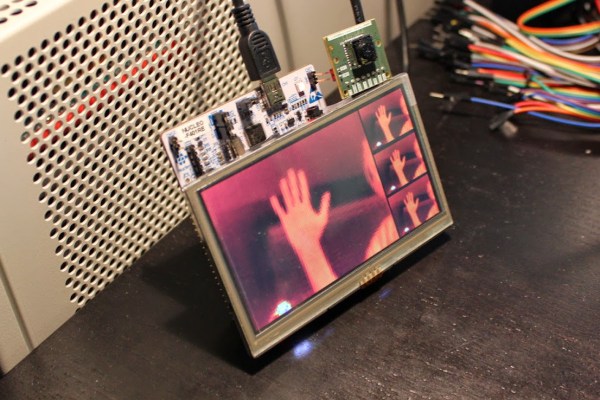
[Andrew] designed a simple thermal imager using the FLIR Lepton module, an STM32F4 Nucleo development board, and a Gameduino 2 LCD. The whole design is connected using jumper wires, making it easy to duplicate if you happen to have all the parts lying around (who doesn’t have a bunch of thermal imaging modules lying around!?).

The STM32F4 communicates with the Lepton module using a driver that [Andrew] wrote over a 21MHz SPI bus. The driver parses SPI packets and assembles frames as they are received. Images can be mapped to pseudocolor using a couple different color maps that [Andrew] created. His code also supports min/max scaling to map the pseudocolor over the dynamic range present in the image.

Unfortunately the Lepton module that [Andrew]’s design is based is only sold in large quantities. [Andrew] suggests ripping one out of a FLIR ONE iPhone case which are more readily available. We look forward to seeing what others do with these modules once they are a bit easier to buy.

Central European Computer Collecting

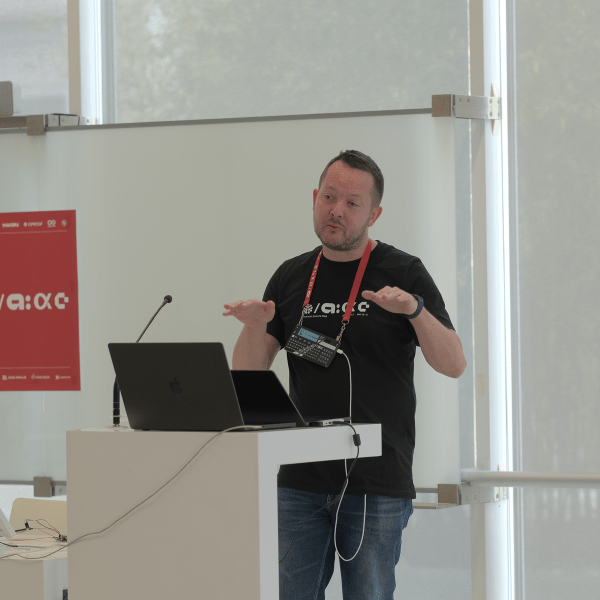
During Hackaday’s short trip to Czech, we were lucky enough to run into someone who had recently had one of his projects featured on Hackaday. It’s [Martin]’s multi-target IDE for 8-bit CPUs, written entirely in JavaScript, and a full development suite for anything with a 6502, 6800, 6809, Z80, 8080, and 8085. [Martin] was kind enough to sit down and give us the scoop on why he’s interested in old computers, and why he developed his 8-bit IDE project, ASM80.

[Martin] grew up in the days of computer magazines, and originally wanted to build his own computer. That plan didn’t work out, but his parents did get him a Speccy in 1986, but the love of old hardware is still there. Over the years, this evolved into computer collecting, with the old ZX Spectrum, an Commodore 64, ORICs, and Acorns rounding out his collection. As we learned at the Computeum, there the middle of Europe had computers that just aren’t seen on the English-speaking Internet, and [Martin]’s collection is no exception.

In addition to doing some very cool stuff for some very old computers, [Martin] also donated something to the Hackaday Hackaspace. It’s a PMI-80, a single board computer made for university computer science students, and basically a KIM-1, but based on a Czechoslovak clone of the Intel 8080 made by Tesla. There is 1k of RAM and 1k of ROM on this board, a calculator keypad, and a few seven segment displays. For the time, it was a great ‘student’ computer, and not really rare in Europe, but this is the first one I’ve seen on my side of the Atlantic.

You can see some pics of the PMI-80 below with [Martin]’s interview. [Martin] also promised to write-up a short history of classic central european computers, a subject there isn’t much written about in the anglosphere. We’ll post a link to that when he finishes that up.

Continue reading “Central European Computer Collecting”

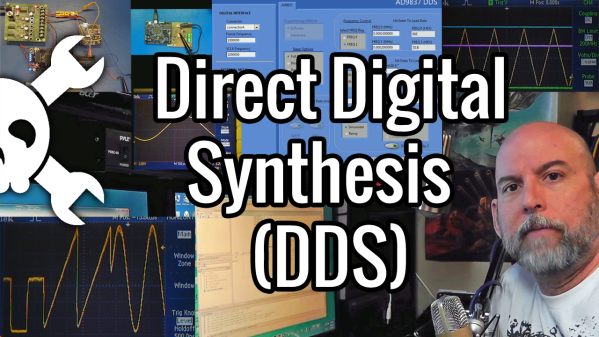
Direct Digital Synthesis (DDS)

Direct Digital Synthesis (DDS) Explained By [Bil Herd]

One of the acronyms you may hear thrown around is DDS which stands for Direct Digital Synthesis. DDS can be as simple as taking a digital value — a collection of ones and zeroes — and processing it through a Digital to Analog Converter (DAC) circuit. For example, if the digital source is the output of a counter that counts up to a maximum value and resets then the output of the DAC would be a ramp (analog signal) that increases in voltage until it resets back to its starting voltage.

This concept can be very useful for creating signals for use in a project or as a poor-man’s version of a signal or function generator. With this in mind I set out here to demonstrate some basic waveforms using programmable logic for flexibility, and a small collection of resistors to act as a cheap DAC. In the end I will also demonstrate an off-the-shelf and inexpensive DDS chip that can be used with any of the popular micro-controller boards available that support SPI serial communication.

All of the topics covered in the video are also discussed further after the break.

Continue reading “Direct Digital Synthesis (DDS) Explained By [Bil Herd]”

Fixing Ghost Touch In The OnePlus One

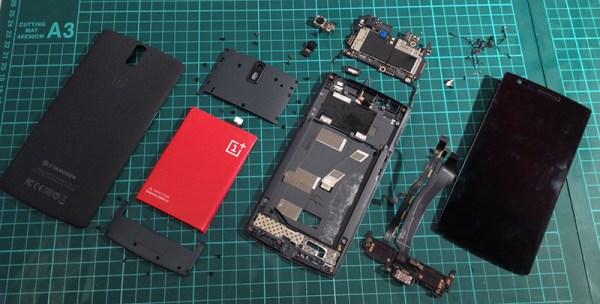
The OnePlus One is the flagship phone killer for 2014, available only by invite, and thus extremely cool. So far it’s a limited production run and there will, of course, be problems with the first few thousand units. When [vantt1] got his One, he noticed a few issues with the touch screen. Some touches wouldn’t be registered, typing was unpredictable, and generally, the touchscreen was unusable. [vantt] had seen this before, though, so with a complete teardown and a quick fix he was able to turn this phone into something great.

[vantt] realized the symptoms of a crappy touchscreen were extremely similar to an iPad mini that had recently had its digitizer replace. From the Foxconn plant, the digitizer in the iPad mini is well insulated from the aluminium enclosure. When the screen and digitizer are replaced, the cable connecting it to the rest of the iPad can come in contact with the case. This leads to the same symptoms – missed touches, and unpredictable typing.

Figuring the same cure will fix the same symptoms, [vantt] tore apart his OnePlus One and carefully taped off the digitizer flex cable. Reassembling the phone, everything worked beautifully, and without any extra screws in the reassembly process. You can’t do better than that.

Custom Filaments With A Filastruder

A while ago, when 3D printing was the new hotness, a few people looked around and said, ‘our printers are open source, why can’t we just build the machines that make our 3D printing filament?’ There was a $40,000 prize for the first person to build an open source filament extruder, resulting in a few filament fabrication machines being released into the wild. [Rupin] over in the Mumbi hackerspace has one of these filament extruders – a Filastruder – and decided to take a look at what it could do.

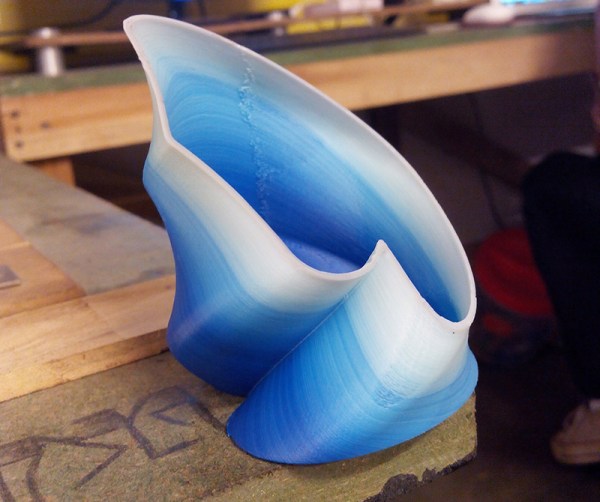
The experimentations began with a few kilograms of ABS pellets he found at the market, with bags of red, blue, green, and white masterbatch pellets showing up at the Hackerspace. Experimenting with these pellets, [Rupin] was able to create some very nice looking filament that printed well and changed color over the course of a print.

There were a limitations of the process, though: the filastruder has a long melt zone, so colors will invariably mix. If you’re thinking about doing a red to blue transition with filament created on a Filastruder, you’ll end up with a filament with a little bit of red, a little bit of blue, and a lot of a weird purple color. The time to create this filament is also incredibly long; over the course of two days, [Rupin] was able to make about half a kilo of filament.

Still, the results look fantastic, and now that [Rupin] has a source for masterbatch and ABS pellets, he’s able to have a steady supply of custom color filament at the hackerspace.

Cairo Hackerspace Gets A $14 Projector

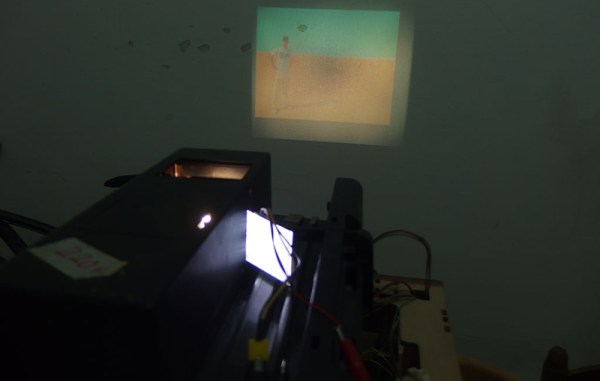
The Cairo hackerspace needed a projector for a few presentations during their Internet of Things build night, and of course Friday movie night. They couldn’t afford a real projector, but these are hackers. Of course they’ll be able to come up with something. They did. They found an old slide projector made in West Germany and turned it into something capable of displaying video.

The projector in question was a DIA projector that was at least forty years old. They found it during a trip to the Egyptian second-hand market. Other than the projector, the only other required parts were a 2.5″ TFT display from Adafruit and a Nokia smartphone.

All LCDs are actually transparent, and if you’ve ever had to deal with a display with a broken backlight, you’ll quickly realize that any backlight will work, like the one found in a slide projector. By carefully removing the back cover of the display, the folks at the Cairo hackerspace were able to get a small NTSC display that would easily fit inside their projector.

After that, it was simply a matter of putting the LCD inside the display, getting the focus right, and mounting everything securely. The presentations and movie night were saved, all from a scrap heap challenge.

A Simple Runner’s GPS Logger

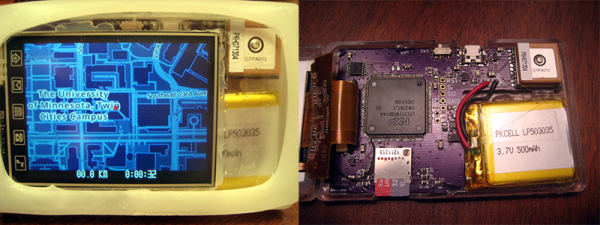
[Daniel] received a grant from the University of Minnesota’s ECE Envision Fund and was thus responsible for creating something. He built a runner’s GPS logger, complete with a screen that will show a runner the current distance travelled, the time taken to travel that distance, and nothing else. No start/stop, no pause, nothing. Think of it as a stripped-down GPS logger, a perfect example of a minimum viable product, and a great introduction to getting maps onto a screen with an ARM micro.

The build consists of an LPC1178 ARM Cortex M3 microcontroller, a display, GPS unit, and a battery with not much else stuffed into the CNC milled case. The maps come from OpenStreetMap and are stored on a microSD card. Most of the files are available on GitHub, and the files for the case design will be uploaded shortly.

The CNC machine [Daniel] used to create the enclosure is a work of art unto itself. We featured it last year, and it’s good enough to do PCBs with 10 mil traces. Excellent work, although with that ability, we’re wondering why the PCB for the Runner’s GPS is OSH Park purple.