What Are The Best Hacking Documentaries?

Continuing with our series of best and worst portrayals of hacking, we’re gathering our resources to bring you the top 10 Hacking Documentaries. Again, we feel the strongest resource is the hacking community, so lets hear what you think should qualify.  While it would be fantastic to only have documentaries, if there is a hollywood movie that you feel fits, go ahead and let us know. If you’re up for a challenge, find us something dealing with hardware hacking instead of computers/phones!

Just for reference, here were the top 10 worst portrayals of hacking in movies as well as part 2. What you see above were the top 10 best, though admittedly I screwed up #4.


Console Radio Given New Life With A WiFi Router Retrofit

tube-radio-wifi-router-retrofit

[Craig] did a great job of restoring the case of his antique console radio. But he wanted to bring the guts up to modern standards. The fix ended up being rather easy when it comes to hardware. He based his internet radio retrofit around a wireless router.

We laughed when we heard that he removed about eighty pounds of original electronics from this beast. He then cut a piece of MDF to serve as a mounting platform for the replacement hardware. The WiFi router takes care of audio playback from several sources and offers him the ability to control the stereo from a smart phone or a computer. It has a USB port to which he connected a hub to make room for the USB sound card and a thumb drive which holds his music library. The black box in the upper right is an amp which feeds the NHT stereo speakers housed in the lower half of the cabinet.

It doesn’t make use of the original knobs like the recent tube-amp conversion we looked at. But [Craig] did add some LEDs which illuminate the dial to help keep that stock look.

20 Pounds And A Gut Feeling Yields A Configurable Rubidium Atomic Clock Source

rubidium-source-for-twenty-pounds

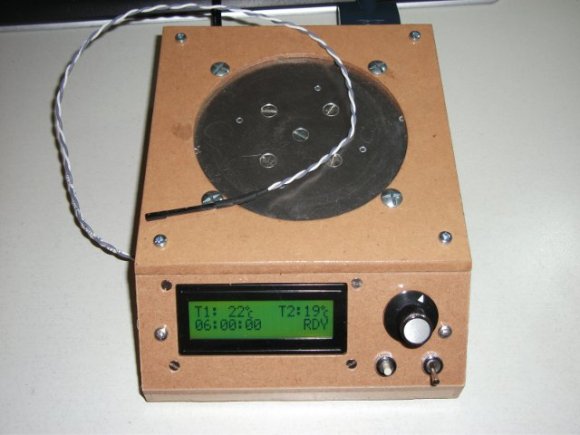
So you see an image like this and the description “Aircraft stable oscillator” on an eBay listing for twenty pounds (about thirty bucks), what do you do? If you’re [Alecjw] you buy the thing and crack it open to find an atomic clock source inside. But he really went the distance with this one and figured out how to reconfigure the source from the way it was set up in the factory.

First off, the fact that it’s made for the aerospace industry means that the craftsmanship on it is simply fantastic. The enclosure is machined aluminum and all of the components are glued or otherwise attached to the boards to help them stand up to the high-vibrations often experienced on a plane. After quite a bit of disassembly [Alec] gets down to a black box which is labeled “Rubidium Frequency Standard”… jackpot! He had been hoping for a 10 MHz signal to use with his test equipment but when he hooked it up the source was putting out 800 kHz. With a bit more investigation he figured out how to reconfigure the support electronics to get that 10 Mhz source. We think you’re going to love reading about how he used a test crystal during the reconfiguration step.

Once he knew what he had he returned to the eBay seller and cleared out the rest of his stock.

[Thanks DIY DSP]

Connect A Retina Display To A Regular Computer

You don’t have to search very long before you find someone raving about the Retina display used in Apple iPads. We’re not going to disagree. These 9.7″ panels pack in a whopping 2048×1536 resolution and the color is fantastic. But we were surprised to hear you can get one of these for a meager $55. That’s how [Andrzej] sourced the part when he set out to connect a Retina display to a regular PC.

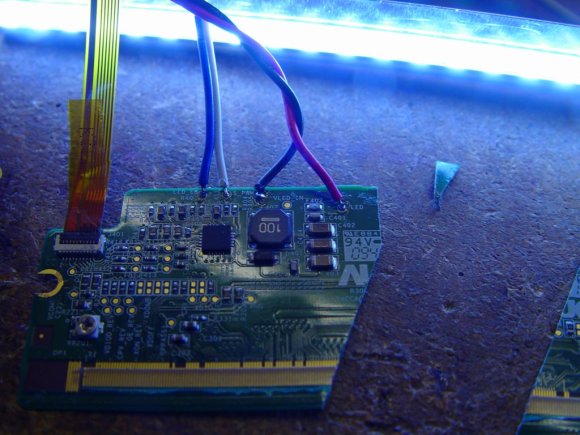
It turns out this isn’t all that hard. The display uses the eDisplayPort protocol. This is an extension of DisplayPort which is an alternative to LVDS that is gaining a foothold in the industry. An external DisplayPort adapter can already be found on higher-end laptops, which means this should be a snap to use as an external display if the signals can be routed correctly.

To do this, [Andrzej] figured out how to order the PCB connector for the panel’s ribbon cable. He then etched and populated his own board which serves as an adapter for a DisplayPort cable. It even powers the panel, but an external 20V supply is necessary for the backlight.

[Thanks Adam]

Automatic Tubular Bells Given A MIDI Interface Too

automatic-tubular-bells

We’ve got to say it… these tubular bells sound awful! They don’t really have a tight pitch center so they sound really out of tune to us. But we think that’s the failing of the instrument itself and not the work which [Tolaemon] did to automate the instrument.

There are three main parts to his project. The first, which is shown above, adds a hammer for each bell. The hammers are hinged, with one side being pulled by a solenoid in order to strike the bell. The second part of the hack also uses solenoids, dampening the bell’s ability to ring by pressing a felt pad up against the bottom of the tube. The final portion of the project brings it all home by adding MIDI control to the hardware.

The clip after the break gives a good overview of the different features including some preprogrammed playback as well as direct control of the instrument using an electric keyboard. This reminds us of that scratch-built solenoid xylophone.

Continue reading “Automatic Tubular Bells Given A MIDI Interface Too”

Hackaday Links: Sunday, April 21st, 2013

hackaday-links-chain

Regular reader and master hacker [Bill Porter] got married. Congratulations [Bill] and [Mara]! The two of them just couldn’t leave their soldering irons at home. The actually swore their vows by soldering together a circuit during the ceremony (blinky wedding dress, el wire tuxedo, and all).

[Kevin] sent in a link to [Red Fathom’s] hacked Wacom tablet. It’s the screen from a Wacom-enabled laptop brought back to life with a Teensy and an LVDS interface module.

The Neato XV-11 is able to find its charging station when the batteries run low. [Derek] figured out that you can make a second station using some reflective tape.

If you use your drill a lot you’ll eventually break the rubber thing that holds the key to the chuck. Here’s a way to 3D print a replacement.

[Torxe] put eight floppy drives to use as a polyphonic Arduino-controlled MIDI player. And while we’re on the subject of Arduino controlled projects you should take a look at this web-interface to tell you if the foosball table is being used.

And finally [Th3 Bad Wolf] sent in this link to a milling machine built out of LEGO. It is able to mill floral foam and uses a lathe-like setup for one of the table axes.

Drop-in Pcb Makes Nintendo Four Score A USB Joystick

The Nintendo Four Score was a controller attachment for the original Nintendo Entertainment System which allowed you to use four controllers at one time. [Simon Inns] wanted to use some original NES controllers on his computer so he developed a drop-in replacement board that converts the device to USB.

As we’ve seen with other NES controller hacks, the hardware uses a simple parallel to serial shift register to deliver key-presses to the console. This means that reading four controllers at a time is no different than shifting in data to a microcontroller from the four different sources. The remaining portion of the problem is providing a USB connection that enumerates the device as a joystick. We’ve seen a bunch of USB projects from [Simon] so it’s no surprise that he was able to pull it off.

He went with the ATmega16U2 which has built-in support for USB. [Simon] wrote the code so that although there is only one USB cable, each of the four controller ports will appear as a separate USB joystick on the computer. To button up the project he carefully measured the original board and laid out his own version so that it fits the footprint of all the original components as well as the mounting brackets on the case. Top notch [Simon]!