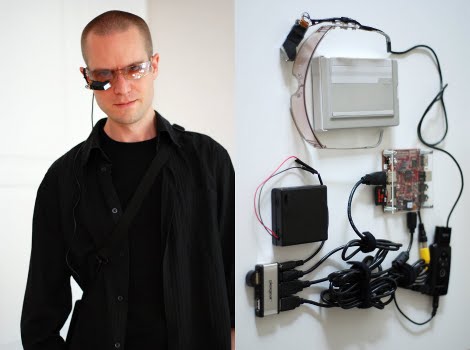
Elegant Wearable Computer

[Jason Statham] [Martin Magnusson] wrote in to tell us about his adventure in building a wearable computer. The device in its current state is a Beagleboard running Angstrom Linux tethered to an iPhone for internet. A bluetooth keyboard allows for input, while output is displayed on monocle-ized Myvu. And last but not least, the entire setup is powered by 4 AA batteries for 3 hours of life.

Its not as small as some of the wearable computers we’ve seen before, but if you wanted to whip out your own it sure takes a lot less soldering.

DIY Picture Frame Better Than Store Bought

[Daniel’s] homemade digital picture frame looks great, it’s well-built, and it has a nice set of features. It’s not made from a broken laptop and he didn’t build it around a microcontroller. Instead, he saved a 19″ LCD monitor with a burnt out back light caused by the extremely common blown capacitor problem. Twenty dollars on eBay landed him a small industrial single board computer to drive the system.

The software end of things is a curious conglomeration but considering the hardware constraints [Daniel] made some great choices. He’s using MS-DOS along with LxPic for slide shows and Mplayer for video. The rest of the software gets him up on the home network and enables IR remote control via LIRC. All o this makes for a beautiful product (video after the break includes some Doom footage) and the package is pulling just 40W when in use.

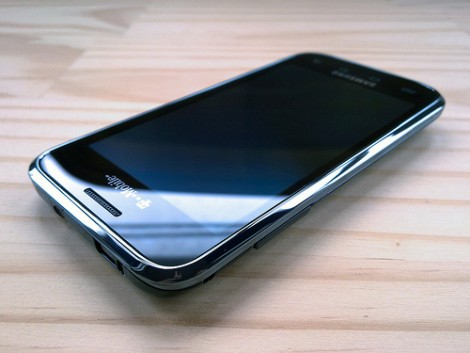
Tethering The Samsung Vibrant Without Rooting

If you’ve got a Samsung Vibrant and want to take advantage of that unlimted 3G account you can tether without rooting the phone. This method uses a USB cable to provide internet access to Windows XP and Windows 7 computers. Samsung’s own Kies software handles the tethering, as long as you have the magic number to get connected on T-Mobile USA networks; ‘epc.tmobile.com’ for the APN name and ‘*99#’ as the phone number. [Zedomax] made the video after the break which takes you through the tethering ritual.

Continue reading “Tethering The Samsung Vibrant Without Rooting” →

2010 Ninja Party Badge

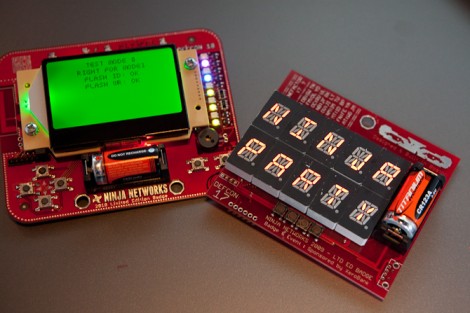
Wired took a look at this year’s Ninja Party badges. We were giddy about all the goodies involved in last year’s must-have badge that served as an invitation to the party. It was tailor-made for hacking, including an on-board disassembler. This year’s details are still a bit sparse but the offering is more along the lines of a market-ready product. The badges come in hand held gaming format, with a d-pad and two buttons. They can connect wirelessly with each other and with hidden base stations, allowing participants to fight in the digital realm for LED-indicated achievements. The teaser is tantalizing and we can’t wait to hear details about the real/digital gaming adventure soon to unfold.

Super Simple Gaming Controller For Android Or IPhone

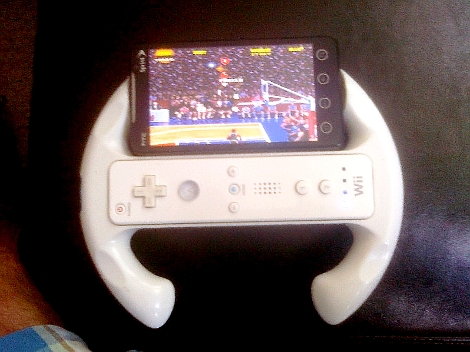
If you’ve got an iPhone or Android device that you use with a Wii remote when gaming, this quick hack will give you the third hand you need to manage all of that hardware. [Syanni85] mounted his Android phone to a Wii wheel for just a few dollars in parts. He ran across the wheel itself at the dollar store, and the phone is held in place using a universal mounting bracket. A small square pad sticks onto the back of any device and mates with a base. He cut off the unnecessary parts of the base and glued it to the back of the wheel.

If you haven’t tried using a Wii remote with your phone yet, find out how to do it with iPhone or with Android.

Graphic Calculator As A Spectrum Analyzer

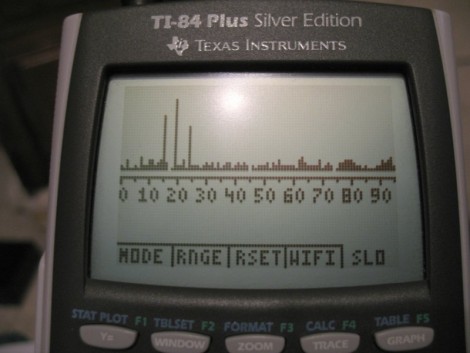
[Michael Vincent] turned his TI-84 Plus into a spectrum analyzer. By running some assembly code on the device the link port can be used as an I2C bus (something we’ll have to keep in mind). After being inspired by the cell phone spectrum analyzer he set out to build a module compatible with the calculator by using an I2C port expander to interface with a radio receiver module. Now he can sniff out signals between 2.400 and 2.495 GHz and display the finds like in the image above.

[Thanks Cecil]

Ice Tube Clock GPS

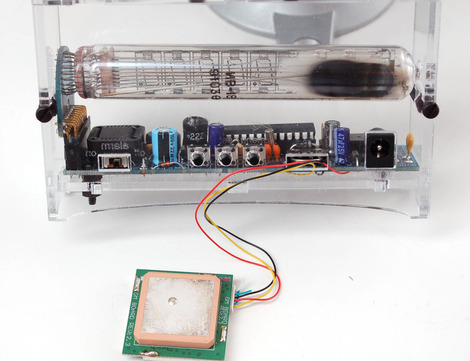
Our favorite Soviet-Era display that found its way into a present-day kit now displays time from orbiting satellites. A GPS module patched into an Ice Tube Clock with modified firmware will be able to provide a satellite-synced time. The firmware, modified by yours truly, parses the GPS module’s NMEA RMC sentences for the time and date information and then updates the clock’s time and date. Fun was had making sure the alarm went off at the correct times when the time was updated by the GPS. Overall, it was a fun project and we look forward to seeing additional Ice Tube Clock hacks.