Recreating The ZX Spectrum Unboxing Experience By Manufacturing A New Boxed One

Why scour the internet for a rare-as-hen’s-teeth new in box ZX Spectrum computer when you can instead order up some parts, assemble a basically all new ZX Spectrum along with the box, instruction manuals and more?
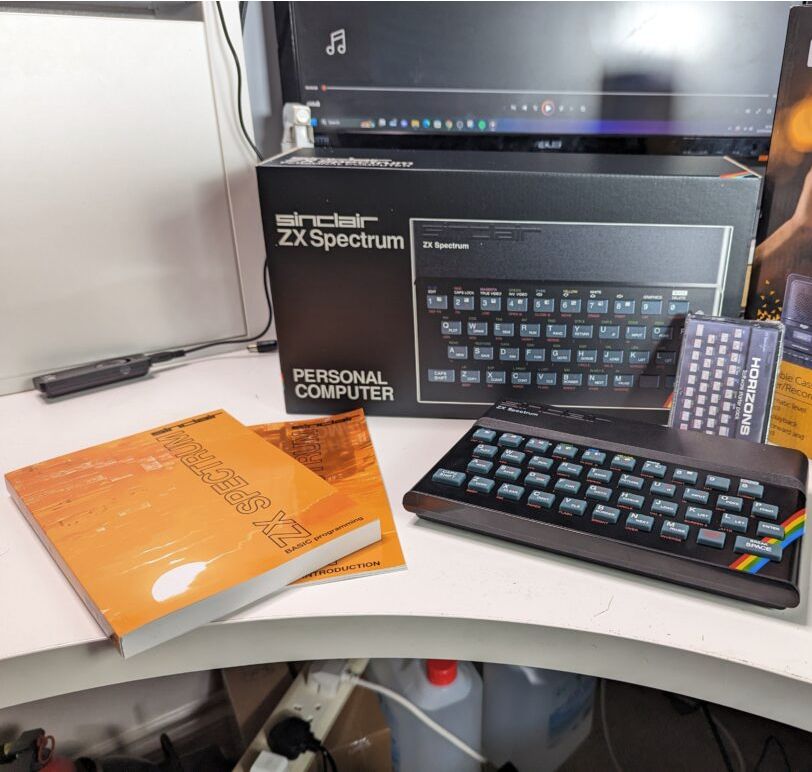
That seems to have been the reasoning behind [Lost Retro Tapes] when they decided to do exactly that. Along with the announcement of the completion on Reddit, the website details the BOM and sourcing the components.

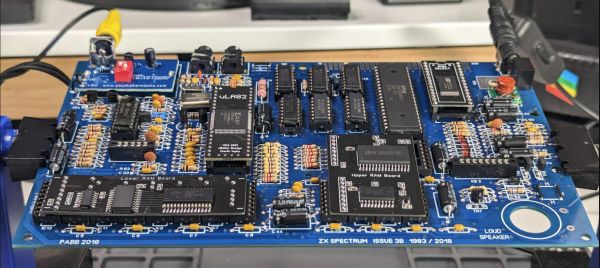
For the mainboard, an existing, redrawn ZX Spectrum 48 Issue 3B PCB was found and ordered from PCBWay. As a UK-based entity, many of the other components were sourced from retro computing shops around the UK, but with all but the LM1889N IC being available for new or with currently produced alternative, it should be viable to source them locally.

Perhaps most impressive was the creation of the box (unfortunately not detailed on the website at this point), and having the manuals (system and BASIC) professionally printed and bound. Along with a few other bits and pieces, including a tape recorder and fresh Horizons tape, the total price tag came to around £412.

Thanks to [Lee Hodgson] for the tip.
Digitizing Sound On An Unmodified Sinclair ZX81

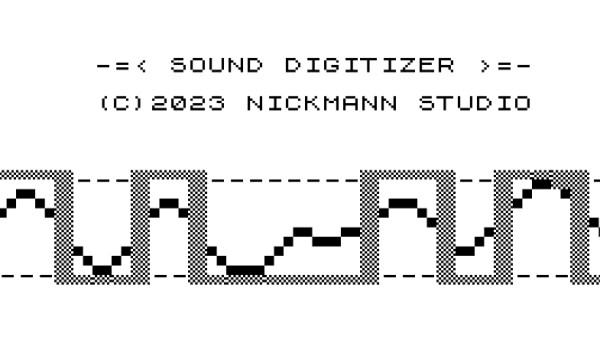
Whatever the first computer you used to manipulate digital audio was, the chances are it came with dedicated sound hardware that could play, and probably record, digitized audio. Perhaps it might have been a Commodore Amiga, or maybe a PC with a Sound Blaster. If you happen to be [NICKMANN] though, you can lay claim to the honor of doing so on a machine with no such hardware, because he managed it on an unmodified Sinclair ZX81.

For those of you unfamiliar with the ZX, it embodied Clive Sinclair’s usual blend of inflated promises on minimal hardware and came with the very minimum required to generate a black-and-white TV picture from a Zilog Z80 microprocessor. All it had in the way of built-in expansion was a cassette interface, 1-bit read and write ports exposed as 3.5 mm jacks on its side. It’s these that in an impressive feat of hackery he managed to use as a 1-bit sampler with some Z80 assembler code, capturing a few seconds of exceptionally low quality audio in an ’81 with the plug-in 16k RAM upgrade.

From 2023 of course, it’s about as awful as audio sampling gets, but in 1980s terms it’s pulling off an almost impossible feat that when we tried it with a 1-bit PC speaker a few years later, we didn’t succeed at. We’re impressed.

The ’81 may be one of the simplest of the 8-bit crop, but in its day it set many a future software developer on their career path. It’s still a machine that appears here today, from time to time.

The Keychain 6809

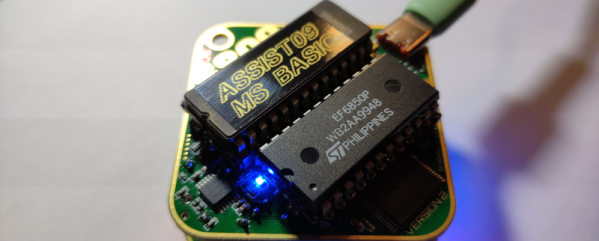
When you think of tiny microcontroller boards, you probably think of a modern surface mount processor. Not [Andreas Jakob]. His 5×5 cm keychain computer rocks a 6809 CPU at a blistering 1 MHz or, if you prefer, a 6309 that runs at 5 MHz. The RAM — all 32K — is in a SMD package to make it fit, but the board also sports a 27C256 EPROM which means that chip and the CPU take up most of the PCB.

As you might expect, there’s not much else on the board. It doesn’t hurt, too, that the PCB is a 6-layer board. The board features a USB C port for power and data, but we didn’t see the USB interface chip on the schematic until we opened it in Easy EDA using the button that says “open in editor.” The schematic says it is sheet 1 or 1, but there are actually two additional “tabs” you can only see in the editor with the apparently missing pieces.

Continue reading “The Keychain 6809”

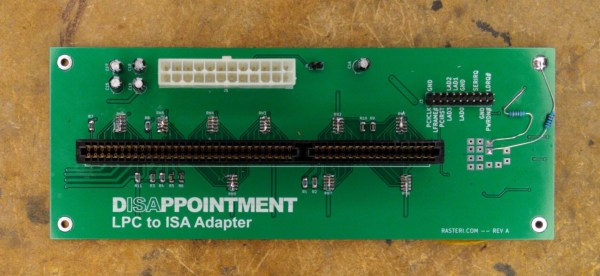
A green PCB with an ISA card slot and various connectors and components. The text "DISAPPOINTMENT LPC to ISA Adapter" is printed in the bottom left of the board.

ISA Over TPM To Your PC

Sometimes you really want to use your legacy SoundBlaster instead of emulating it for classic games. While modern PCs don’t have ISA slots, [TheRasteri] is fixing this shortcoming with his dISAppointment board. (via Adafruit)

ISA was the standard card bus for PCs during the golden age of DOS gaming, and many of these games will still run on modern x86 hardware. Unfortunately, they run into hiccups with regards to sound since they were designed to specifically support ISA-based sound cards. [TheRasteri] found he could access the ISA bus lurking in modern computers through the Low Pin Count (LPC) bus which is exposed on the TPM port in many modern motherboards.

Testing the card with DOOM, he gets music and sound effects with no emulation required. Open Source files and a more detailed video are on the way, so stay tuned if you’re hankering for more ISA goodness on your modern rigs.

We’re no strangers to ISA here. We’ve covered the basics of the ISA bus as well as plugging ISA cards into USB and how you can emulate vintage ISA cards with a Raspberry Pi and FPGA.

Continue reading “ISA Over TPM To Your PC”

Commodore 64 Reports The News

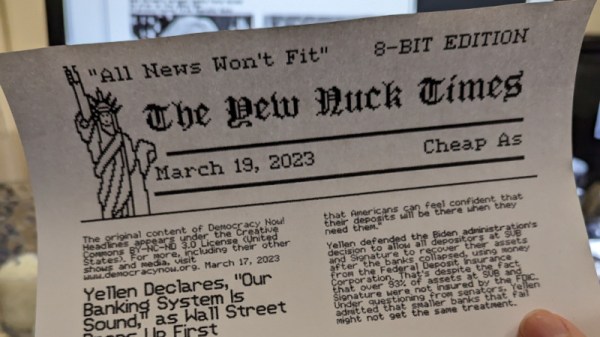
In the late 80s and into the 90s, [Cameron Kaiser] aka [ClassicHasClass] was an aspiring journalist, first becoming interested in the career in elementary school and then working on various publications into university. At some point, he started using a piece of software for laying out newspapers called The Newsroom which, he admits, was lacking a lot of tools that would have been modern even for the time, but had an otherwise agreeable price tag thanks to its focus more on home desktop publishing and newsletter production than on full-scale newspaper operations. It did have one interesting feature that he never could figure out, though, at least until he went back and pieced this mystery together.

The software itself ran on the Apple II and was eventually ported to other systems of the era, including the Commodore 64. The mystery feature was known as “Wire Service” and appeared to be a way that users of the software who had a modem could connect with one another and share news releases, layouts, graphics, and other content created in Newsroom, but in the days where it would have been modern never was able to connect to anything. In fact, it was eventually abandoned by the developers themselves in later releases of the software. But [ClassicHasClass] was determined to get it working. Continue reading “Commodore 64 Reports The News”

Fresh PCBs For The Quickshot II And II Plus Joysticks

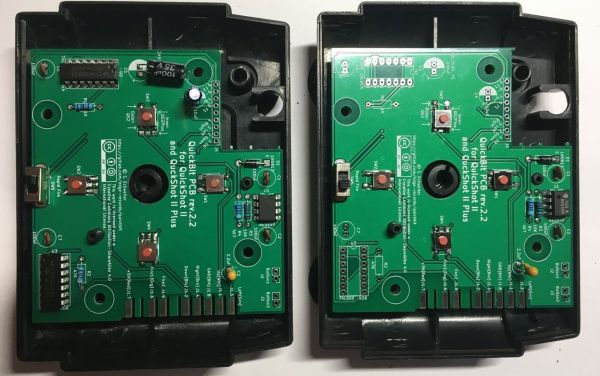
The Quickshot II was released by Spectravideo in 1983 for the Commodore 64 and compatible systems, with the Quickshot II Plus following the next year. After decades of regular use, it’s quite understandable that these old-timers may be having some functional issues, but as long as the plastic parts are still good, [Stephan Eckweiler]’s replacement PCBs may be just the thing that these joysticks need to revitalize them for another few decades.

What may be a matter of taste is that these replace the nice tactile clicky switches on the QS II Plus with SMD push buttons, but compared to the stamped metal ‘button’ construction of the original QS II, the new board is probably a major improvement. As for the BOM, it features two ICs: a 74LS00 latch and NE555 timer, along with the expected stack of passives and switches, both through-hole and SMD.

The PCB contains break-off boards for the switches within the joystick itself, requiring a bit of wiring to be run to the main PCB before soldering on the DE-9 connector and connecting the joystick for a test run to a Commodore 64. All one needs now is a 3D printable enclosure version to create more QS II joysticks for some multiplayer action.

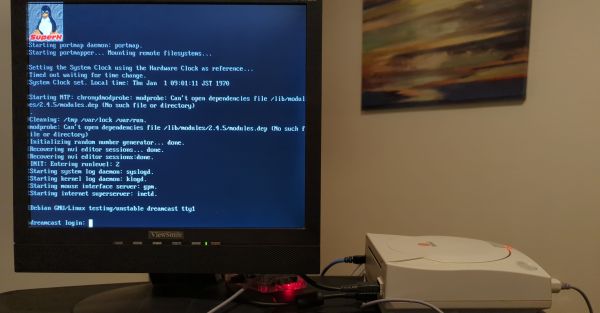
Dreamcast Linux: Looking Back At Linux On A SuperH-based Gaming Console

The Dreamcast is probably best known as the swansong of Sega’s ambitions as a gaming console manufacturer, but perhaps lesser known is the fact that you can run Linux on it. In a deep-dive by [Cameron Kaiser] over at the Old VCR blog, it is demonstrated what it takes to make this feat even work in 2023, and what one can expect from a system with a 200 MHz HItachi SuperH SH-4 CPU, 16 MB of RAM and the luxuries of VGA and network interfaces.

What’s interesting about Dreamcast Linux is that it was among the first times that Linux got put on a gaming console, even if it wasn’t entirely official or remotely supported by Sega. In fact, the fact that it works at all has its roots firmly in an exploit that was discovered shortly after the Dreamcast’s release. While Dreamcast discs are generally in a format called GD-ROM (Gigabyte Disc), early on it also supported the MIL-CD standard, which was Sega’s ill-fated attempt at creating multimedia CDs with MIL-CDs.

Not only did MIL-CDs flop in the market, the support form in Dreamcast units also provided a juicy exploit via the firmware that handles detecting and switching between GD-ROM and the much more constrained, audio-only MIL-CD mode. Later Dreamcast models dropped MIL-CD support and will thus also not boot Dreamcast Linux, which is an important gotcha to keep in mind when dragging out a Dreamcast for some Linux action.

As for running Linux on a Dreamcast, it’s pretty much what you’d expect from running it on such a constrained, RAM-disk only device. While [Cameron] was able to use workarounds such as swap-over-NFS to increase functionality, a lot more work remains to be done. Linux SuperH support seems to have petered out around the 2.6.x era, which would seem to have cemented the fate of Dreamcast Linux and similar SuperH platforms.

We’re curious, would double the RAM make a difference to this Linux platform?