Cardboard Computer Replica Is Cheap And Easy To Make

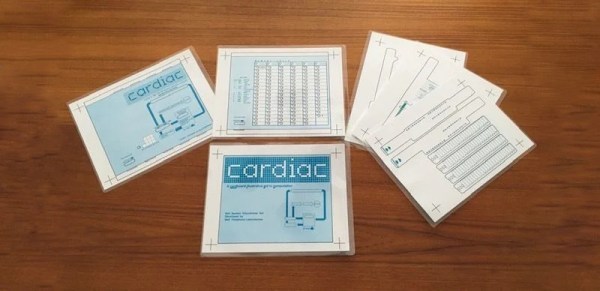
Replicating 1960s-era computer hardware can be a daunting task. Components can be hard to find, schematics thin on the ground, and software near-unobtainable. Of course, not every computer from the decade consisted of expensive high-end electronics – CARDIAC was built out of common cardboard, and making your own is a cinch!

CARDIAC stood for Cardboard Illustrative Aid To Computation. Consisting of a series of sliding cardboard parts, it acted as a basic guide to the principles of computation. Through the use of a pencil and the associated guidebook, students could run simple programs to learn how to program computers at the barebones level.

Finding the paper-based computational learning tool highly valuable in their youth, [megardi] wanted to bring it back for a new audience. Thankfully, there are plenty of resources on the web that made it easy to whip up art files to reprint the device. [megardi] then also wrote up the instructions on how to accurately reproduce a CARDIAC, with helpful tips on how to best put it together. For a quick test, any old paper will do, while using 110 g cardstock and a laminator makes a sturdier build that can be used with dry-erase markers.

CARDIAC remains an excellent tool for teaching the basics of Von Neumann architecture computing. We’ve discussed similar teaching tools before, too – from the days when “real” computers were too expensive to let students anywhere near them. How times change!
Building A Front Panel For The RC2014 Computer

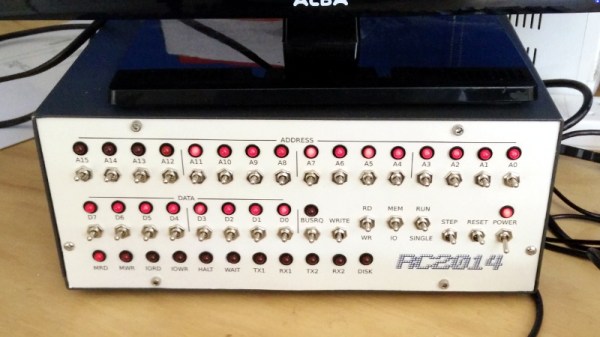
The RC2014 is a slick Z80 computer kit that’s graced these pages a number of times in the past. It allows anyone with a soldering iron and a USB-to-serial adapter to experience the thrill of early 1980s desktop computing. But what if you’re looking for an even more vintage experience? In that case, this custom RC2014 front panel from [James Stanley] might be just the thing to scratch that Altair itch.

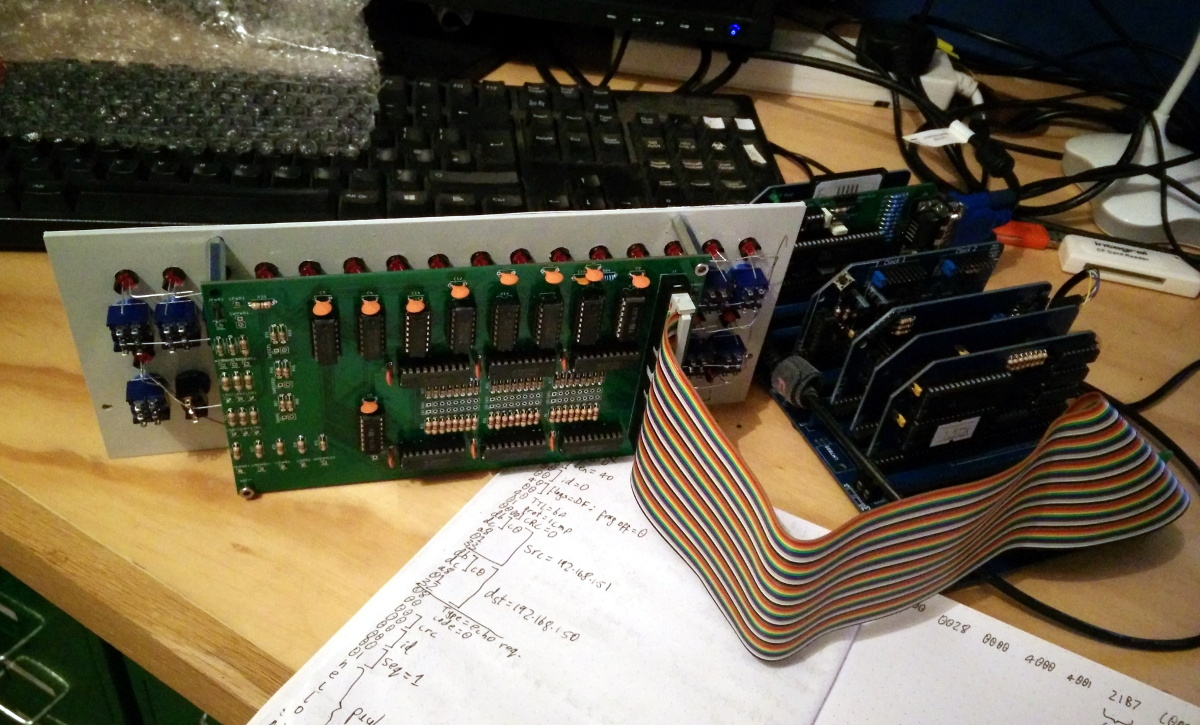
The front panel allows you to view and alter the contents of memory with nothing more complex than toggle switches and LEDs, just like on the early microcomputers of the 1970s. If you’ve ever wanted to learn how a computer works on the most basic level, single-stepping through instructions and reading them out in binary is a great way to do it.

[James] says he was inspired to take on this project after reading a 1978 issue of Kilobaud Magazine (as one does), and seeing an article about building a homebrew Z80 machine with a front panel. Obviously he had to modify the approach a bit to mate up with this relatively modern variation on the venerable CPU, but the idea was essentially the same.

His documentation for the project is sure to be fascinating for anyone enamored with those iconic computers of yesteryear, but even readers with more modern sensibilities will likely find some interesting details. The way [James] coaxes the data and various status states out of the kit computer takes up the bulk of the write-up, but afterwards he talks about how he designed the PCB and wraps up with his tips for creating a professional looking front panel.

This isn’t the first time we’ve seen a modern Z80 computer kitted out with blinkenlights, but it’s certainly one of the most professional looking. If you combine the RC2014 kits available on Tindie with the details provided by [James], you’ll soon be learning the fine art of programming a computer with toggle switches.

Continue reading “Building A Front Panel For The RC2014 Computer”

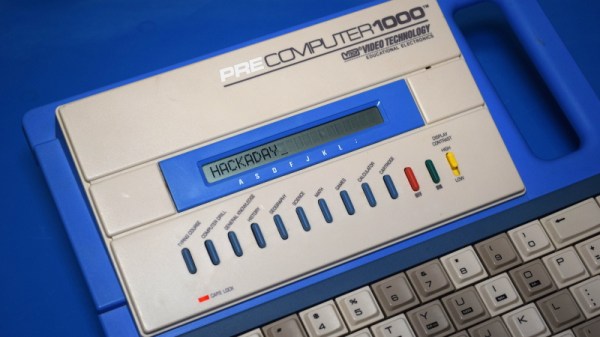
Teardown: VTech PreComputer 1000

Back in the days before kids could be placated with a $50 Android burner phone, many a youngster was gifted a so-called “educational computer” to keep them occupied. Invariably looking like a fever dream version of the real computer their parents didn’t want to let them use, these gadgets offered monochromatic exploits that would make Zork look like Fortnite. Due equally to their inherent hardware limitations and the premise of being an educational toy, the “games” on these computers often took the form of completing mathematical equations or answering history questions.

The VTech PreComputer 1000 is a perfect specimen of this particular style of educational toy. Released in 1988, it was advertised as a way for pre-teens to become more comfortable with operating a real computer; since at that point, it had become abundantly clear that the coming decade would see a beige box on every professional’s desk. Its full-size QWERTY keyboard was specifically mentioned in the product’s accompanying literature as a way to get young hands accustomed to the ways of touch typing.

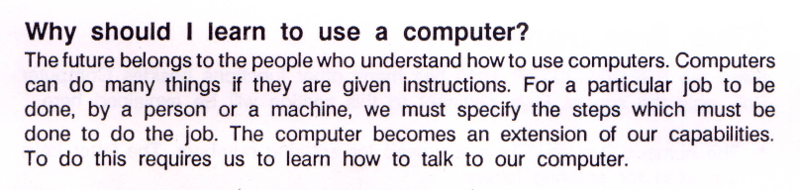
Words of wisdom from the PreComputer 1000’s manual.

By the mid-1990s these devices would have progressed far enough to include passable text-to-speech capabilities and primitive graphics, but the junior professional who found him or herself seated in front of the PreComputer 1000 was treated to a far more spartan experience. It’s perhaps just as well that this particular educational computer was listed as a training tool, because even in 1988, surely a session with this toy must have felt very much like work.

But that’s not to say the PreComputer 1000 is without its own unique charms. In an effort to help cement its role as a “trainer” for more conventional computers, VTech saw fit to equip the PreComputer with its own BASIC interpreter. They even included generous written documentation that walked young programmers through the various commands and functions. Even today, there’s something oddly appealing about a mobile device with a full keyboard that can run BASIC programs for better than 24 hours on batteries (even if they’re alkaline “C” cells).

Let’s take a look inside this more than 30 year old mobile device, and see how the designers managed to create a reasonable facsimile of actual computing on a kid-friendly budget.

Continue reading “Teardown: VTech PreComputer 1000”

UNIX Version 0, Running On A PDP-7, In 2019

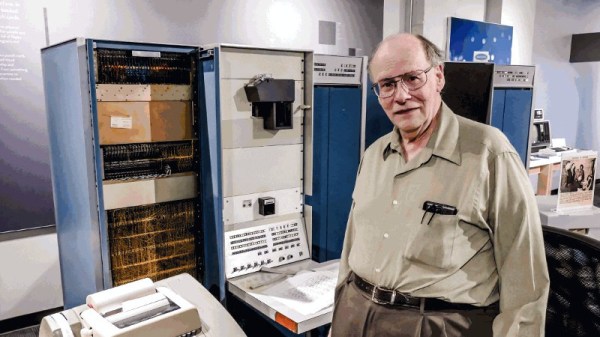
WIth the 50th birthday of the UNIX operating system being in the news of late, there has been a bit of a spotlight shone upon its earliest origins. At the Living Computers museum in Seattle though they’ve gone well beyond a bit of historical inquiry though, because they’ve had UNIX (or should we in this context say unix instead?) version 0 running on a DEC PDP-7 minicomputer. This primordial version on the original hardware is all the more remarkable because unlike its younger siblings very few PDP-7s have survived.

The machine running UNIX version 0 belongs to [Fred Yearian], a former Boeing engineer who bought his machine from the company’s surplus channel at the end of the 1970s. He restored it to working order and it sat in his basement for decades, while the vintage computing world labored under the impression that including the museum’s existing machine only four had survived — of which only one worked. [Fred’s] unexpected appearance with a potentially working fifth machine, therefore, came as something of a surprise.

To load the OS a disk emulator was connected to the machine, and for possibly the first time in many decades a new UNIX version 0 device driver was written to enable it to be used. The first login was the user “dmr”, a homage to UNIX co-creator Dennis M. Ritchie.

Continue reading “UNIX Version 0, Running On A PDP-7, In 2019”

The Book Of Dreams Brings Back All Your Memories

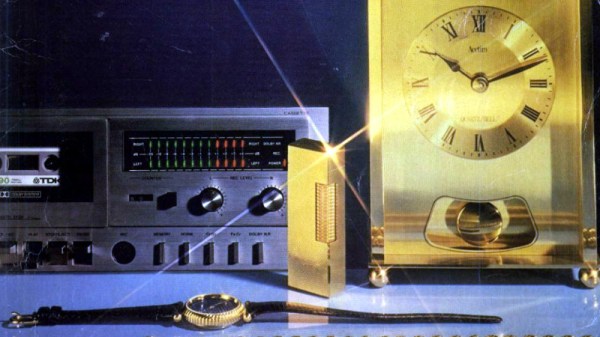
The retro-facing side of British social media has been abuzz for the last few days with a very neat piece of marketing form the catalogue retailer Argos: they’ve digitised all their catalogues since 1975 and put them online. While this contains a cross-section of over four decades’ styles, fads, and ephemera, it also gives the browser a fascinating look at a host of retrotechnology from a contemporary viewpoint rather than through the rose-tinted glasses of 2019. It may not be a hack, but we guarantee you’ll spend a while browsing it!

Continue reading “The Book Of Dreams Brings Back All Your Memories”

This Handheld C64 Design Study Needs To Be Made

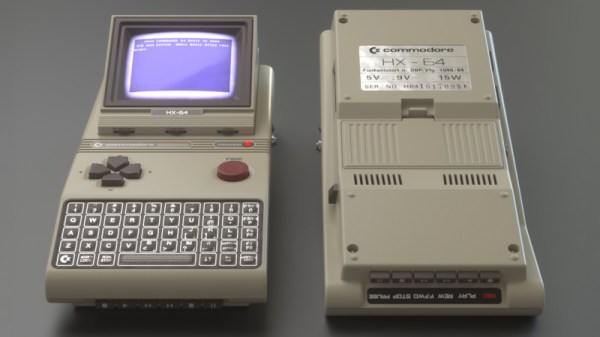
The Commodore 64 remains the best selling home computer of all time, and is unlikely to be toppled anytime soon. It continues to inspire a diehard community of makers and hackers to this day. [Cem Tezcan] is one of those people, and his design study of a handheld C64 is utterly droolworthy.

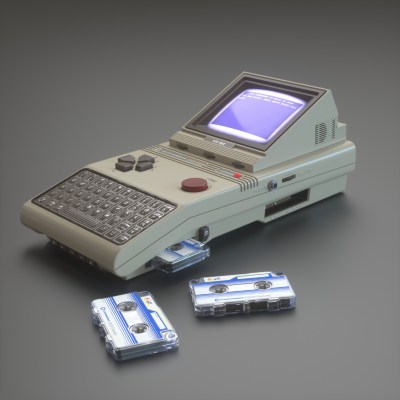
It’s quite likely that you’d run out of power before the cassette finished loading, but hey, we can dream.

The study includes renders of the device from several angles, as well as a basic blueprint outlining the various components. It features period accurate hardware, using a membrane keyboard, micro-cassettes for data storage, and a 3.5″ CRT. Other nice touches are the big red textured FIRE button, and a horrible early 80s 3.5mm jack.

The C64 hardware of the time required both 12 V and 5V power, and the current draw of even a small CRT would be high. It’s likely such a handheld would have battery life measured in minutes. It’s a wonderful picture of what could have been, though we suspect that such a design would have pushed the limits of the technology of the time.

However, electronics has matured since, and we sit here rather comfortably in 2019. We’d love to see the best handheld C64 that the community can muster, and with 3D printers and FPGAs on hand, it’s an eminently achievable feat. Bonus points to anyone who can make a microdatasette interface, too. All submissions to the tips line, and meanwhile, consider how easy it is to build a new C64 from scratch. Happy hacking!

An Atari Graphics Chip, Ready For You To Build

The most notable of the home computer and console hardware from the 8-bit golden era didn’t get their impressive sound and graphics from off-the-shelf silicon, instead they relied on secretive custom chipsets to get the edge over their competitors. Unfortunately for vintage gaming aficionados, those chips are now long out of production and in many cases there’s little information to be had about their operation.

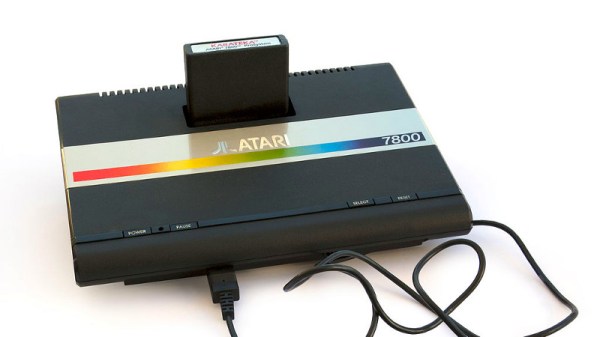
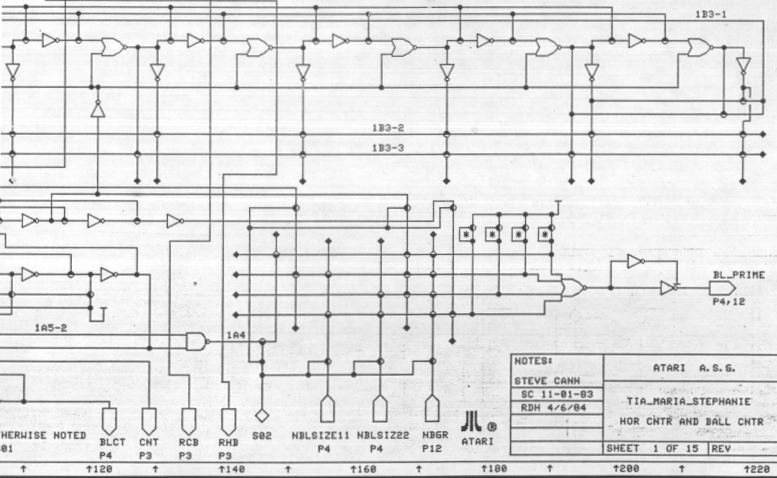
Which makes discovery of the schematics (PDF link) for the “Tia Maria” graphics chip found in the Atari 7800 console an unusual occurrence, and one which should be of special interest to the emulation community. They can be found alongside the rest of the Atari Museum’s 7800 information.

That such a useful document is available at all is due to a lucky find in a dumpster following the demise of Atari, when a treasure trove of documents was discarded. It seems that the existence of these schematics has been known within the Atari community for some time, and we expect before long this information will find its way into FPGA implementations of the 7800; especially since the system features nearly complete backwards compatibility with the massively successful Atari 2600.

When that happens we hope we’ll be able to bring it to you, but it’s not the first time someone’s made an Atari on an FPGA.

Via RetroRGB

Header image: Bilby [CC BY 3.0]