Nice, visual simulators of CPUs such as the 6502 are usually made much later and with more modern tooling than what they simulate. But what if that wasn’t the case? What if a simulator runs on the very hardware it’s simulating?
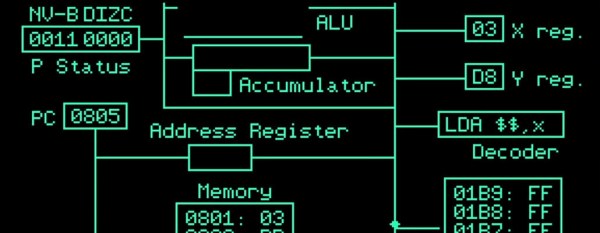
This is what [Tea Leaves] stumbled upon when he found a mysterious disk with only “APL6502.SIM” on it. [Tea Leaves] demonstrates the simulator with a basic 6502 assembly program, revealing an animated, beautiful Apple 2 simulator that actually runs on the Apple 2! The simulator shows all the major components of a 6502 and actually animates the complete data flow of an instruction.
But why is this mysterious? It’s mysterious because – a “hello” program aside – it’s the only thing on the disk! Not so much as a single clue as to where it came from. [Tea Leaves] finds out where it comes from, including incorrectly copied disk images and a revelation at the end.
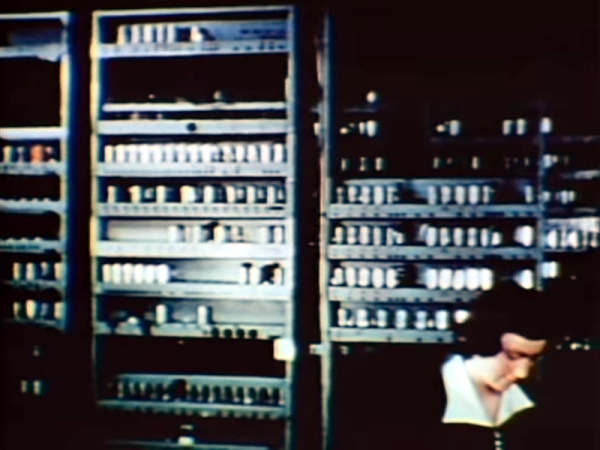
What was it like to program an early digital computer? [Woven Memories] wanted to know and wants you to know, too. [Maurice Wilkes] and his team wrote a book about their EDSAC and the 18 instructions that it used. These days, you can even run an EDSAC program on a number of emulators.
It is hard to realize how things we take entirely for granted had to be invented by [Wilkes] and his colleagues. The book, “The Preparation of Programs for an Electronic Digital Computers” has, among other things, the first recorded use of a software library and the first API. Even the subroutine needed inventing by [Wilkes’] student [David Wheeler], which was known for a while as the “Wheeler Jump.”
Like many things in old computers, the Wheeler Jump required code to modify itself. Even indexing modes were often implemented by changing an address inside the program.
While we frown on techniques like this today, you have to start somewhere. We are big fans of EDSAC and [Dr. Wilkes] had a long and distinguished career long after EDSAC, too. The original plans for EINIAC led to EDSAC, EDVAC, and a slew of other early machines. You can see a video of the machine with an introduction by [Wilkes] below.
If you want to try your hand with the EDSAC, try your browser. There’s also a very nice Windows emulator that runs fine under WINE.
Installing Linux on a modern PC has never been easier. There are tons of tools available that will nearly-automatically download your Linux distribution of choice, image a USB drive, and make it bootable so you can finally ditch your bloated, privacy-violating operating system and get the free performance boost that comes along with it. This wasn’t always the case, though. In the 90s you had to take a trip to a store (or library) and buy (or borrow) a boxed copy of some variety of Linux on floppy disk or CDs, and then install it on your own, often without the help of the Internet. [Action Retro] demonstrates this process for us so we don’t have to relive the pain ourselves.
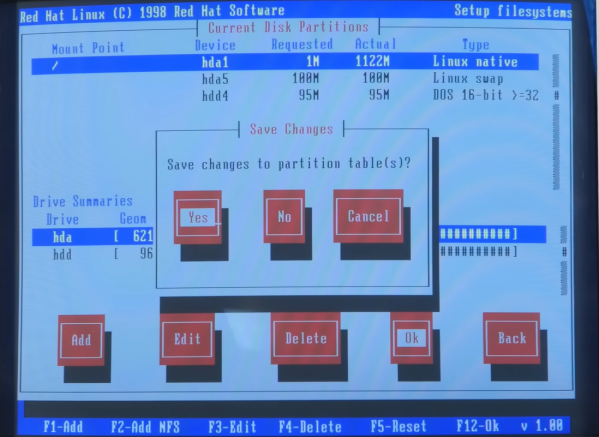
Complete with a 90s-era Pentium machine enclosed in a beige case, this is really the full 90s experience. He’s found a boxed version of Red Hat version 5.2 with everything needed to get it up and running and, after a brief issue with the installer crashing because it couldn’t figure out the ZIP disk drive, had another era-appropriate experience by erasing the existing Windows 98 installation. This was before automatic partitioning tools were widely available, so it was a real risk for beginner Linux enthusiasts if they were trying to dual boot.
With the installation complete, the X window system still needed to be set up, as well as making sure the settings for the old CRT monitor were correct. With everything finalized, the system can really be explored. It includes out-of-the-box some software plenty of us would recognize today such as GIMP and some other software we might not, like Netscape Communicator. It’s a real time machine experience to get this operating system running on period-appropriate hardware, and a lot of features of modern Linux systems can still be seen especially if your modern distribution of choice still requires a lot of manual configuration during installation. Old operating systems aside, this machine might be capable of running a modern Linux distribution as well, provided it has something slightly newer than a 486.
Among Hackaday’s readership are likely to be many gadget enthusiasts who live for the latest electronics and who have obsessively followed gadget trends for most of their lives. You possess elite AliExpress-fu, and like the hipsters, you were into everything long before it was cool. It’s safe to say the Internet has revolutionized the world of the gadget freak, but in a time before even dial-up access there was another way into this most technophilic of pastimes. As soon as there was consumer electronics there were mail-order catalog companies slaking the thirst of the gadget-crazy, and [Cabel Sasser] is here with a look at both their heyday and their swansong.
Drew, just shut up and take my money!
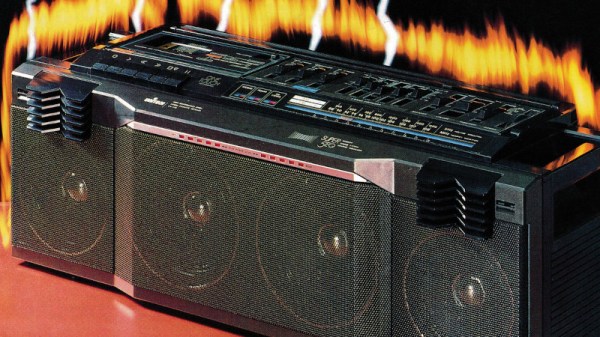
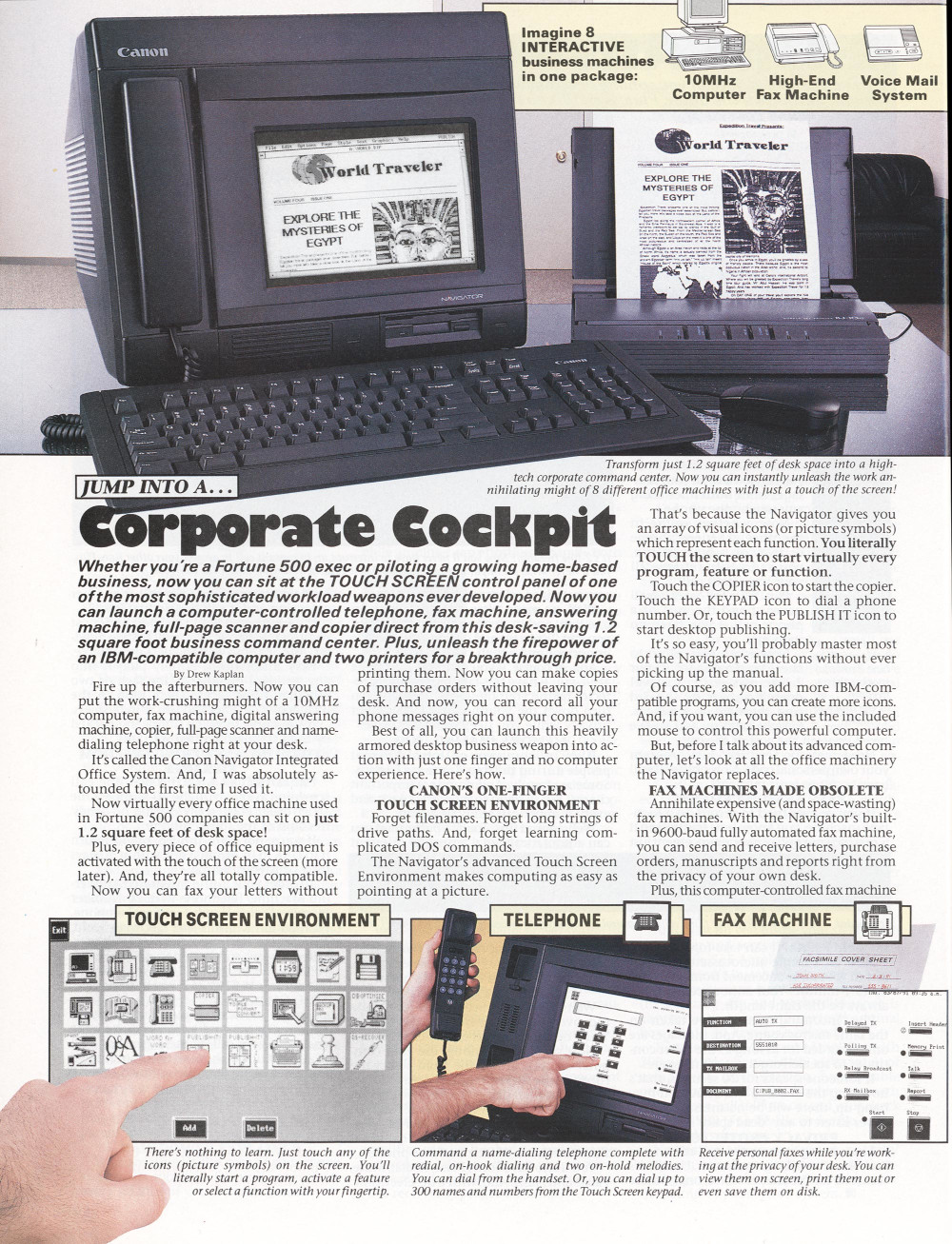
He has a particular focus on the catalog produced during the 1980s by DAK Industries Inc, a North Hollywood California based company that was the work of an entrepreneur named Drew Kaplan. He presented a glittering array of the latest and greatest tech of the era, and packaged it with riveting descriptions and beautifully-shot glossy photographs. [Cabel] was hooked, and we would certainly have been too. There were digital watches with outrageous functionality, portable briefcase computers, novelty telephones, Hi-Fi components at knock-down prices, and plenty of cassette tapes to play in them.
Their signature was an engaging copy-writing style that really made you want the product, and here we enter an interesting story in itself. There was another mail order gadget company in the 1970s which used exactly the same formula but running full-page adverts, similar enough to be obviously connected in some way. Had DAK stolen the idea? Not quite, for these were the product of a man called Joseph Sugarman, who also ran a “Learn my formula for sales success” course. Drew Kaplan didn’t hesitate to attribute his success to the Sugarman course, leaving us with the surprising conclusion that there’s more to the “Learn my formula” business than simply making money from marks prepared to pay for the course.
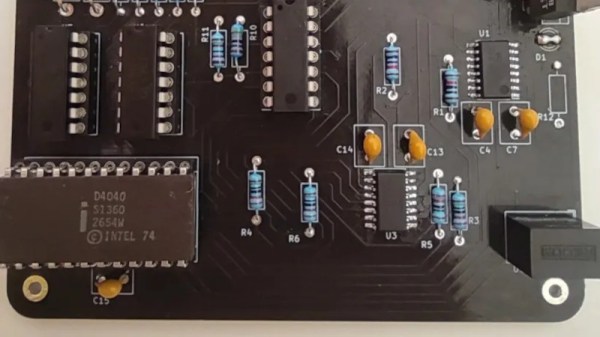
At first glance, getting a computer program to run faster than the first electronic computers might seem trivial. After all, most of us carry enormously powerful processors in our pockets every day as if that’s normal. But [Mark] isn’t trying to beat computers like the ENIAC with a mobile ARM processor or other modern device. He’s now programming with the successor to the original Intel integrated circuit processor, the 4040, but beating the ENIAC is still little more complicated than you might think with a processor from 1974.
For this project, the goal was to best the 70-hour time set by ENIAC for computing the first 2035 digits of pi. There are a number of algorithms for performing this calculation, but using a 4-bit processor and an extremely limited memory of only 1280 bytes makes a number of these methods impossible, especially with the self-imposed time limit. The limited instruction set is a potential bottleneck as well with these early processors. [Mark] decided to use [Fabrice Bellard]’s algorithm given these limitations. He goes into great detail about the mathematics behind this method before coding it in JavaScript. Generating assembly language from a working JavaScript was found to be fairly straightforward.
[Mark] is also doing a lot of work on the 4040 to get this program running as well, including upgrades to the 40xx tool stack, the compiler and linker, and an emulator he’s using to test his program before sending it to physical hardware. The project is remarkably well-documented, including all of the optimizations needed to get these antique processors running fast enough to beat the ENIAC. We won’t spoil the results for you, but as a hint to how it worked out, he started this project using the 4040 since his original attempt using a 4004 wasn’t quite fast enough.
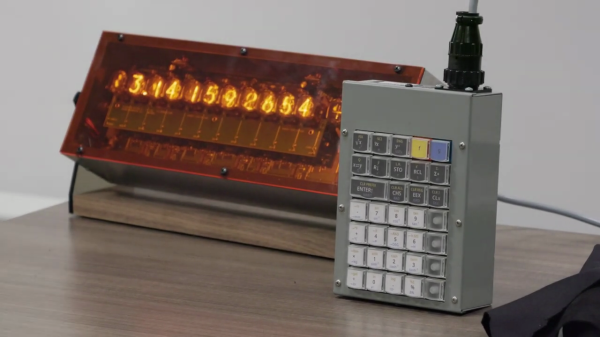
If you like Nixie tubes and/or DIY calculators, checkout this interesting talk from the HP Handheld Conference in Orlando last month by [Eric Smith] from Brouhaha and [John Doran] from Time Fracture. For 20-some years, [Eric] and the late [Richard Ottosen] have been incrementally developing various DIY calculators — this paper from the 2005 HHC conference is an excellent overview of the early project. [John] got one of those early DIY calculators and set about modifying it to use Nixie tubes. However, he got distracted by other things and set it aside — until reviving it earlier this year and enlisting [Eric]’s aid.
This presentation goes over the hardware aspects of the design. Unlike the earlier PIC-based DIY calculators, they decided to use a WCH RISC-V processor this time around. The calculator’s architecture is intentionally modular, with the display and keyboard housed in completely separate enclosures communicating by a serial interface. If the bulkiness alone doesn’t exclude it from being pocket-sized, the 170 VDC power supply and 1/2 W per digit power consumption certainly does. This modularity does lend itself to DIYers replacing the display, or the keyboard, with something different. [Eric] wants to build a mechanical flip-digit display for his unit. As for the software, [Eric] reviews the firmware approach and some future upgrades, such as making it programmable and emulating other flavors of HP calculators.
If you’re embarking on a similar project yourself, check out this talk and take notes — there are a lot of interesting tidbits on using Nixie tubes in the 21st century. If [Eric]’s name sounds familiar, you may know him from the Nonpareil calculator software used on many emulators and DIY calculator projects, one of which we covered some years ago. [John] is also a long-time tinkerer, and we wrote about his gorgeous D16/M HCMOS computer system back in 2012. Thanks to [Stephen Walters] for sending in the tip.
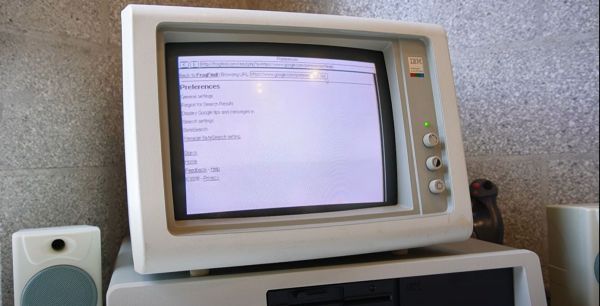
Do you ever sit at your 1981 vintage IBM PC and get the urge to pop onto that newfangled ‘WWW’ to stay up to date on all the goings-on in the world? Fret not, because [Al’s Geek Lab] has you covered with a new video (also embedded below), which you will unfortunately have to watch on a device that was made at the very least in the late 1990s. What makes this feat possible is a miniscule web browser called MicroWeb, created by [jhhoward], that will happily run on an 8088 CPU or compatible, without requiring any fiddling with EMS or similar RAM extensions.
Of course, you do need to have some kind of way to actually connect to the World Wide Web, which can be an ISA network expansion card, EtherSlip, as well as using a thin client as a network bridge with some Serial Line Interface Protocol (SLIP) action. Of course, some limitations exist, in that graphics and CSS are not rendered, JavaScript is totally off-limits, and for HTTPS-only websites a workaround like retro-proxy has to be used as TLS encryption would be completely unusable on a couple-of-MHz-CPU.
There’s also the FrogFind service, which will helpfully strip down a target website down to its barest HTML essentials, along with the 68K News site that strips down Google News, so that you can enjoy the WWW in its text-based glory as it would have looked in the early 1980s.