Creating Beautiful Light Shows With Soap

We feature a lot of fun projects with LEDs and lasers and all kinds of light effects going on. Most of these are very digital. However, there are a great many ways to make beautiful lighting effects without ones and zeros. The Maelstrom Lamp from [Michele Lorenzi] is a great example of that.
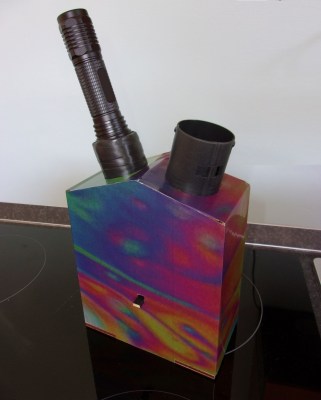
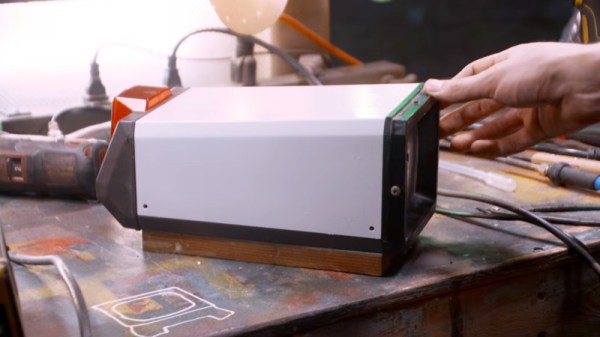
The Maelstrom Lamp is externally decorated to indicate its function. 

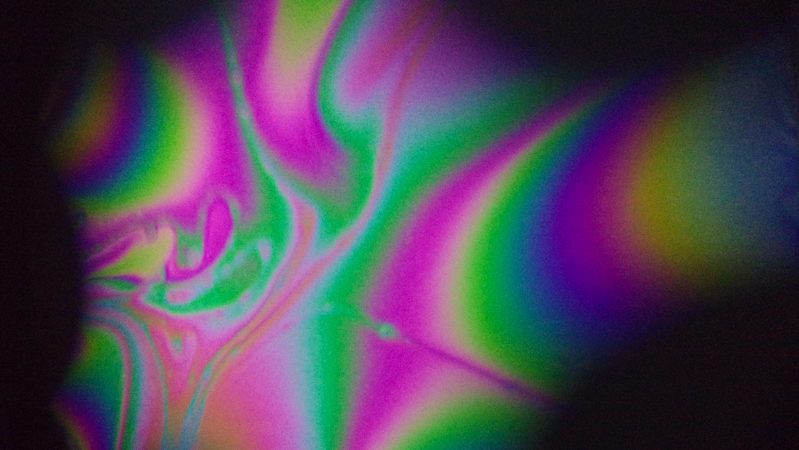
The concept is decidedly old-school. The lamp uses a delicate, thin soap film stretched across an aperture as its primary optical element. The varying thickness of the film across its surface leads to constructive and destructive interference when white light passes through it. This creates a kaleidoscope of color; the same effect you might have seen when an oil slick forms in a dirty puddle.

In this case, though, that effect is projected with the aid of a powerful 800-lumen flashlight and some supporting optics. [Michele]’s write-up does a great job of explaining the finer design details that maximize the vibrancy of the effect, from the waviness in the gasket that supports the soap film, to the optics that focus the torch beam.

If you’re looking for some suitably psychedelic lighting effects for your next house party, you really ought to build one of these. We’ve featured some other fun classic lighting effects before, like these wonderful bubble lamps. Continue reading “Creating Beautiful Light Shows With Soap”
The Problem Of Making A Good Metal-To-Glass Seal

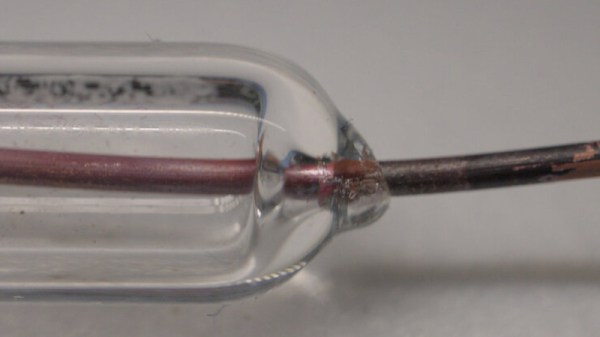
If you’ve ever taken a close look at a vacuum tube, you’ll have seen the seals around the pins that keep everything air-tight while providing the the device’s electrical contacts. As [maurycyz] finds out, it’s not an easy process to get right.

The problem is one of both chemistry and thermal expansion, as while a good seal can be made between glass and red copper oxide, it remains very difficult indeed to stop the glass cracking on cooldown due to differing thermal expansion properties. We’re led through a variety of experiments including surface treatments and flattening the metal to a sheet, with varying pros and cons. The most successful seal on the page comes from very thin tungsten wire, though hardly the most practical conductor for a vacuum tube.

It’s a fascinating investigation for the casual reader, taking them into the properties of metal-glass bonds and the difficulties involved in making them. We have even more respect for the people who make their own tubes after reading it.

So Many Analog To Digital Converters

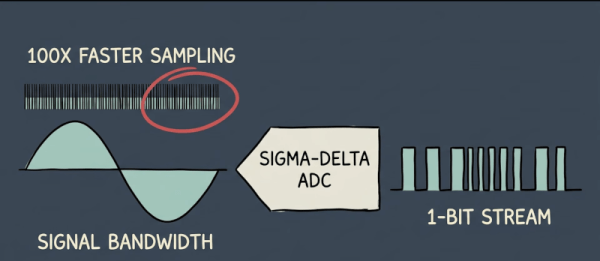
An old algebra teacher used to say, “You have to take what you know and use it to get what you don’t know.” You might say the same thing about converting analog signals into digital. Computers know how to count and keep time. [Eric Explains] has a video purporting to explain “every type of analog-to-digital converter.” We aren’t sure he got every possible method, but there’s still a lot of information in the video, which you can see below.

From the flash ADC, using a ton of comparators to the successive approximation converter, which essentially plays a game of hi/lo, guessing the answer and figuring out if the real answer is higher or lower.

Continue reading “So Many Analog To Digital Converters”

Does Your Terminal Speak Morse? This One Does

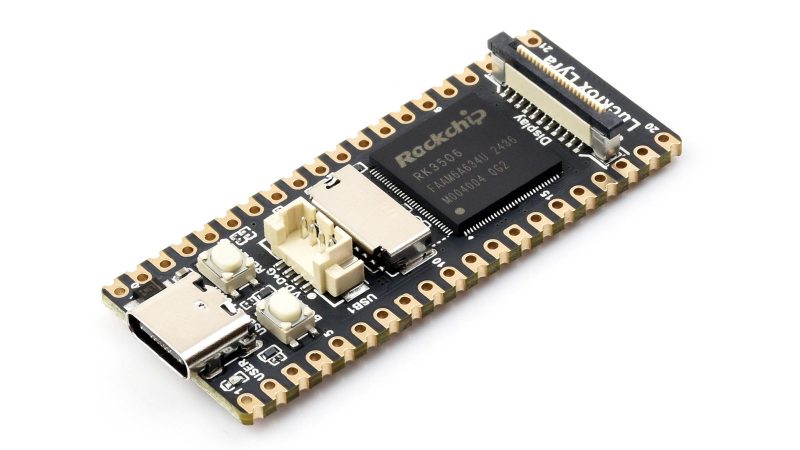
There are a lot of single board computers on the market these days, so you can be forgiven if you missed the LuckFox Lyra. Its main claim to fame seems to be that it shares the Pi Pico’s 51 mm x 21 mm footprint while being powerful enough to run a full Linux system– or at least, it was. Now its claim to fame is as a device you can interact with no peripherals, accessing the terminal via Morse code. That’s thanks to [Gabriel Broussard Korr] and his Morstdin project, which should run on just about anything POSIX-compliant, by dint of a being a clever sh script at heart.

Of course, with most POSIX-compliant systems, you’ll need to alter the script to account for some kind of periferal to do the Morse I/O– not so on the LuckFox Lyra, which has a built-in LED and a single usable button. It actually has two buttons, but one of them is RESET and you can’t use that for anything but its intended purpose. The BOOT button, on the other hand, becomes user input after the system has started. One button, one LED? It’s almost like LuckFox designed this SBC for Morse! Admittedly we’d prefer an audible output, but adding a buzzer would detract from the purity of this implementation.

He’s had to extend the code, of course, since Samuel Morse did not expect all of the special characters you’re likely to encounter on the terminal. The resultant Programmer’s Morse, or PMorse is a straightforward extension, but [Gabriel] didn’t stop there: he’s also added a set of commands he describes as “vim-like” make using this headless device easier by doing things like deleting whole words or flash the line you’re working on so you can make sure you haven’t made any errors.

If that wasn’t enough, he’s also put an LLM on it. Because in the Year of Our Lord 2026, you apparently cannot escape the frakkin’ toasters by jumping your rag-tag fleet into the 128 MB of RAM on this tiny SBC. Still, his inclusion of Llamma.cpp does add one thing to the project: it can now claim to be the world’s smallest stand-alone chatbot. It’s also the only one that speaks Morse. That’s got to be worth some bragging rights.

[Gabriel] may have a thing for physically tiny Linux devices– his last project, which we featured, was about using Linux on old smartphones with Termux.

Thanks to [Gabriel] for the tip!

Header image credit Luckfox.


A Camera Viewfinder Makes A Great TV

When we think of CRT camera viewfinders, most of us probably imagine the tiny CRTs you’d find in a 1980s camcorder. They’re super cute and a load of fun to play with, but they’re very much a consumer device. Professional cameras of the type you’d find in a studio had their own viewfinders, which were a lot closer to a small TV. They’re about as high quality as it gets for a monochrome CRT, and [Evan Monsma] has done the conversion to a general-purpose monitor.

On one side, this is a very straightforward hack, simply a case of tracing wires to identify the power and video pins. Given a tool battery, the monitor fires up and gives a super-sharp picture. What we like about this is the wooden base he’s made for the thing, at the same time rough-and-ready, and professional-looking from the outside. It has a routed space for the cables, and once mounted flush with the monitor base and given a bit of wood stain, it looks almost as though it was manufactured that way.

It’s likely most of us won’t find a broadcast viewfinder in the trash, instead settling at best for a little Chinese portable TV. But it’s still interesting to see these unusual devices. Perhaps it might make a good cyberdeck.

Continue reading “A Camera Viewfinder Makes A Great TV”

Digital Organizer Given Modern Upgrade

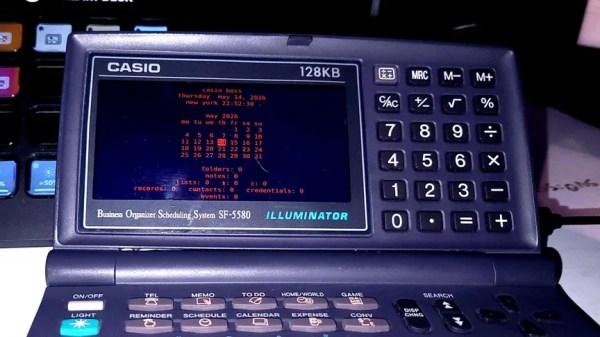
Remember digital organizers? They were like the lower-spec version of a PDA that couldn’t really do much more than store a few phone numbers and calendar entries. [TundraLegendZ] recently grabbed such a device from 1995 and set about transforming it into something a little more capable.

The device in question is a Casio Business Organizer Scheduling System SF-5580. The original guts have been replaced , though, with the power of a Raspberry Pi Zero. The single-board computer is hooked up to a small color LCD screen with a resolution of 480 x 800, which is tucked neatly into the spot where the original display lived. There’s also a Raspberry Pi Pico on board, which is charged with interfacing all 82 keys of the original keyboard. Power is courtesy of a 6000 mAh battery which should last a good few hours on a single charge. Hearing the buzzer hacked is fun, too. It’s more mobile phone ringtone than outright chiptune, but we still enjoyed listening to the results. Screencaps of the software show just what this setup can do with better hardware and a nicer screen than 1995 could provide. Future work is planned to give the build more capabilities with a HackRF upgrade.

We’re not convinced anyone ever got much use out of these diminutive digital organizers, but a great many were sold in the 1990s.

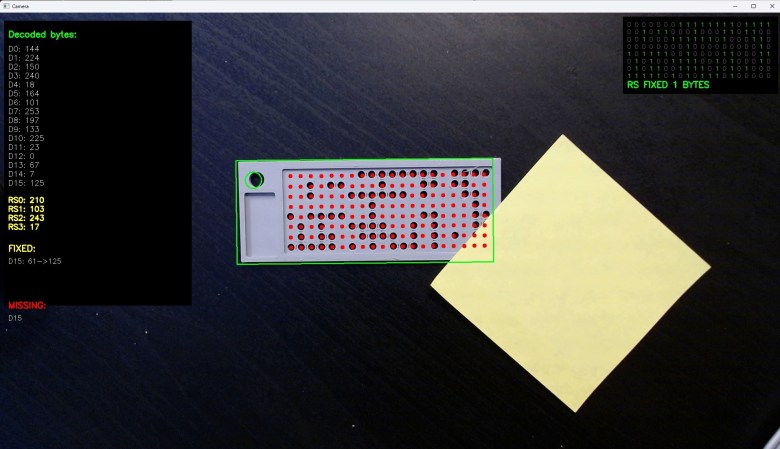
What a punch card looks like to openCV

21st Century Punch Cards Are 3D Printed And Read By OpenCV

While a punch card is perhaps the lowest-density storage medium available, it has some distinct advantages. As [Bitroller] points out in the write-up of his punch card project, if he was using stainless steel instead of PLA his 3D printed punch cards would likely outlast everything he owns, and survive a five-alarm fire to boot. If you have 16 bytes you really, really don’t want to forget — or are willing to store your private key in a shoe box — this project might be of interest.

The nice part is that he’s built a handy Python script to generate printable files for the punch cards, which encode 16 bytes of information and 4 bytes of error correction using the Reed-Solomon algorithm. That’s just enough for a password and the error correction means up to two bytes can be recovered in the case of read failure.

The reading is where this gets interesting — again, [Bitroller] provides a handy script, but this one uses OpenCV to read the entire punch card at once from a webcam image, using the contrast between a black table and the light-colored PLA cards. It’s massively overkill and would have needed a supercomputer in the days when punch cards were common I/O, but that’s what makes this a great hack.

We only have one quibble: if you use additive manufacturing, can you still call it a punch card? Nothing was punched out, after all.

If you think punch cards are totally irrelevant in the modern day, well, you might be right– but that doesn’t stop us from playing with them. If punch cards make you think of Big Iron in the early days of computing, maybe think further back– they were used for everything from Jacquard looms to the original MIDI.