IDE Bus Sniffing And Hard Drive Password Recovery

hdd_password_recovery

shackspace member [@dop3j0e] found himself in a real bind when trying to recover some data after his ThinkPad’s fingerprint scanner died. You see, he stored his hard drive password in the scanner, and over time completely forgot what it was. Once the scanner stopped working, he had no way to get at his data.

He brainstormed, trying to figure out the best way to recover his data. He considered reverse engineering the BIOS, which was an interesting exercise, but it did not yield any password data. He also thought about swapping the hard drive’s logic board with that of a similar drive, but it turns out that the password is stored on the platters, not the PCB.

With his options quickly running out, he turned to a piece of open-source hardware we’ve covered here in the past, the OpenBench Logic Sniffer. The IDE bus contains 16 data pins, and lucky for [@dop3j0e] the OpenBench has 16 5v pins as well – a perfect match. He wired the sniffer up to the laptop and booted the computer, watching SUMP for the unlock command to be issued. Sure enough he captured the password with ease, after which he unlocked and permanently removed it using hdparm.

Be sure to check out [@dop3j0e’s] presentation on the subject if you are interested in learning more about how the recovery was done.

Tandy Color Computer (CoCo3) Color Video Playback

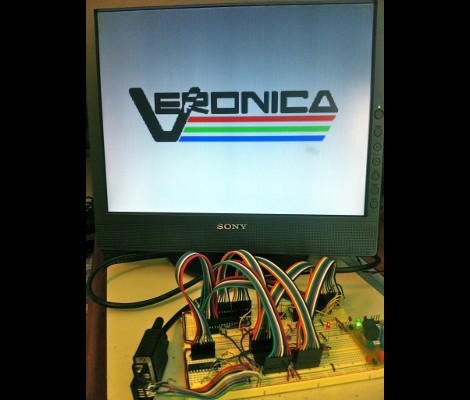
[John W. Linville] wrote a digital video player for the Tandy Color Computer (aka TRS-80). The decades-old hardware performs quite well considering the limited resource he had to work with. This is the second iteration of his player, and can be seen after the break playing a promo video for CoCoFEST 2011 where he’ll show it off in person.

In the most recent thread post (at the time of writing) [John] shares the methods used to get this running. FFMPEG is used on a modern computer to process the source video by separating the audio into an 8-bit 11040Hz file, and it generates several PPM files with the proper video frame rate. ImageMagick takes it from there to convert the PPM files to a bitmap format. It also processes each frame for differential changes, reducing the size to fall within the available bandwidth. They are then interleaved with the audio to produce the final format. Video is 128×192 with rectangular pixels. [John’s] already used it to watch such classics as War Games on the antiquated hardware.

Continue reading “Tandy Color Computer (CoCo3) Color Video Playback”

The Origin Of CTRL-ALT-DELETE

You may not have ever thought about it, but the far-too-often-used keyboard combination of Control + Alt + Delete had to have been brought into existence by some random coder at some point in technological history. But wait, it wasn’t just a random coder. The keystroke combo is attributed to [David Bradley]. He was one of the original designers of the IBM Personal Computer. You can even hear his own recount of the story in the video after the break.

He came up with the idea after growing weary of waiting for the Power-On Self Test (POST) routine to finish during each reboot of his software testing regiment. We remember the old days of slow hardware and can understand his frustration at the lost time. He decided to throw in a shortcut that allowed the software to reboot without power cycling the hardware. The original implementation used CTRL-ALT-ESC, but was later changed so that one frustrated keyboard mash couldn’t accidentally reboot the system.

Continue reading “The Origin Of CTRL-ALT-DELETE”

Body Heat Sensing PC Security System

lockifnothot

[Didier Stevens] wrote in to tell us about a little piece of PC security software he put together recently. His application, LockIfNotHot, works in conjunction with your PC as well as an IR temperature sensor in order to lock your computer the moment you step away.

The theory behind the system is pretty simple. Basically, the IR temp sensor monitors when you are at your desk, sensing your presence by the heat your body gives off. As soon as you step away however, it locks the computer since the temperature of the surrounding area immediately drops. It’s pretty simple, but as you can see in the video below, it works quite well.

The software has configurable set points and timeout values, which make it flexible enough to adapt to your specific situation. He happens to use an off-the-shelf IR sensor, but we assume any USB temperature module will do the trick. If you happen to work with sensitive information but often forget to lock your workstation, this is the program for you!

Continue reading to see a quick demonstration of his software in action.

Continue reading “Body Heat Sensing PC Security System”

DIY Low-power PSU For Home Server Use

diy_pc_psu

[Viktor] decided to replace his old power hungry home server with a model that is much easier on the old electric bill. The new motherboard uses an Intel Atom chip and consumes far less power than its predecessor. He figured there was no reason to use a bulky ATX power supply when all he needed was 12V for the mainboard and a pair of 5V rails for his hard drives, so he decided to build a PSU himself.

He sourced a 100VA toroid transformer as the basis of the power supply due to its popularity with audio amp builders, adding a standard bridge rectifier and smoothing capacitor before regulating the DC output. A pair of switching regulators were added, one for the 6A, 12V, and a second for the 1.5A, 5V supply. The motherboard only requires about 18W at full tilt, so the PSU should be more than sufficient for his needs.

Schematics and board layouts are available for free on his site, if you are in the market for your own DIY low-power PSU.

Looking for more build to suit electronics?  Check out this DIY amp we featured just the other day.

[Thanks, Chris]

PC Case Using CNC Router And Home Building Products

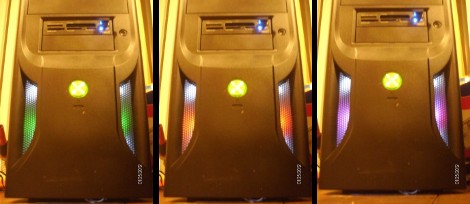
[Reinventing Science] needed a project that he could use to test out his skills on a new CNC routing machine he recently acquire. He settled on building a PC case using easily obtained materials. What he ended up with is the clean-looking case seen above that was machined from materials you can pick up at the home store.

The bulk of the case is made from extruded PVC which is designed to perform like solid wood trim. He picked up one piece of the ‘lumber’ and cut out the front, back, top, bottom, and drive bay bezel. We expected the joints between the horizontal and vertical pieces to either be butt joints, or rabbits. But [Reinventing Science] wanted a cleaner look and managed to mill mortise and tenon joints. These are strong joints that leave a very nice finished look. Since the material is designed as a lumber replacement it shouldn’t be too surprising to see drywall screws used as the fasteners.

In addition to joinery, some other CNC tricks were used. The sides of the case were cut from clear acrylic, with a decorative bead milled in the surface. There’s also fan ports cut in the top and vents on the bottom, as well as some engraving with the name of the project just above the optical drive. The wood-grain embossing makes for an interesting final look; we’d like to see how this takes a few careful coats of paint.

If you’re interested in the CNC hardware used, take a look at the unboxing post that shares a few details.

DIY Digital Pinball Console Plays Hundreds Of Games

pinball_console

Pinball machines, while likely considered pretty retro technology by most, are still a fun and engaging way to waste a little time. The problem with pinball machines is that they take up a lot of space, making the hobby of collecting them pretty prohibitive unless you have tons of spare room in your house.

[tbarklay] loves pinball machines but doesn’t have to room for an elaborate collection. Rather than purchase one machine, he opted to build his own pinball table that can be used to play any number of games. He repurposed an old PC to power his table, connecting it to a 24″ LCD panel for the main display board. A custom cabinet was built to contain the large LCD panel as well as the computer. A 19″ LCD screen was mounted on top of the cabinet to serve as the backglass display. A set of arcade buttons were also added to the console to provide realistic paddle control.

While we don’t have a video of his particular table in action, check out this video we found of  a pinball machine that uses the same setup.

Continue reading “DIY Digital Pinball Console Plays Hundreds Of Games”