Over the years we’ve seen a number of homebrew 6502 computers assembled with little more than a breadboard, a sack full of jumper wires, and an otherworldly patience that would make a Buddhist Monk jealous. Anyone who takes the time to assemble a fully functional computer on a half-dozen breadboards lined up on their workbench will always be a superstar in our book.
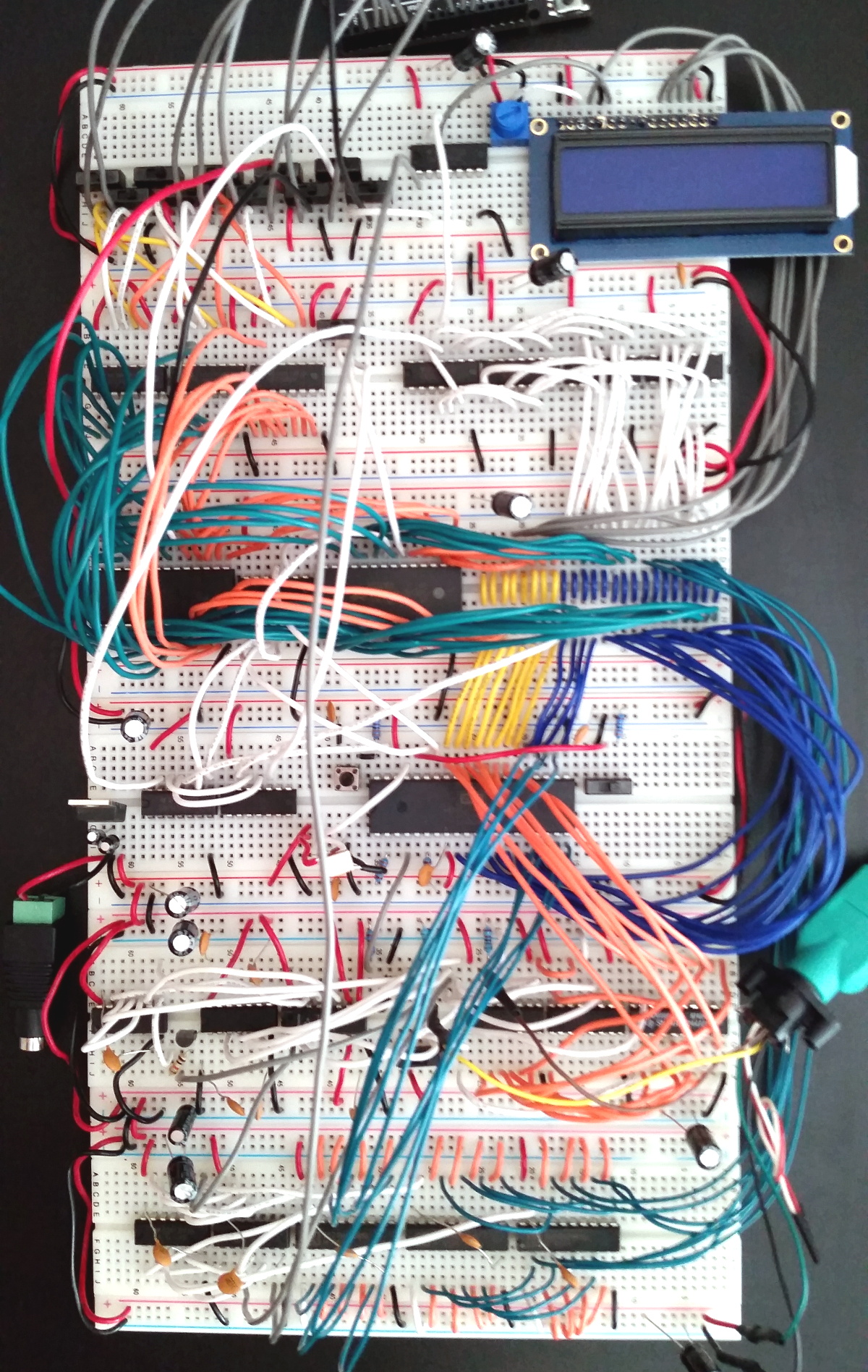 While we’re still too lazy to attempt one of these builds ourselves, we have to admit that the Vectron 64 by [Nick Bild] looks dangerously close to something you might be able to pull off within a reasonable amount of time. It’s still an incredible amount of work, but compared to some of the other projects we’ve seen, this one manages to keep the part count relatively low thanks to the use of a simple 16×2 LCD for output and user input provided by a PS/2 keyboard. You won’t be playing Prince of Persia on it, but at least you might be able to finish it in a weekend.
The computer is clocked at 1 MHz, and features 32KB RAM
along with 32KB EEPROM. That should be enough for anyone. [Nick] also points out he tried to use era-appropriate 7400 series ICs wherever possible, so no worries about historical revisionism here. If you’re looking for a design that somebody could have potentially knocked together back in the 1970s, this one would get you fairly close.
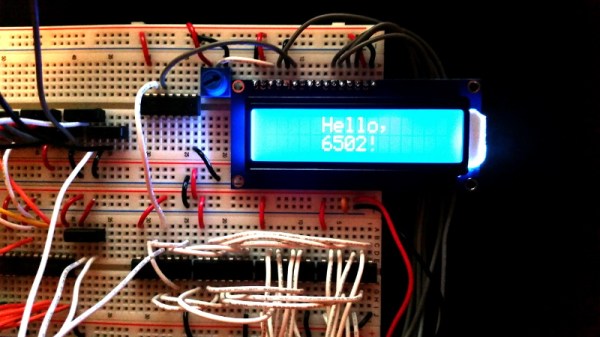
The astute reader might notice there’s no removable media in this build, and may be wondering how one loads programs. For that, [Nick] allowed himself a bit of modern convenience and came up with a scheme that allows an Arduino (or similar microcontroller) to connect up to the computer’s 28C256-15 EEPROM. With a Python script running on your “real” computer, you can write a new ROM image directly to the chip. He’s included the source code for a simple program which will write whatever you type on the keyboard out on the LCD, which should give you a good framework for writing additional software.
If you’re looking for a bigger challenge, don’t worry. We’ve covered 6502 breadboard computers that will make your eyes water. Incidentally, this isn’t the first time we’ve seen a similar LCD used for one of these computers, so looks like there’s no shame in sneaking in modern parts where it makes sense.

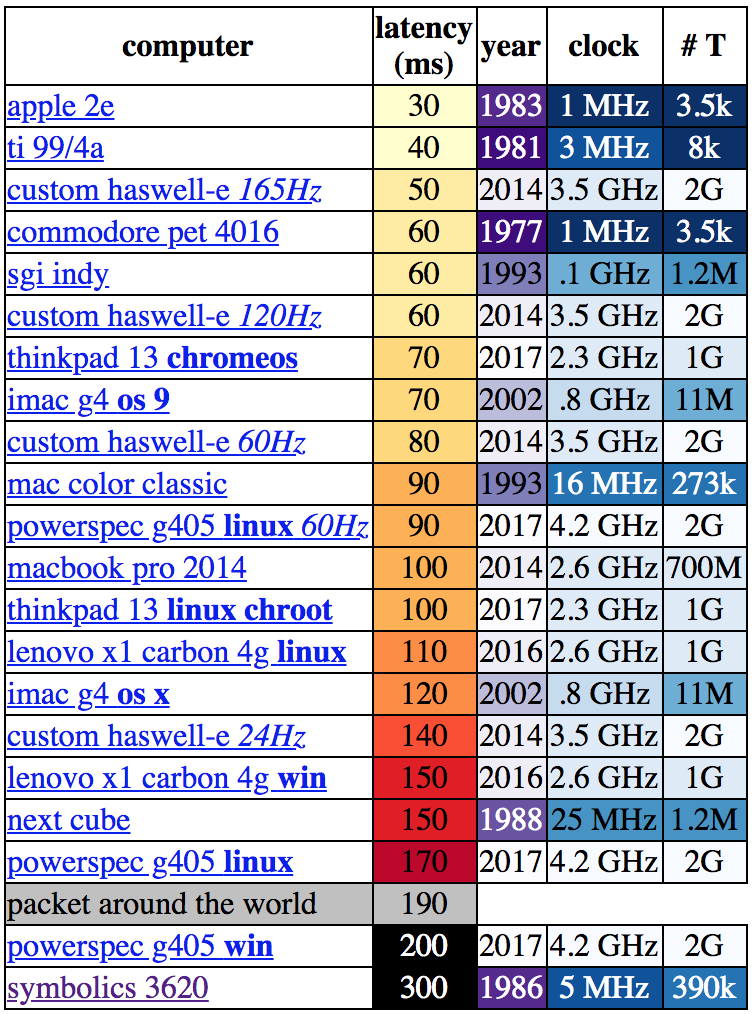 Let’s be clear about what “latency” means in this context. [danluu] was checking the time between a user input and some response on screen. For desktop systems he measured a keystroke, for mobile devices scrolling a browser. If you’re here on Hackaday (or maybe at a