Will An 8088 Run DOOM? Now, Yes It Will!

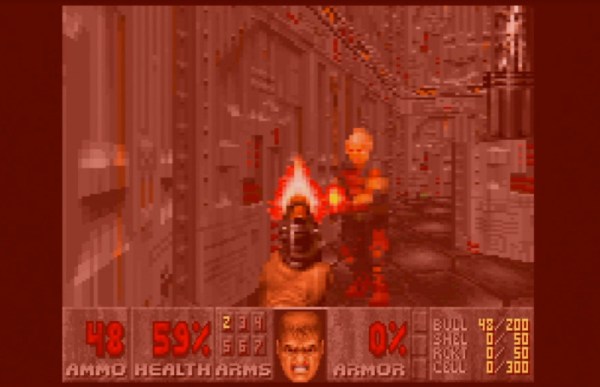
The question on everyone’s lips when a new piece of hardware comes out is this: Will it run DOOM? Many pieces of modern hardware have been coaxed into playing id Software’s 1993 classic, but there have always been some older machines that just didn’t have the power to do it. One of them has now been conquered though, and it’s a doozy. [Frenkel]’s Doom8088, as its name suggests, is a port of the game for the original PC and AT.

As can be seen in this gameplay video, it’s not always the slickest of gaming experiences. But it works, so the question is, how on earth can a machine that was below the spec of the original, run this game? The answer comes in it being a port of GBADoom for the Game Boy Advance, a platform with less memory than a DOS PC. It still relies on extensive hard disk access for every frame though, which leaves it snail-like.

We set out to install it ourselves on one of the web based PC emulators, but fell over on the size of the required Watcom installation. If any of you have the real thing lying around though, we’d love to hear about how the game performed in the comments.

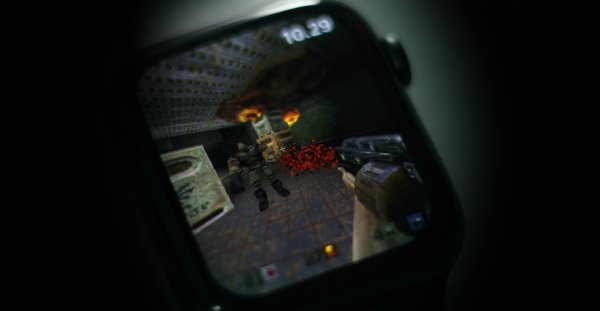
We’ve shown you so many ports of DOOM over the years to have lost count. One of our favourite recent ones uses an extremely unconventional but very retro display.

Restoring A 45 Year Old Video Game

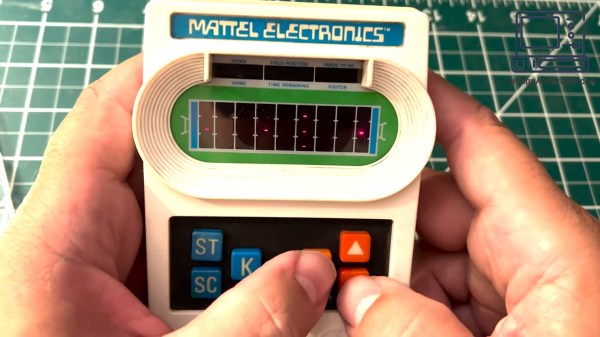
When we say vintage video game, some of you may think of the likes of Lemmings, Mario or maybe even Donkey Kong but the game that [Vintage Apparatus] restored is slightly older and much more minimalist, using an LED matrix and some 7-segment displays rather than this newfangled color CRT thing.

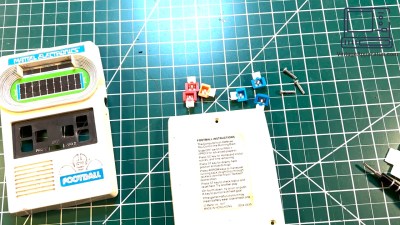
The front and back covers, buttons and screws of the game on the workbench.
The game is disassembled before cleaning.

[Vintage Apparatus] starts by removing the battery and cover from the 1977 Mattel electronics (American) football game, which uses rather uncommon 2mm triangular screws. To his and our surprise, the circuit board and its beautiful array of LEDs seem to be in excellent condition, so he moves on to cleaning the case itself.

The case, on the other hand, is a bit dirty on the outside, so [Vintage Apparatus] takes out the buttons and starts cleaning with the back cover a Q-tip. After a bit of scrubbing and some extra care to avoid removing any stickers, he moves on to the considerably dirtier and somewhat scratched front case. After some wrestling with the creases and speaker grill of the front cover, the outside of the front case looks nice and clean. Finally, he puts back the buttons and circuit board in the front cover before adding closing it all up with the back cover and screwing it back together.

The game, which immediately comes to life and was actually made by the Mattel calculator division, is a sort of evasion game where the player is a bright dot that can move forward, up or down. The player avoids the dimmer dots, the “tacklers”, in order to run as far as possible as fast as possible. When one of the tacklers tackles the player, the amount of downs is increased and the fifth down means game over. After either scoring or getting downed one too many times, the field is flipped and it’s now player 2’s turn.

Video after the break.
Continue reading “Restoring A 45 Year Old Video Game”

Squid-Con Brings Joy To All

While we’re always happy to see accessibility aids come into fruition, most of them focus on daily tasks, not that there’s anything wrong with that. But what about having some fun? That’s the idea behind [Akaki Kuumeri]’s accessibly-awesome Joy-Con controller, the Squid-Con, which provides access to every button with just one hand. It even has tripod and AMPS mounts.

The joysticks themselves are controlled with the thumb and pinky, although some of [Akaki]’s beta testers changed it up a bit. That’s okay, because it’s designed to be comfortable in a variety of positions for either hand. As for the ABXY buttons, those are actuated using 3D-printed arms that connect to a central piece which [Akaki] calls the turbine.

But perhaps the coolest part of this project is the flexures that actuate the shoulder buttons (L, R, zL, and zR) on the controllers. It’s a series of four arms that are actuated by bringing the fingers back toward the palm. If all of this sounds confusing, just check out the video after the break.

We love flexures around here, and we’ve seen them in everything from cat feeding calendars to 6-DOF positioners to completely new kinds of joysticks.

Continue reading “Squid-Con Brings Joy To All”

Decompiling Sonic Runners

Usually, when you hear about games being decompiled and rebuilt, the games are often decades-old relics, loving and saved from the ravages of time. [MattKC] recently set out to decompile the 2015 game Sonic Runners.

The game was a 2D endless runner released on mobile platforms. Despite getting praise for the gameplay, it received mixed reviews for the pop-up ads and pay-to-play elements. A little over a year later, the game was discontinued. However, the game required a constant online connection, so once the servers were offline, it rendered the over five million downloads unplayable.

A team of developers worked to reverse engineer the server, and with a little bit of binary hacking, the client could be patched to connect to a community-hosted server instead. However, as phones with notched displays came out and suggestions for improvements stacked up, the community realized a new client would bring immense benefits. Compared to many decompilation projects, Sonic Runners was pretty easy as it uses Unity, which means most of the code is in C#. Unfortunately, the build of Unity used by the game is from 2012, meaning many of the tools designed for much later versions of Unity were inoperable.

However, one native code library called UnmanagedProcess was designed to confuse reverse engineering efforts. The library handled AES encryption and communication with the server. Luckily, the library was a later addition, and earlier versions of its functions still lingered in the C# code. Since an open source server already existed, it was trivial to validate the changes. Additionally, all the shaders were in OpenGL Shading Language (GLSL), which meant rewriting them in High-Level Shading Language (HLSL) and checking that they matched the original GLSL when building for Android.

Now the client has new game modes, no ads, and a proper offline mode. The community continues adding new features and refining the game, which is very satisfying. If you’re curious about reverse engineering, [Matthew Alt] can help you get started.

Continue reading “Decompiling Sonic Runners

Automation For The NES

Old hardware might not be anywhere close to as powerful as modern technology, but it does have a few perks. Aesthetics can of course drive the popularity of things like retro gaming systems, but the ease of understanding the underpinnings of their inner workings is also critical. The Nintendo Entertainment System, now nearly four decades old, is a relatively simple machine by modern standards and this lends the system to plenty of modifications, like this controller that allows the system to be somewhat automated.

The original NES controller used a fairly simple shift register to send button presses to the system. The system outputted a latch signal to the controller, the shift register would take as input the current state of the buttons, and then would send them one-by-one to the system at a rate of around 1000 times per second. These signals can be sent without a controller easily enough, too. This build uses a CD4021 shift register, which is the same as the original controller, but instead of reading button states it accepts its inputs from a separate computer via a latching circuit. In this case, the separate computer is a custom design that came about through adapting cassette storage for a 6502-based computer, but it could come from anything else just as easily.

With this system in place, it’s possible to automate gameplay to some extent. Since the system can’t get feedback about the game in its current state, it requires some precise timing to get it to play the game well, and a lot of tuning needs to go into it. This isn’t just a one-off, either. Similar methods are how we get tool-assisted speedruns of games and although these are often done in emulators instead of on real hardware, they can result in some interesting exploits.

Continue reading “Automation For The NES”

Install ChimeraOS And Never Leave The Sofa

There are some projects that initially don’t seem to make sense, but actually turn out to have valid use cases. ChimeraOS appears to be one of those. The idea is that if you own a gaming PC, but it is not necessarily located where you want to be all the time (like in a gaming den or office for example) then ChimeraOS allows you to play games on it remotely via a local machine. That machine may be a media PC attached to your main TV, or perhaps a mobile device like a steam deck.

With support for AMD GPUs only, there is one issue with deployment — if you’re an Nvidia owner you’re out of luck — the premise is to be able to boot up into a gaming-friendly environment with minimal fuss. Hook up a controller and you’re good to go. Support is also there for a few mobile devices, specifically some Aokzoe, Aya Neo, and OneXPlayer devices as well as some preliminary support for the Asus ROG Ally not to mention the Steam Deck as we touched on earlier. From a software perspective, it obviously supports the Steam platform but also Epic Games, Good Old Games (GOG), and tentatively a mention of console platforms. Sadly the website doesn’t mention much detail on that last bit, but there are some tantalizing hints in the project’s Twitter/X/whatever feed. Reading the release notes, there are mentions of PCSX2 (Playstation 2) Super Game Boy and Atari platforms, so digging into the GitHub repo might be instructive, or you know, actually installing it and trying. This scribe doesn’t own an AMD GPU so that isn’t an option, but do drop us a line in the comments if you’ve tried it and how it works for you.

Many of us at Hackday are avid gamers, especially of the retro kind, which is why we really like these projects. Here’s a nice game controller you can print yourself. For self-builds, there’s nothing quite like the satisfaction of a DIY arcade machine, but what if you think outside the box?

Running DOOM In A Keycap Takes Careful Work

Shoehorning DOOM into different hardware is a classic hacker’s exercise, and [TheKeebProject] managed to squeeze the 1993 classic into a custom keycap with the help of a Raspberry Pi RP2040, a custom PCB, and a clear resin enclosure. It even has a speaker for sound!

All processing is done inside the keycap, which is a clever feat. There is a USB connection, but it’s only for power and keyboard controls, so it’s completely playable without needing a whole lot of external support. The custom PCB and code are based off an earlier RP2040 DOOM project, and [TheKeebProject] has certainly made it their own by managing to get everything so tightly integrated. There’s a quick video mashup embedded below. There’s still a bit of work to do, but the code and design files are all on GitHub should you wish for a closer look.

Making DOOM physically smaller is a good challenge, but we’d like to remind fans that we’ve also seen DOOM shrink in terms of power consumption, all the way down to 1 mW.

Continue reading “Running DOOM In A Keycap Takes Careful Work”