Tracking The Satellites That Keep Us On Track; Monitoring GPS, Galileo, BeiDou, And GLONASS

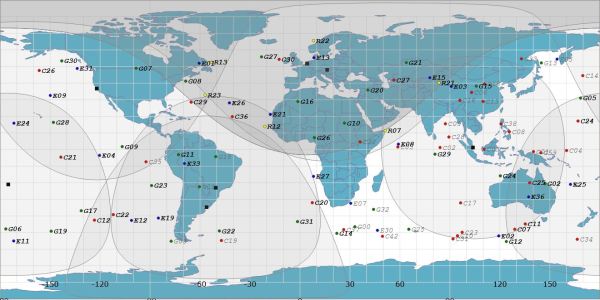
We may not always be aware of it, but the daily function of the technological world around us is extremely dependent on satellite navigations systems. It helps the DHL guy deliver those parts you were waiting for, and keeps the global financial and communication systems running with precision timing. So, when these systems have a bad day, they can spread misery across the globe. To keep an eye on these critical constellations, [Bert Hubert] and friends set up a global open source monitoring network that aims to track every satellite in the GPS, Galileo, BeiDou and GLONASS constellations.
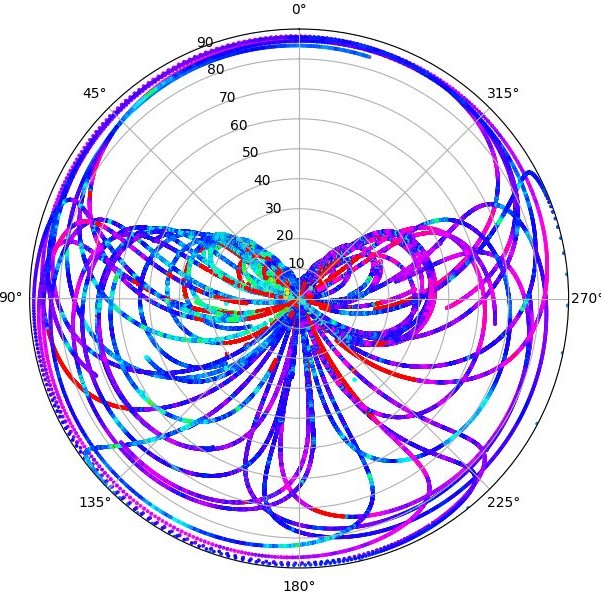
Local azimuth and local elevation of GPS, Galileo, and BeiDou satellites passing overhead [via @GalileoSats]
Off-the-shelf GNSS receivers are used to feed navigation messages to a machine running Linux/OSX/OpenBSD. The messages are processed to calculate the position (ephemeris), extract atomic clock timings and status codes of each satellite. Publicly available orbital data is then used to make an informed guess regarding the identity of the satellite in question.

All this data enables [Bert] to determine ephemeris discontinuities, time offsets, and atomic clock jumps. The project’s twitter feed, @GalileoSats, is very active with interesting updates. Go check it out! All the collected data is available for research purposes and the software is up on Github.

GPS hacks are never in short supply around here and another open source satellite network, SatNOGS has been featured a number of times on Hackaday after it won the 2014 Hackaday Prize.

Thanks for the tip [DarkSideDave]!
Running Doom On A Doomed GPS

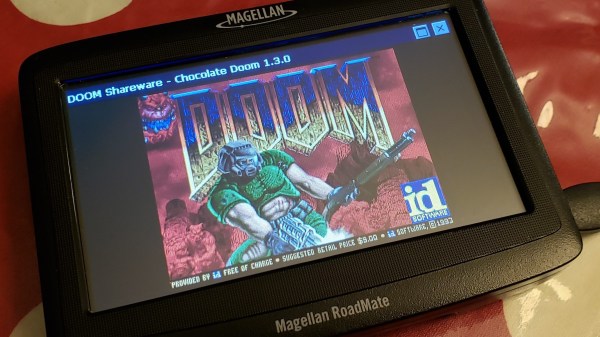
What’s the first thing you think of when you see an old GPS navigation system for sale cheap at a garage sale? Our research indicates that 100% of people would wonder if it could run Doom; at least that’s what we conclude from the single data point we have, anyway. [Jason Gin] asked and answered the question — with a resounding yes — about his recent acquisition.

The unit in question is a Magellan RoadMate 1412 running Windows CE. After some playing, [Jason] found that simply connecting the unit to a computer via USB caused all the application files to appear as a FAT-formatted volume. Replacing the obviously-named “MapNavigator.exe” with a copy of TotalCommander/CE allowed browsing around the filesystem.

This revealed that much was missing from the CE install, including the Explorer shell and command prompt. Either could be used to launch Doom with the required command-line arguments. Luckily, [Jason] had another trick ready, namely using MortScript (a scripting engine) to launch the Doom executable. This worked like a charm, and after a few tweaks, he now has a dedicated demo box.

We say “demo box” instead of “Doom machine” because without a keyboard, you can’t actually play the game — only view the demo. In a valiant attempt, he connected a USB OTG connector, but the GPS doesn’t seem to recognize input devices, only USB storage devices. Keep at it, [Jason], we’d love to see you crack this one!

[Jason] is no stranger to hacking Windows CE devices. Last time we checked in, the target was a KeySight DSO1102G oscilloscope.

Continue reading “Running Doom On A Doomed GPS”

This GPS Speedometer Hangs Off Your Handlebars

If you can ride a bike with no handlebars, no handlebars, no handlebars, you can do just about anything. You can take apart a remote control, and you can almost put it back together. You can listen in on a two meter repeater and you can build a GPS module speedometer. That’s what [Jeremy Cook] did with just a few parts, a little 3D design, and some handy zip ties to hold it onto the handlebars, the handlebars.

The electronics for this build are relatively simple, based on an Arduino Pro Mini because that’s just about the smallest readily available development board you’ll be able to find. To this is a LiPo, a LiPo charging circuit, a GPS module, and a single RGB LED. The code gets some data from the GPS module and figures out a speed. This is then translated into a color — red, yellow, or green depending on whether you’re stationary, below 5 km/h, or above 5 km/h.

All these electronics are stuffed into a 3D-printed enclosure. The majority of the enclosure is printed in black, with a translucent top that serves as a great diffuser for the LED. Just two zip ties hold this GPS speedometer onto the handlebars, and from the video below, everything looks great. The GPS module does take some time to get data at first, but that’s a common problem with GPS units that have been powered off for a few days. If only someone made a GPS module that could keep time with no metronome, with no metronome.

Continue reading “This GPS Speedometer Hangs Off Your Handlebars”

Meat-Seeking Raspberry Pi Leads You To Flavortown

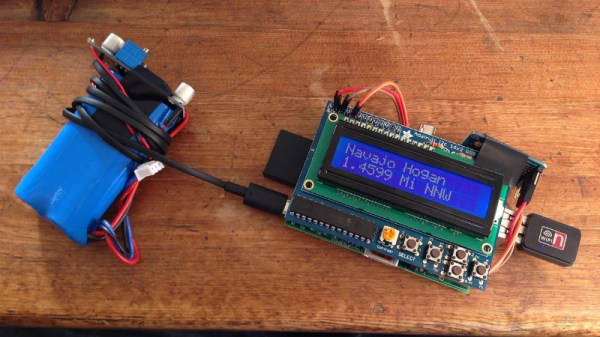
[Patrick McDavid] and his wife had a legitimate work-related reason for writing some Python code that would pull the exact latitude and longitude of the individual locations within a national retain chain from Google’s Geocoding API. But don’t worry about that part of the story. What’s important now is that this simple concept was then expanded into a pocket-sized device that will lead the holder to the nearest White Castle or Five Guys location.

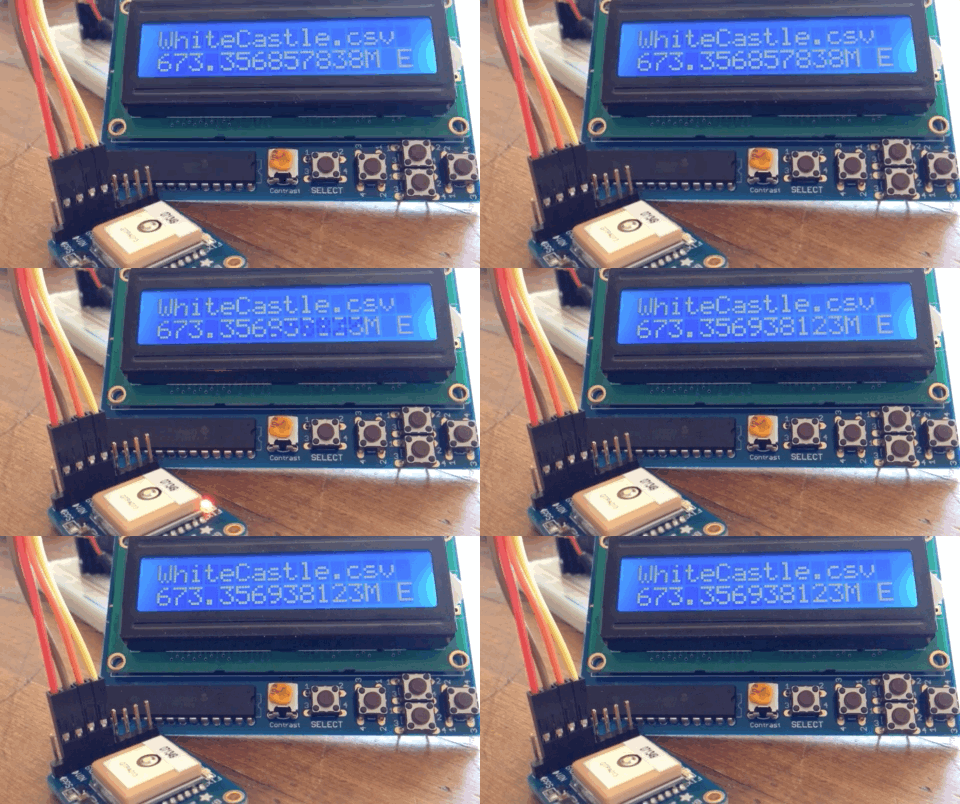
The device, which [Patrick] lovingly referrers to as the “Cheeseburger Compass”, uses a Raspberry Pi 3, an Adafruit 16×2 LCD with keypad, a GPS module, and the requisite battery and charger circuit to make it mobile. With the coordinates for the various places one can obtain glorious artery clogging meat circles loaded up, the device will give the user the cardinal direction and current distance from the nearest location of the currently selected chain.

[Patrick] has published the source code for this meat-seeking gadget on GitHub, but notes that most of it is just piecing together existing libraries and tools. As with many Python projects, it turns out there’s already a popular library to do whatever it is you were trying to do manually, so his early attempts at calculating distances and bearings were ultimately replaced with turn-key solutions. Though he did come up with a quick piece of code that would convert a compass heading in degrees to a cardinal direction that he couldn’t find a better solution for. Maybe he should make it a library…

Sadly the original Cheeseburger Compass got destroyed from being carried around so much, but at least it died doing what it loved. [Patrick] says a second version of the device would likely switch over to a microcontroller rather than the full Raspberry Pi experience, as it would make the device much smaller and greatly improve on the roughly two hour battery life.

This project reminds us of the various geocache devices we’ve covered in the past, but with the notable addition of hot sizzling meat. Talk about improving on a good thing.

Where’s The Cat? Locating Your Moggy Without Eating Batteries

Where the Hackaday Cat goes when she steps over the threshold into the wider world is a mystery, she reveals her whereabouts strictly on her terms and would we suspect be very cagey were we able to ask her about it. [Andy C] however has a need to know where his cat is spending her time, so he’s made a GPS collar for a bit of feline spying.

There are commercial GPS collars for pets, but they all share the flaw of extremely limited battery life. His challenge then was to create a collar that delivered the required pinpoint fix alongside a battery life measured in months. The solution was a combination of a low-power miniature GPS receiver and a low-power PC microcontroller hooked up to an FSK radio whose frequency he doesn’t give but which we suspect is probably the usual 433 MHz. The collar remains in low power mode until it receives a call on the FSK, at which point it wakes up, gets a GPS fix, transmits it, and returns to sleep.

The summary links to a series of posts which provide an extremely detailed look at all aspects of the project, and go well beyond mere GPS trackers for a cat. If you have an interest in low power devices or antenna matching for example, you’ll find a lot of interesting stuff in these pages. Of course, if all you need is a GPS tracker though, you may prefer a simpler option.

Fail Of The Week: How Not To Build Your Own DGPS Base Station

GPS is the modern answer to the ancient question about one’s place in the world yet it has its limitations. It depends on the time of flight of radio signals emitted by satellites twenty thousand kilometers above you. Like any system involving large distances and high velocities, this is bound to offer some challenges to precise measurements which result in a limit to achievable accuracy. In other words: The fact that GPS locations tend to be off by a few meters is rooted in the underlying principle of operation.

Today’s level of precision was virtually unattainable just decades ago, and we’re getting that precision with a handheld device in mere seconds. Incredible! Yet the goal posts continue to move and people are working to get rid of the remaining error. The solution is called Differential GPS or ‘DGPS’ and its concept looks surprisingly simple.

What’s fascinating is that you can use one GPS to precisely measure the error of another GPS. This is because the inherent error of a GPS fix is known to be locally constant. Two receivers next to each other pick up signals that have been affected in the same way and thus can be expected to calculate identical wrong positions. This holds true for distances up to several kilometers between individual receivers. So in order to remove the error, all you need is a GPS receiver in a known location to measure the current deviation and a way to transmit correction information to other units. DGPS does just that, using either terrestrial radio in some regions and satellites in others. Mobile solutions exist as well.

So a raspi with a USB GPS dongle in a known location should be able to act as a DGPS over IP base station, right? In theory, yes. In practice… fail.

Continue reading “Fail Of The Week: How Not To Build Your Own DGPS Base Station”

Handheld GPS Tracks All The Things

With a GPS on every smartphone, one would be forgiven for forgetting that handheld GPS units still exist. Seeking to keep accurate data on a few upcoming trips, [_Traveler] took on a custom-build that resulted in this GPS data logger.

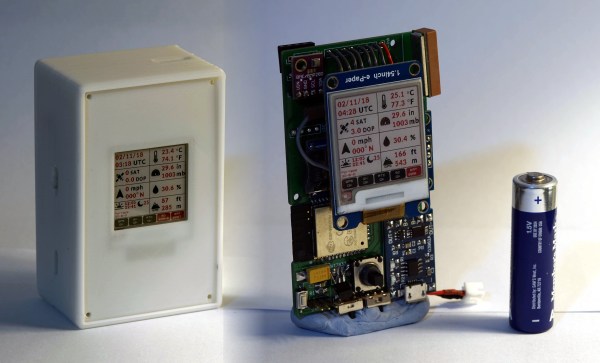
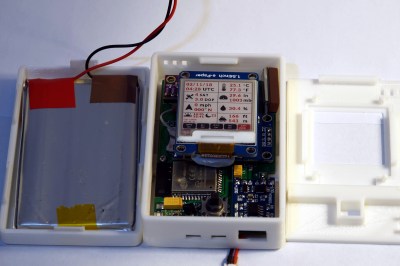
Keeping tabs on [_Traveler] is a Ublox M8N GPS which is on full-time, logging data every 30 seconds, for up  to 2.5 days. All data is saved to an SD card, with an ESP32 to act as a brain and make downloading the info more accessible via WiFi . While tracking the obvious — like position, speed, and time — this data logger also displays temperature, elevation, dawn and dusk, on an ePaper screen which is a great choice for conserving battery.


The prototyping process is neat on this one. The first complete build used point-to-point soldering on a protoboard to link several breakout modules together. After that, a PCB design embraces the same modules, with a footprint for the ESP’s castellated edges and header footprints for USB charing board, SD card board, ePaper, etc. All of this finds a hope in a 3D printed enclosure. After a fair chunk of time coding in the Arduino IDE the logger is ready for [_Traveler]’s next excursion!

As far as power consumption in the field, [_Traveler] says the GPS takes a few moments to get a proper location — with the ESP chewing through battery life all the while — and plans to tinker with it in shorter order.

Not all GPS trackers are created equal: sometimes all you need is a stripped-down tracker for your jog, or to know exactly where every pothole is along your route.

[Via /r/electronics]