Energy Sipping Neodymium Sphere Keeps On Spinning

At this point we’re sure you are aware, but around these parts we don’t deduct points for projects which we can’t immediately see a practical application for. We don’t make it our business to say what is and isn’t worth your time as an individual hacker. If you got a kick out of it, great. Learned something? Even better. If you did both of those things and took the time to document it, well that’s precisely the business we’re in.

So when [Science Toolbar] sent in this project which documents the construction of an exceptionally energy efficient spinning neodymium sphere, we knew it was our kind of thing. In the documentation it’s referred to as a motor, though it doesn’t appear to have the torque to do any useful work. But still, if it can spin continuously off of the power provided by a calculator-style photovoltaic cell, it’s still a neat trick.

But how does it work? It starts by cracking open one of those little solar powered toys; the ones that wave or dance around as soon as any light hits the panel in their base. As [Science Toolbar] explains, inside these seemingly magical little gadgets is a capacitor and the classic black epoxy blob that contains an oscillator circuit. A charge is built up in the capacitor and dumped into a coil at roughly 1 Hz, which provides just enough of a push to get the mechanism going.

In the video after the break, [Science Toolbar] demonstrates how you can take those internals and pair it with a much larger coil. Rather than prompting a little sunflower or hula girl to do its thing, the coil in this version provides the motive force for getting the neodymium sphere spinning. To help things along, they’re even using a junk box zero friction magnetic bearing made up of a wood screw and a magnetized screwdriver tip.

It’s an interesting example of how a tiny charge can be built up over time, and with a nice enough enclosure this will make for a pretty cool desk toy. We’ve previously seen teardowns of similar toys, which revealed a surprising amount of complexity inside that little epoxy blob. No word on whether or not the version [Science Toolbar] cannibalized was quite so clever, however.

Continue reading “Energy Sipping Neodymium Sphere Keeps On Spinning”

Many Ways To Drive A Small Motor

Tiny motors used for haptic feedback and vibration come in a variety of shapes and sizes. The most familiar is the “eccentric rotating mass” (ERM) variety which just spins an imbalanced weight on a small motor and comes packaged in two form factors. The classic is the pager “pager motor” which just looks like a tiny, adorable motor and the squat cylindrical “pancake style”. ERMs are simple to use but provide imprecise response when compared to their new-age cousin the “linear resonant actuator”. Unlike the motor in an ERM, LRAs are typically an enclosed mass on a spring placed near a coil which pushes the mass back and forth. The name LRA might not be familiar but Apple’s branded implementation, the Taptic Engine, might be a little more recognisable.

[Precision Microdrives] is a vendor of these sorts of devices who happens to have a pleasantly approachable set of application notes covering any conceivable related topic. A great place to start is this primer on ways to drive motors with constant voltage in a battery powered environment. It starts with the most simple option (a voltage divider, duh) and works through a few other options through using an LDO or controller.

If you’re thinking about adding haptics to a project and are wondering what kind of actuator to use (see: the top of this post) AB-028 is a great resource. It has a thorough discussion on the different options available and considerations for mounting location, PCB attachment, drive modes, and more. Digging around their site yields some other interesting documents too like this one on mounting to fabric and other flexible surfaces. Or this one on choosing PWM frequencies.

Of Roach Killer And Rust Remover: Sam Zeloof’s Garage-Made Chips

A normal life in hacking, if there is such a thing, seems to follow a predictable trajectory, at least in terms of the physical space it occupies. We generally start small, working on a few simple projects on the kitchen table, or if we start young enough, perhaps on a desk in our childhood bedroom. Time passes, our skills increase, and with them the need for space. Soon we’re claiming an unused room or a corner of the basement. Skills build on skills, gear accumulates, and before you know it, the garage is no longer a place for cars but a place for pushing back the darkness of our own ignorance and expanding our horizons into parts unknown.

It appears that Sam Zeloof’s annexation of the family garage occurred fairly early in life, and to a level that’s hard to comprehend. Sam seems to have caught the hacking bug early, and by the time high school rolled around, he was building out a remarkably well-equipped semiconductor fabrication lab at home. Sam has been posting his progress regularly on his own blog and on Twitter, and he dropped by the 2018 Superconference to give everyone a lesson on semiconductor physics and how he became the first hobbyist to produce an integrated circuit using lithographic processes.

Continue reading “Of Roach Killer And Rust Remover: Sam Zeloof’s Garage-Made Chips”

Flywire Circuits At The Next Level

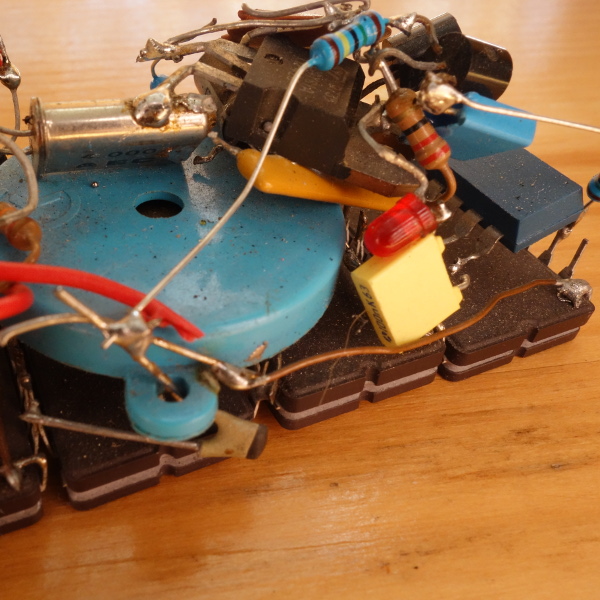
The technique of assembling circuits without substrate goes by many names; you may know it as flywiring, deadbugging, point to point wiring, or freeform circuits. Sometimes this technique is used for practical purposes like fixing design errors post-production or escaping tiny BGA components (ok, that one might be more cool than practical). Perhaps our favorite use is to create art, and [Mohit Bhoite] is an absolute genius of the form. He’s so prolific that it’s difficult to point to a particular one of his projects as an exemplar, though he has a dusty blog we might recommend digging through [Mohit]’s Twitter feed and marveling at the intricate works of LEDs and precision-bent brass he produces with impressive regularity.

So where to begin? Very recently [Mohit] put together a small wheeled vehicle for persistence of vision drawing (see photo above). We’re pretty excited to see some more photos and videos he takes as this adorable little guy gets some use! Going a little farther back in time there’s this microcontroller-free LED scroller cube which does a great job showing off his usual level of fit and finish (detail here). If you prefer more LEDs there’s also this hexagonal display he whipped up. Or another little creature with seven segment displays for eyes. Got those? That covers (most) of his last month of work. You may be starting to get a sense of the quality and quantity on offer here.

We’ve covered other examples of similar flywired circuits before. Here’s one of [Mohit]’s from a few years ago. And another on an exquisite headphone amp encased in a block of resin. What about a high voltage Nixie clock that’s all exposed? And check out a video of the little persistence of vision ‘bot after the break.

Thanks [Robot] for reminding us that we hadn’t paid enough attention to [Mohit]’s wonderful work!

Continue reading “Flywire Circuits At The Next Level”

Fail Of The Week: When The Epoxy-Coated Chip Is Conductive

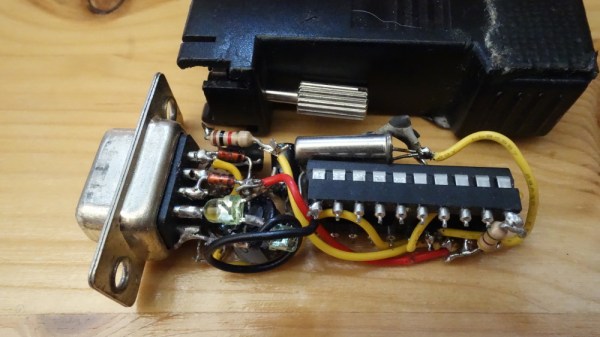
Every once in a while, you’ll find some weirdness that will send your head spinning. Most of the time you’ll chalk it up to a bad solder joint, some bad code, or just your own failings. This time it’s different. This is a story of weirdness that’s due entirely to a pin that shouldn’t be there. This is a package for an integrated circuit that has a pin zero.

The story begins with [Erich] building a few development boards for the Freescale Kinetis K20 FPGA. This is a USB-enabled microcontroller, and by all accounts, a worthwhile effort. So far, so good. The problem with the prototype boards was soon apparent. On some of the boards, the external 32 kHz oscillator was not starting. Resoldering the oscillator or microcontroller sometimes solved the problem, but not always. This is troubling, because that means the issue isn’t code, and it’s not the PCB. This is going to take a deep dive and a good inspection microscope.

One of [Erich]’s friends, [Christian B] somehow found the problem. When the Freescale K40 is manufactured, the die is carefully laid in a chip carrier and coated with epoxy, putting it in a small QFN package. The problem is, there’s an extra connection sticking out of one corner of this chip. This is just an artifact of the chip carrier, but if you leave exposed metal connected to ground, something is eventually going to go wrong.

The best guess [Erich] has is that this additional connection is from the manufacturing and packaging process, with the exposed metal pad in this application being bridged to an adjacent pad. Now, if there’s one failure to [Erich]’s design, it’s that the trace comes out of the pin on the adjacent pad at 90 degrees; this isn’t a best practice, but most of the time you can get away with it. This time, though, somebody got burned.

We don’t know how [Christian] ever found this issue. When you look at a tiny QFN package, you don’t expect there to be an extra pin attached to ground that can be easily bridged with a bit of solder paste. It’s either a lot of luck or skill to find this problem, but it’s a great example of the weird things you have to look out for.

Fail Of The Week: Laser-based Persistence Of Vision Gadget

[XTronical]’s idea for a laser-based persistence of vision gadget failed, but the basic idea seemed sound. A row of inexpensive red lasers shine into a spinning mirror and are reflected onto a distant surface, making 8 scan lines. A reflective object sensor detects mirror position, and by rapidly turning individual lasers on and off, a pattern can be drawn out.

That was the idea, anyway. A quick prototype consisting of some small and economical red laser diodes and a double-sided mirror hot glued to the shaft of a small DC motor formed the guts of the unit. [XTronical] worried that the spinning mirror might be unstable or unreliable, but that part performed just fine. The problems, he found, were mainly with the lasers.

[XTronical] had hoped to turn the lasers on and off directly via the digital I/O pins of an Arduino, but here’s where a lot of little issues sank the project. First of all, hot glue was handy for mounting but the lasers were cumbersome to align by hand, and the hot glue made it troublesome to effect repairs when units failed. In addition, the beams had inconsistent brightness and spot sizes, which made for poor visuals. [XTronical]’s approach of controlling the lasers by applying and cutting power may also have been a source of trouble. It’s possible that these lasers cannot turn on and off fast enough, but it’s hard to say without measuring.

Sensible ideas can be rendered unworkable by an accumulation of small problems, and that seems to have been the case here. A video overview is embedded below; is this approach doomed, or can it be made workable?

Continue reading “Fail Of The Week: Laser-based Persistence Of Vision Gadget”

A Sneak Peek At Anechoic Chamber Testing

[Mathieu Stephan] has something new in the works, and while he isn’t ready to take the wraps off of it yet, he was kind enough to document his experience putting the mysterious new gadget through its paces inside an anechoic chamber. Considering the majority of us will never get inside of one of these rooms, much less have the opportunity to test our own hardware in one, he figured it was the least he could do.

If you’re not familiar with an anechoic chamber, don’t feel bad. It’s not exactly the sort of thing you’ll have at the local makerspace. Put simply it’s a room designed to not only to remove echos on the inside, but also be completely isolated from the outside. But we aren’t just talking about sound deadening, the principle can also be adapted to work for electromagnetic waves. So not only is in the inside of the anechoic chamber audibly silent, it can also be radio silent.

This is important if you want to test the performance of things like antennas, as it allows you to remove outside interference. As [Mathieu] explains, both the receiver and transmitter can be placed in the chamber and connected to a vector network analyzer (VNA). The device is able to quantify how much energy is being transferred between the two devices, but the results will only be accurate if that’s the only thing the VNA sees on its input port.

[Mathieu] can’t reveal images of the hardware or the results of the analysis because that would give too much away at this point, but he does provide the cleverly edited video after the break as well as some generic information on antenna analysis and the type of results one receives from this sort of testing. Our very own [Jenny List] has a bit more information on the subject if you’d like to continue to live vicariously through the accounts of others. For the rest of us, we’ll just have to settle for some chicken wire and a wooden crate.

Continue reading “A Sneak Peek At Anechoic Chamber Testing”