Little Helper: Open Source Hardware Hacker Multitool

We love a good multitool. There’s something seductive about knowing that if, for some reason, you need to saw down a tree on a moment’s notice, you have a tiny saw in your pocket. We also like electronic versions of the multitool: gadgets that serve a lot of purposes as you develop and debug hardware. One of the most polished-looking ones we’ve seen is [Phillip Schuster’s] Little Helper.

The open source gadget looks like an iPod (if an iPod had header pins sticking out of it). It has basic analog I/O capability, can generate PWM pulses, sniff I2C traffic, and do lots of other features. It is open source, so you can always add more capabilities if you need them.

Continue reading “Little Helper: Open Source Hardware Hacker Multitool”

You Need A Self-Righting Thrust-Vector Balloon Copter

Cornell University’s microcontroller class looks like a tremendous amount of fun. Not only do the students learn the nitty-gritty details of microcontroller programming, but the course culminates in a cool project. [Brian Ritchken] and [Jim Liu] made a thrust-vector controlled balloon blimp. They call this working?!?!

Three balloons provide just enough lift so that the blimp can climb or descend on motor power. Since the machine is symmetric, there’s no intrinsic idea of “forward” or “backward”. Instead, a ring of eight LEDs around the edge let you know which way the blimp thinks it’s pointing. Two controls on the remote rotate the pointing direction clockwise and counter-clockwise. The blimp does the math to figure out which motors to run faster or slower when you tell it to go forward or back.

The platform is stabilized by a feedback loop with an accelerometer on board, and seems capable of handling a fairly asymmetric weight distribution, as evidenced by their ballast dangling off the side — a climbing bag filled with ketchup packets that presumably weren’t just lifted from the dining halls.

It looks like [Brian] and [Jim] had a ton of fun building and flying this contraption. We’d love to see a distance-to-the-floor sensor added so that they could command it to hover at a given height, but that adds an extra level of complexity. They got this done in time and under budget, so kudos to them both. And in a world full of over-qualified quadcopters, it’s nice to see the humble blimp getting its time in the sun.

Yep, you heard right… this is yet another final project for a University course. Yesterday we saw a spinning POV globe, and the day before a voice-activated eye test. We want to see your final project too so please send in a link!

The ESP32 Beta Units Arrive

A little more than a year ago, the ESP8266 WiFi module showed up uneventfully in Seeed Studio’s store. Since then, the documentation has been translated to English, a proper development environment for this chip was created, and everybody is using this cheap but powerful chip for the latest Internet of Things things.

The company behind the ESP8266, Espressif, is not one to rest on their laurels, and for several months they’ve been working on the next generation of powerful WiFi-enabled tiny, cheap systems. They have their silicon, and already 200 lucky people have their hands on the very first test units of the ESP32, the next generation of Espressif’s WiFi chips. The teardowns have begun, and [LadyAda] streamed her initial experiments with the chip to the Intertubes (available below). [Martin] is also one of the guys who received these early beta chips, and he was kind enough to post his thoughts on Espressif’s newest chip.

A little bit of information on the ESP32 has dribbled out, and [LadyAda] and [Martin]’s demo unit confirm all we’ve suspected. There are two Tensilica L108 processors running at up to 160MHz, a lot of peripherals including ADCs, DACs, I2C, SPI, I2S, and PWM, more RAM, AES and SSL for security, and Bluetooth Low Energy. WiFi has also been upgraded, and the ESP32 will support speeds up to 150 Mbps.

Continue reading “The ESP32 Beta Units Arrive”

Students Set Sights On DIY Eye Exams

What if you could give yourself a standard eye exam at home? That’s the idea behind [Joel, Margot, and Yuchen]’s final project for [Bruce Land]’s ECE 4760—simulating the standard Snellen eye chart that tests visual acuity from an actual or simulated distance of 20 feet.

This test is a bit different, though. Letters are presented one by one on a TFT display, and the user must identify each letter by speaking into a microphone. As long as the user guesses correctly, the system shows smaller and smaller letters until the size equivalent to the 20/20 line of the Snellen chart is reached.

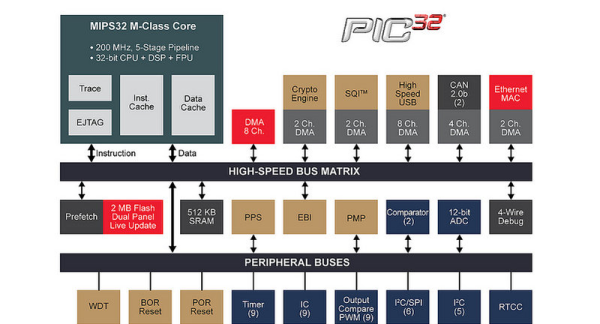
Since the project relies on speech recognition, the group had to consider things like background noise and the differences in human voices. They use a bandpass filter to screen out frequencies that fall outside the human vocal range. In order to determine the letter spoken, the PIC32 collects the first 256 and last 256 samples, stores them in two arrays, and performs FFT on the first set. The second set of samples undergoe Mel transformation, which helps the PIC assess the sample logarithmically. Finally, the system determines whether it should show a new letter at the same size, a new letter at a smaller size, or end the exam.

While this is not meant to replace eye exams done by certified professionals, it is an interesting project that is true to the principles of the Snellen eye chart. The only thing that might make this better is an e-ink display to make the letters crisp. We’d like to see Snellen’s tumbling E chart implemented as well for children who don’t yet know the alphabet, although that would probably require a vastly different input method. Be sure to check out the demonstration video after the break.

Don’t know who [Bruce Land] is? Of course he’s an esteemed Senior Lecturer at Cornell University. But he’s also extremely active on Hackaday.io, has many great embedded engineering lectures you can watch free-of-charge, and every year we look forward to seeing the projects — like this one — dreamed and realized by his students. Do you have final projects of your own to show off? Don’t be shy about sending in a tip!

Continue reading “Students Set Sights On DIY Eye Exams”

Microcontroller Lectures By Bruce Land

[Bruce Land] is no stranger to Hackaday as you can see from his Hackaday.io profile, if you aren’t familiar with his work [Bruce Land] is a Senior Lecturer at Cornell University. One of the courses he teaches: Digital Systems Design Using Microcontrollers (ECE4760) was recorded in 2012 and again in 2015 and the videos are available on YouTube.

AVR to PIC32

[Bruce Land]s previous set of ECE4760 lectures (2012) used an Atmel ATmega1284 AVR Microcontroller for the laboratory portion of the course. This means the lectures are also based on the AVR and if you haven’t watched them through a few times you should do. The recently updated set of lectures is based on the Microchip PIC32, more specifically the Microstick II.

Open Curriculum

You can follow the ECE4760 rabbit hole as far as you want with all the available content provided by [Bruce Land] on his ECE4760 course webpage. You can watch the ECE4760 lectures on YouTube, try your hand at the homework assignments, and work through the labs at your own pace.

New Lectures = New Shirts

One area that [Bruce Land] is unmatched and arguably uncontested is his shirt collection, we are continuously impressed with these original works and wish they were available for purchase (wink/hint c’mon [Bruce] throw us a bone!). If you don’t know why the rest of us aren’t able to obtain the wonderful shirts [Bruce Land] wears you clearly aren’t subscribed to [Bruce Land]s YouTube channel, you should rectify that wrong and log some ECE4760 lecture hours starting with the video after the break.

Christmas Star Uses Two AA Batteries

When [hkdcsf] was a teenager, he made a Christmas star with an up counter driving decoder logic and using transistors to light LEDs in festive patterns. He’s revisited this project using modern techniques including a microcontroller, a DC/DC converter, and constant current LED drivers.

The project uses two AA batteries, and that’s what makes the DC/DC converter necessary. Blue LEDs have a forward voltage of just over 3V, and the LED driver chip requires about 0.6V of overhead. Two fresh AAs will run a tad above 3V, but as they discharge, or if he’s using rechargeables, there just won’t be enough potential. To make sure the star works even with whatever LEDs are chosen, the converter takes the nominal 3V from the batteries and converts it to 3.71V.

Continue reading “Christmas Star Uses Two AA Batteries”

The Three Week Three Dollar Binary Watch

There’s a Maker Faire in three weeks, and your group wants to design and build a binary watch to give to attendees. You don’t have much time, and your budget is $3 per watch. What do you do? If you are [Parker@Macrofab] you come up with a plan, buy some parts, and start prototyping.

[Parker] selected the PIC16F527 because it had enough I/O and was inexpensive. A cheap crystal and some miscellaneous discrete parts rounded out the bill of materials. Some cheap ESD straps would serve for a band. He did the prototype with a PICDEM board and immediately ran into the bane of PIC programmers: the analog comparators were overriding the digital I/O pins. With that hurdle clear, [Parker] got the rest of the design prototyped and laid a board out in Eagle.

Continue reading “The Three Week Three Dollar Binary Watch”