[riskable]'s clacky magnetic switches

Mag-Lev Switches Are The Future Of Clacking

While there’s probably a Cherry MX clone born every year or so, it’s not often that such a radically different type of switch comes along. These “Void” switches are Hall-effect magnetic levitation numbers devised by keyboard connoisseur and designer [riskable]. Can you imagine how satisfying it is to clack on switches that actuate with magnets? They have adjustable tactility and travel thanks to even more tiny magnets. But you won’t be able to get these in a group buy or anything. If you want some of these babies, [riskable] says you’ll have to print and assemble ’em yourself.

These attractive switches don’t have a Cherry MX footprint, either, so you’ll need some of [riskable]’s AKUs, or Analog Keyboard Units (YouTube) to actually use them. [riskable] predicts that unlike the switches, the AKUs will likely be available to buy at some point in the future. (Okay good, because we really would love to know what these feel like in a keyboard!)

So, how do they work? As explained in the first video embedded below, there is one magnet in the slider and another in the housing. These two are attracted to each other, so actuating the switch separates them, which is where the Hall effect comes in. A third magnet in the keycap acts as the levitator to help return the switch to open position. The tactility of these switches is determined by the thickness of the plastic between the two lovebird magnets, so you could totally dial that in to whatever you want, in addition to all the other customization that 3D printing affords.

Tour and Teardown

The inimitable [Chyrosran22] featured these mag-nificent switches in one of his teardown videos, which is embedded below. One of the things [riskable] sent was a tactility sampler that ranges from an unimaginably tactile 0.0 mm of plastic in between them to not quite 2 mm.

In case you’re wondering, the video is remarkably safe-for-work, which is surprising given the content creator’s propensity for long strings of creative and hyphenated curses. We suppose [Chyrosran22] saves that stuff for the bad keyboards, then.

Stick around after the rightfully glowing review for [riskable]’s tour of a hand-wired analog macro pad using these switches. When you have a few extra minutes, check out the video build journey of these switches on [riskable]’s YouTube channel.

So, would these switches make the clickiest keyboard ever? Maybe, but consider this striking solenoid setup.

Continue reading “Mag-Lev Switches Are The Future Of Clacking”

Streaming Video From A Mouse

The first optical mice had to be used on a specially printed mousepad with a printed grid that the four-quadrant infrared sensor could detect. Later, mice swapped the infrared sensor for an optoelectric module (essentially a tiny, very low-resolution camera) and a powerful image processing. [8051enthusiast] was lying in bed one day when they decided to crack the firmware in their gaming mouse and eventually start streaming frames from the camera inside.

Step one was to analyze the protocol between the mouse and the host machine. Booting up a Windows VM and Wireshark allowed him to capture all the control transfers to the USB controller. Since it was a “programmable” gaming mouse that allowed a user to set macros, [8051enthusiast] could use the control transfers that would normally query that macro that had been set to return the memory at an arbitrary location. A little bit of tinkering later, and he now had a dump of the firmware. Looking at the most abundant bytes, it seems to match a profile similar to the Intel 8051. In a fascinating blur of reverse engineering, he traced the main structure of the program back from the function that sets the LED colors for the scroll wheel (which is dependent on the current DPI setting). Unfortunately, the firmware prevented the same macro mechanism from writing to arbitrary locations.

Looking through the code, a good old buffer overflow exploit seemed possible, but it caused the system to reset via watchdog. So he took another approach, invoking recovery mode and loading an entirely new firmware on the device, which a set_report control transfer can invoke.

Next, he moved onto the ADNS-9800 optical sensor (pictured in the top image provided by JACK Enterprises), which had a large encrypted blob in the firmware. Some poking around and deduction lead to a guess that the optical sensor was another 8051 system. With some clever reasoning and sheer determination, [8051enthusiast] was able to crack the XOR stream cipher encryption with a program that showed him versions of the disassembled assembly and allowed him to pick the one that was the most likely. With the firmware decrypted, he was able to see the encryption code and confirm his deducted algorithm.

With the sensor now cracked open, it was onto the 30 x 30 240 fps video stream. The sensor communicates over SPI, and the USB controller has to bit-bang the connection as it doesn’t have the hardware. Putting two custom firmware images on with a few extra functions was easy enough, but the 7 fps was somewhat lacking. The first optimization was loop unrolling and removing some sleeps in the firmware, which bought it up to 34 fps. By measuring the cycle counts of individual instructions, he was able to find some alternatives such as a mov instead of a setb that took one less cycle. Going from a 17 cycle loop to an 11 cycle loop and some other optimizations gave him 54 fps. Not content to stop there, he modified the ADNS-9800 firmware to continuously sample rather than waiting for the USB controller to finish processing. While this yielded 100 fps, there was still more to do: image compression. At a whopping 230 fps, [8051enthusiast] decided to call it done.

However, there was one last thing he wanted to do: control the mouse with the video stream. Writing some image processing into his Python-based program that received the image files allowed him to use the mouse, however impractically.

All in all, it’s an incredible journey by [8051enthusiast], and we would highly recommend reading the whole journey yourself. This isn’t the first time he’s modified the firmware of 8051-based devices, such as modifying the firmware of the WiFi chipset in his laptop.

[Thanks to JACK Enterprises over at Tindie for the use of the image of an ADNS9000].


Illustrated Kristina with an IBM Model M keyboard floating between her hands.

Keebin’ With Kristina: The One With The Mad Model M

Hand-Wired Hell Help

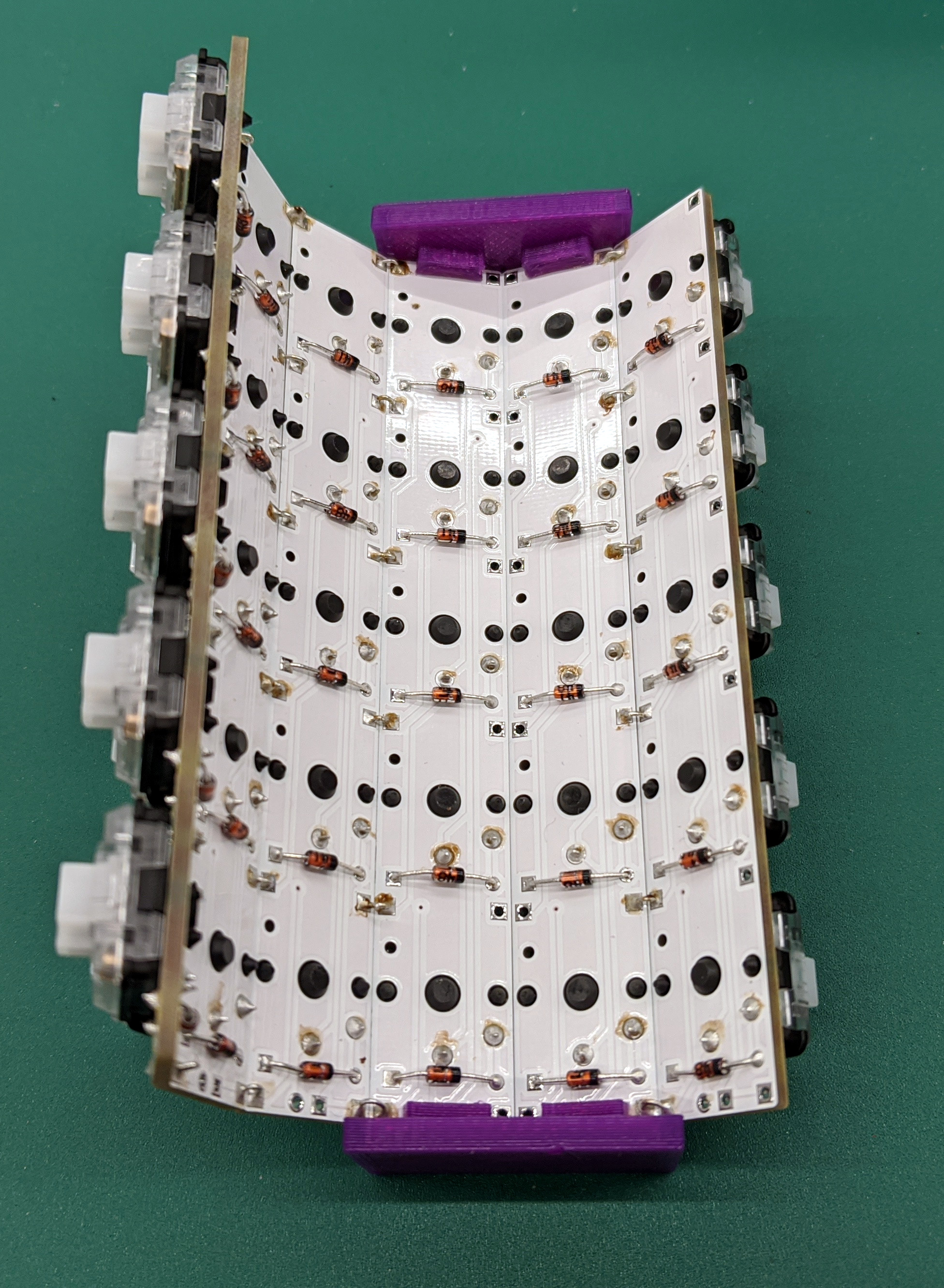
Do you dream of building a curvy ergonomic keyboard or macro pad, even though the idea of hand wiring gives you nightmares? You can make it a bit less troublesome with a tiny PCB for each key switch, as long as you have a reflow oven or you’re okay with a bit of surface-mount soldering for the diode, LED, and capacitor.

As a bonus, these should make switches a bit more secure against movement, and you could probably even get away with using hot swap sockets if you wanted. [Pedro Barbero] has the Gerber files available if you want to get some fabbed. We sort of wish we had used these on our dactyl, though the case is awfully tight and they might not fit.

Ultra-Mechanical Keyboard Angles with Lifter Motors

Lots of people prefer an angled keyboard, but plenty of new keebs, especially mechanical ones, just don’t offer that at all. Well, the wait for an adjustable 75% is over, at least. Okay, that’s not exactly true. The wait for a group buy to begin for an adjustable 75% is almost over.

Nestled in between the arrow cluster and the menu key of the Besides Studios M-One is a rocker switch that angles the keyboard from 3° to 7° slowly but surely, like an adjustable bed. This is going to be a bare-bones group buy, meaning that it won’t come with any switches, stabs, or keycaps, but that doesn’t mean it will be cheap at $299. [BadSeed Tech] got an early prototype and built it out with Gateron Ink Black V2 switches in the video below in order to give it a proper spin.

Continue reading “Keebin’ With Kristina: The One With The Mad Model M”

Avoiding Repetitive Stress Injury: Invest In Yourself Now, Or Pay Later

There I was, thirty years after I first sat down at an Apple IIe , and I suddenly found myself wondering if I would ever use a computer again without pain. How could I work if I couldn’t use a computer anymore? I had to seriously ask myself this question. It took a bit of a winding road to figure out what was going on and two EMGs to confirm it, but after all these years, it was clear to the medical community that I had developed a repetitive stress injury (RSI) called cubital tunnel syndrome in my left arm.

Yeah, it’s about like that. Image via Kinesis

Cubital tunnel syndrome is like carpal tunnel, but in your elbow instead of your wrist. What a misnomer! Sometimes my pain went all the way from my armpit to my fingertips and made me want to gnaw my own arm off. I don’t think you can really understand neuropathy unless you’ve felt this weird, annoying type of pain firsthand. I hope you never do.

Can you stop and seriously imagine not being able to use a computer for the rest of your life? Or at least feeling that way because doing so causes incredibly annoying pain? I feel like we’re all vaguely aware of the standard list of anti-RSI precautions, but let’s review:

  • maintain good posture — sit with feet flat on the floor, wrists straight, elbows at 90°
  • put the screen an arm’s length away at eye level
  • take frequent short breaks

Yes, those are all fine and good. But there are other things you can do to avoid computer-related RSIs, like using ergonomic inputs, and building a custom setup that fits you exactly. This isn’t a study kiosk at the university library we’re talking about — this is your battlestation! The problem is that many people are stubborn, and won’t go out of their way to do anything to proactively prevent these injuries. But you don’t have to cross a bridge when you come to it if you have a map that shows you a way around the body of water.

Continue reading “Avoiding Repetitive Stress Injury: Invest In Yourself Now, Or Pay Later”

Convert Your Mouse Into A Paddle Controller

Early game consoles had a wide and interesting variety of controllers, many of which fell by the wayside as consoles evolved. One of these is the Atari 2600 paddle controller, which was the preferred interface for playing games like Kaboom!, Tempest, and Pong.  While it is possible to play these games with a mouse, [Retro Gaming I Guess] wanted to do it the historically correct way, so he created a simple hack to convert an optical mouse into a paddle controller.

The main idea Is to attach a rotary knob to the bottom of the mouse, with the optical sensor located just inside the edge of the knob. To the optical sensor, it appears that the bottom surface of the knob is moving in a straight line, so the mouse pointer will move in a straight line as the knob rotates. The 3D printed knob (or bottle cap) is magnetically attached to the bottom of the mouse, by gluing one magnet into the center of the knob, and the other on the inside of the mouse under the PCB. This allows for quick conversion back to a normal mouse. You could off course sacrifice an old mouse to the cause to create a dedicated paddle controller, and make it closer to the original by adding end stops and a spring return.

We really like the simplicity of this hack, and we’re sure our readers can come up with a few other use cases for it in the comments below. You can also approach old Atari games from the opposite end, like adding a machine vision powered laser blaster. While many may think the Atari 2600 was the first gaming console, that honor actually goes to the Magnavox Odyssey, which was the start the of the multi-billion dollar home gaming industry we know today.

Hacking A Thermal Imager For Dual-use Of The Thermal Sensor

Sometimes a device doesn’t do quite what one needs, and in those cases a bit of tampering might do the trick. That’s what led to being able to record video from a HTI HT-A1 thermal imager despite the device not actually supporting that function, thanks to careful investigation and warranty violation.

Plugging in a custom USB cable allows a mobile phone app to access the thermal sensor, while the host device itself remains ignorant.

We’ve seen a teardown of the HT-A1 in the past, and it turns out that Seek — the manufacturer for the actual thermal sensor inside the device — released an OEM development kit and mobile phone app for their modules. Could this mean that the raw sensor module in the HT-A1 could be accessed via the developer kit app? One hacked together USB cable later showed that the answer is yes! Not only does the app allow viewing thermal imagery, but it makes it possible to do things like record video (a function the HT-A1 itself does not support.)

But even if the HT-A1 doesn’t allow recording, as a handheld thermal sensor with a screen it’s still pretty useful in its own way and it would be shame to gut the unit just for a raw sensor module. The best solution ended up being to put the sensor back into the HT-A1, and install some switching circuitry to disconnect the sensor from the HT-A1’s CPU and divert its data to the USB plug on demand. This means the HT-A1 can be used normally, but by plugging in a custom-made cable while the unit is off, the thermal sensor can be accessed by the mobile phone app instead. Best of both worlds. You can see a brief celebratory thermal cat video embedded below, proving it works.

Continue reading “Hacking A Thermal Imager For Dual-use Of The Thermal Sensor”

Vintage Remote Control Gets Bluetooth Upgrade

This swanky Magnavox remote is old enough to predate the use of infrared, and actually relies on ultrasound to communicate with the television. It’s a neat conversation starter, but not terribly useful today. Which is why [Chad Lawson] decided to gut the original electronics and replace it with a Adafruit Feather 32u4 Bluefruit LE that can actually talk to modern devices.

We know, we know. Some in the audience will  probably take offense to such a cool gadget being unceremoniously torn apart, but to be fair, [Chad] does say he has a second one that will remain in its original state. Plus a quick check on eBay shows these old remotes don’t seem to be particularly rare or valuable. In fact, after some browsing through the recently concluded auctions, we’re fairly sure he paid $27 USD for both of these remotes.

Anyway, [Chad] found that a piece of perfboard in his collection just happened to be nearly the same size as the PCB from the remote, which made the rest of the conversion pretty straightforward. He simply had to mount tactile switches on one side of the perfboard so the remote’s original buttons would hit them when pressed, and then wire those to the Adafruit on the other side. We know there’s a 3.7 V 500 mAh pouch battery in there someplace as well, though it’s not immediately clear where he hid it in the images.

The code [Chad] came up with tells the Adafruit to mimic a Bluetooth Human Interface Device (HID) and send standard key codes to whatever device pairs with it. That makes it easy to use as a media remote on the computer, for example. We’ve seen something similar done with the ESP32, if you’ve already got one in the parts bin and are looking to revamp a remote control of your own.

At the end of the write-up, [Chad] mentions he may try developing an ultrasonic receiver that can pick up the signals from the unmodified remote control. That would be a nice way to bring this whole thing full circle, and should appease even the most hardcore vintage remote control aficionados.