The Quaint History Of The Commodore ChessMate

The Commodore International of the 1970s was a company which dabbled in a bit of everything when it came to consumer electronics, with the Commodore ChessMate being a prime example of the circuitous way that some of its products came to be. Released in 1978, its existence was essentially the result of MOS Technology releasing the KIM-1 single board computer in 1976. In May of that year, [Peter Jennings] traveled all the way from Toronto, Canada to Cleveland, USA to attend the Midwest Regional Computer Conference and acquire a KIM-1 system and box of manuals for a mere $245. On this KIM-1 he’d proceed to develop his own chess game, called MicroChess, implemented fully in 6502 ASM to fit within the 1 kB of RAM.

As one of the first major applications to run on the KIM-1, it quickly became an international hit, which caught the attention of Commodore – which had acquired MOS Technology by then – who ended up contacting [Peter] about a potential chess computer project. This turned out to based on the custom MOS 6504 CPU, while sharing many characteristics with the KIM-1 SBC. Being a MicroChess-only system, the user experience was optimized for more casual users, with the user manual providing clear instructions on how to start a new game and how to enter the position of a newly moved piece, along with no less than eight difficulty settings.

If you’re feeling like making your own ChessMate, or want to dig into the technical details, this excellent article by [Hans Otten] has got you covered.

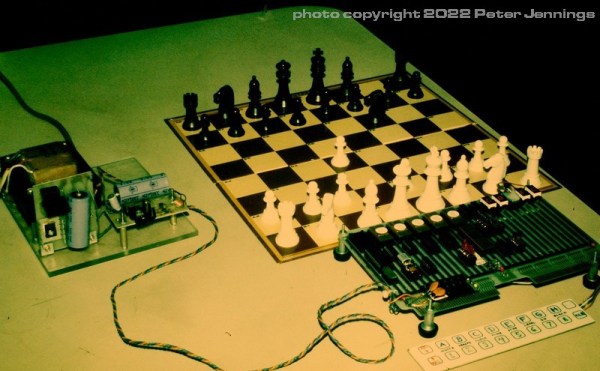
Top image: Commodore ChessMate Prototype in 1978. (Credit: Peter Jennings)

(Thanks to [Stephen Walters] for the tip)
General Instruments Video Game Chip Rides Again

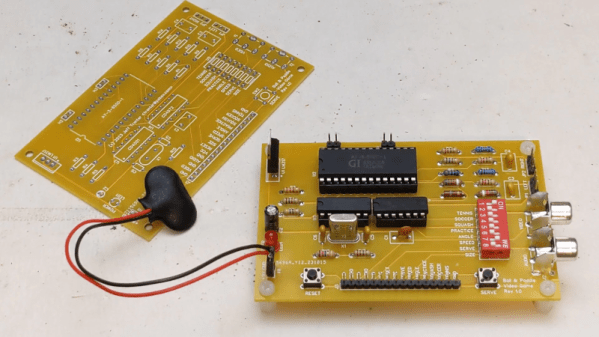
Early video games like Pong were not computer-controlled. They used discrete logic to generate the TV signals. As you might expect, the market exploded when you could get all the logic on a chip. Many of those games used the General Instrument AY-3-8500-1 chip, and [Jeff Tranter] shows us the chip and the many different yet similar games it could play. You can check out the retro gameplay in the video below.

These were marvels of their day, although, by today’s standards, they are snoozers. All the games were variations on a theme. A ball moved and hit paddles, walls, or goals. A few available light gun games were rarely seen in the wild because they took extra components.

Continue reading “General Instruments Video Game Chip Rides Again”

The IBM MDA Should Have Been The CDA

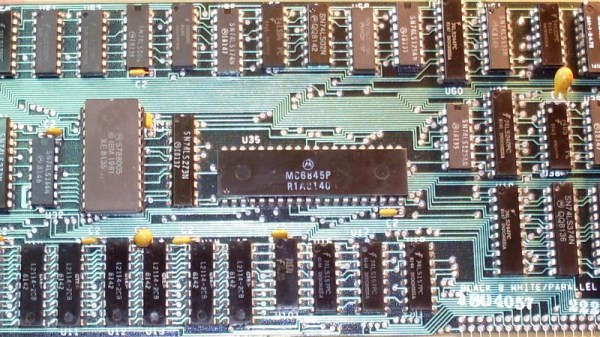
If you are reading this on an IBM PC-compatible computer, it is a certainty that its graphics card will support the lowest common denominator of PC displays, the Monochrome Display Adapter, or MDA. This was a video card which delivered a text-only display in black-and-white that was an option fitted to the very first PC models. But was it really a monochrome display adapter? [TubeTimeUS] is here to show us that when connected to the appropriate colour monitor, it can produce text in colour. It seems that this was a feature only on the very earliest revisions of the card.

Reading up on the MDA card, we find that at its heart it had a Motorola MC6845 CRT controller, a chip that appeared in a huge variety of machines from that era. The beauty of this chip was that it provided the correct timing signals and memory locations for video to be created, but didn’t include any video circuitry thus the designer was free to craft a video device to their specification, allowing for it to appear in both colour and monochrome devices. While the MDA card only supported a text mode it seems its designers managed to put in some form of colour attribute support even if it was never marketed as such. We’re not students of IBM graphics card modes here at Hackaday, but it would be fascinating to know whether this undocumented mode works in the same way from the software side as the colour text modes on CGA and better colour cards.

Continue reading “The IBM MDA Should Have Been The CDA”

A Mysterious 6502 Apple 2 Simulator

Nice, visual simulators of CPUs such as the 6502 are usually made much later and with more modern tooling than what they simulate. But what if that wasn’t the case? What if a simulator runs on the very hardware it’s simulating?

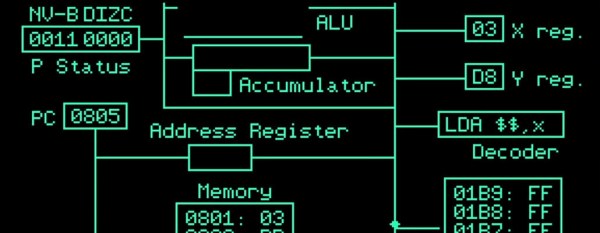
This is what [Tea Leaves] stumbled upon when he found a mysterious disk with only “APL6502.SIM” on it. [Tea Leaves] demonstrates the simulator with a basic 6502 assembly program, revealing an animated, beautiful Apple 2 simulator that actually runs on the Apple 2! The simulator shows all the major components of a 6502 and actually animates the complete data flow of an instruction.

But why is this mysterious? It’s mysterious because – a “hello” program aside – it’s the only thing on the disk! Not so much as a single clue as to where it came from. [Tea Leaves] finds out where it comes from, including incorrectly copied disk images and a revelation at the end.

Video after the break.
Continue reading “A Mysterious 6502 Apple 2 Simulator”

Programming 1949 Style!

What was it like to program an early digital computer? [Woven Memories] wanted to know and wants you to know, too. [Maurice Wilkes] and his team wrote a book about their EDSAC and the 18 instructions that it used. These days, you can even run an EDSAC program on a number of emulators.

It is hard to realize how things we take entirely for granted had to be invented by [Wilkes] and his colleagues. The book, “The Preparation of Programs for an Electronic Digital Computers” has, among other things, the first recorded use of a software library and the first API. Even the subroutine needed inventing by [Wilkes’] student [David Wheeler], which was known for a while as the “Wheeler Jump.”

Like many things in old computers, the Wheeler Jump required code to modify itself. Even indexing modes were often implemented by changing an address inside the program.

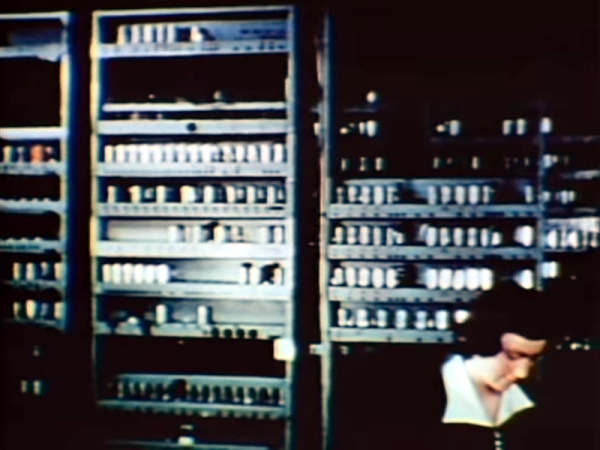
While we frown on techniques like this today, you have to start somewhere. We are big fans of EDSAC and [Dr. Wilkes] had a long and distinguished career long after EDSAC, too. The original plans for EINIAC led to EDSAC, EDVAC, and a slew of other early machines. You can see a video of the machine with an introduction by [Wilkes] below.

If you want to try your hand with the EDSAC, try your browser. There’s also a very nice Windows emulator that runs fine under WINE.

Continue reading “Programming 1949 Style!”

Reliving The Authentic 90s Linux Experience

Installing Linux on a modern PC has never been easier. There are tons of tools available that will nearly-automatically download your Linux distribution of choice, image a USB drive, and make it bootable so you can finally ditch your bloated, privacy-violating operating system and get the free performance boost that comes along with it. This wasn’t always the case, though. In the 90s you had to take a trip to a store (or library) and buy (or borrow) a boxed copy of some variety of Linux on floppy disk or CDs, and then install it on your own, often without the help of the Internet. [Action Retro] demonstrates this process for us so we don’t have to relive the pain ourselves.

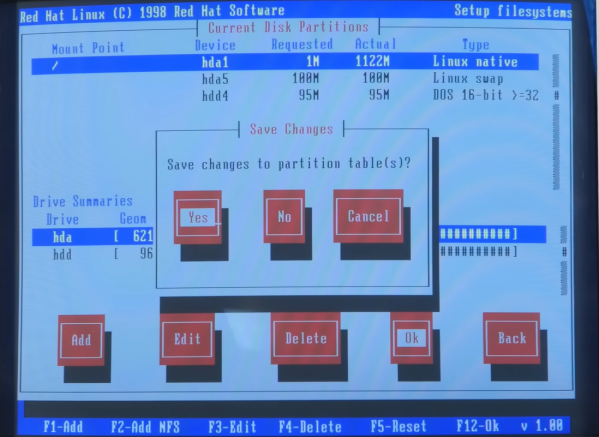
Complete with a 90s-era Pentium machine enclosed in a beige case, this is really the full 90s experience. He’s found a boxed version of Red Hat version 5.2 with everything needed to get it up and running and, after a brief issue with the installer crashing because it couldn’t figure out the ZIP disk drive, had another era-appropriate experience by erasing the existing Windows 98 installation. This was before automatic partitioning tools were widely available, so it was a real risk for beginner Linux enthusiasts if they were trying to dual boot.

With the installation complete, the X window system still needed to be set up, as well as making sure the settings for the old CRT monitor were correct. With everything finalized, the system can really be explored. It includes out-of-the-box some software plenty of us would recognize today such as GIMP and some other software we might not, like Netscape Communicator. It’s a real time machine experience to get this operating system running on period-appropriate hardware, and a lot of features of modern Linux systems can still be seen especially if your modern distribution of choice still requires a lot of manual configuration during installation. Old operating systems aside, this machine might be capable of running a modern Linux distribution as well, provided it has something slightly newer than a 486.

Continue reading “Reliving The Authentic 90s Linux Experience”

The Golden Age Of Gadget Catalogs

Among Hackaday’s readership are likely to be many gadget enthusiasts who live for the latest electronics and who have obsessively followed gadget trends for most of their lives. You possess elite AliExpress-fu, and like the hipsters, you were into everything long before it was cool. It’s safe to say the Internet has revolutionized the world of the gadget freak, but in a time before even dial-up access there was another way into this most technophilic of pastimes. As soon as there was consumer electronics there were mail-order catalog companies slaking the thirst of the gadget-crazy, and [Cabel Sasser] is here with a look at both their heyday and their swansong.

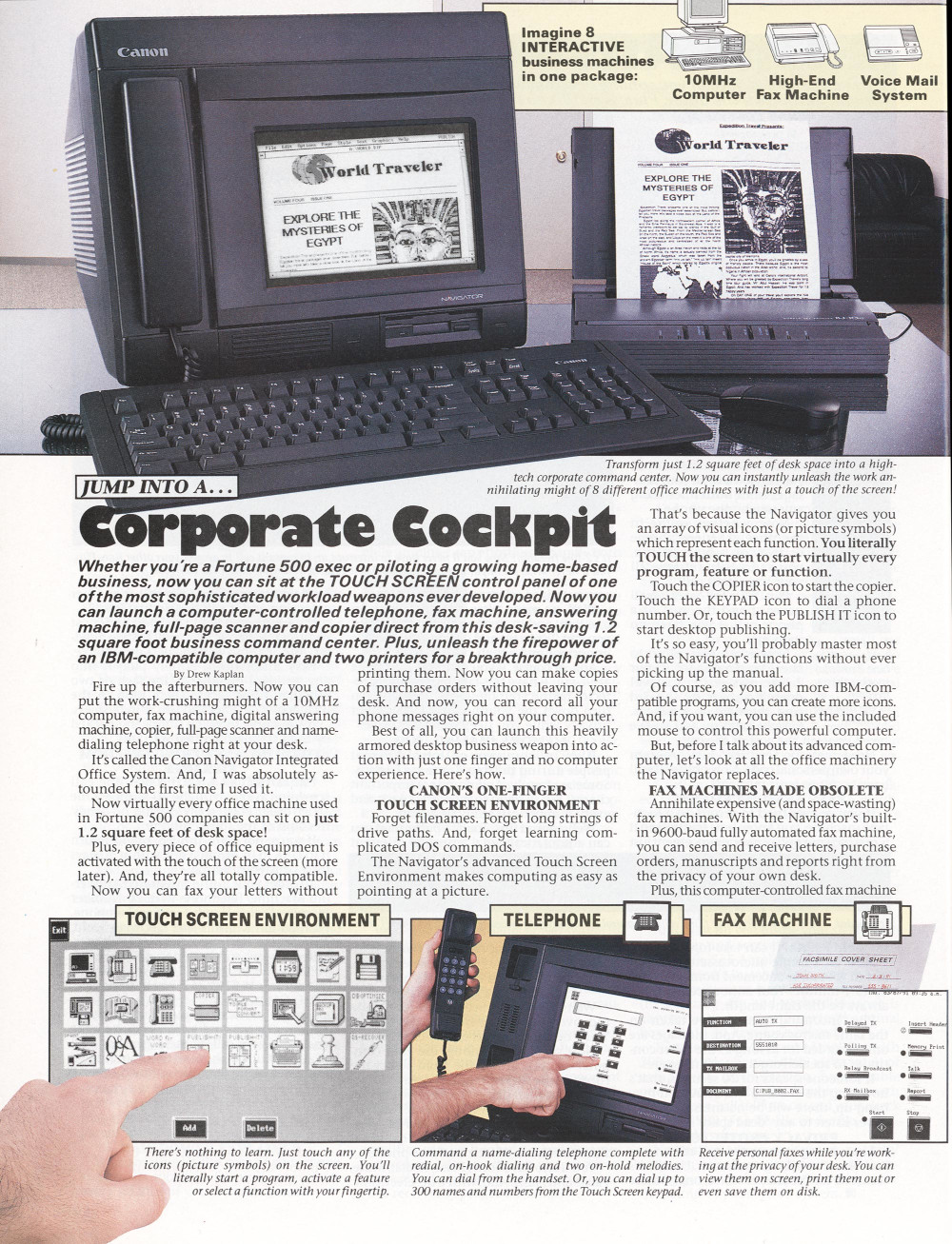
A full page advert for a "Corporate cockpit" all-in-one wordprocessor computer.
Drew, just shut up and take my money!

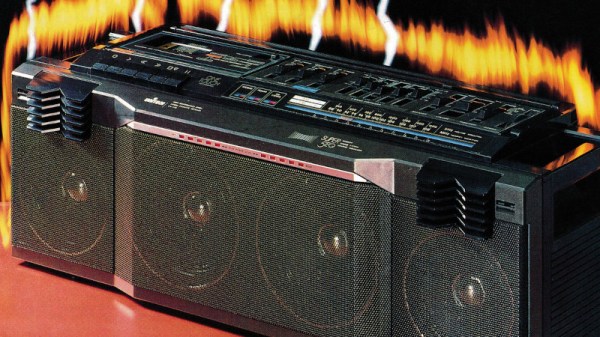
He has a particular focus on the catalog produced during the 1980s by DAK Industries Inc, a North Hollywood California based company that was the work of an entrepreneur named Drew Kaplan. He presented a glittering array of the latest and greatest tech of the era, and packaged it with riveting descriptions and beautifully-shot glossy photographs. [Cabel] was hooked, and we would certainly have been too. There were digital watches with outrageous functionality, portable briefcase computers, novelty telephones, Hi-Fi components at knock-down prices, and plenty of cassette tapes to play in them.

Their signature was an engaging copy-writing style that really made you want the product, and here we enter an interesting story in itself. There was another mail order gadget company in the 1970s which used exactly the same formula but running full-page adverts, similar enough to be obviously connected in some way. Had DAK stolen the idea? Not quite, for these were the product of a man called Joseph Sugarman, who also ran a “Learn my formula for sales success” course. Drew Kaplan didn’t hesitate to attribute his success to the Sugarman course, leaving us with the surprising conclusion that there’s more to the “Learn my formula” business than simply making money from marks prepared to pay for the course.

Here at Hackaday we occasionally venture into purple prose for fun, but we’re not trying to sell you any consumer electronics. We can’t help a professional admiration for the copy-writing in these catalogs though, and since they’re all available for download from Internet Archive we’re going to spend a while wallowing in tech nostalgia. It’s a place we’ve been to before.