The Smart Home Gains An Extra Dimension

With an ever-growing range of smart-home products available, all with their own hubs, protocols, and APIs, we see a lot of DIY projects (and commercial offerings too) which aim to provide a “single universal interface” to different devices and services. Usually, these projects allow you to control your home using a list of devices, or sometimes a 2D floor plan. [Wassim]’s project aims to take the first steps in providing a 3D interface, by creating an interactive smart-home controller in the browser.
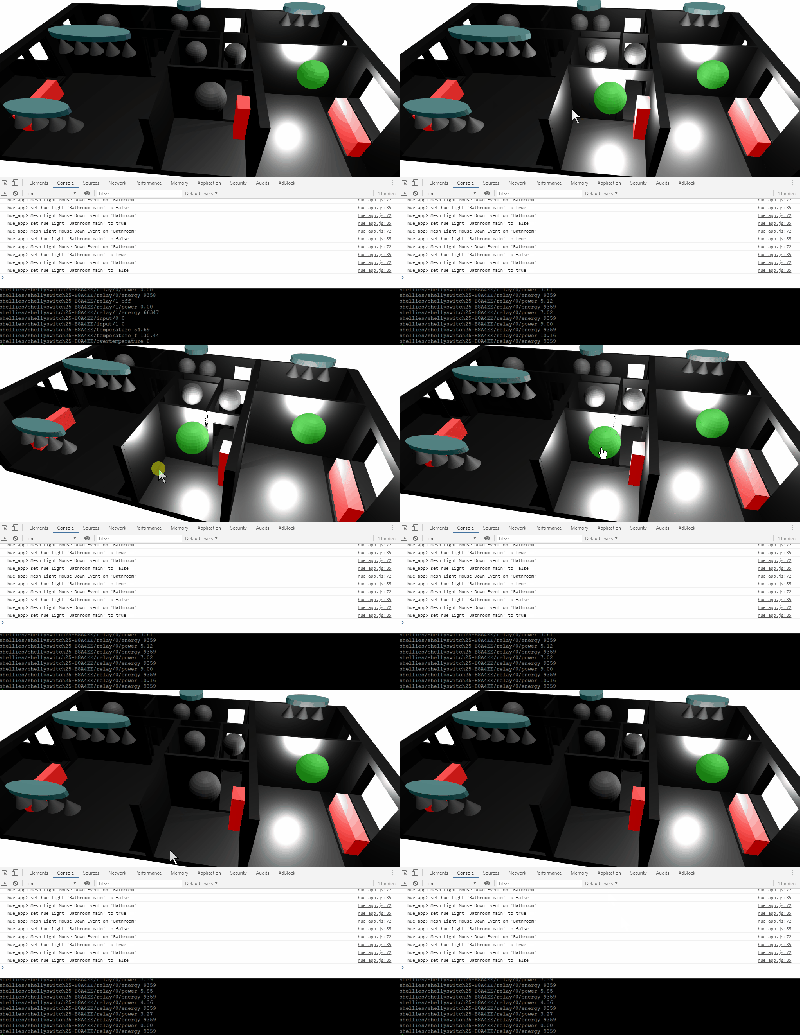
Note: this isn’t just a rendered image of a 3D scene which is static; this is an interactive 3D model which can be orbited and inspected, showing information on lights, heaters, and windows. The project is well documented, and the code can be found on GitHub. The tech works by taking 3D models and animations made in Blender, exporting them using the .glTF format, then visualising them in the browser using three.js. This can then talk to Hue bulbs, power meters, or whatever other devices are required. The technical notes on this project may well be useful for others wanting to use the Blender to three.js/browser workflow, and include a number of interesting demos of isolated small key concepts for the project.

We notice that all the meshes created in Blender are very low-poly; is it possible to easily add subdivision surface modifiers or is it the vertex count deliberately kept low for performance reasons?

This isn’t our first unique home automation interface, we’ve previously written about shAIdes, a pair of AI-enabled glasses that allow you to control your devices just by looking at them. And if you want to roll your own home automation setup, we have plenty of resources. The Hack My House series contains valuable information on using Raspberry Pis in this context, we’ve got information on picking the right sensors, and even enlisting old routers for the cause.
Think You Know CURL? Care To Prove It?

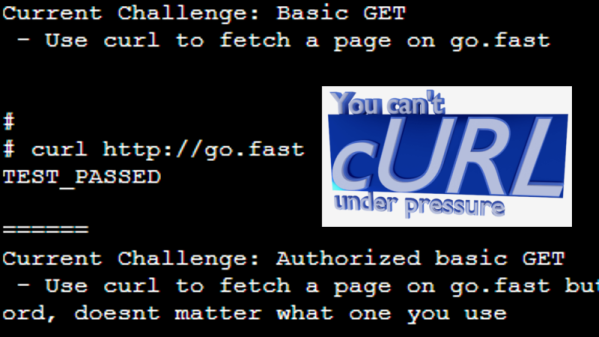
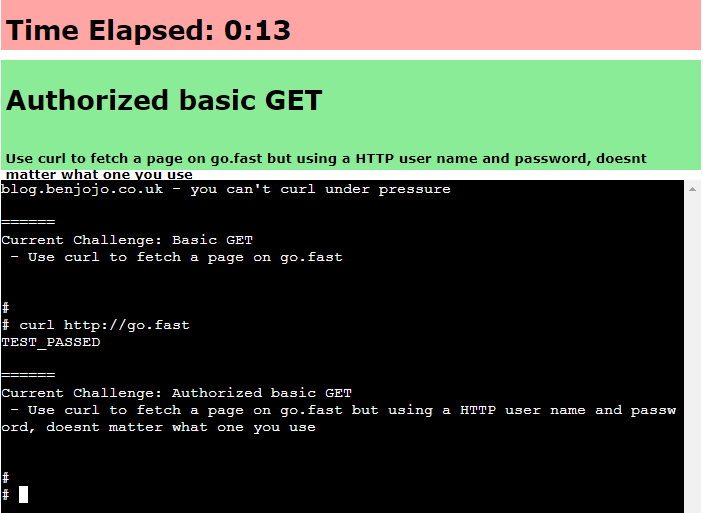
Do you happen to remember a browser-based game “You Can’t JavaScript Under Pressure”? It presented coding tasks of ever-increasing difficulty and challenged the player to complete them as quickly as possible. Inspired by that game, [Ben Cox] re-implemented it as You Can’t cURL Under Pressure!

In it, the user is challenged in their knowledge of how to use the ubiquitous curl in a variety of different ways. Perhaps this doesn’t sound terribly daunting, especially if your knowledge of curl is limited to knowing it is a command-line tool to fetch something from a web server. But curl has a staggering number of features. The man page is over 4500 lines in length. The software’s main site offers a (free) 250+ page guide on how to use curl and libcurl. Reflecting on this is exactly what led [Ben] to create his challenge.

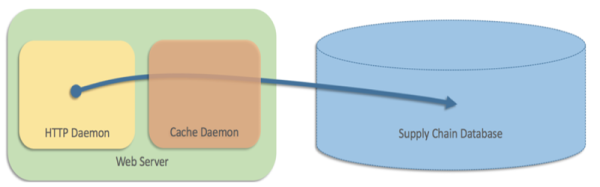
It’s a wonderful piece of work, but things get really interesting once [Ben] starts talking about the infrastructure behind it all. At its core the game works by giving the user a problem and a virtual machine, and catching outgoing HTTP calls to see whether they look correct. If the outgoing HTTP call is the right solution for the problem, terminate the current VM and start up the next one with the next problem. He’s put a lot of work into getting suitable VMs up and running quickly, securely, and properly isolated. The code can be found on the project’s GitHub repository for those who want a closer look.

But that’s not all. [Ben] says that in the past he’s had a bad habit of presenting interactive features in his blog posts that can’t keep up with sudden demand. So to address that, the system auto-scales as needed with a small Linux cluster; small brick-sized PCs are started and shut down automatically to meet demand. Hey, the only thing cooler than a functioning cluster is a cluster doing an actual job, like this one that detects NSFW images.

Slack, Now On Windows 3.1

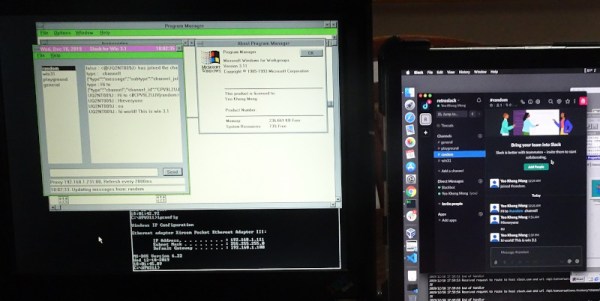
Slack is either an online collaboration tool, or a religion, depending on who you talk to. Naturally, it’s accessible across all manner of modern platforms, from Windows and MacOS to smartphones. However, some prefer to go further back. At a recent company hackathon, [Yeo Kheng Meng] decided to create a Slack client for Windows 3.1.

This is how you learned to program before the Internet.

Programming for an older OS, in this case, Windows For Workgroups 3.11, requires setting up a viable development environment. Visual C++ 1.52 was pressed into service in this case, being the last version capable of targeting Windows 3.11. The development environment is run on a Windows 2000 virtual machine running on a Mac laptop. This was chosen for its ability to run 16-bit apps, and its Samba compatibility with both Windows 3.11 and Windows 10 and modern Macs.

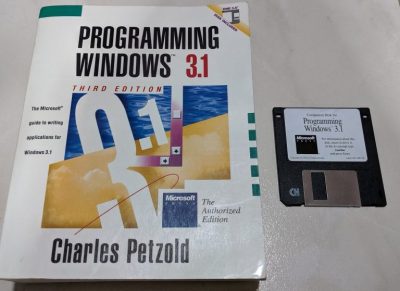
There were several challenges to face along the way. Old school Windows simply isn’t capable of dealing with HTTPS, necessitating a proxy to handle the exchange of packets with Slack servers. Additionally, memory management was a hassle due to the limits of the 16-bit architecture. Thankfully, an old programming manual from the era was of great help in this regard.

At the end of the hackathon, a usable Slack client was up and running, complete with garish colors from the early Windows era. There’s a few key features missing, such as the ability to resolve user IDs, but overall, the concept works. We’ve seen [Yeo]’s work with this vintage OS before too. Video after the break.

Continue reading “Slack, Now On Windows 3.1”

Movie-Style Hacking With A Wall Of Glowing Hex

Over the years, the media has managed to throw together some pretty ridiculous visual depictions of computer hacking. But perhaps none have gone as far down the road of obfuscation as The Matrix, where the most experienced hackers are able to extract information from a display of cascading green glyphs like a cyberpunk version of reading tea leaves. It’s absolutely ridiculous, with zero basis in reality.

Well, maybe not anymore. Taking a page from these outlandish visions of hacking, [Erik Bosman] has constructed a dedicated hex dump display out of fourteen segment alphanumeric LEDs that looks like it could be pulled from a movie set. But make no mistake, it’s more than just a pretty face. By cleverly varying the brightness of the individual characters, he’s managed to make his so-called “hexboard” completely usable despite the fact that everything’s the same color.

While he says the project is not quite at 100% yet, he’s already released the firmware, computer-side software, and even the PCB design files for anyone who might want to build their own version. Though as you might imagine, it’s quite a tall order.

The display is broken up into segments holding eight Houkem-5421 LED modules apiece, each with its own STM32F030F4 and two TC7258E LED controllers. The bill of materials on this one is a bit intimidating, but when the end result look this good it’s hard to complain.

To build a somewhat smaller version that also features a more retro vibe, you might consider doing something similar by chaining together vintage LED “bubble” displays.

File Systems For Tiny Devices

Sometimes you build a computer and use it every day. Sometimes you build a different type of computer and it sits alone on a mountaintop for years. The design considerations for these two setups are remarkably different, right down to the type of file system used. For small computers like [Jo] is using, and for the amount of time they sit alone in remote locations, he decided to build his own file system for them.

Known as JesFs ([Jo]’s embedded serial File system), the file system is for SPI Flash and intended for use in scientific data logging. It can be used on the chip-scale processors found in many development boards, and is robust enough to use in applications where remoteness is a concern. It has a small RAM footprint, is completely open source, includes wear leveling, and has a number of security features built-in as well.

Some of the benefits of using a file system on such a tiny chip aren’t immediately obvious unless you’re doing a lot of data logging, but it does allow you to change virtually any aspect of the firmware much more easily if everything is accessible as a file, and not something you would have to change by reflashing the whole chip, for example. There are also a number of traps that you can easily fall into when working with file systems for tiny devices.

Behind Amazon’s Doors Is A Library

Some people love Amazon, while others think it has become too big and invasive. But you have to admit, they build gigantic and apparently reliable systems. Interestingly, they recently released a library of white papers from their senior staff called the Builder’s Library.

According to their blog post:

The Amazon Builders’ Library is a collection of living articles that take readers under the hood of how Amazon architects, releases, and operates the software underpinning Amazon.com and AWS. The Builders’ Library articles are written by Amazon’s senior technical leaders and engineers, covering topics across architecture, software delivery, and operations. For example, readers can see how Amazon automates software delivery to achieve over 150 million deployments a year or how Amazon’s engineers implement principles such as shuffle sharding to build resilient systems that are highly available and fault tolerant.

The Amazon Builders’ Library will continue to be updated with new content going forward.

Continue reading “Behind Amazon’s Doors Is A Library”

The Heat Of The Moments – Location Visualization In Python

Have you ever taken a look at all the information that Google has collected about you over all these years? That is, of course, assuming you have a Google account, but that’s quite a given if you own an Android device and have privacy concerns overruled by convenience. And considering that GPS is a pretty standard smartphone feature nowadays, you shouldn’t be surprised that your entire location history is very likely part of the collected data as well. So unless you opted out from an everchanging settings labyrinth in the past, it’s too late now, that data exists — period. Well, we might as well use it for our own benefit then and visualize what we’ve got there.

Location data naturally screams for maps as visualization method, and [luka1199] thought what would be better than an interactive Geo Heatmap written in Python, showing all the hotspots of your life. Built around the Folium library, the script reads the JSON dump of your location history that you can request from Google’s Takeout service, and overlays the resulting heatmap on the OpenStreetMap world map, ready for you to explore in your browser. Being Python, that’s pretty much all there is, which makes [Luka]’s script also a good starting point to play around with Folium and map visualization yourself.

While simply just looking at the map and remembering the places your life has taken you to can be fun on its own, you might also realize some time optimization potential in alternative route plannings, or use it to turn your last road trip route into an art piece. Just, whatever you do, be careful that you don’t accidentally leak the location of some secret military facilities.

[via r/dataisbeautiful]