Automated Watering Machine Has What Plants Crave: Fertilizer

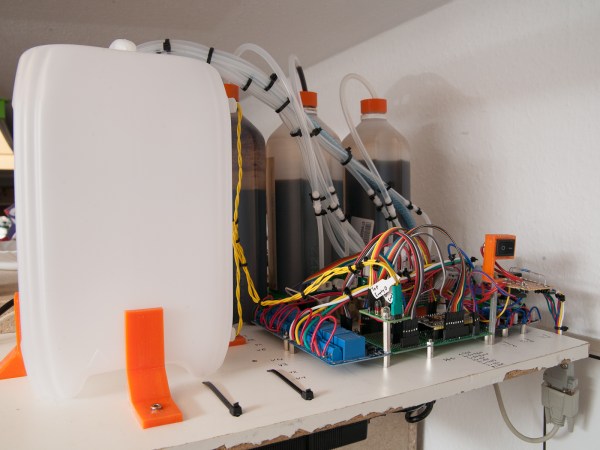
We’ve seen countless automated plant care systems over the years, but for some reason they almost never involve the secret sauce of gardening — fertilizer. But [xythobuz] knows what’s up. When they moved into their new flat by themselves, it was time to spread out and start growing some plants on the balcony. Before long, the garden was big enough to warrant an automated system for watering and fertilizing.

This clever DIY system is based around a 5L gravity-fed water tank with solenoid control and three [jugs] of liquid fertilizer that is added to the water via peristaltic pump. Don’t worry, the water tank has float switches, and [xythobuz] is there to switch it off manually every time so it doesn’t flood the flat.

On the UI side, an Arduino Nano clone is running the show, providing the LCD output and handling the keypad input. The machine itself is controlled with an ESP32 and a pair of four-channel relay boards that control the inlet valve, the four outlet valves, and the three peristaltic pumps that squirt out the fertilizer. The ESP also serves up a web interface that mimics the control panel and adds in the debug logs. These two boards communicate using I²C over DB-9, because that’s probably what [xythobuz] had lying around. Check out the demo video after the break, and then go check on your own plants. They miss you!

Don’t want to buy just any old peristaltic pumps? Maybe you could print your own.

Continue reading “Automated Watering Machine Has What Plants Crave: Fertilizer”

The Keyboard You Really Don’t Need Or Want

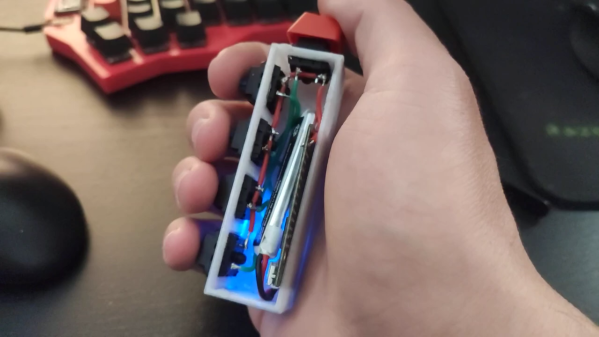
Most people think of a keyboard as a flat, vaguely rectangular thing with around 100ish different keys. A mechanical keyboard enthusiast would heartily disagree and point out various tenkeyless, 75%, 60%, or 40% keyboards that strip down the idea of what a keyboard is by taking keys out. [Stavros Korokithakis] takes that notion and turns it on its side by creating the five-button vertical keyboard known as Keyyyyyyyys.

This keyboard, or keystick, is designed to be onehanded and to be eye-contact-free. With just five keys, it makes heavy use of chording to output all the characters needed. It has a maximum of 32 possible states and taking out pressing nothing as a no-op leaves 31 possible key combinations. So [Stavros] had to get creative and laid out the letters according to their frequency in the English language. The brains of Keyyyyyyyys is the ubiquitous ESP32, emulating a Bluetooth keyboard while being wrapped in a simple 3d printed box. The code is hosted on GitLab.

If you don’t know how hard it is to learn a five-key chording keyboard from scratch, definitely check out [Stavros]’ video embedded below. “C’mon h.” We have heard reports that you can learn these things, though.

While this five-button keyboard may seem small, this two-button keyboard still has it beat by three keys. A one-button keyboard is just a morse code keyboard, and we are looking forward to a wireless Bluetooth version. Continue reading “The Keyboard You Really Don’t Need Or Want”

Pool Temperature Monitor Mollifies Fortunate But Frustrated Children

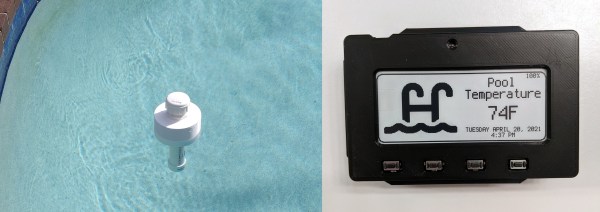
Who needs the city pool when you can party in the private pool over at Grandma and Grandpa’s house? No need to wait until Memorial Day weekend when it hits 90° F in the first week of May. But how can you placate grandchildren who want to know each and every day if it’s finally time to go swimming, and the pool itself is miles away? Although grandparents probably love to hear from you more often there’s no need to bother them with hourly phone calls. You just have to build a floating, remote pool temperature monitor which broadcasts every 30 minutes to an Adafruit MagTag sitting at kid’s eye level on the refrigerator.

Between the cost of commercial pool temperature monitors and all the reviews that mention iffy Wi-Fi connections, it sounds like [Blake] is better off rolling his own solution. Inside the floating part is an ESP32, a DS18B temperature sensor, and a 18650 cell. Most of the body is PVC, except for the 3D-printed torus that holds some foam for buoyancy. A handful of BBs in the bottom keep the thing pointed upright. For now, it shows the water temperature, but [Blake]’s ultimate goal is to show the air temperature as well.

Maybe it’s still too cold to swim, but the sun shines brightly most days. Why not harness its energy to heat up the water?

Looks Like A Pi Zero, Is Actually An ESP32 Development Board

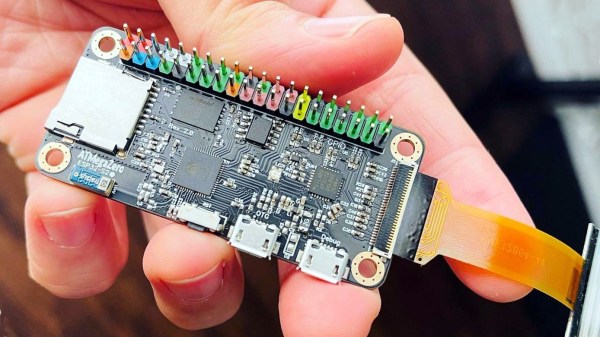
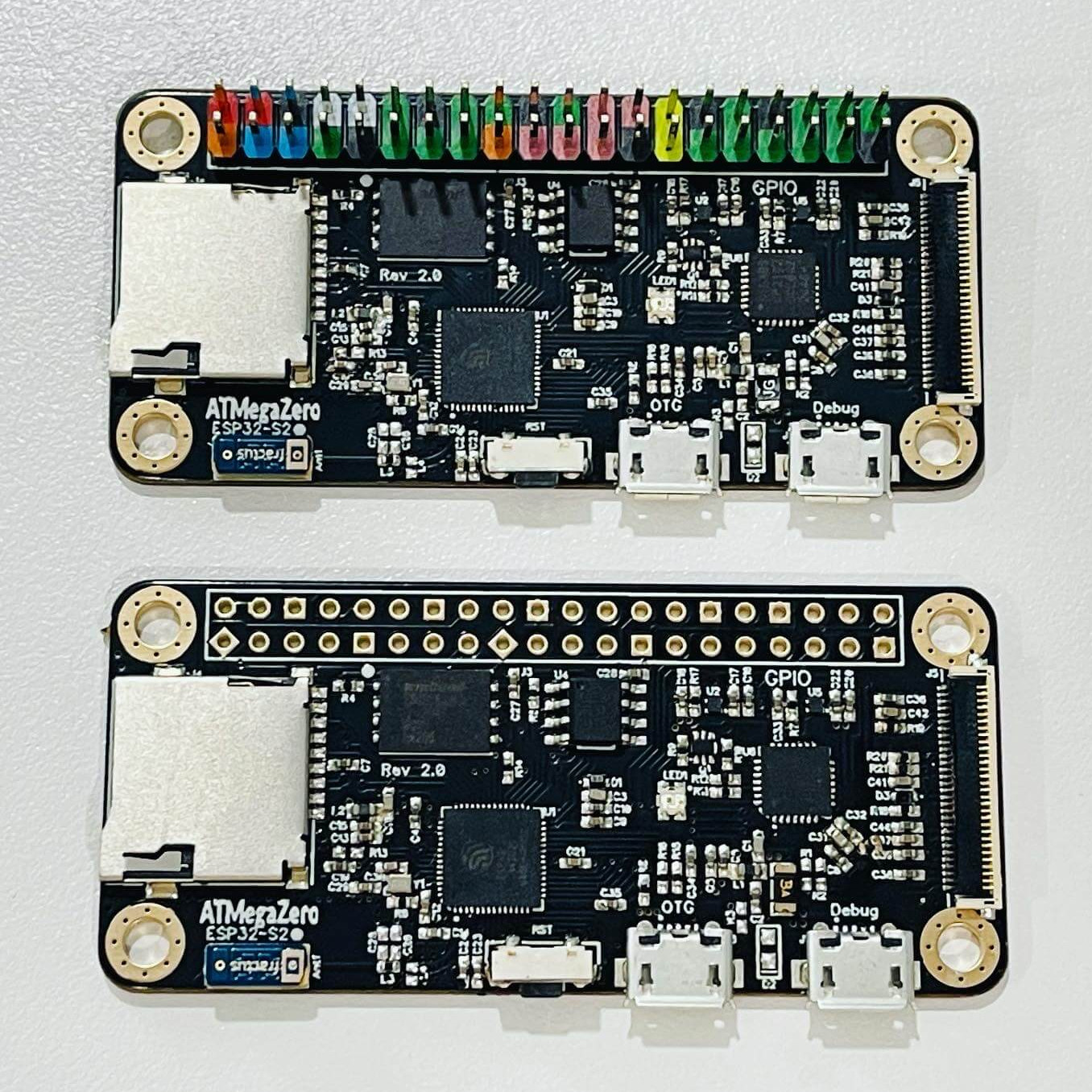
ATMegaZero ESP32- S2, showing optional color-coded 40-pin header (top)

The ATMegaZero ESP32-S2 is currently being funded with a campaign on GroupGets, and it’s a microcontroller board modeled after the Raspberry Pi Zero’s form factor. That means instead of the embedded Linux system most of us know and love, it’s an ESP32-based development board with the same shape and 40-pin GPIO header as the Pi Zero. As a bonus, it has some neat features like a connector for inexpensive SSD1306 and SH1106-based OLED displays.

Being able to use existing accessories can go a long way towards easing a project’s creation, and leveraging that is one of the reasons for sharing the Pi Zero form factor. Ease of use is also one of the goals, so the boards will ship with CircuitPython (derived from MicroPython), and can also be used with the Arduino IDE.

If a microcontroller board using the Pi Zero form factor looks a bit familiar, you might be remembering the original ATMegaZero which was based on the Atmel ATMega32U4, but to get wireless communications one needed to attach a separate ESP8266 module. This newer board keeps the ATMegaZero name and footprint, but now uses the Espressif ESP32-S2 to provide all the necessary functions.

CircuitPython has been a feature in a wide variety of projects and hacks we’ve seen here at Hackaday, and it’s a fine way to make a microcontroller board easy to use right out of the box.

Wireless MicroPython Programming With Thonny

I’ve been playing with a few MicroPython projects recently on several different embedded platforms, including a couple of ESP32 WiFi modules. There are various ways to program these modules:

  • Use a serial terminal and ampy (maintained by [devxpy] since being dropped by Adafruit in 2018).
  • If you use Pycom boards or WiFy firmware, there are the pymakr plugins for Atom and Visual Studio.
  • If you prefer the command-line like me, there is rshell by one of the top MicroPython contributors [Dave Hylands].

For over a year, I have been quite happy with rshell until I started working on these wireless nodes. Being lazy, I want to tinker with my ESP32 modules from the sofa, not drag my laptop into the kitchen or balcony to plug up a USB cable. Can’t I work with them wirelessly?

Well, you can use WebREPL. While its functional, it just didn’t strike my fancy for some reason. [Elliot] mentioned in a recent podcast that he’s using telnet to access his wireless nodes, but he’s using esp-link on an ESP8266, which means throwing another chip into the mix.

The Thonny IDE

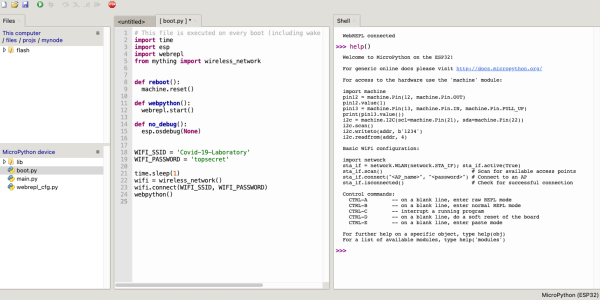
I had all but given up when by chance I saw this video on the Dronebot Workshop channel about running MicroPython on the new Raspberry Pi Pico boards. Bill was using Thonny, a Python IDE that is popular in the education community. Thonny was introduced in 2015 by Aivar Annamaa of the University of Tartu in Estonia. Thonny was designed to address common issues observed during six years of teaching Python programming classes to beginners. If you read about the project and its development, you’ll see that he’s put a lot of effort into making Thonny, and it shows.

Leaning about Thonny got me curious, and after a little digging I discovered that it has WebREPL support for MicroPython right out-of-the-box. Although this is a new feature and classified as experimental, I found it reasonably stable to use and more than adequate for home lab use. Continue reading “Wireless MicroPython Programming With Thonny”

The Evil Crow Is Ready To Cause Some RF Mayhem

There’s no doubt that the RTL-SDR project has made radio hacking more accessible than ever, but there’s only so far you can go with a repurposed TV tuner. Obviously the biggest shortcoming is the fact that you can only listen to signals, and not transmit them. If you’re ready to reach out and touch someone, but don’t necessarily want to spend the money on something like the HackRF, the Evil Crow RF might be your ideal next step.

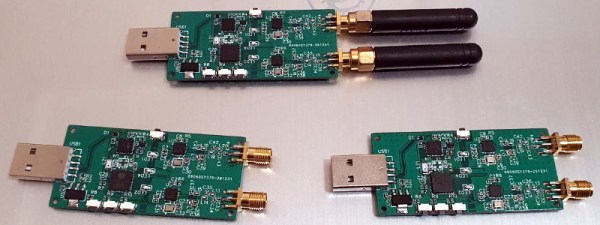
This Creative Commons licensed board combines two CC1101 radio transceivers and an ESP32 in one handy package. The radios give you access to frequencies between 300 and 928 MHz (with some gaps), and the fact that there are two of them means you can listen on one frequency while transmitting on another; opening up interesting possibilities for relaying signals. With the standard firmware you connect to a web interface running on the ESP32 to configure basic reception and transmission options, but there’s also a more advanced RFQuack firmware that allows you to control the hardware via Python running on the host computer.

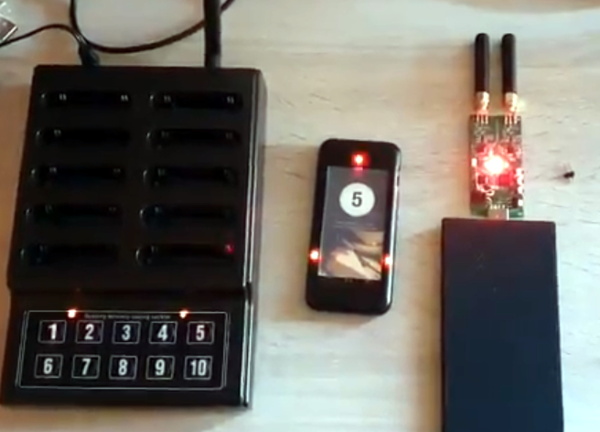
Using the Evil Crow RF without a computer.

One particularly nice feature is the series of buttons located down the side of the Evil Crow RF. Since the device is compatible with the Arduino IDE, you can easily modify the firmware to assign various functions or actions to the buttons.

In a demonstration by lead developer [Joel Serna], the physical buttons are used to trigger a replay attack while the device is plugged into a standard USB power bank. There’s a lot of potential there for covert operation, which makes sense, as the device was designed with pentesters in mind.

As an open source project you’re free to spin up your own build of the Evil Crow RF, but those looking for a more turn-key experience can order an assembled board from AliExpress for $27 USD. This approach to hardware manufacturing seems to be getting popular among the open source crowd, with the Open-SmartWatch offering a similar option.

[Thanks to DJ Biohazard for the tip.]

An ESP32 Development Board For Sailors

[Matti Airas] wanted to have a better electronics platform for making his boat smarter, more connected, and safer. He found traditional marine electronics expensive and not suited for hacking and tinkering. There was also the issue of lack of interoperability between device generations from the same supplier and between different brands. This led him to design the Sailor Hat with ESP32 — a marine specific, open source hardware development board.

Applications include all kinds of sensor and control interfaces for the boat, such as measurement of fuel or water level, engine RPM, anchoring chain length counter, or setting up smart lighting or smart refrigeration control. The board is designed to work with the traditional NMEA 2000 standard, as well as with Signal K. NMEA 2000 is standardized as IEC 61162-3, but isn’t open source or free. Signal K, on the other hand, is free and open source, and can co-exist alongside NMEA 2000.

The marine environment can be pretty harsh with extremes of temperature, rain, humidity, condensation and vibration. Boats, just like automobiles, have a notoriously noisy electrical environment and [Matti] has paid special attention to noise and surge suppression throughout the board. The board can work with either 12 V or 24 V bus systems since the on board DC-DC converter is rated up to 32 V input. Connections between the board and the outside world need to be very robust, so it is designed to accept various types of connectors depending on how robust you want it to be.
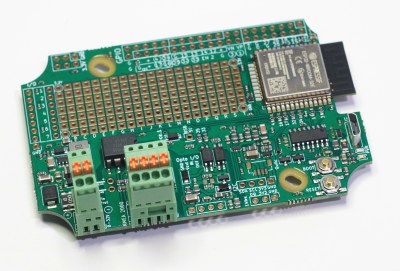
The Sailor Hat is based around a standard ESP32-WROOM-32 module. Interfaces include a CAN bus transceiver, opto-coupled input and output, I2C, 1-wire and QWIIC interfaces, USB Micro-B programming conector, plus a couple of buttons and LEDs. All of the ESP32 GPIO pins are terminated on a GPIO header, with jumper options to disable terminations to the standard interfaces and instead route them to the GPIO header as needed. Additionally, there’s a generous prototyping area to add additional hardware to the board. Hardware design files are hosted on the project repository on GitHub.

On the software side, there are several frameworks that can be used, with PlatformIO, SensESP, ESPHome and Visual Studio Code being the recommended choices. Or you could use any of the widely available SDK’s for the ESP32 platform — Espressif SDK, Arduino Core for ESP32, MicroPython, NodeMCU or Rust.

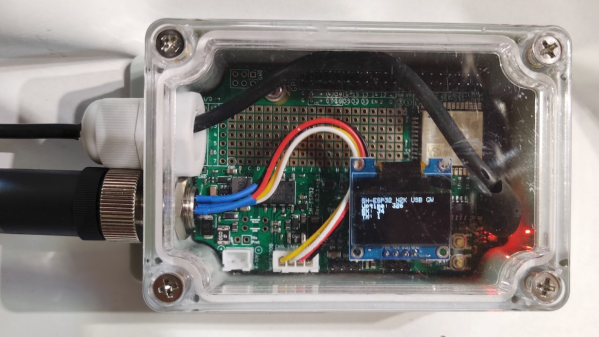
[Matti]’s NMEA 2000 USB gateway example is a good way to get a grip on hardware assembly and software installation required to build a practical project using the Sailor Hat. The board is designed to withstand a harsh electrical environment. But it’s mechanical installation obviously requires greater care if it has to survive marine applications. The Sailor Hat can be installed in commonly available, 100x68x50 mm or larger plastic waterproof enclosures, rated for IP65 or higher. The bulkhead connectors and cable glands also need to be appropriately rated, and the enclosure may possibly need a IP68 rated ventilation plug to take care of environmental cycling within the enclosure.