The Noctua Fan Files And The Limits Of 3D Printing PC Fans

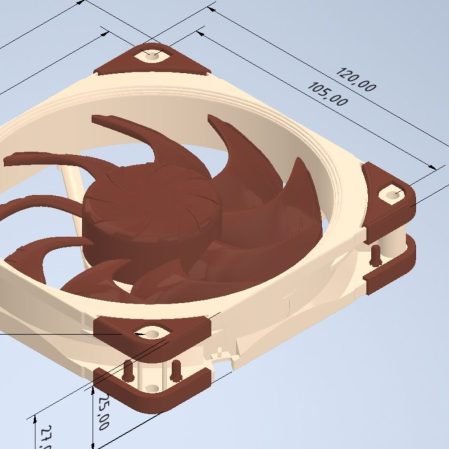
After Noctua recently released CAD files for a range of their computer fans, one of the first thoughts that popped up for most people was: Can you just to 3D print their fans? Even though Noctua begs you not to 3D print the files and even says they changed the design slightly so it wouldn’t be the same anyway, the question persists. Fortunately, [Steve] of Gamers Nexus is here to help us answer the question of whether it makes sense to 3D print a computer fan.

Unsurprisingly, the answer is mostly a resounding ‘no’. After reworking the original CAD models to be both printable on a Bambu Lab FDM printer and printing the parts in PLA, the arguably most important part, the motor, still had to be sourced from an original Noctua fan. Although you could source a cheaper motor, that could change the fan’s characteristics.

The other issue is materials. The special polymer that Noctua uses for its fans is designed not to change shape significantly when the fan blades are spinning, whereas PLA and basically every other thermoplastic will likely deform enough to hit the inside of the fan with the blades. For this reason, a 3 mm gap was used in the PLA print compared with the approximately 0.5 mm gap of the original Noctua fan.

Using the professional fan tester and semi-anechoic chamber over at Gamers Nexus, the original and replica fans were compared, showing that the 3D-printed fan had a similar noise profile but produced only about half the airflow. This is likely due to the blade shape and angle, the increased gap, and probably a dozen other details that presumably justify putting a cool $40 down for the original fan.

In short, you’re probably best off using these Noctua fan CAD models for fit testing in a larger CAD model, or 3D printing it for a similar purpose, rather than for a functional fan design. At least now we know. Thanks, [Steve].

Continue reading “The Noctua Fan Files And The Limits Of 3D Printing PC Fans”
Noctua Releases 3D Models, But Please Don’t Try To Dupe The Products

Noctua wants to make life easier for fans of its…fans. To that end, the company has released a bevy of 3D models across its various product lines, all available to download for free.

If you’re not familiar with the company, Noctua specializes in high-quality cooling systems for the PC market. Its hope is that by freely providing 3D models of its components, it will aid aftermarket companies and DIYers that wish to integrate Noctua fans into their gear. In the company’s own words, these files are made available for “mechanical design, rendering, or animations.” They will let people check things like mountings and fitment without having to have the parts on hand, or to create demo visuals featuring the company’s products.

Don’t get too excited, though, because Noctua has already thought ahead. The company has specifically noted these parts aren’t intended for 3D printing, and critical components like fan blades have modified geometry so as to not compromise the companies IP. You could try and print these models, but they won’t perform like the real thing, and Noctua notes they shouldn’t be used for simulation purposes either. They’re intentionally not accurate to what the company actually sells in that regard.

That isn’t to say Noctua is totally against 3D printing. They have lots of parts available on Printables that they’d love you to try—everything from fan grilles to ducts to anti-vibration pads. Most are useful accessories—the kind of little bits of plastic that make using the products easier—that don’t threaten Noctua’s core product line in the marketplace.

If you’re whipping up a custom PC case and you want to kit it out with Noctua goodies, these models might help you refine your design. It’s funny how it’s such an opposite tactic to that taken by Honda, in terms of embracing the free exchange of 3D models on the open Internet. It’s a move that will surely be appreciated as a great convenience, and we’d love to see more companies follow this fine example.

Thanks to [irox] for the tip!

If It Ain’t Broke… Add Something To It

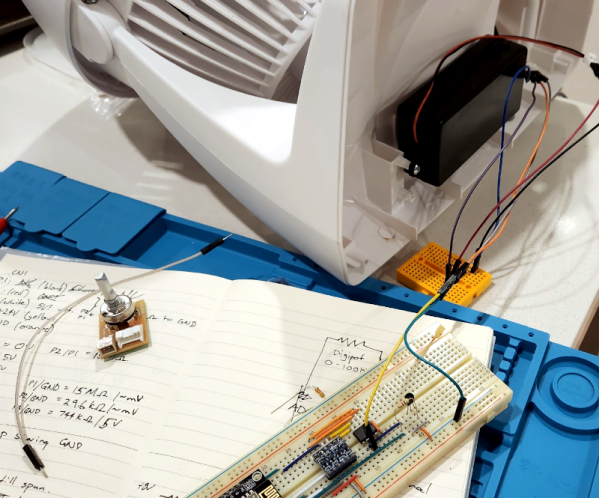
Given that we live in the proverbial glass house, we can’t throw stones at [ellis.codes] for modifying a perfectly fine Vornado fan. He’d picked that fan in the first place because, unlike most fans, it had a DC motor. Of course, DC motors are easier to control with a microcontroller, and next thing you know, it was sporting an ESP32 and a WiFi interface.

The original fan was surprisingly sparse inside. A power supply, of course, and just a tiny PCB for a speed control. Oddly, it looks like the speed control was just a potentiometer and a 24 V supply. It wasn’t clear if the “motor” had some circuitry in it to do PWM control or not. That seems likely, though.

Regardless, the project opted for a digital pot IC to maintain compatibility. One nice thing about the modification is that it replaces the existing board with the same connectors. So if you wanted to revert the fan to normal, you simply have to swap the boards back.

Now the fan talks to home automation software. Luckily, there’s still nothing wrong with it. We love seeing bespoke ESPHome projects. Even if your fan has WiFi, you might not like it communicating with Big Brother.

ATTiny85 as fan controller

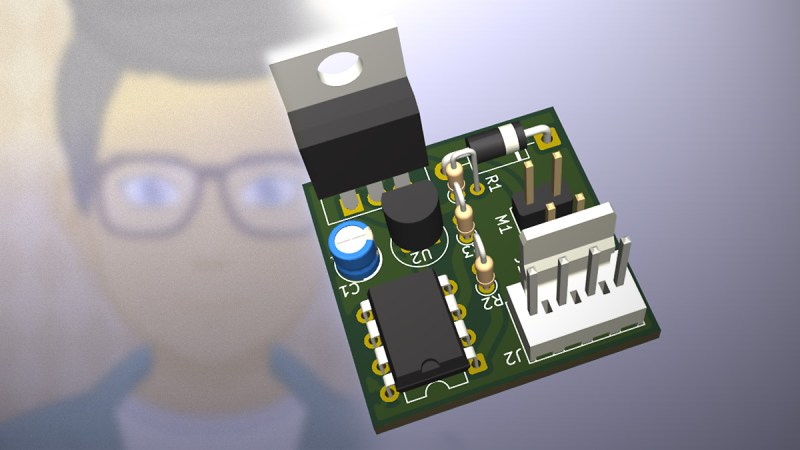
An ATTiny GPU Fan Controller That Sticks

When your GPU fan goes rogue with an unholy screech, you either shell out for a new one or you go full hacker mode. Well, [ashafq] did the latter. The result is a delightfully nerdy fan controller powered by an ATTiny85 and governed by a DS18B20 temperature sensor. We all know a silent workstation is golden, and there’s no fun in throwing money at an off-the-shelf solution. [ashafq]’s custom build transforms a whiny Radeon RX 550 into a cool, quiet operator. Best of all: it’s built from bits likely already in your junk drawer.

To challenge himself a bit, [ashafq] rolled his own temperature-triggered PWM logic using 1-wire protocol on an ATtiny85, all without libraries or bloated firmware. The fan’s speed only ramps up when the GPU gets toasty, just like it should. It’s efficient and clever, and that makes it a fine hack. The entire system runs off a scavenged 12V fan. He could have used a 3D printer, but decided to stick onto the card with double-sided tape. McGyver would approve.

The results don’t lie: idle temps at 40 °C, load peaking at 60 °C. Quieter than stock, smarter than stock, and way cheaper too. The double-sided tape may not last, but that leaves room for improvement. In case you want to start on it yourself, read the full write-up and feel inspired to build your own. Hackaday.io is ready for the documentation of your take on it.

Modifying fans is a tradition around here. Does it always take a processor? Nope.

Recreating A Braun Classic With 3D Printing

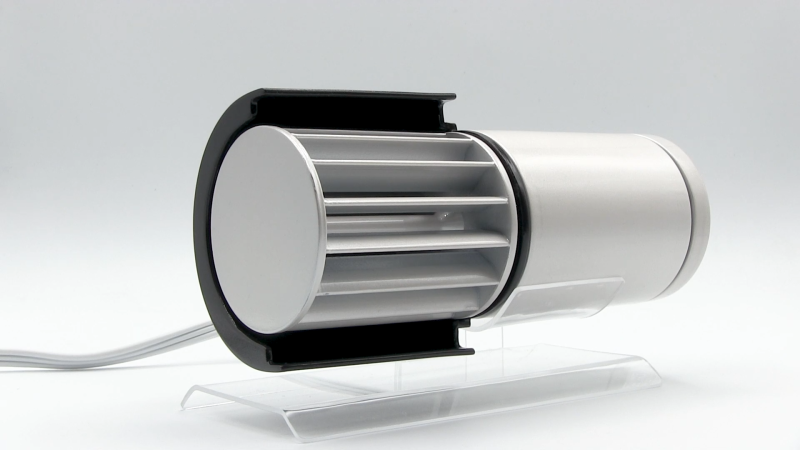
Braun was once a mighty pillar of industrial design; a true titan of the mid-century era. Many of the company’s finest works have been forgotten outside of coffee table books and vintage shops. [Distracted by Design] wanted to bring one of the classics back to life—the Braun HL70 desk fan.

The original was quite a neat little device. It made the most of simple round shapes and was able to direct a small but refreshing stream of air across one’s desk on a warm day. In reality, it was probably bought as much for its sleek aesthetics as for its actual cooling ability.

Obviously, you can’t just buy one anymore, so [Distracted by Design] turned to 3D printing to make their own. The core of the build was a mains-powered motor yanked out of a relatively conventional desk fan. However, it was assembled into a far more attractive enclosure that was inspired by the Braun HL70, rather than being a direct copy. We get a look at both the design process and the final assembly, and the results are quite nice. It feels like a 2025 take on the original in a very positive sense.

Files are available on Printables for the curious. It’s not the first time we’ve contemplated fancy fans and their designs. Video after the break.

Continue reading “Recreating A Braun Classic With 3D Printing”

Custom Fan Controller For Otherwise Fanless PCs

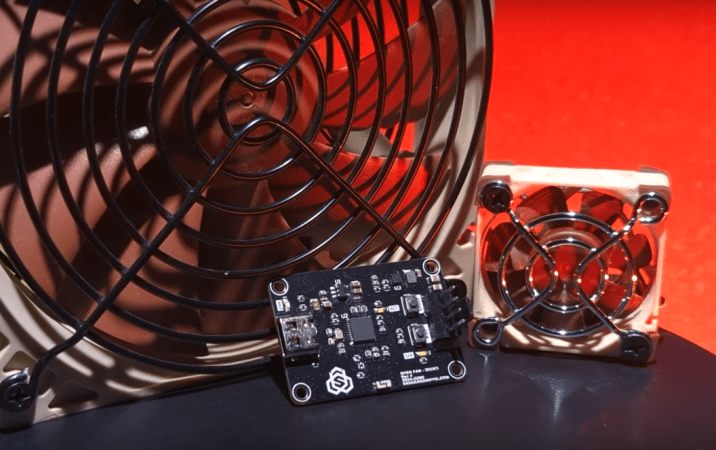
Most of us using desktop computers, and plenty of us on laptops, have some sort of fan or pump installed in our computer to remove heat and keep our machines running at the most optimum temperature. That’s generally a good thing for performance, but comes with a noise pollution cost. It’s possible to build fanless computers, though, which are passively cooled by using larger heat sinks with greater thermal mass, or by building more efficient computers, or both. But sometimes even fanless designs can benefit from some forced air, so [Sasa] built this system for cooling fanless systems with fans.

The main advantage of a system like this is that the fans on an otherwise fanless system remain off when not absolutely necessary, keeping ambient noise levels to a minimum. [Sasa] does have a few computers with fans, and this system helps there as well. Each fan module is WiFi-enabled, allowing for control of each fan on the system to be set up and controlled from a web page. It also can control 5V and 12V fans automatically with no user input, and can run from any USB power source, so it’s not necessary to find a USB-PD-compatible source just to run a small fan.

Like his previous project, this version is built to easily integrate with scripting and other third-party software, making it fairly straightforward to configure in a home automation setup or with any other system that is monitoring a temperature. It doesn’t have to be limited to a computer, either; [Sasa] runs one inside a server cabinet that monitors the ambient temperature in the cabinet, but it could be put to use anywhere else a fan is needed. Perhaps even a hydroponic setup.

Continue reading “Custom Fan Controller For Otherwise Fanless PCs”

Cutting An IoT Fan Free Of The Cloud

The cloud is supposed to make everything better. You can control things remotely, with the aid of a benevolent corporation and their totally friendly servers. However, you might not like those servers, and you might prefer to take personal control of your hardware. If that’s the case, you might like to follow the story of [ouaibe] and their quest to free a fan from the cloud.

The unit in question was a tower fan from Dreo. [ouaibe] noted that there was already a project to control the fans using Home Assistant, but pure lower-level local control was the real goal here. Work began on pulling apart the Dreo Android app to determine how it talked to the fan, eventually turning up a webserver on board, but little progress. The next step was to disassemble the unit entirely. That turned up multiple PCBs inside, with one obviously for wireless communication and another hosting a Sino Wealth microcontroller. Dumping firmwares followed,  along with reverse engineering the webserver, and finally establishing a custom ESPHome integration to fully control the fan.

[ouaibe] has shared instructions on how to cut your own fan from the cloud, though notes that the work won’t be extended to other Dreo products any time soon. In any case, it’s a great example of just how much work it can take to fully understand and control an IoT device that’s tethered to a commercial cloud server. It’s not always easy, but it can be done!