Breakaway Keyboard PCB Makes Customization A Snap

Once upon a time, keyboards were something that you took with you from computer to computer, because most of them were built quite nicely. After a few dark decades of membrane keyboards being the norm, the rise of the mechanical keyboard community has shined a light on what is possible with open source designs. Anyone can join in, because quality clackers now exist on every level, whether you want to design the perfect split ortho with OLEDs, rotary encoders, and rear view mirrors, or just want to fork over some money and get to punching switches.

Break me off a piece of that candy bar keeb.

Building your own keyboard doesn’t have to be daunting. It can be as easy or as involved as you want. There’s still a fair amount of soldering simply because it’s a keyboard. But there are plenty of options if you don’t want to do a whole lot beyond soldering switches (or hot swap sockets!) and putting a case together.

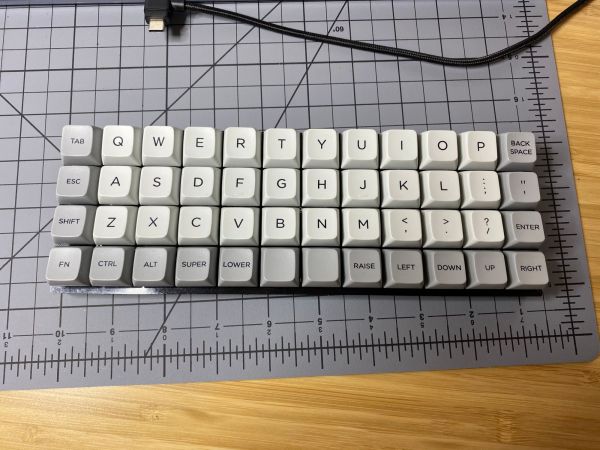
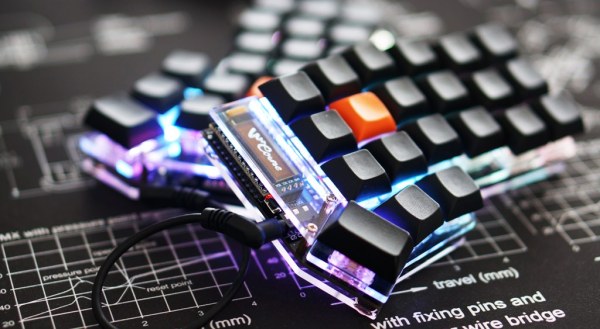
Take for instance the JNAO (Just Need An Ortho) build that [Jared] just finished. It starts with a PCB and on-board controller, and the idea is to customize it from there. You’re left to 3D print, laser cut, or otherwise carve your own case and a plate to stabilize the key switches, and then get down to business deciding on switches and keycaps.

The interesting thing about the JNAO is the breakaway row of keys on the bottom. The standard grid is 12×5, but if you don’t need the dedicated number row along the top like [Jared], you’re not stuck with it. And you’re not stuck with the default layout, either. Flashing to a standard Planck layout didn’t go as easily as [Jared] might have liked, but we think he was wise to get the firmware squared away before ever turning on the soldering iron.

Don’t know what to do with such a small keyboard? They’re pretty much perfect for cyberdeck builds.

Panic Button Is An Audio-Visual Parachute Out Of Zoom Calls

Everyone has been learning how to stream this year whether they want to or not. This has given rise to the embarrassment paradox, which states that the more urgently you need to kill your camera and microphone feeds in a videoconference call, the more difficult and time-consuming it will be. Zoom in particular will toggle the mic and camera with keyboard shortcuts, but when your toddler waddles into the room swinging a used diaper around in the air, keyboard shortcuts will seem woefully under-powered.

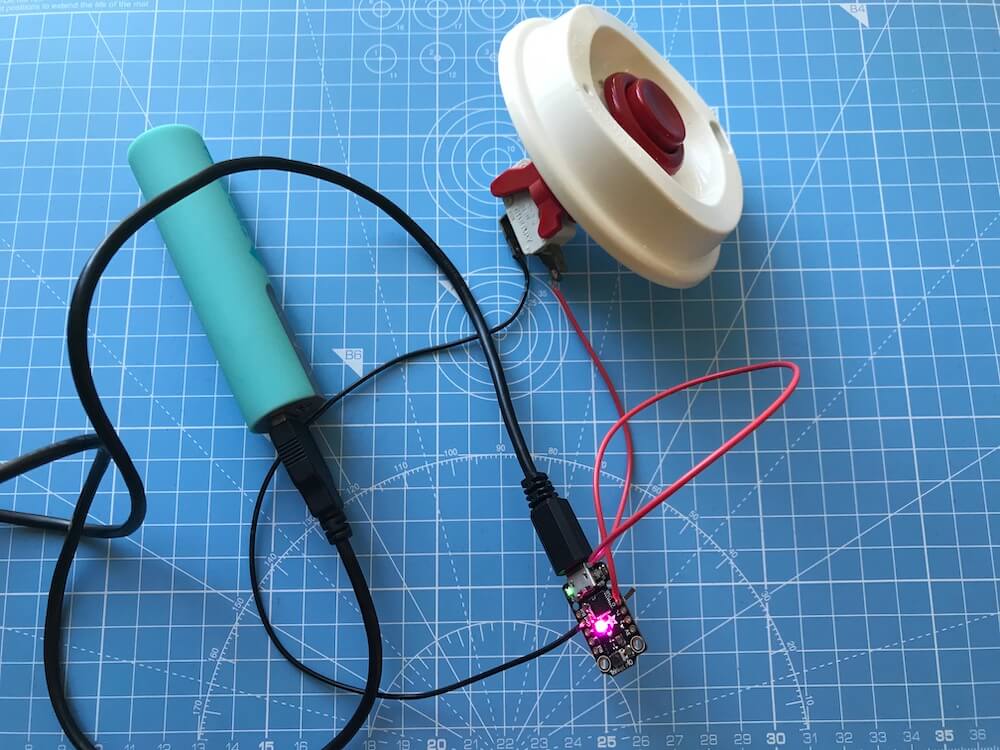
What you need is a single sturdy button that sends both of these toggle commands as quickly as possible. [Simon Prickett]’s panic switch does exactly that. It’s a delightfully tactile arcade button connected to a Trinket M0, which can emulate a keyboard quite easily as an Arduino or CircuitPython device.

This little keyboard doesn’t send these macros directly, because that would be way too risky. What if you were reading Hackaday instead of staring into the tiled faces of your coworkers? Then it wouldn’t work, because Zoom is out of focus.

Instead, it sends an obscure four-key macro to the computer that triggers an AppleScript. [Simon]’s AppleScript checks to see if Zoom is running. If not, it has the system announce the fact. If it is running, then the script sends cmd+shift+a and cmd+shift+v to Zoom directly to toggle the audio and video. Check out the demo after the break.

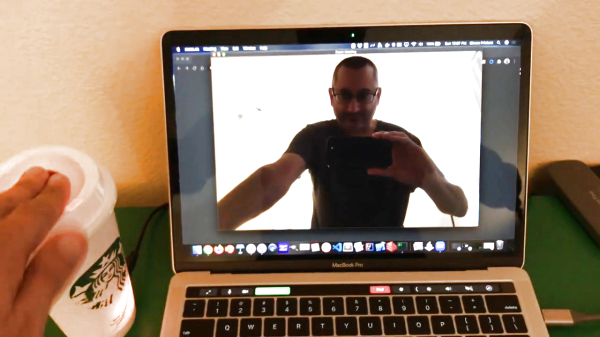
As you might expect, we’ve seen a couple of videoconference survival hacks over the past few months. Need to show something or work with your hands, but only have one camera? All you need is a mirror, a clothespin, and a length of wire for a simple split-screen setup.

Continue reading “Panic Button Is An Audio-Visual Parachute Out Of Zoom Calls”

Ergo Keyboard Build Issue Becomes Crystal Clear

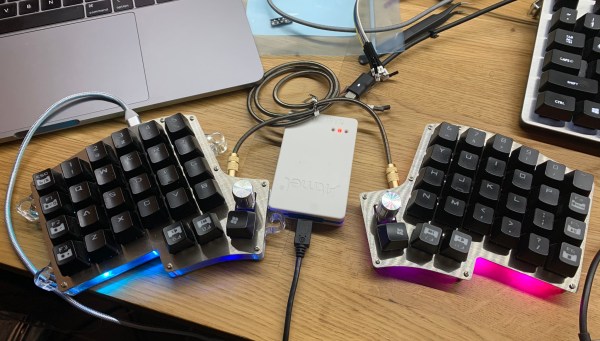
Somewhere between the onset of annoying hand pain and the feeling of worn-out, mushy switches, [sinbeard]’s keyboard dissatisfaction came to a head. He decided it was time to slip into something bit more ergonomic and settled on building an Iris — a small split keeb with an ortholinear (non-staggered) key arrangement.

The Iris is open source and uses an on-board controller, so you can have the boards fabbed and do a lot of SMD soldering, or get a pair of PCBs with all of that already done. [sinbeard] went the latter route with this build, but there’s still plenty of soldering and assembly to do before it’s time to start clackin’, such as the TRRS jacks, the rotary encoders, and of course, all the switches. It’s a great way for people to get their feet wet when it comes to building keyboards.

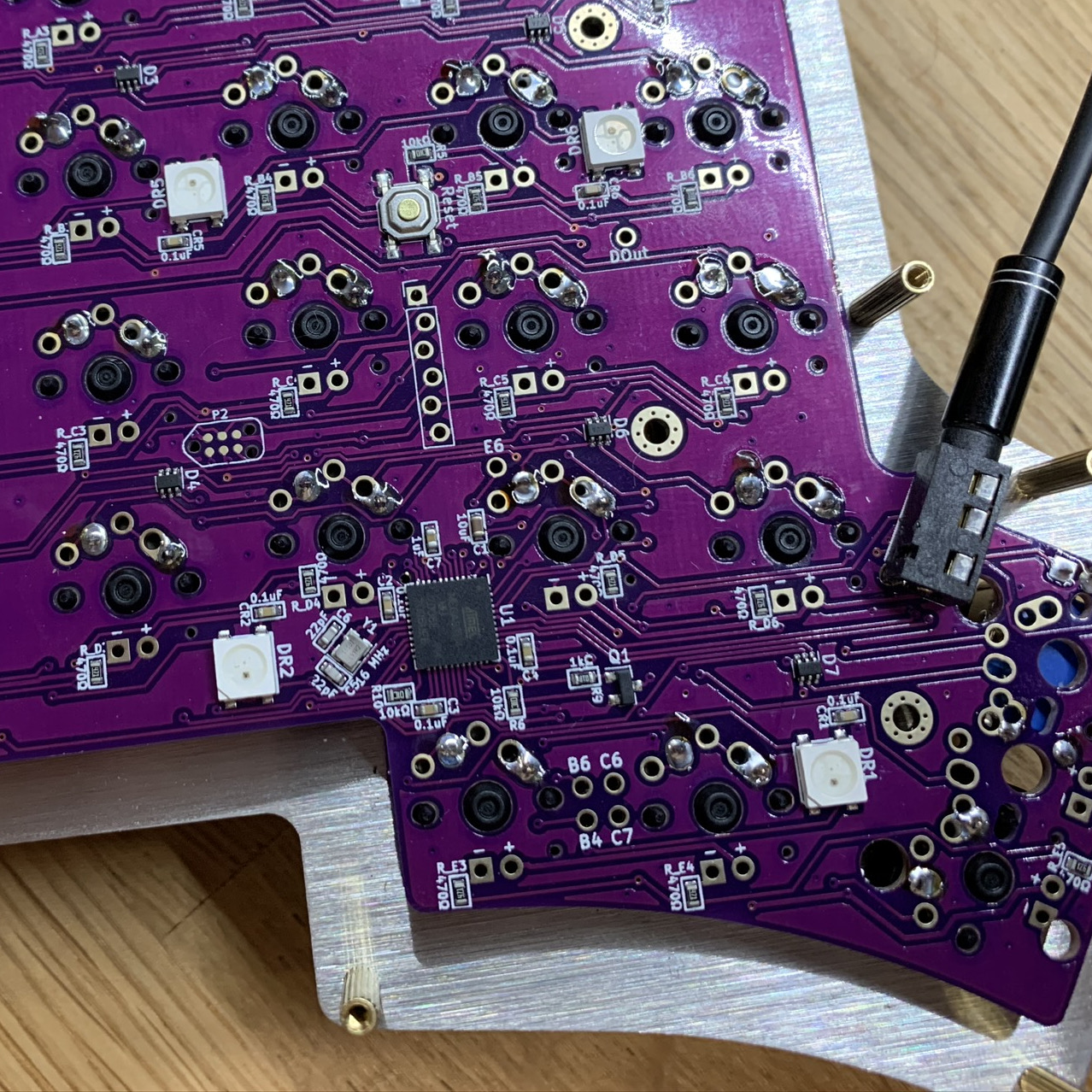
Everything went according to plan until it was time to flash the firmware and it didn’t respond. It’s worth noting that both of the Iris PCBs are the same, and both are fully populated. This is both good and bad.

It’s bad you have two on-board microcontrollers and their crystals to worry about instead of one. It’s good because there’s a USB port on both sides so you can plug in whichever side you prefer, and this comes in mighty handy if you have to troubleshoot.

When one side’s underglow lit up but not the other, [sinbeard] busted out the ISP programmer. But in the end, he found the problem — a dent in the crystal — by staring at the board. A cheap replacement part and a little hot air rework action was all it took to get this Iris to bloom.

Want to build a keyboard but need a few more keys? Check out the dactyl and the ErgoDox.

Inputs Of Interest: X-Bows Ergo-Mechanical Keyboard

Okay, let’s just get this out of the way up front, shall we? This ergonomic mechanical keyboard was a free sample offered to me by X-Bows. They contacted me after I expressed interest in trying one in the comments of my post about the Kinesis Advantage. I had my doubts about this keyboard as far as my own personal ergonomic needs go, which are admittedly on the extreme side. TL;DR: I won’t be abandoning my curvy girls anytime soon. But I will say that I’m definitely impressed by the X-Bows.

X-Bows was founded by a doctor who saw a lot of RSI issues in programmers and writers and decided to take matters into his own hands. The keyboard was born on Kickstarter in 2017 and now comes in three models. They sent me the mid-range model called The Knight, which retails for $249, but seems to be on permanent sale for $199. The top-of-the-line Knight Plus has a magnetic, detachable 10-key that can attach to either side. Continue reading “Inputs Of Interest: X-Bows Ergo-Mechanical Keyboard”

Vintage Keyboard Gets The QMK Treatment

While nobody could deny that computing technology has some a long way in the last few decades, there are many out there who believe peak keyboard was sometime before the turn of the new millennium. They prefer the look, feel, and especially the sounds, of those classic keyboards to what passes for an input device these days. So much so that it’s not uncommon to see one of these old mammoths get freshened up and pushed into service with a modern computer.

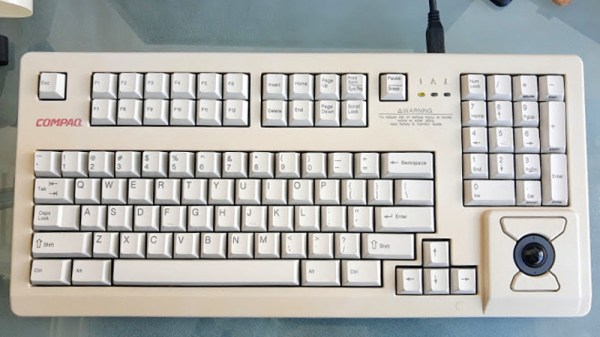
Which is exactly what [Juan Pablo Kutianski] has done with his Compaq MX-11800. This keyboard, which is actually a branded version of the Cherry G80-11800, really stands out in a crowd. With an integrated trackball and a two-row arrangement for the function keys, it’s not hard to see why he’d want to show it off. But while the hardware itself was solid, the features and capabilities of this old school keyboard left something to be desired.

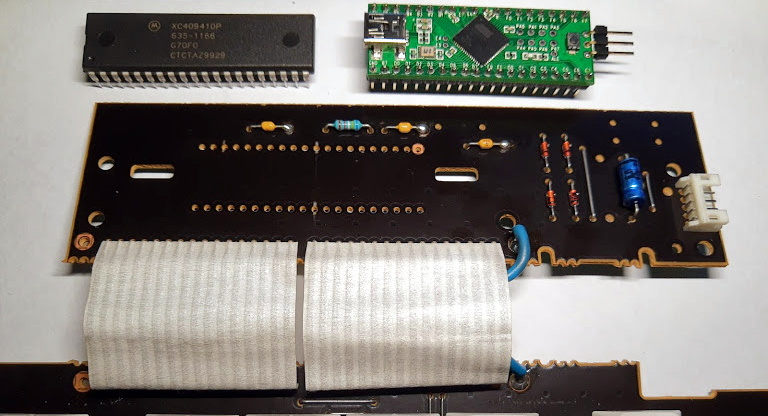
The solution was to replace the keyboard’s original electronics with a Teensy++2.0 running the popular QMK firmware. This not only made the keyboard USB, but allowed [Juan] to tweak things such as the trackball sensitivity and add in support for layers and macros. All of which can be managed through VIA, a graphical configuration tool for QMK.

As we’ve seen in so many projects, the combination of QMK running on the Teensy is a powerful tool for getting the most out of your keyboard. Whether breathing new life into a vintage piece of hardware or creating something truly custom like our very own [Kristina Panos] recently did, it’s definitely something to keep in mind if you’re considering any keyboard hacking.

Inputs Of Interest: ErgoDox Post-Mortem

In the last installment, I told you I was building an open-source, split, ortholinear keyboard called the ErgoDox. I’m doing this because although I totally love my Kinesis Advantage, it has made me want to crack my knuckles and explore the world of split keyboards. Apparently there are several of you who want to do the same, as evidenced by your interest in the I’m Building an ErgoDox! project on IO. Thank you!

Well boys and girls, the dust has settled, the soldering iron has cooled, and the keycaps are in place. The ErgoDox is built and working. Now that it’s all said and done, let me tell you how it went. Spoiler alert: not great. But I got through it, and it keyboards just like it’s supposed to. I’m gonna lay this journey out as it happened, step by step, so you can live vicariously through my experience.

Continue reading “Inputs Of Interest: ErgoDox Post-Mortem”

Bluetooth Takes Keyboard From DIY To Super Fly

They say you should never cheap out on anything that comes between you and the ground, like tires, shoes, and mattresses. We would take that a little further into the 21st century and extend it to anything between you and work. In our case, ‘buy nice or buy twice’ includes keyboards and mice.

[Marcus Young] is a fan of ortholinear ergonomic comfort, but not of cables. He gave [adereth]’s dactyl keyboard some wings by using a Bluetooth micro, and the Pterodactyl was born. Of course, the two halves still use a TRRS cable to communicate, and wires are required to charge batteries, but it’s the principle of the thing.

That’s not all [Marcus] did to make the dactyl his own — it also has a modified full-fat base that gives him all the room in the world to wire up the keyswitch matrix compared to the original streamlined design.

Instead of the usual Teensy, Pro Micro, or Proton-C, the pterodactyl has a Feather 32u4 in its belly. [Marcus] is clacking on Holy Panda switches which we’ve been meaning to try, and individual PCBs for each switch, which seems like it might negate gluing the switches in place so they survive through keycap changes. Check out [Marcus]’ write-up to see what he learned during this build.

This isn’t the first modified dactyl we’ve seen flying around here, and it won’t be the last. Here’s one with a dual personality — both halves can work together or alone.

Via r/mk