Tiny Plotter Is Made Of Strings And Cardboard

If you’ve been hanging around Hackaday for any length of time, you’ve undoubtedly seen the work of [Niklas Roy]. A prolific maker of…everything, we’ve covered his projects for over a decade now. He’s one of an elite group of hackers who can say they’ve been around since Hackaday was still using black & white pictures. Yet sometimes projects fall through the cracks.

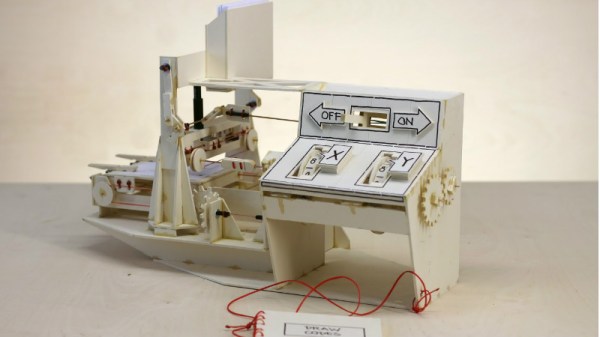
Thanks to a tip sent in from one of our beloved readers, we’re just now seeing this incredible cardboard plotter [Niklas] made for a workshop he ran at the University of Art and Design Offenbach several years ago. The fully manual machine is controlled with two rotary dials and a switch, and it even comes with a book that allows you to “program” it by dialing in specific sequences of numbers.

Not that it detracts from the project, but its worth mentioning that the “cardboard” [Niklas] used is what is known as Finnboard, a thin construction material made of wood pulp that looks similar to balsa sheets. The material is easy to work with and much stronger than what we’d traditionally think of as cardboard. Beyond the Finnboard, the plotter uses welding rods as axles and slide rails, with glue, tape, and string holding it all together.

The dials on the control panel correspond to the X and Y axes: turning the X axis dial moves the bed forward and backward, and the Y dial moves the pen left and right. The switch above the dial lowers and raises the pen so it comes into contact with the paper below. With coordination between these three inputs, the operator can either draw “freehand” or follow the sequences listed in the “Code Book” to recreate stored drawings and messages.

Believe it or not, this isn’t the first time we’ve seen somebody made a plotter out of cardboard. Though previous entries into this specific niche did use servos to move around.

Continue reading “Tiny Plotter Is Made Of Strings And Cardboard”

Bot Makes Etch A Sketch Art In One Continuous Line

Introduced in 1960 for the princely sum of $2.99 ($25.00 today), Etch A Sketch was to become a standard issue item for the Baby Boomers’ toy box. As enchanting as the toy seems, it’s hard to see why it had staying power: it was hard for young fingers to twirl the knobs, diagonal lines and smooth curves required a concert pianist’s fine motor control, and whatever drawings we managed to make were erased at the slightest jostle of the tablet.

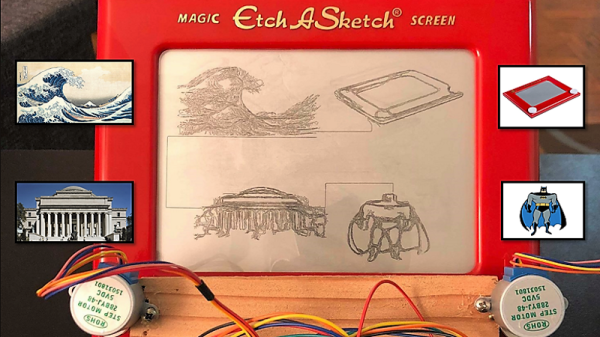
Intent on righting these wrongs, [Sunny Balasubramanian] not only motorized an Etch A Sketch, but he’s also given it a mind of its own in a way. For those unfamiliar with the toy, it’s basically a manual X-Y plotter that drags a stylus across the underside of a glass screen, scraping off a silver powder clinging to the glass to make dark lines. Replacing the knobs with steppers is straightforward, of course, but driving them is the trick. [Sunny] hooked his up to a Raspberry Pi and wrote some Python code to drive them. The Pi also accepts input image files and processes them for rendering through the plotter, first doing Canny edge detection in OpenCV, then plotting a single path through the largest collection of connected pixels in the image. From there it’s just a matter of spinning the motors to create surprisingly detailed images. Check out the short video below to see it in action.

It’s hardly the first automatic Etch A Sketch we’ve seen – here’s one that automates everything including the shake to erase the drawing. That one cheats a little though, in that it rasters across the screen like a CRT. We really like how this one just does a single path. Pretty clever.

Continue reading “Bot Makes Etch A Sketch Art In One Continuous Line”

A Polar Coordinate CNC Plotter Even Descartes Could Love

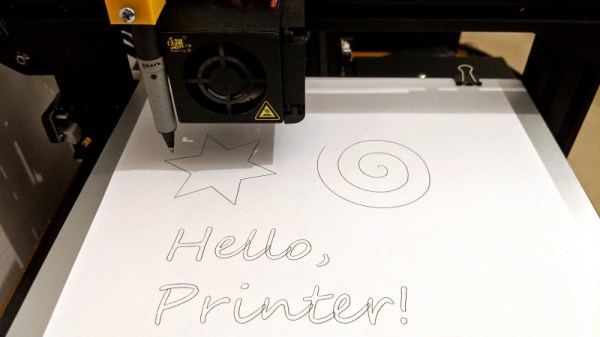
Take apart a few old DVD drives, stitch them together with cable ties, add a pen and paper, and you’ve got a simple CNC plotter. They’re quick and easy projects that are fun, but they do tend to be a little on the “plug and chug” side. But a CNC plotter that uses polar coordinates? That takes a little more effort.

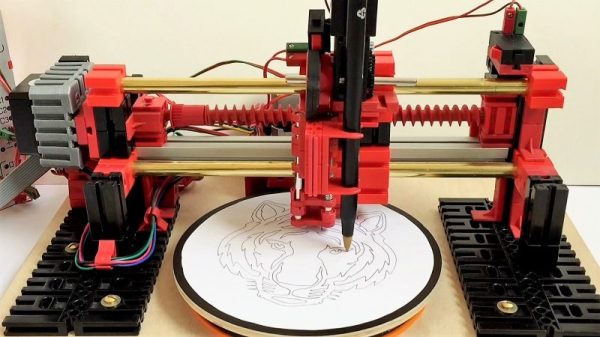
The vast majority of CNC projects, from simple two-axis plotters to big CNC routers, all tend to use Cartesian coordinate systems, where points on a plane are described by their distances from an origin point on two perpendicular axes. Everything is nice and square, measurements are straightforward, and the math is easy. [davidatfsg] decided to level up his CNC plotter a bit by choosing a polar coordinate system, with points described as a vector extending a certain distance from the origin at a specified angle. Most of the plotter is built from FischerTechnik parts, with a single linear axis intersecting the center point of a rotary drawing platform. Standard G-code is translated to polar coordinates by a Java applet before being sent to a custom Arduino controller to execute the moves. Check out the video below; it’s pretty mesmerizing to watch, and we can’t help but wonder how a polar 3D-printer would work out.

Have polar coordinates got you stumped? It can be a bit of an adjustment from Cartesian space for sure. It can be worth it, though, showing up in everything from cable plotters to POV fidget spinners and even to color space models.

Continue reading “A Polar Coordinate CNC Plotter Even Descartes Could Love”

Junk Build Printer Uses Pencil To Print

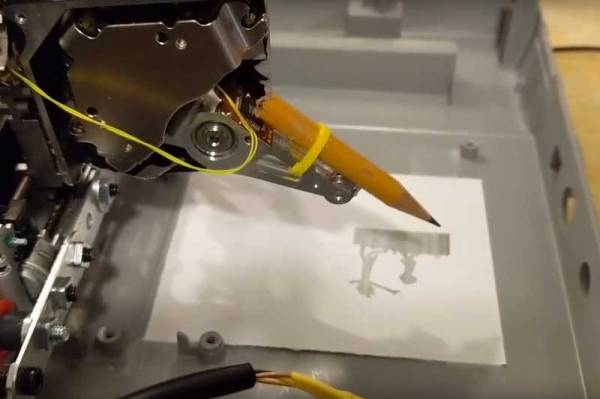
Sometimes, it is interesting to see what you can build from the bits that you have in your junk drawer. [Dr West] decided to build a printer with spare parts including a hard drive, a scanner base and an Arduino. The result is a rather cool printer that prints out the image using a pencil, tapping the image out one dot at a time. The software converts the image into an array, with 0 representing white and 1 representing black. The printer itself works a bit like an old-school CRT TV: the scanner array moves the printer along a horizontal line, then moves it vertically and along another horizontal line. It then triggers the hard drive actuator to create a mark on the paper if there is a 1 in the array at that point.

We’ve seen a few drawing printers before, but most use a plotter or CNC approach, where the motors move the pencil on an X-Y . This type of dot matrix printer (sometimes called a dotter) isn’t as efficient, but it’s a lot of fun and shows what can be achieved with  a few bits of junk and a some ingenuity.

Continue reading “Junk Build Printer Uses Pencil To Print”

Extracting A Vector Font From A Vintage Plotter

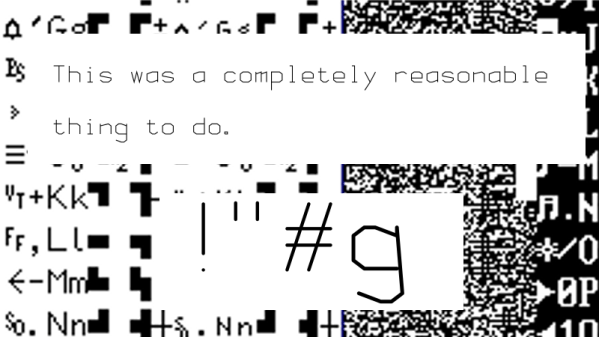
There is a huge variety of hardware out there with a font of some form or other baked into the ROM. If it’s got a display it needs a font, and invariably that font is stored as a raster. Finding these fonts is trivial – dump the ROM, render it as a bitmap, and voilà – there’s your font. However, what if you’re trying to dump the font from a vintage Apple 410 Color Plotter? It’s stored in a vector format, and your job just got a whole lot harder.

The problem with a vector font is that the letters aren’t stored as individual images, but as a series of instructions that, when parsed correctly, draw the character. This has many benefits for generating characters in all manner of different sizes, but makes the font itself much harder to find in a ROM dump. You’re looking for both the instructions that generate the characters, as well as the code used to draw them, if you want a full representation of the font.

The project begins by looking at what’s known about the plotter. The first part of any such job is always knowing where to look, of course. It’s quickly determined that the font is definitely stored in the main ROM, and that there is no other special vector drawing chip or ROMs on board. The article then steps through the search process, beginning with plaintext searches of the binary dump, before progressing to a full disassembly of the plotter firmware. After testing out various assumptions and working methodically, the vector data is found and eventually converted into a modern TrueType font.

In the end, the project is successful, and it’s a great guide on how to approach similar projects. The key is to lay out everything you know at the start, and use that to guide your search step by step, testing and discarding assumptions until you hit paydirt. We’ve seen similar works before, like this project to dump the voice from an ancient Chrysler Electronic Voice Alert.

New Life For An Obscure Apple Plotter

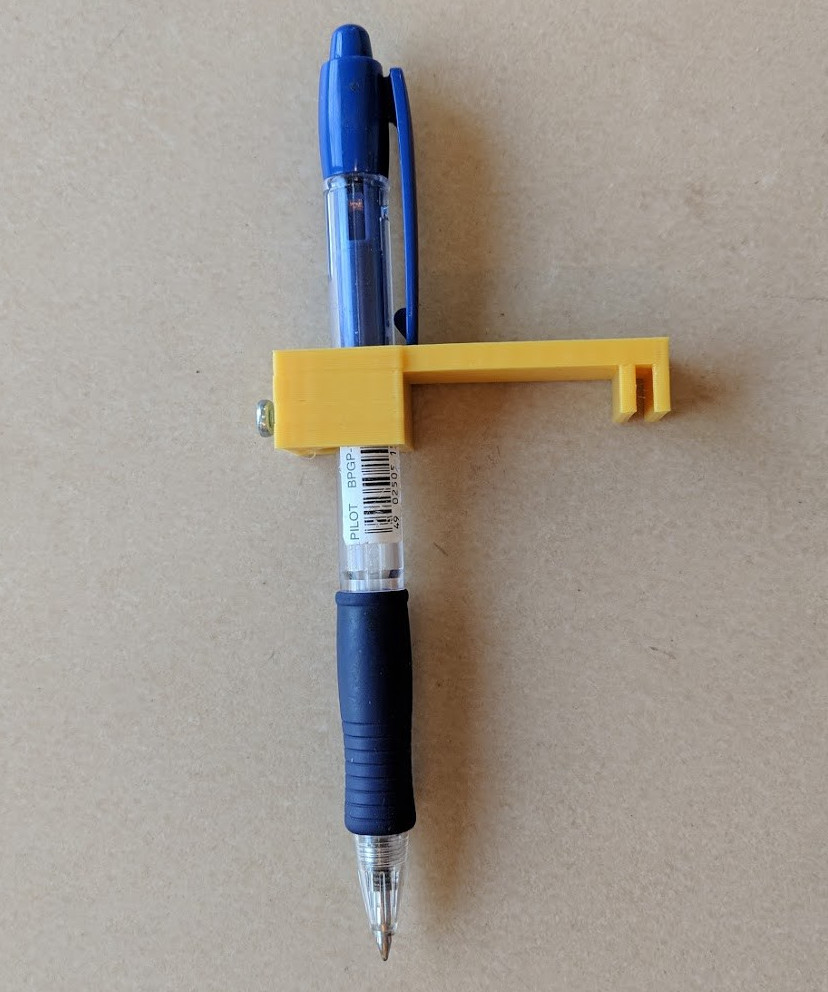
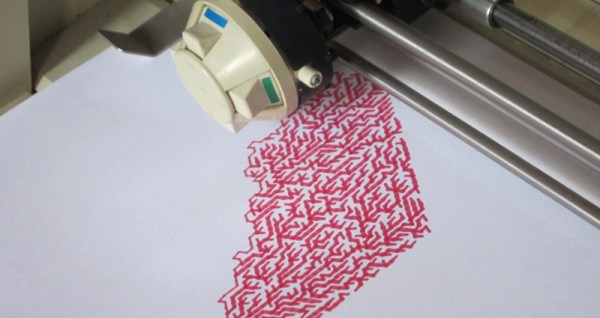
We’ve all at some point or other seen something done online by somebody else, and thought “I’d like to have a go at that!”. When [Phooky] saw the artwork on the #PlotterTwitter hashtag, he remembered a past donation of a plotter to the NYC Resistor hackerspace. Some searching through the loft revealed a dusty cardboard box containing not the lovely Hewlett-Packard he’d hoped for, but instead an Apple 410 Color Plotter. This proved to be such an obscure part of the legacy Apple product line that almost no information was available for it save for a few diagrams showing DIP switch settings for the serial port.

Undeterred, he took a look inside and found a straightforward enough control board featuring a Z80 processor and support chips with 1983 date codes. The ROMs were conveniently socketed, so after dumping their contents, he was able to identify the routine for the plotter’s test program, and thus work from there to deduce its command set.  A small matter of the plotter using hardware handshaking lines to signal a full buffer later, and he was able to use it to produce beautiful plots. Should you be one of the lucky few remaining Apple 410 owners, you may find his software library for it to be of some use.

If you’d like to see some more aged plotter action on these pages, we’ve had an analog Hewlett Packard here in the past, as well as a vintage drum plotter.

Thanks [Sophi] for the tip.

A Case For The Desktop Vinyl Cutter

As far as desktop workbench fab tools go, it’s too easy to let 3D printers keep stealing the spotlight. I mean, who doesn’t appreciate that mechatronic “buzz” as our printer squirts a 3D CAD model into plastic life? While the 3D printer can take up a corner of my workbench, there’s still plenty of room for other desktop rapid-prototyping gadgets.

Today, I’d like to shed some light on vinyl cutters. Sure, we can start with stickers and perhaps even jumpstart an after-hours Etsy-mart, but there’s a host of other benefits besides just vinyl cutting. In fact, vinyl cutters might just be the unsung heroes of research in folding and papercraft.

Continue reading “A Case For The Desktop Vinyl Cutter”