Meat-Seeking Raspberry Pi Leads You To Flavortown

[Patrick McDavid] and his wife had a legitimate work-related reason for writing some Python code that would pull the exact latitude and longitude of the individual locations within a national retain chain from Google’s Geocoding API. But don’t worry about that part of the story. What’s important now is that this simple concept was then expanded into a pocket-sized device that will lead the holder to the nearest White Castle or Five Guys location.

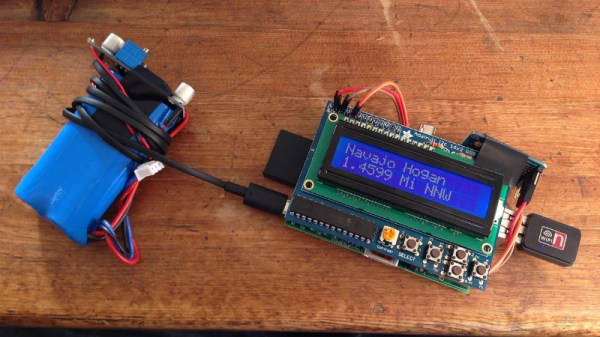
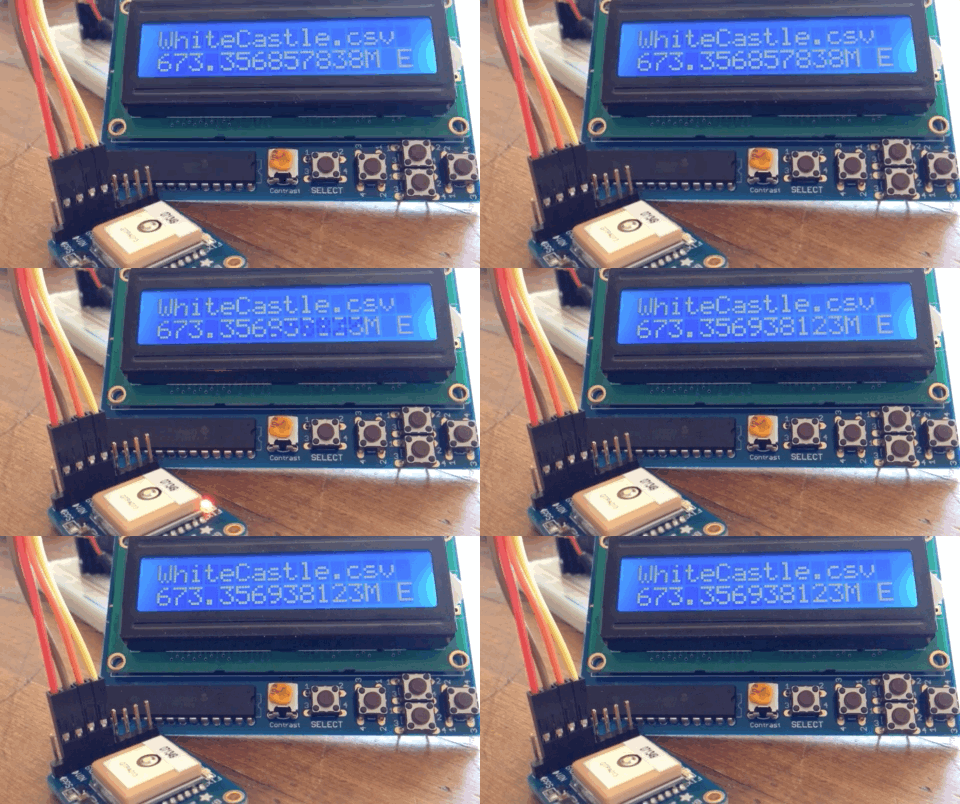
The device, which [Patrick] lovingly referrers to as the “Cheeseburger Compass”, uses a Raspberry Pi 3, an Adafruit 16×2 LCD with keypad, a GPS module, and the requisite battery and charger circuit to make it mobile. With the coordinates for the various places one can obtain glorious artery clogging meat circles loaded up, the device will give the user the cardinal direction and current distance from the nearest location of the currently selected chain.

[Patrick] has published the source code for this meat-seeking gadget on GitHub, but notes that most of it is just piecing together existing libraries and tools. As with many Python projects, it turns out there’s already a popular library to do whatever it is you were trying to do manually, so his early attempts at calculating distances and bearings were ultimately replaced with turn-key solutions. Though he did come up with a quick piece of code that would convert a compass heading in degrees to a cardinal direction that he couldn’t find a better solution for. Maybe he should make it a library…

Sadly the original Cheeseburger Compass got destroyed from being carried around so much, but at least it died doing what it loved. [Patrick] says a second version of the device would likely switch over to a microcontroller rather than the full Raspberry Pi experience, as it would make the device much smaller and greatly improve on the roughly two hour battery life.

This project reminds us of the various geocache devices we’ve covered in the past, but with the notable addition of hot sizzling meat. Talk about improving on a good thing.

Vintage Rotary Phone Turned Virtual Assistant

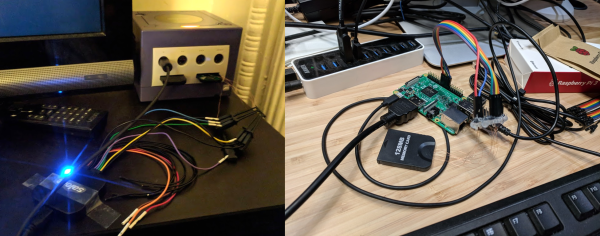
Like many of us, [Zoltan Toth-Czifra] has completely embraced 21st century living. His home is awash in smart gadgets and dodads, from color changing light bulbs to Internet-connected cameras. But he’s also got a soft spot for the look and feel of vintage hardware, like the rotary phone he keeps kicking around to remind him of the old days. He recently decided to bridge these two worlds by turning the rotary phone into a modern voice controlled assistant.

The first piece of the puzzle was getting the old school phone connected to something a bit more modern, namely a Raspberry Pi. He didn’t want to hack the vintage phone apart, so he picked up a Grandstream HT801, an adapter that’s used to convert analog telephones to VoIP. [Zoltan] says this model specifically fit the bill as it had a function that allows you to configure a number to dial as soon the phone is lifted off the hook. This allows the user to just pick up the phone and start talking without having to dial anything manually. If you’re looking to pull off a similar setup, you should check to make sure the adapter has this function before pulling the trigger.

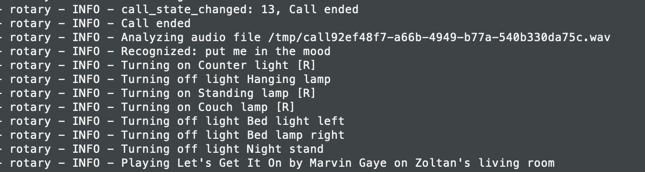
With the rotary phone now talking a more modern protocol, [Zoltan] just needed to get the Raspberry Pi side sorted out. He installed a SIP server so it could communicate with the HT801 adapter, and then got to work putting together his virtual assistant. Rather than plug into an existing system, he rolled his own by combining open source packages for controlling his various smart devices with the aptly named SpeechRecognition library for Python.

Right now he’s only programmed a few commands that his system can respond to for controlling his lights and music, but mentions that the system is modular enough that he can add new functions easily. He’s put the source for his virtual assistant framework up on GitHub, which he notes was written in less than 200 lines of original code by virtue of utilizing existing libraries for a lot of the heavy lifting. Open source is a beautiful thing.

In the past we’ve seen rotary phones go mobile thanks to GSM upgrades and dragged kicking and screaming onto the modern phone network with a built-in Raspberry Pi. But we think there’s something especially appealing about the approach [Zoltan] took which preserves the phone’s original hardware.

Continue reading “Vintage Rotary Phone Turned Virtual Assistant”

Launchpad MIDI Controller Put To Work With Python

For Hackaday readers who might not spend their free time spinning electronic beats at raves, the Launchpad by Novation is a popular peripheral for creating digital music with tools such as Ableton Live. It’s 8×8 grid of RGB LED backlit buttons are used to trigger different beats and clips by sending MIDI commands to the computer over USB. While not a strict requirement for performing digital music, it also helps that it looks like you’re flying a spaceship when using it.

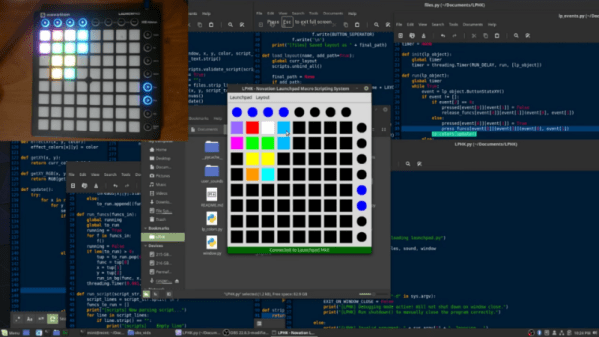
It’s definitely a slick piece of gear, but the limited stock functionality means you’re unlikely to see one outside of the Beat Laboratory. Though that might change soon thanks to LPHK, created by [Ella Jameson]. She’s created a program in Python that allows you to use the Novation Launchpad as a general purpose input device. But rather than taking the easy way out by just turning the hardware into a USB HID device or something along those lines, LPHK implements an impressive set of features including its own internal scripting language.

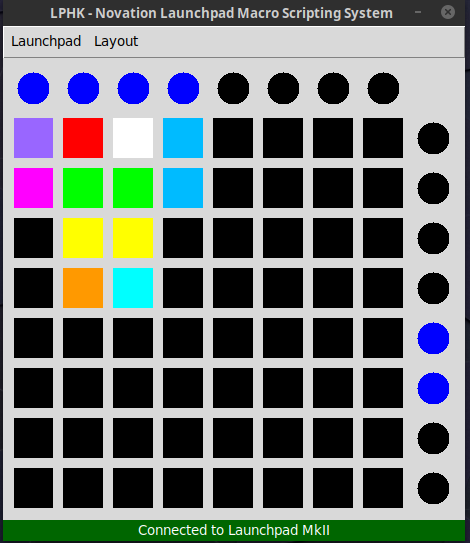
In the video after the break, [Ella] walks us through some basic use cases, such as launching programs or controlling the system volume with individual buttons. LPKH has a GUI which provides a virtual representation of the Launchpad, and allows configuring each button’s color and function as well as saving and loading complete layouts.

For more advanced functionality, LPHK utilizes a scripting language that was inspired by the Hak5 USB Rubber Ducky. Scripts are written with plain English commands and very simple syntax, meaning you don’t need to have any programming experience to create your own functions. There’s also a script scheduling system with visual feedback right on the board: if a button is pulsing red it means it has a script waiting for its turn to execute. When the key is rapidly flashing the script is actively running. A second tap of the button will either remove it from the queue or kill the running script, depending on what the status was when you hit it.

[Ella] makes it clear this software is still a work in progress; it’s not as polished as she’d like and still has bugs, but it’s definitely functional for anyone who’s looking to wring a bit more functionality out of their $150 Launchpad. She’s actively looking for beta testers and feedback, so if you’ve already got one of these boards give it a shot and let her know what you think.

In the past we’ve seen hackers fiddling with the open source API Novation released for their Launchpad controllers, but overall there hasn’t been a lot of work done with these devices. Perhaps that will soon change with powerful software like this in development.

Continue reading “Launchpad MIDI Controller Put To Work With Python”

Low-cost Autonomous Rover Will Drive Your Projects

[Miguel] wanted to get more hands-on experience with Python, so he created a small robotic platform as a testbed. But as such things sometimes go, it turns out the robot he created is a worthy enough project in its own right. With a low total cost and highly flexible design, it might be exactly what you’re looking for. Who knows, it might even bootstrap that rover project that’s been wandering around the back of your mind.

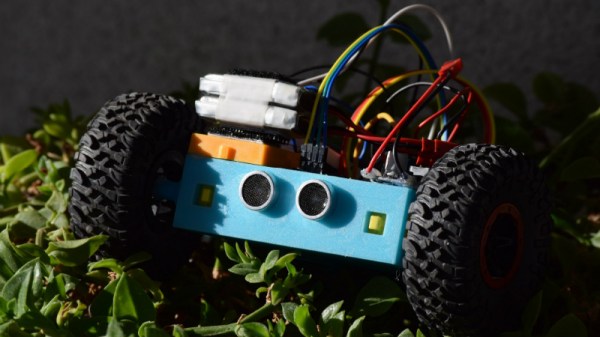
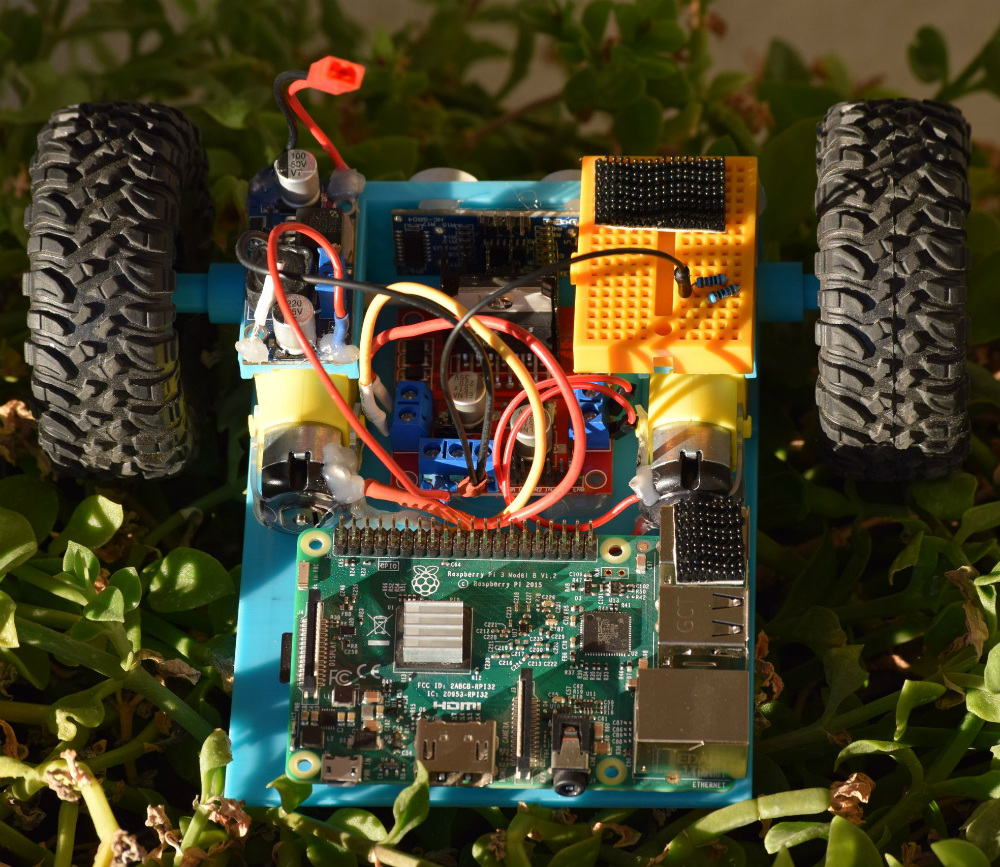
The robot makes use of an exceptionally simple 3D printed frame. No complicated suspension to worry about, no fasteners to hold together multiple printed parts. It’s just a single printed “L” shaped piece that has mounts for the motors and front sensor board. As designed it simply drags its tail around, which should work fine on smooth surfaces, but might need a bit of tweaking if you plan on taking your new robotic friend on an outdoor adventure.

There’s a big open area on the “tail” to mount a Raspberry Pi, but you could really put whatever board or microcontroller you wish here. In the nose is an HC-SR04 ultrasonic sensor, which [Miguel] is using to perform obstacle avoidance in his Python code. A dual H-Bridge motor driver controls the pair of gear motors in the front to provide propulsion and steering, and a buck converter steps down the 7.4V from the 2S LiPo battery to power the electronics. He’s even included a mini breadboard so you can add circuits or sensors as experimental payloads.

If you’re looking for a slightly more advanced 3D printed robotics platform, we’ve seen our fair share. From the nearly fully printed Watney to a tank that looks like it’s ready for front-line combat.

Learn To Loop The Python Way: Iterators And Generators Explained

If you’ve ever written any Python at all, the chances are you’ve used iterators without even realising it. Writing your own and using them in your programs can provide significant performance improvements, particularly when handling large datasets or running in an environment with limited resources. They can also make your code more elegant and give you “Pythonic” bragging rights.

Here we’ll walk through the details and show you how to roll your own, illustrating along the way just why they’re useful.

Continue reading “Learn To Loop The Python Way: Iterators And Generators Explained”

Make Your Python Prettier With Decorators

Many Pythonistas are familiar with using decorators, but far fewer understand what’s happening under the hood and can write their own. It takes a little effort to learn their subtleties but, once grasped, they’re a great tool for writing concise, elegant Python.

This post will briefly introduce the concept, start with a basic decorator implementation, then walk through a few more involved examples one by one.

Continue reading “Make Your Python Prettier With Decorators”

Rover V2 Handles Stairs As Easily As The Outdoors

Rover V2 is an open-source, 3D-printable robotic rover platform that has seen a lot of evolution and development from its creator, [tlalexander]. There are a number of interesting things about Rover V2’s design, such as the way the wheel hubs themselves contain motors and custom planetary gearboxes. This system is compact and keeps weight down low to the ground, which helps keep a rover stable. The platform is all wheel drive, and moving parts like the suspension are kept high up, as far away from the ground as possible. Software is a custom Python stack running on a Raspberry Pi that provides basic control.

The Rover V2 is a full mechanical redesign of the previous version, which caught our attention with its intricate planetary gearing inside the wheel hubs. [tlalexander]’s goal is to create a robust, reliable rover platform for development that, thanks to its design, can be mostly 3D printed and requires a minimum of specialized hardware.